
OpenMeetings
Maintained by
Maxim Solodovnik
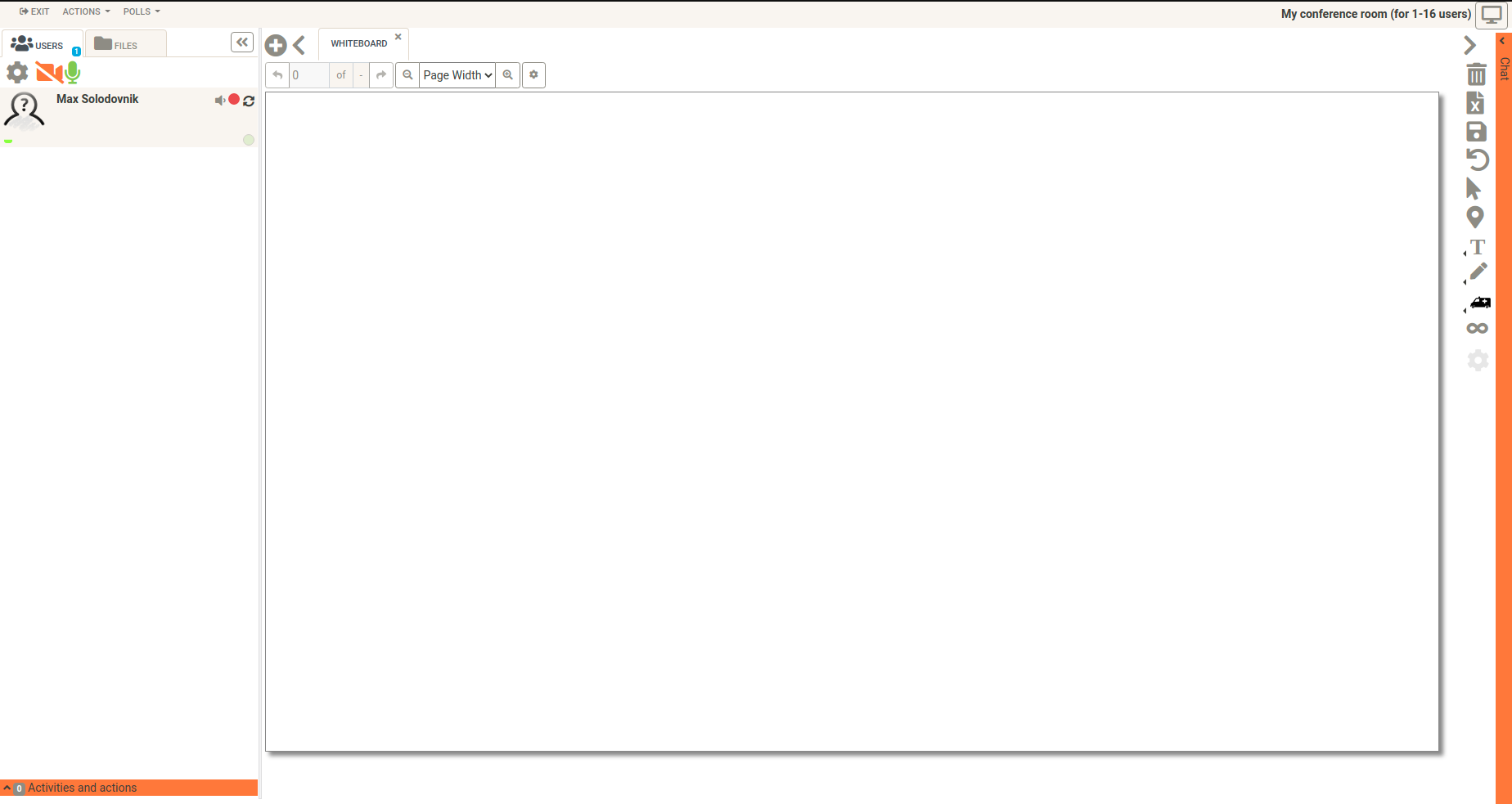
OpenMeetings is a free browser-based software that allows you to set up instantly a conference in the Web. You can use your microphone and/or webcam, share documents on a white board, discuss in a chat, share your screen or record meetings. It is available as hosted service or you download and install a package on your own server.
Comments
Comments are no longer open for new posts. Existing comments remain available to read.
I think i find a bug..maybe...
We are using moodle 2.7 an OM 3.07 on ubuntu Server 14.04 (incl. latest patchlevel)
Om and Moodle are working fine ..but we can reproduce the following error:
in course create an activity OM and change display to new browser window --> got timeout from server.
Apache Logfile says: "Segmentation fault (11), possible coredump in /etc/apache2"
If we delete this activity, we are able to use your plugin in all variants.
If we don't delete this "new windows OM activity" we cannot create new activities with the plugin.
If we never use the "new window" function, we have no problems.
Any ideas???
Greetz
Jochen
http://www.2daygeek.com/apache-openmeetings-3-0-installation-and-configuration-in-centos-6-5/
and its working on port 5080 , I configured my plugin from graphical interface as you have in this video but this what you mentioned now I dont know where to add
HTTP Status 404 - /contaxt/services/UserService
type Status report
message /contaxt/services/UserService
description The requested resource is not available.
Apache Tomcat/7.0.57
thanks for answering me , I tried the link what you send and it doesn't work , port is open , I use iptables and port 5080 is configured there also I opened other ports which openmeetings is using . I have moodle and open meetings installed on the same server , open meeting alone I can access it without problem on my ip followed by port number 5080
what happens if you check the following URL: https://yourserver:port/contaxt/services/UserService?wsdl
Is this URL accessible via the browser?
Which port you have configured on the openmeetings server and in the settings of the openmeetings plugin in moodle, port 5080 (the standard port of om)? And what about the firewall? Is the port 5080 open?
Thanks & Greetings,
Michael
sorry my mistake. The user in the plugin had no rights to create rooms.
So relax and have a nice day
Greetings
JK
sorry, but I can't reproduce the error you received. I tested the latest moodle om plugin - version 1.7.4 - which works with the moodle version 2.7.x & moodle 2.8.x and the openmeetings version 3.0.x.
Which versions of moodle and openmeetings do you use?
Thanks & Greetings,
Michael
i have tried 1.7.4. Creating a new course room, saving an then enter the room generates a OM Error message: "Invalid hash". This affects all three possibilities to open the room.
Gruß
JK
please try the latest version (1.7.4) of this plugin.
Thanks & Greetings,
Michael
is it possible to get a further option to open the room.
(iframe, wholewindow, _blank)
For diffrent reasons this third option will be important for us.
Thanks in advance
JK
The problem was caused by the moodle server which had the 5080 port closed in its firewall. Once open, the connection was done fine.
Thanks ...
DanielR
I installed this plugin but always get the message "Request OpenMeetings! OpenMeetings Service failed and no response was returned."
I'm using Moodle 2.6 with the Plugin Version 2014062601 (1.7) and Open Meetings 3.0.2.
The plugin is perfectly configured.
As per the video above, I'm using a OM user just for SOAP connections. I also tried with the OM main Administrator user and didn't work.
Moodle and Openmeetings are working fine themselves but not the connection between them using this plugin.
What could I do to solve this?
Thanks in advance for your very appreciated support on this matter.
DanielR
I tested the latest openmeetings moodle plugin version 1.6 with moodle version 2.7 and openmeetings version 2.2.0 and it worked as expected.
But in the debugging mode I've got the following error message because of the changes in the events Api in moodle 2.7:
add_to_log() has been deprecated, please rewrite your code to the new events API
line 48 of /lib/deprecatedlib.php: call to debugging()
line 63 of /mod/openmeetings/view.php: call to add_to_log()
Greetings,
Michael
sorry, but I was unable to reproduce it. I tested the openmeetings moodle plugin with version 1.7.1, moodle 2.7 and openmeetings 3.0.1.
This openmeetings moodle plugin doesn't work with openmeetings 2.x!
I will test the openmeetings plugin version 1.6 with moodle version 2.7 and openmeetings version 2.x within the next few days, ok?
What version of openmeetings do you use?
Greetings,
Michael