eTask topics format icon

eTask topics format

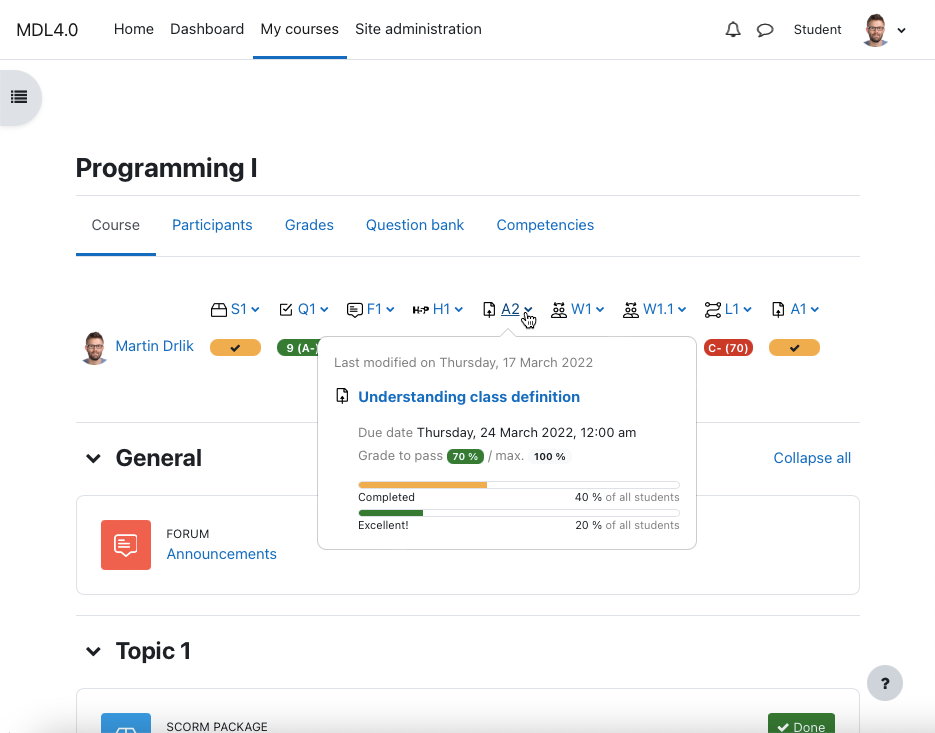
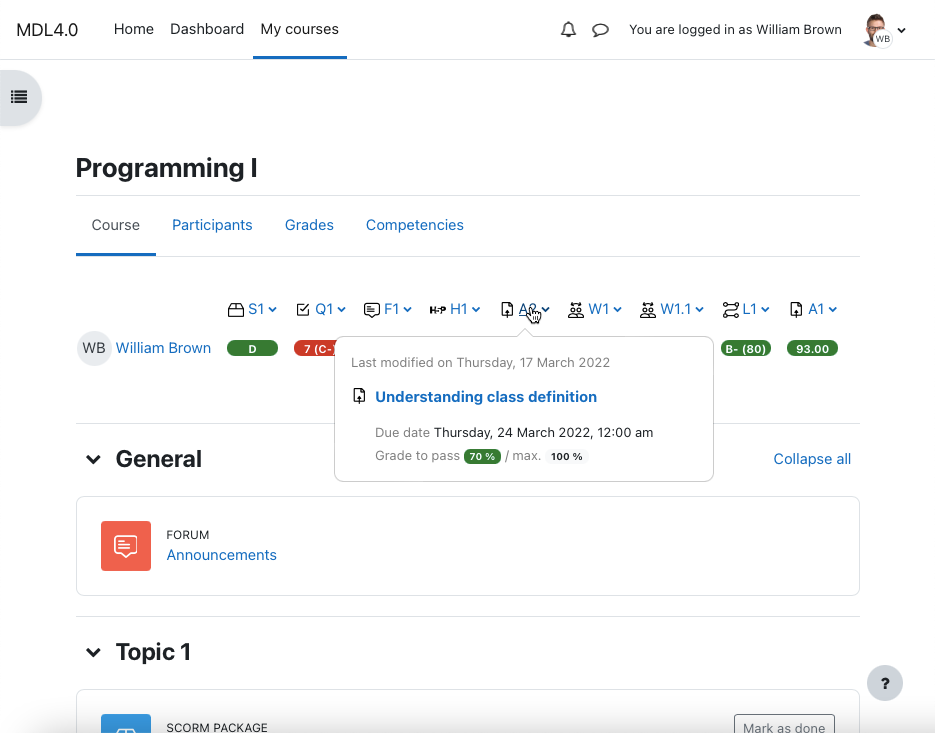
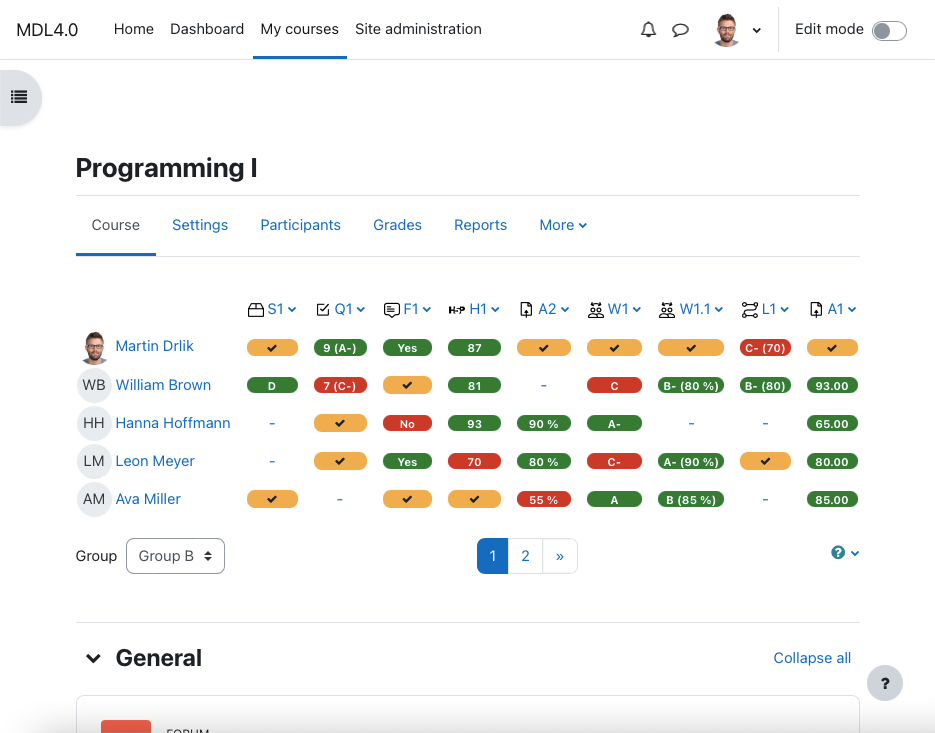
Place the grading table with additional functionality directly on the course page and manage gradable activities easily. Provide your students a quick overview of grading and motivate them to be better.
Price option: Free

Supports Moodle 2.4-4.5 See all versions
Latest release: 1 year ago
Installations: 596
Downloads (last 90 days): 96

Frankenstyle name: format_etask
Course formats

Comments

Comments are no longer open for new posts. Existing comments remain available to read.

@Jai it is no issue of this plugin, maybe your Moodle instance is configured incorrectly (something is not working). Which version of Moodle are you using, is it production or testing site? Let me know and I will check if everything is ok on the eTask side.
I have deleted some of the activities, and recycle bin also empty. But grading table keep showing the activity as active and pending.. How to reset/refresh the grading table so that it only show the present active activities.. and doesn't show the deleted activities..
Hello @Luke, I can prepare different filtering for teachers in next release of eTask topics format. Issue was created here https://gitlab.com/drlikm/format_etask/-/issues/1
For the teacher filtering by groups, is it possible to restrict the groups only to the groups they're part of?
Hi @Al, I think you mean progress of the course? If so, this is not question on eTask plugin, unfortunately. If I am wrong, please send me a private message. eTask provides progress per activity.
When a student does a lesson, they have a progress bar saying what % they are through the lesson. Is there any way a teacher can see this for an entire class?
Hi @Luke. Thank for your comment. The question is, what do you mean by "view only their own progress". eTask shows passed and completed progress bars (it is not the same as course progress for student). This plugin provides passed and completed activities progress either for all students or for all students in a group ("motivational" progress bars - I can see lot of students complete activity or passed activity so I should complete or passed it as well). It does not make sense to calculate progress bars for one student per activity (it is passed or completed - no data for calculation). As you can see in plugin documentation, eTask has three roles: student, non-editing teacher and teacher. Teacher has full eTask access in a course, so all course groups are available. The second question needs code development of this plugin. If you need this feature, create issue (https://bitbucket.org/drlikm/etask/issues?status=new&status=open) with detailed description.
Thank you for such an amazing plugin, I hope you can help me.
I need to allow students to view only their own progress but to allow teachers to view only the progress of students in their group. It seems that no matter what configuration I use teachers have access to all groups. Is it possible to change the "eTask private view" depending on the user's role?
Hi @Simon, eTask shows only activities that can be graded. Forum or multimedia no included. If you want to specify your request, write me direct message. Forum grading is a much anticipated feature coming in Moodle 3.8, in November so it will be included in the eTask topics format from this Moodle version.
Is it possible to add a forum to the etask?? or a video?
I can not find the way to set it.
Issue with non-existing block_myoverview/progress-chart template for Moodle 3.6 fixed! Download the lates version of module for Moodle 3.6.
There is known issue with non-existing block_myoverview/progress-chart template for Moodle 3.6. I am working on fix. See https://bitbucket.org/drlikm/etask/issues/12/moodle-362-build-20190118-error please.
HI, I fixed some notices and warnings. I checked the horizontal table scrolling as well and it seems to works fine. Download the latest eTask version and try to purge all caches.
Hi. Just upgraded to the latest version and the grading section no longer has a scrollbar but simply goes off to the right of the screen forever (or for the length of the data).
Placement of grading table above or below the course sections will be available with the new eTask version as well.