eTask topics format icon

eTask topics format

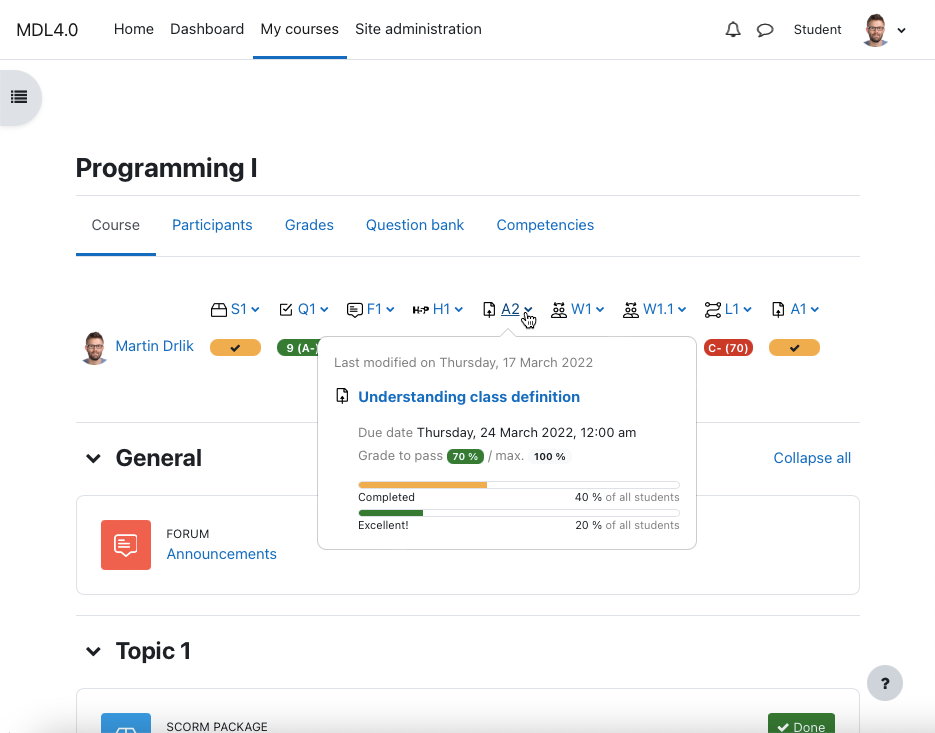
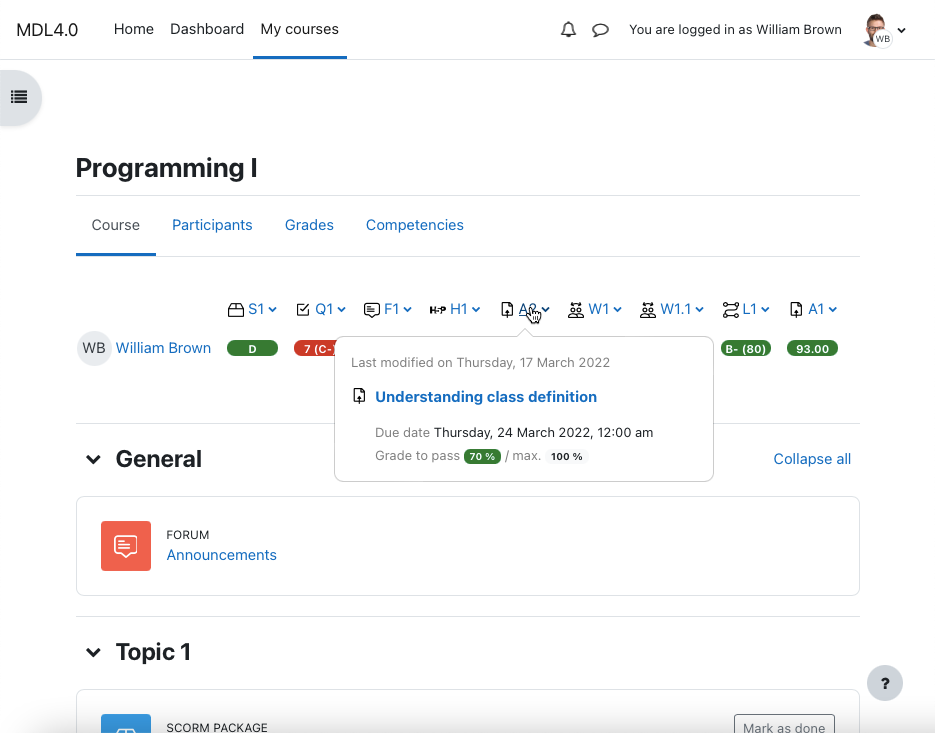
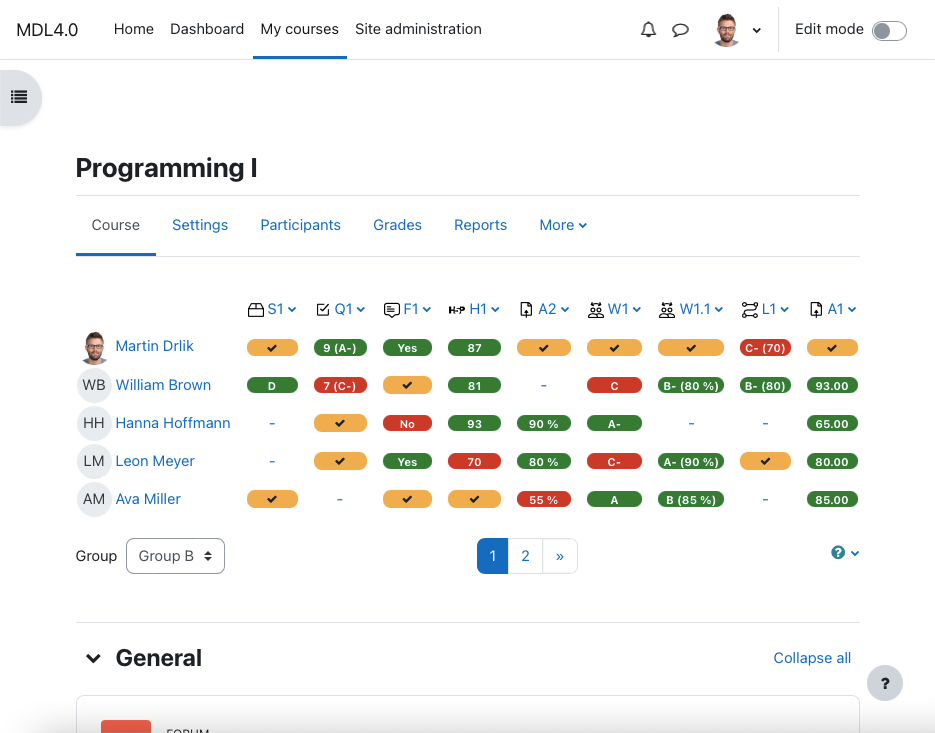
Place the grading table with additional functionality directly on the course page and manage gradable activities easily. Provide your students a quick overview of grading and motivate them to be better.
Price option: Free

Supports Moodle 2.4-4.5 See all versions
Latest release: 1 year ago
Installations: 596
Downloads (last 90 days): 96

Frankenstyle name: format_etask
Course formats

Comments

Comments are no longer open for new posts. Existing comments remain available to read.

New version of moodleplugin eTask coming soon. Most configuration will be moved to the course settings (better customization). It will include the ability to sort activities by the latest, by the oldest or as they are in the course.
Hello:
Thanks for share your amazing module.
There something that is a little confuse about the order of the a activities, the order Right to Left, but maybe for some people like me prefer a order Left to Right.
I attach an image with the idea, would be great that the user can select in the preference the order. Any way great job
Hi Luke, as the activity completion feature is available from Moodle 3.3, it is implemented in eTask 3.3 for both of this Moodle versions, e.g. Moodle 3.3 and Moodle 3.4. Enjoy it!
Hi Martin, handy pluggin, is there anyway I can show a 'Resource' such as a URL or Label? I want to show it in the eTask Progress bar as complete/incomplete based on whether the activity conditions have been met (i.e. Show activity as complete when conditions are met - Require view, Student must view this activity to complete it).
Thanks in advance for your help.
YES!
@Dinis, reported notice is fixed in all available versions
@Dinis, you are right, there is this notice, i will fix it tomorrow, thx
Undefined property: stdClass::$eTask in /home/pm1yedpj/public_html/moodle/course/format/etask/renderer.php on line 513
Debbug active. Plugin Version 3.2.2. Moodle 3.2.3
@all all known issues fixed, todo list with improvements of eTask prepared smile
As I also am developping some plugins, the debug messages at a developper level are actually activated and no error messages are displayed. So I don't know how to send you a hardcopy by email of our Moodle with the eTask block showing that there is nothing displayed the legend. This comment don't accept pasting image.
@Didier I need more information, send me screenshot and also go to Site Administration -> Development -> Debugging and choose Debug Messages: ALL, try to go to the course with eTask and copy error messages if appear smile
@Steve I send you private message to the Moodle account, pls, send me reply, thx smile
With a Moodle 3.2.2+, nothing is shown after I selected the course format. Did I forget something ?
@Martin Drlik - is there anyway to show the e-task stuff at the bottom of the course instead of the top? And to have it filtered by group? Cheers.
@Martin Drlik, thank you, that's done the trick!