
Checklist
Maintained by
Davo Smith
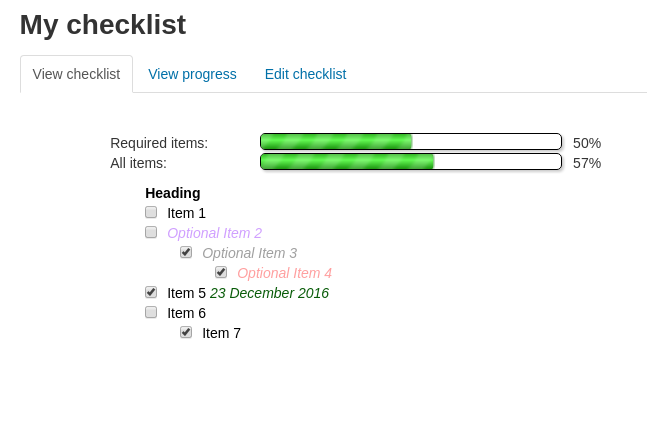
A checklist can be created by a teacher (or generated from the activities in a course) and then the students or teachers can check-off each item as they are completed.
Comments
Comments are no longer open for new posts. Existing comments remain available to read.
I am not actively adding new features to the checklist in my spare time - I do so very occasionally, but I rarely want to do so after writing Moodle code for work.
For future updates, what about having it as an option in the settings to allow teachers to see additional items? Obviously it would need to be noted for students that teachers etc can see this. Just a suggestion.
Thank you again.
Amy
The student items are intended for use for adding their own, private items. They are not available for anyone else to see.
In theory it would be possible to change this, but it would require changes to the plugin code to do so.
Just wondering if there is a way, or if there is a possibility of adding it, to have teachers be able to see the students additional items. We have ours set up so that students can add their own checklist items but when the teacher views their checklist, they are unable to see these.
Thank you.
I've not used my checklist activity via the mobile app and I've not come across any reports of doing so breaking any formatting. If you figure out what is going on (and my plugin is at fault), then I'd be happy to review any suggested fixes.
Checklist embedding is available by using this filter: https://github.com/catalyst/moodle-filter_checklist
The changes to my plugin were sent through by the developer of that plugin in order to get them to work together.
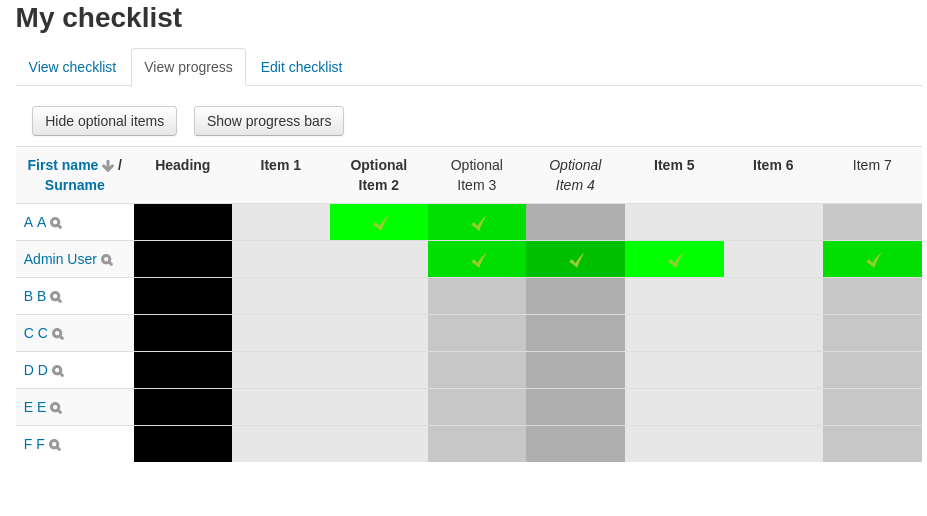
It would certainly be possible to add floating headers to the top and side of the checklist report page (I've done something similar for a customer on an unrelated report - using Javascript to duplicate the headings then fix the location of the duplicates on the page, as the rest of the table scrolls). However, it is quite fiddly to implement and would probably require me 2-3 hours to figure out (which I'm unlikely to get around to doing in my spare time).
If you have access to a developer, then I'd be happy to accept a well-written bit of code and integrate it back into the checklist plugin.
The use case is for when you have a custom role that does not have the 'mod/checklist:updatelocked' capability. For auditing purposes, certain members of staff may be allowed to check-off items, but not remove those check-marks (only a more senior member of staff with 'mod/checklist:updatelocked' would be allowed to do so).
It's a fairly obscure use-case, but I there was someone who wanted to use the checklist that way.
What is the usecase for settings "Lock teacher marks " since editingteacher have permission "mod/checklist:updatelocked" allowed by default?
There are lots of reasons why the progress bar might not be moving - the relevant activity might not be included in the checklist, the setting to automatically update checklist items when activities are complete might not be selected, the checklist might not be set to 'student only' for updates (there are lots of warning messages built-in to the checklist to mention that only the 'student' status is updated automatically by activity completion).
Hello, I have a question about the activity completions of the blue H5P that are embedded via the content repository. These are not reflected in the progress bar and the progress bar block.
The activity completions are shown as completed in the H5P activities. However, this completion is not reflected in the progress bar.
What could be the cause?
I'm afraid I'd need a bit more to go on than that, as I'm sitting here with a Moodle 4.1 site (and previously a Moodle 4.0 site) and I'm having no trouble seeing the student progress page.
Could you open up a ticket (using the 'source control' or 'bug tracker' links, above) and include some screenshots of the problem?
Are you missing the link to the "View progress" page? (This will have moved from the custom tabs, to the Moodle 4.0+ tabbed navigation, which means it may be in the settings block, if you're using a non-standard theme).
Or when you get to the page, is it failing to display the student progress?
Does it work as expected with the standard "Boost" theme? (If so, you may need to talk to whoever maintains your theme, to discuss why they are not showing settings properly)