Completion Progress icon

Completion Progress

Maintained by Jonathon Fowler
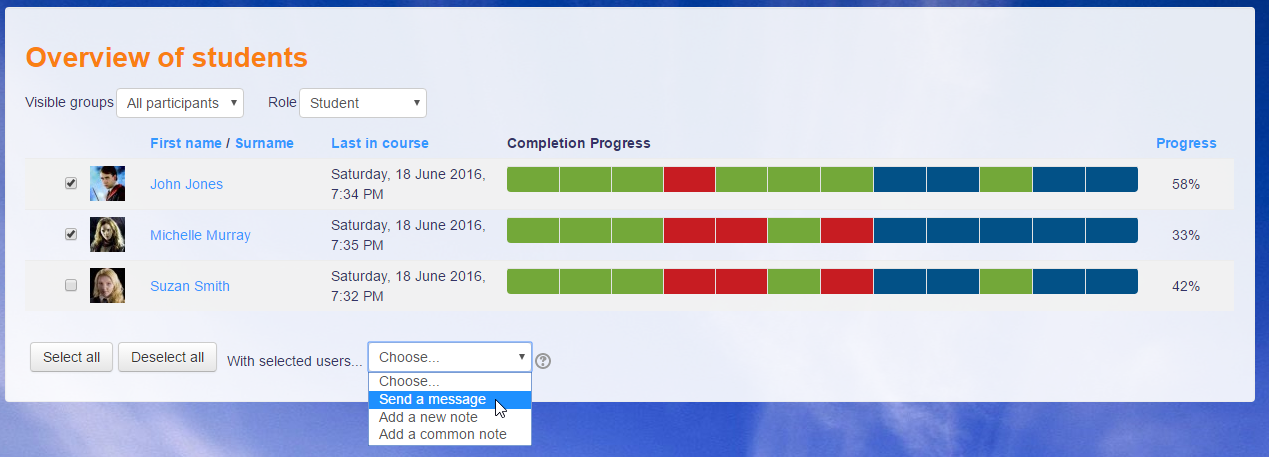
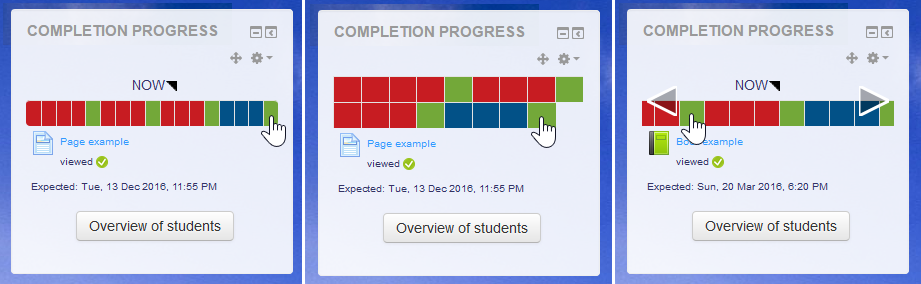
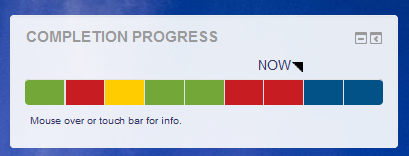
The Completion Progress block is a time-management tool for students.
Price option: Free

Supports Moodle 3.9-5.2 See all versions
Latest release: 3 months ago
Installations: 17440
Downloads (last 90 days): 3608

Frankenstyle name: block_completion_progress
Blocks

Comments

Comments are no longer open for new posts. Existing comments remain available to read.

Hi, Marvin.
If you think there is a bug, could you please create an issue on tracker.moodle.org.
Hi Michael. I am blocking student access to lessons within course by using restricted access settings. It works wonderfully. These blocked lessons and lesson exams however, do not reflect on the progress bar.
Hi, Marvin.
The block reflects what is shown in the course. If you want people to see activities, but not access them, you can do this through the Restrict Access settings.
Michael
Hi Michael. In MY case... when I enroll a person in a course (of 12 lessons), I control whether a person has FULL access to all the lessons in that course, or just blocks of 3 lessons at a time (based on user payment). If a user only has 6 lessons available to them, only those 6 will show up on the block. Not ALL the courses will show. This kinda confuses users into thinking that they have less lessons to complete. Is there a way around this? Hope this makes sense.
Hi, Jacques.
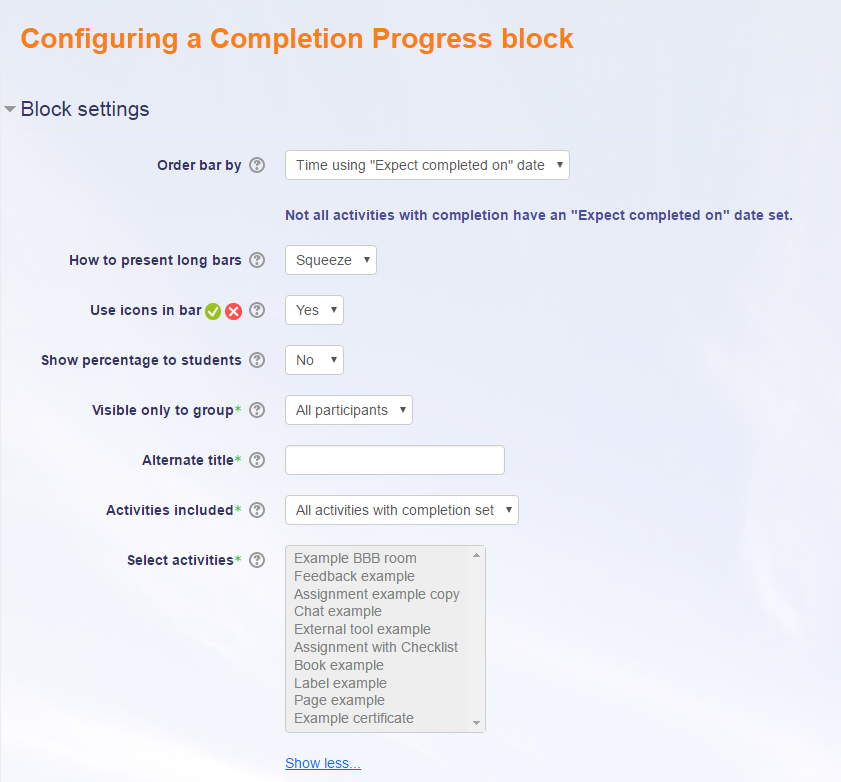
If you don't select the activities manually in the block configuration (showing all activities with completion settings), is the result the same?
The block will only look at completion dates, by the way.
Michael
Hi, Michael. We've installed the 3.3+ version of the plugin, and we have forums, quizzes and activities with end dates and/or expected completion dates. However, when these items are selected in the selection list, we still can't see these items in the progress bar.
We also have the old Progress Bar plugin installed in the same course, and it IS displaying those same items/activities.
Any idea what might be causing the glitch?
thanks for your help, and for your work on this tool!
Jacques
Hi, Andrew.
The determination for complete/pass is made by the completion system and this block relies on that.
Michael
This is fantastic--thanks for making it! One change I'd suggest: if a quiz is submitted but does not have a passing grade per activity completion settings, it is marked incomplete. Maybe this could be displayed as yellow so that students know they have attempted but not passed the quiz.
Thank you for the 3.3 upgrade, Michael! This really made my day. And thank you for considering my suggestion on adding more options for the 'Expected date' on the bar. Starting next month, I will be offering courses that do not have a said 'end date'. Rather, they will simply pause enrollments upto 1 year (or 365 days) from the student enrollment date.
Hi, all.
Apologies for the delay in providing new versions. I've fixed a couple of issues and tested in the latest version.
I've shifted the minimum version to 2.8 to resolve the problem with assignments introduced in later versions of 2.7.
There's more to do, and now I've got the latest version of Moodle running, I should be able to look at a few issues.
Some responses to recent questions...
Eddie: The new block relies on the Completion System and the dates set in that. It would be good if completion could rely on assignment due dates, but for now you need to add an expected date.
Peter: That could be something that could possibly be improved on. If you could create an improvement issue, that will remind me to look at it.
Lee: I'm not certain, but I think the dates in the completion settings may adjust relatively if you restore the course with a new start date. That's not something the Completion Progress block is responsible for any more.
Marvin: I agree that a completion expected by date that is relative to student enrolment would be good. That was something that was discussed early on, but it looks like its something that hasn't eventuated.
Michael
Oh I found it the 'Expected Date' in the 'Activity Completion' settings. I do wish i could set it to about 365 days after a students individual enrollment date.
Wow... you even got the 'Expected Date' to work?? I still haven't even figured that out. Where is it pulling the date from anyway? I can't even get a date to show.
This looks great so far. The only thing I am wondering about is if I reset the course and change the course start date, does the completion progress dates change accordingly? (Because the Progress Bar dates do not change). Also it would be awesome to have a spot, when you edit the Completion Progress, for each item like a check box or something where you could say, "Use item's Expected Date" instead of setting one in the Completion Progress setting as well. If you do that, it would also fixed the date shifted since each item's expected date does shift with a resetted course's start date being changed. Any change of this small improvement?
PRETTY PLEASE!! I would REALLY like to use this for Moodle 3.3. Like... really REALLY!!
Hi Michael,
I see from other's comments that this version works fine with Moodle 3.2 and 3.3 - but my hosting provider won't install it on a 3.2 site because it's not supported. Is there a supported version coming out any time soon? (I just kinda promised it to someone, having demo'd it on a local site - oops!)
thanks
Isabel Ashburner