
Video Time
Maintained by
Stefan-Alexander Scholz, bdecent gmbh
Embed videos from Vimeo and Youtube easily in your course, use activity completion to track videos and much more!



Comments
Comments are no longer open for new posts. Existing comments remain available to read.
In my current env (Moodle 3.8.4 + mobille app) - look like does not - empty activity:
https://photos.app.goo.gl/k3EUXT1yb5f7Hunb9 ("introduction" videotime viewed on PC)
https://photos.app.goo.gl/gmPgXP7kMzoWgict5 (nothing in mobile app)
the app can be used when using the pro version of the plugin. It is the same player as on the web, i.e. all features should work the same. Offline download is currently not available though. If that's important to you, feel free to add a feature request here: https://roadmap.bdecent.de/b/video-time/
Best Wishes
Stefan
Is Video Time not available on Mobile moodle apps? My clients are very eager to use mobile apps rather than the web based app. And they want to use quality selector as well as offline download to view videos. In my experience, I am not able to find quality selector for the default Moodle VideoJS players and I am not able to enable offline download to other embedded videos. I am hopeful Video Time can work on mobile as well as the offline download because my clients only wishes to use vimeo and still use the offline download feature.
Sorry for late answer. Changes in https://github.com/stefanscholz/moodle-mod_videotime/commit/2b08d24ea8222e069442b7d8e567ca77ecc1d2d5 looks sufficient (my own patch almost exactly the same) I think no reason for opening of new issue on github for now
That should work.
Can you please add it here: https://github.com/stefanscholz/moodle-mod_videotime/issues and include some more details like Moodle version, video time version etc.? We'll look into it.
If possible, please provide a test account (teacher in a test course) via email.
Thanks
Stefan
My settings are the following https://www.screencast.com/t/CbEeLsTap8
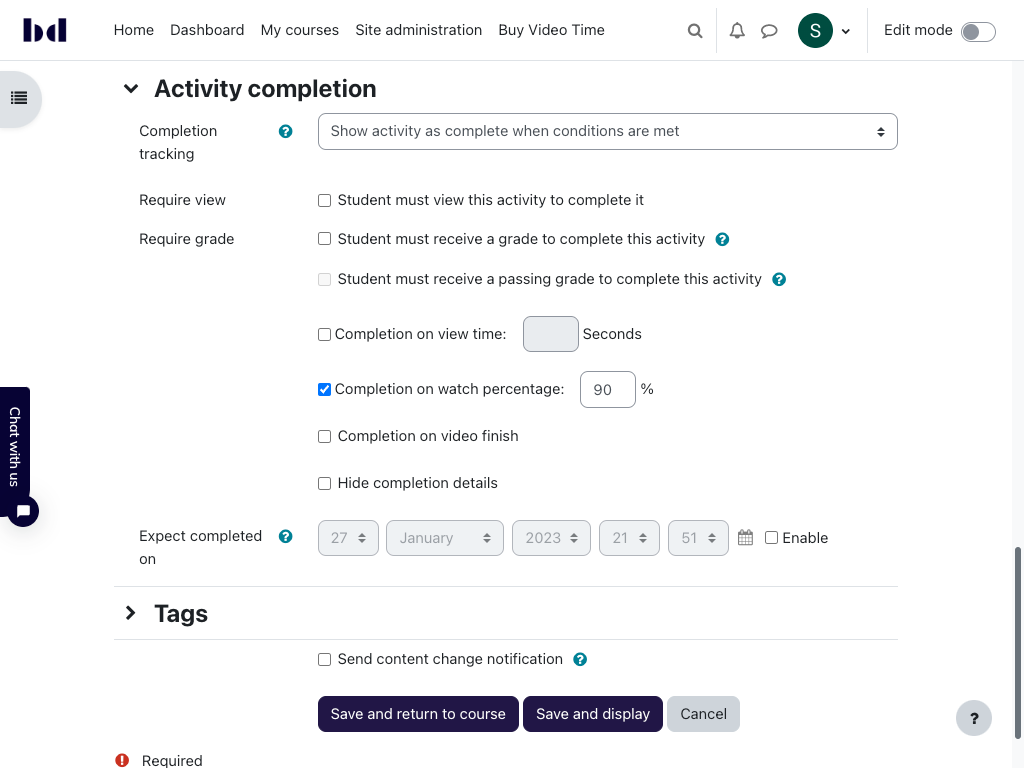
But even if student patiently look whole video - he does not receive completion checkmark.
For other activities - it works: https://www.screencast.com/t/PpHjpzTEPIfF (same video in iframe inside "page" resource)
Sorry to hear that you have problems on your site. As with most plugins here, this is not the right place for bug reports though, as explained above. The bug tracker (in our case in GitHub) would be the best way. The link is provided above.
Please include as much information on your setup as possible. In Enrique's case by the way it was the combination of video time with another third party plugin which lead to the problems, I don't recall which one though. We obviously can't test compatibility with all third party plugins.
Since Enrique's report, we have not received a report that the plugin is not working properly, i.e. the chances are high that it is something very specific to your setup. Maybe some special plugins you are using? Or maybe an unusual server setup? I can of course only make guesses without more details.
You can of course also contact me directly, I am happy to help the best I can
Cheers
Stefan
so sorry to hear that you encountered problems.
Can you please open a support issue on github and provide more information on your setup? The plugin is running on hundreds of platforms, many of them Moodle 3.8+ and nobdy has reported any issues like you described. A moodle premium partner has very recently conducted a code review and user experience /functional testing, and we have not been reported any bugs (but a list of enhancements, which we will include in the next release, planned for end of q1).
You can also contact me directly here or via the live chat on our homepage.
Best Wishes
Stefan
I have installed the plugin and it has been a disaster. Many of the functions, menus, blocks and videos of my courses have been blocked. I have uninstalled the plugin and everything has worked correctly again. Moodle 3.8+ (Build: 20200103)