Quickmail icon

Quickmail

Maintained by Robert Russo, David Lowe
A block that provides selective, bulk emailing within courses. Developed by LSU.
Price option: Free

Supports Moodle 2.1-4.5 See all versions
Latest release: 6 months ago
Installations: 3303
Downloads (last 90 days): 602

Frankenstyle name: block_quickmail
Blocks

Comments

Comments are no longer open for new posts. Existing comments remain available to read.

Good suggestion Jim !
When selecting All in Course in the TO: field, Quickmail populates the distribution list with all participants in the course at that time, even if the message is scheduled for a later date. It would be ideal for the distribution list to be populated as of the date and time of the scheduled message, in order to pick up new participants and not send to former members. Please advise.
Hello: Has anyone tested if QuickMail 2.5.0 will run well on Moodle 4.0 or 4.1+? I'm wanting to upgrade to Moodle 4.1+ (from 3.11+). Hoping I can bring QuickMail forward with me.
QuickMail 2.5.0 has been running on my Moodle 3.11+ installation with no issues.
What does the roadmap look like upgrading QuickMail to 4.0+? Thanks for any info on this and all of your support!
You can run the "\block_quickmail\tasks\migrate_legacy_data_task" like any other scheduled task. Just make sure you configure the migration chunk size in "/admin/settings.php?section=blocksettingquickmail" to something meaningful to you.
Is it possible to run the migrate_legacy_data_task from the command line? If so, what would the command look like?
Dear friend, your scruples honor you !
Hello Daniel.
I feel bad to email them directly as it is a voluntary plugin.
I will wait for them to find this post.
Hello,
I confirm.
I have the same problem as you without knowing the cause.
Contact the author perhaps?
https://moodle.org/user/profile.php?id=491825
Daniel
Hello, everyone. I am using v2.5.0 on Moodle 3.9.12+.
If I save a message with an attachment uploaded as a draft, when I edit the draft again, the attachment is lost.
Is there any way to deal with this?
Thank you.
Hello Mathieu, thank you very much for your answer and your help.
Kind regards.
Verónica.
Hello Veronica,
You should have a task when you go to yourMoodleUrl/admin/tool/task/scheduledtasks.php named \block_quickmail\tasks\migrate_legacy_data_task
You have to launch this task to get emails history (many times if i remember well , I think it can also be done using the CLI command )
Hello everyone, I told you that I installed the new version of Quickmail (v2.5.0) (with Moodle 3.9) and I can't see the history of sent emails. Does anyone know how they can be recovered?
From already thank you very much.
Kind regards.
Verónica.
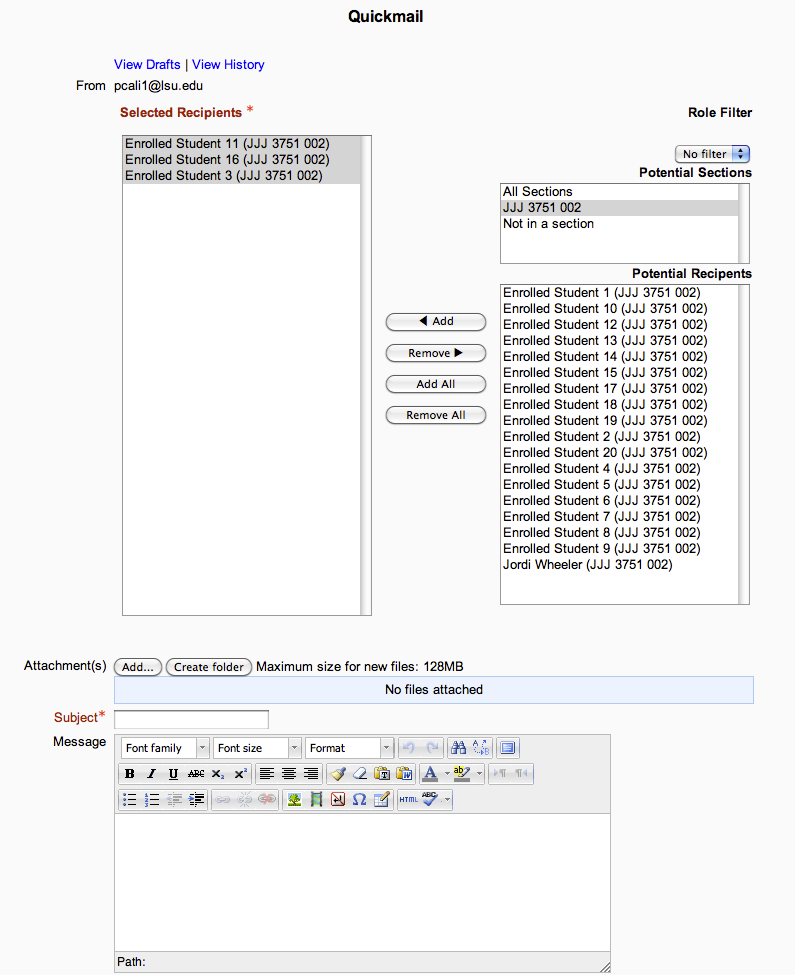
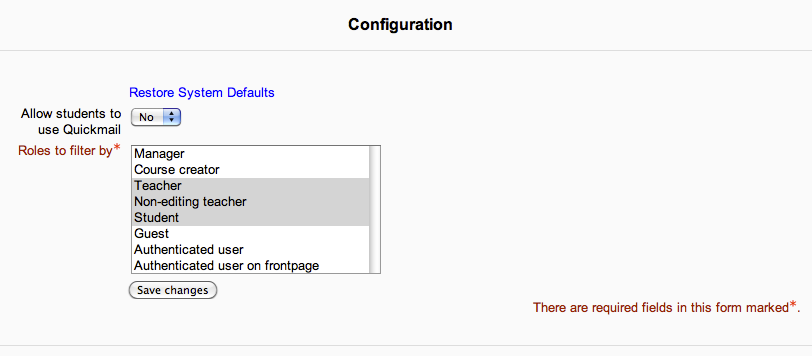
To use the "Old UI", the instructor can click on the configuration link in the Moodle Quickmail block and change the "My Preferred Recipient Picker Style" from "Autocomplete" to "Multiselect".
How does one use the old UI as noted in the patch notes? Client is not happy that some features appear to have been removed with the 2.5 update and was wondering if using the old UI would bring them back; but neither of us see any setting with which to use the old UI.