Drag and drop onto image

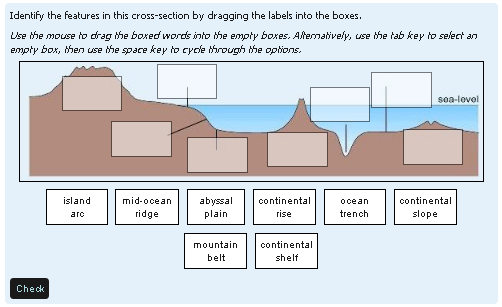
As of Moodle 3.0, this question type is part of the standard Moodle release. That is why there is no plugin from Moodle 3.x. You don't need one!
Price option: Free

Supports Moodle 2.2-2.9 See all versions
Latest release: 11 years ago
Installations: 56
Downloads (last 90 days): 32

Frankenstyle name: qtype_ddimageortext
Question types
Open University

Comments

Comments are no longer open for new posts. Existing comments remain available to read.

Hi, Actually you can change the max image size for this question type, both the max image size of the background and draggable images can be changed by changing the constants that can be found here :
https://github.com/moodleou/moodle-qtype_ddimageortext/blob/master/questiontype.php#L30
at the top of questiontype.php.
I'm afraid that the 600x400 was deliberately conservative and based on our knowledge of some of the older machines out there that our students still use. One day we will be in a position to revisit that size, but not yet. And of course as time moves on we get more worried about netbooks with wide but not high screens. (FYI we nearly got it all to work on iPhone/iPad/Android ... but nearly isn't good enough. We have to come back to that one too.)
I'm aware of the long labels adding up problem. But there's another issue in that long labels can overlap nastily on the diagram. The advice I give here is to give each long label a letter and then ask the student to drag the letter
I know it's not perhaps a standard Moodle quiz feature but is there any chance of having the question pop out in a new window in order to accommodate larger images? 600x400 is tiny when you're trying to label a diagram with a large number of options sad
Also would be useful if the text could be split into multiple lines as some of my labels are too long for the small image area I need to label up.
Yes, the image snaps into the drop zone when it is dropped on it and the drop zones are visible. This is different to the drag and drop marker question type where the drop zones are not visible when the student is attempting the question and the markers do not snap into position after being dragged onto a drop zone.
Does the image snaps inside the drop zone area or not?
Hard to say. Perhaps check that you have the correct plugin for 2.3? I can confirm that this question works fine with Chrome on Moodle 2.3.
how come my drag and drop items don't have boxes (just text)? using 2.3 on chrome. neither do the answers pop into the correct location after placing them during preview.
Hi Phil,
Thanks for your explanation. Using the General Feedback will definitely work for me.
Regards,
Sam
This comes directly from our other system which has been in use since 1997. We've always made a point of explaining everything fully in the General feedback. In your example we would reproduce the base image with all the drop zones correctly completed. And then we leave students to compare their answer to the correct answer
So in 15 years we've done without what you are asking for, hence we never bothered to add it.
You will have seen that in interactive with multiple tries mode it is possible to clear wrong answers before a second try.
Hi,
I have an issue regarding the (visual) feedback of wrongly placed images with the drag and drop onto image question. In the feedback settings I can set the question to show how many images have been correctly placed, but I am somehow unable to show which images were correctly/incorrectly placed.
In the drag and drop marker question there is the option "Highlight drop zones which have not had the correct marker dropped on them". Am i missing something in the settings or is this function not available in this questiontype. This would render the question a bit less usefull in self-assessment environments.
Regards,
Sam
We didn't specify any maximum number of image to be dragged. We did specify a maximum base image width of 600 x 400 (see http://labspace.open.ac.uk/mod/oucontent/view.php?id=470268&section=5.4.2) and we did specify a maximum number of 8 groups.
I would like to use it for practising with the order of steps in a process
Dear Tim,
I am really interested in this drag and drop images-question. Can you tell me if there is a maximum of images that can be dragged and dropped? Is it just a matter of what fits on the page?
Yes, now it works. Thank you!
You need to install the right version of the plugin for the version of Moodle you are using. If you use the download link here, it is easy. If you are using git, you need to use the appropriate branch.