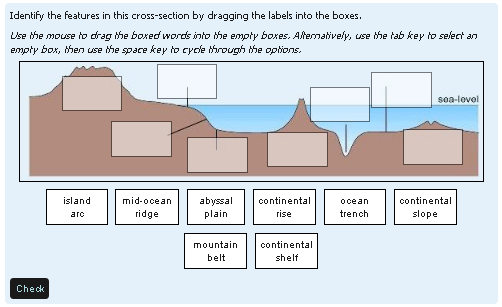
Drag and drop onto image
Maintained by
Tim Hunt, Chris Nelson, Jamie Pratt, Phil Butcher
As of Moodle 3.0, this question type is part of the standard Moodle release. That is why there is no plugin from Moodle 3.x. You don't need one!
Comments
Comments are no longer open for new posts. Existing comments remain available to read.
Thank you for your return. I'll try to clarify my needs, and if it is not possible to achieve with drag and drop this module, try to tell me how to change it, this is what is closest to my goals on moodle.
I'd like to have a background image .... and have labels beings could best on the side with arrows that students should connect to areas of the photo.
Labels could in a less uninteresting displaced in the picture but should be adaptable as their size (smaller) and there is no background or border, so as not to obscure part of the image background but with an arrow indicating a point.
In fact things like this exist with jclic but java is not universally accepted, and tracking info is not effective.
again thank you for your attention.
Philippe
Is it possible to make the background transparent text and images dragables.
Is there such a test chart with arrows to reach the labels and areas of an image ...
Thank you for your attention.
Philippe
This is great. I know it is late where you are!!
-Derek
You will be pleased to hear that the OU development code-base will be upgraded to Moodle 2.4 next week, at which point these problems will be affecting me, and I will have to fix them.
And: over here: https://moodle.org/plugins/view.php?plugin=qtype_ddwtos I asked about the drag and drop onto text and Jamie said it was OK.
Have you tried this type of question Juan?
I got one of our servers upgraded yesterday and everything so far has turned to custard where quizzes are concerned. (I'm now just looking to see if I can get some more technically correct descriptions with debugging)
Is there a difference between the three OU DnD question types? ie is it possible one works and another doesn't on upgrade to 2.4?
If you want to help, please tell us the specific things that you have found that are broken. (The best way to do this is to create a bug report in the Moodle tracker.)
The very latest that updates for 2.4 will be available is by the end of April, since that is when the OU needs them. However, I would hope that it is much sooner than that. It will happen sooner if people help.
https://github.com/moodleou/moodle-qtype_ddimageortext/blob/master/questiontype.php#L30
at the top of questiontype.php.