Drag and drop onto image
Maintained by
Tim Hunt, Chris Nelson, Jamie Pratt, Phil Butcher
As of Moodle 3.0, this question type is part of the standard Moodle release. That is why there is no plugin from Moodle 3.x. You don't need one!
Comments
Comments are no longer open for new posts. Existing comments remain available to read.
(I managed to get rid of the frame (group colors) via style.css)
Can you point me to the location where the sizing of the drop-zones happen?
Thank you
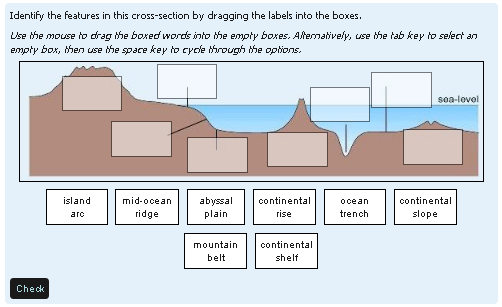
The size of dragable and background images is reduced if they are above a certain limit. The image sizes are reduced when they are uploaded so that the aspect ratio of the image remains the same but so that the sizes do not exceed limits as set at the top of ddimageortext/questiontype.php :
define('QTYPE_DDIMAGEORTEXT_BGIMAGE_MAXWIDTH', 600);
define('QTYPE_DDIMAGEORTEXT_BGIMAGE_MAXHEIGHT', 400);
define('QTYPE_DDIMAGEORTEXT_DRAGIMAGE_MAXWIDTH', 150);
define('QTYPE_DDIMAGEORTEXT_DRAGIMAGE_MAXHEIGHT', 100);
Jamie
In fact the ideas proposed by phil does not match the expected report on one type of exercise (I had already considered this possibility, after reading a similar response ....).
What I interreserai this will have some indications of lines of code to change to get the result that I describe in the previous post.Comment find the characteristics of the label (edge, ...) Viewfinder ( pointer) ...
Meci for any help.
Philippe
I could change thanks to the explanations given image and label sizes, making the label background transparent (apparently), but for the rest I really hurt ....
If assistance is possible I would like to try the transformation of drag and drop marker.
Thank you