
Contact Form
Maintained by
Michael Milette
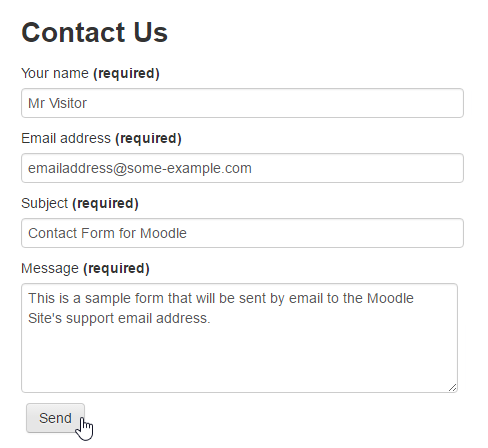
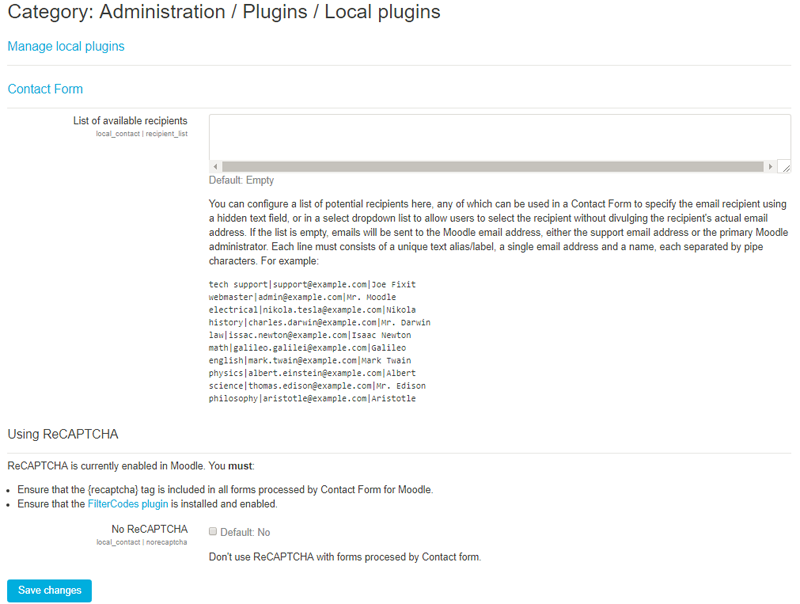
Contact Form is a Moodle plugin that allows your site to process and send information submitted through HTML web forms to the site's support email address or primary administrator if the support email address is not defined.
Comments
Comments are no longer open for new posts. Existing comments remain available to read.
Contact Form does not create the form. You need to do that in HTML or using one of the {form...} template tags included with FilterCodes. Whether or not a user has access to the form depends on where you put the form and what access a person has to that block or page on the site. Are you experiencing an issue specifically with 4.3 or is this just a general enquiry?
Best regards,
Michael
With the 4.3 update, are users that are not logged into Moodle still able to fill out a contact form made with this plugin?
Sincerely,
Halie Carton
You can put anything you want in the HTML of the form. The creation of the form is up to you. That is not part of this plugin.
The Contact plugin is just a webmail form processor that takes whatever you submit from a form and delivers that information by email.
So, feel free to load the form with a list of courses or categories in a dropdown field. Whichever the user picks will be delivered in the email.
Best regards,
Michael
is it possible to load categories and courses without any big code change in this form?
Hope you find it useful.
Best wishes to you all!
Michael Milette
I'm doing my first steps with your plugin. Is there a way to send the content of the form to the user, who send this form, too?
thanks in advance.
regards,
Philippe
Thank you for your question. Contact Form is a webform form processor, not a form creator or editor. It has nothing to do with the creation of a form. It is not because of this plugin that you can create forms on your Moodle site. It just gives you the ability to process the content and send it as an email.
Creating a form is something you do in the HTML view of the Atto or TinyMCE editors.
You might be able to limit a person's ability to create forms if you remove the editor's icon to switch to HTML view.
Here's a simplification of what I'm trying to accomplish, which is obviously not proper syntax because that gets stripped form this post:
FORM 1
form id="Form1" action="{wwwroot}/local/contact/index.php" method="post"
fieldset
input
input
formsesskey
/fieldset
div
input type="submit" value="SUBMIT FORM 1"
/div
/form
END FORM 1
FORM 2
form id="Form1" action="{wwwroot}/local/contact/index.php" method="post"
fieldset
input
input
formsesskey
/fieldset
div
input type="submit" value="SUBMIT FORM 2"
/div
/form
END FORM 2
We want however this functionnality to be reserved to Moodle admin. Is it possible ? I do not see any permission associated to form creation. This could be an interresting evolution that would make the plugin more configurable.
Kisses
Zabelle
Thanks for letting me know about the discussion forum. I will look into that.
The {formcheckin} tag is a pre-configured form provided for ease of use. You can definitely create your own and have a few options:
1) You can just add the HTML for the form to any page, label, block and other places. Examples are available in the Wiki:
https://github.com/michael-milette/moodle-local_contact/wiki/HTML-Form-Templates
2) If you plan on reusing the form, you can edit one of the existing pre-configured tags. More information on that is available at:
https://github.com/michael-milette/moodle-filter_filtercodes/blob/master/README.md#customizing-or-translating-the-forms-generated-by-the-form-tags
3) You can create your own tag, in FilterCodes settings, containing the form. More information on that can be found at https://github.com/michael-milette/moodle-filter_filtercodes/blob/master/README.md#define-your-own-custom-global-tags
Hope you find this helpful!
Best regards,
Michael
Is there any way to make the CONTINUE button redirect back to the course page instead of going to the front page? Thanks!
Best regards,
Michael