
Contact Form
Maintained by
Michael Milette
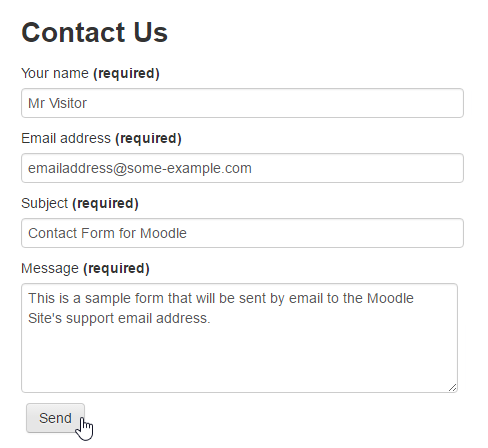
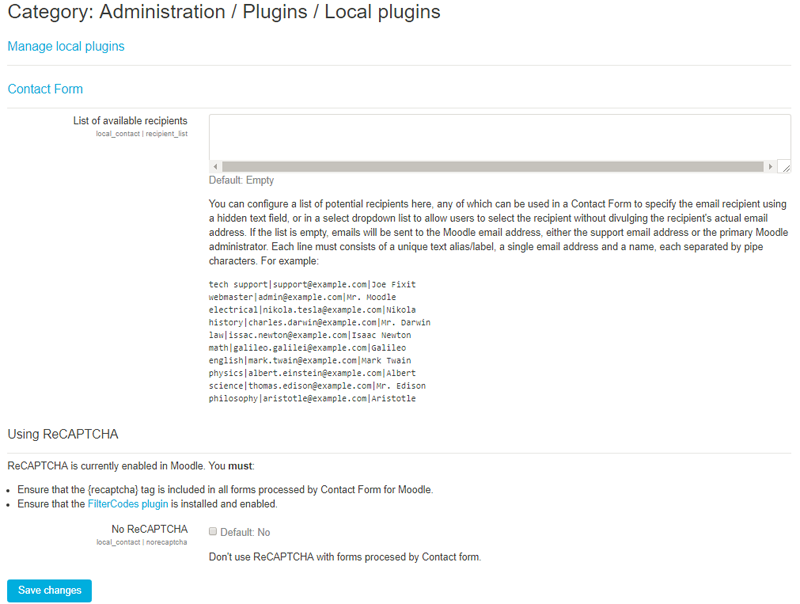
Contact Form is a Moodle plugin that allows your site to process and send information submitted through HTML web forms to the site's support email address or primary administrator if the support email address is not defined.
Comments
Comments are no longer open for new posts. Existing comments remain available to read.
If you or anyone else would like to be notified about updates on this issue, please leave a comment on the following ticket:
https://github.com/michael-milette/moodle-local_contact/issues/62
Yes found the info most useful and helpful, after revisiting the language customisation again managed to find the string and changed the wording as required.
We will have to live with the yyyy/mm/dd date format as the form works very well for our needs and hope the users remember to book the dates correctly when the email comes through the system.
Again Many Thanks for the help.
Regards
Steve
Sorry if I posted in the wrong place, I just thought that since other questions had been asked here and it was directly related to this pluging that this was the best place to post any problems, again sorry for that.
I understand that the html code defacto is in the yyyy-mm-dd format but as in the link you posted the output is in uk format as 22/07/2018. On our website on the form it shows dd/mm/yyyy and thought it is something that might have been able to change within the plugin for the displayed output but if that is not the case I understand and will have to live with that.
On the message, I did have a look at the customisation prior to posting but didn't come across it so must have been using the wrong search strings or in the wrong place I guess and will have another look into that one.
Having said all that I appreciate the help you have given, many thanks for that.
Regards
Steve
Please ask your questions in the discussion forum. A link called "Discussion" is provided on the plugin's page.
For the date format of the date returned by the HTML date picker, it cannot be changed. It is actually an ISO standard format. See: https://developer.mozilla.org/en-US/docs/Web/HTML/Element/input/date
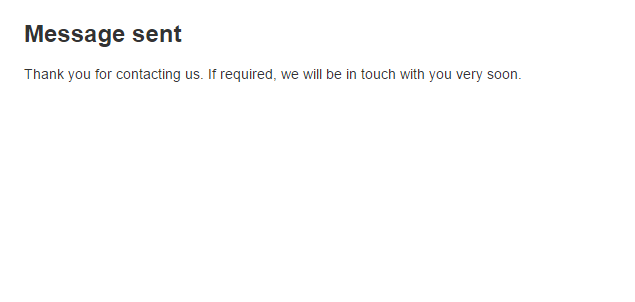
The confirmation title, errors and messages are Moodle language strings. Like most strings in Moodle, you can modify it using the Moodle Language editor. Look for the strings associated with the local_contact plugin. For more information on using the language editor, see "Language customisation - MoodleDocs" https://docs.moodle.org/en/Language_customisation
Again, please use the discussion forum for any further questions.
Best regards,
Michael
I have the plugin working great as a contact form but have also modified some fields in a second form to look similar to a booking form by changing the html and rather than having to type dates in have used some date pickers in the format dd-mm-yyyy, this also works well but despite everything on site being in english (en), the output in the sent email is in yyyy-mm-dd us format, is there anyway to edit/change the output to match the input ?
Secondly I have seen it in th wiki pages and these comments that the confirmation message can be changed but not can't see how / where to do that, can ou point me in the right direction to change the message ?
Many Thanks for any help.
Steve
After installing this plugin to our Moodle version 3.0+ using PHP 5.4, I am not able to go back to site administration. I got the following error
JSON.parse: unexpected end of data at line 1 column 1 of the JSON data
Is there a way to resolve this? The clients do not want to upgrade their Moodle version.
Thank you
I have created a mydomain@gmail.com account to use for outbound email on Moodle. This works on Moodle, I have ran the outbound mail test, and I have tested student self registration. I have done these tests multiple times, it always works.
But it does not work when using this plugin. I have put echo statements in sendmail.php to make sure that sendmail.php is being called correctly, and that all the information is correct. But the message is never sent to the mydomain@gmail.com account.