
Contact Form
Maintained by
Michael Milette
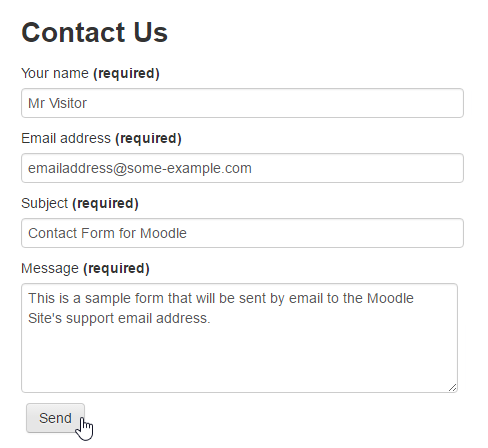
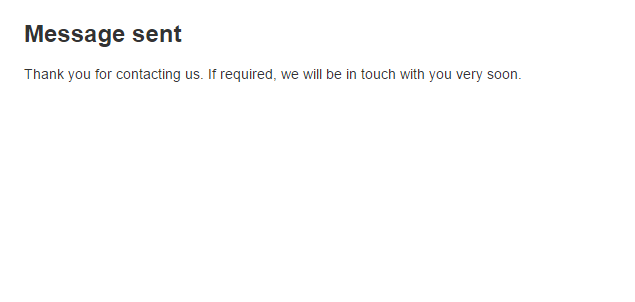
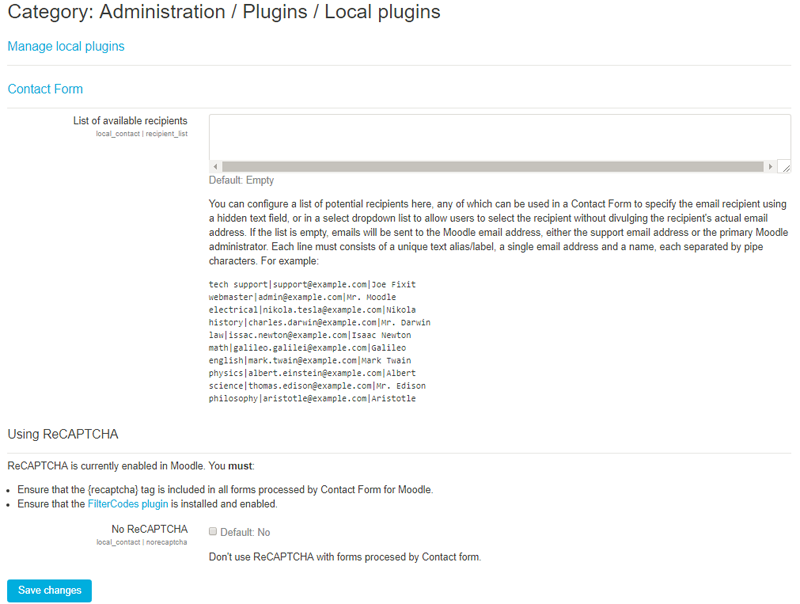
Contact Form is a Moodle plugin that allows your site to process and send information submitted through HTML web forms to the site's support email address or primary administrator if the support email address is not defined.
Comments
Comments are no longer open for new posts. Existing comments remain available to read.
Thank you for your kind reply.
I am not a developer. I can not fix it.
I will try hard to fix it though it will be hard to fix right now.
Glad to see that you were resourceful and found a workaround. However, your solution actually results in bypassing one of the anti-spam strategies. The value should actually be empty and will be filled by the JavaScript snippet on the next line in the sample template:
< script>document.getElementById('sesskey').value = M.cfg.sesskey;< /script>
If you tried that and it doesn't work, it is very possible that you have other JavaScript errors in your page which is causing this snippet to fail. When it works, it requires that SPAMbots be able to run JavaScript. If they can't, the sesskey is never filled and you don't get junk emails.
While your approach will certainly work, it just let through more SPAM emails. If you would like to continue this conversation, please feel free to move it to the Discussion forum. You'll find the Discussion link on the Contact Form plugin page.
Best regards,
Michael
changed
value="" -> value="{sesskey}"
in the sample template
I hope to help some people.
I love this.
But I got a error message like this. 'deny. "sesskey" field is missing or contains an incorrect value.'
I searched all document about this error. But I did'n find solution.
What's problem? Please help me.
moodle 3.5(20180621)
php7.0.27
mariadb (10.1.31)
smtp mail is ok
I had problems installing plugin ... After I put the plugin folder in ../moodle/local/contact, the whole moodle does not work!
Regards
Thank you for taking the time to ask your question. The path you need to specify in the tag varies depending on where you put the form. The easiest solution is to use the FilterCodes {wwwroot} tag. For more help, post a message in the Discussion forum (link on the plugin's page on Moodle.org). For more options, see the documentation section "Creating a new form" at https://github.com/michael-milette/moodle-local_contact#creating-a-new-form
Best regards,
Michael
When I put the plugin folder in the path indicated in the installation documentation, I get this message "Sorry, the requested file could not be found".
If emails are being sent via eMail Test, then Contact Form for Moodle should work as well. They both use the same method to send message in Moodle so there should not be any need to configure or change your SMTP settings. I suspect that your form may not be configured properly. To learn more about the issue, take a look at the Troubleshooting section of the plugin's Wiki at:
https://github.com/michael-milette/moodle-local_contact/wiki/Troubleshooting
If you need more help or would like to continue the conversation, please post your message in the Discussion Forum. You'll find a link to it on the Contact Form for Moodle plugin page on Moodle.org.
Best regards,
Michael Milette
Merci/Thanks for this plugin, however no email being sent. I have tried all your recommendations, emails are being sent via eMail test. Furthermore no error is showing. Does SMTP need to be set in order to the emails to be sent ?
Regards
An updated version of the Contact Form for Moodle plugin as well as the FilterCodes plugin should be available later today (Friday March 30th, 2018 EDT.). The new versions will automatically use reCAPTCHA v2 as of Moodle 3.1.11+, 3.2.8+, 3.3.5+, 3.4.5+ and of course 3.5+ when it is release.
I've finished the required fixes and am testing it right now to make sure it all works. IMPORTANT: You will need to update both of these plugins.
If you have any problems with the reCAPTCHA, please submit an issue in the Bug Tracker. A link is available for each of the plugin's Bug Tracker on Moodle.org.
Best regards,
Michael
Alisa
Best regards,
Michael