
Contact Form
Maintained by
Michael Milette
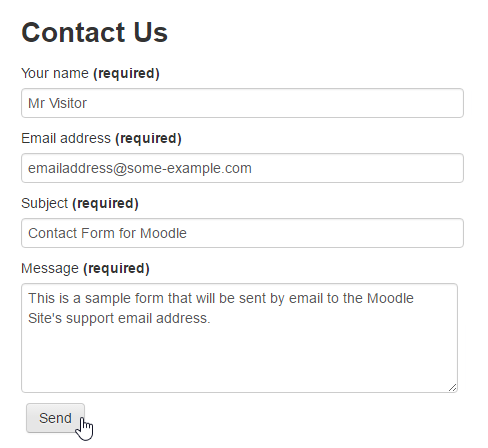
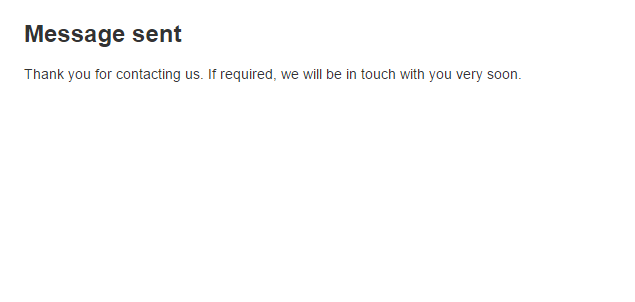
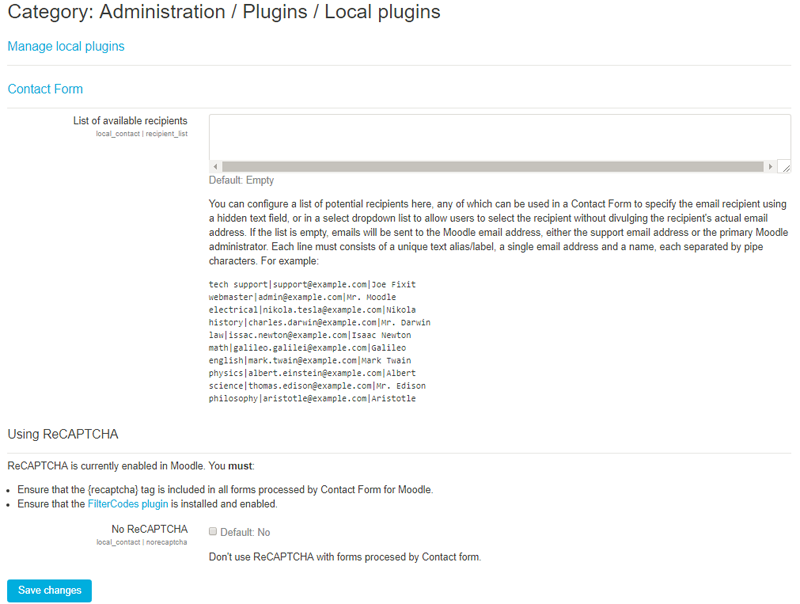
Contact Form is a Moodle plugin that allows your site to process and send information submitted through HTML web forms to the site's support email address or primary administrator if the support email address is not defined.
Comments
Comments are no longer open for new posts. Existing comments remain available to read.
Best regards,
Michael
First, realize that the email really is being sent from the Moodle site and not the individual filling out the form. So it kind of makes sense.
If you prefer that the email be sent from a no-reply address, you need to specify the no-reply address in the Moodle settings (same page as SMTP settings). In fact, this is no longer an option in more recent versions of Moodle.
If you click reply, you may notice that the message to field is now populated with the senders email address and not the administrators email address. This is because we make use of an email standard feature called the "reply-to" email address.
Why do we do it that way? Because, if properly and securely configured, your email SMTP server should never accepting email submissions from the outside world. If it did, anyone could use it to send spam and other malicious emails to everyone else on the Internet. Before you know it, your mail server would end up blacklisted and would no longer be able to deliver most, if any, emails at all.
If you want to discuss this further, I invite you to continue the conversation using the Discussion link on the Contact Form plugin page. If you believe this is a bug, please report the issue using the Bug Tracker link on Contact Form plugin page.
As for the language strings, the documentation is incorrect. Sorry for any confusion. It will update it in the next release coming in April/May. The correct way to modify strings in Moodle is to use the language editor by clicking Home > Site Administration > Language > Language Customization. Next select the language you wish to modify, click Open Language Pack for Editing, select the local_contact.php and click the Show Strings button. For more information on using the language editor, see https://docs.moodle.org/34/en/Language_customisation#Using_the_obtained_information_in_order_to_change_the_intended_strings .
I'm using the contact form, however when I send the message, always it is sent from admin's email.
I don't know what happens.
I appreciate the help
Thanks,
Jazmín.
I've read the plugin documentation, which says that the outgoing message from the contact form can be modified by editing the language files. Do you know what specific string should be edited in the language files? I looked, and was unable to figure it out.
The email message we receive from the form currently includes information about the "Recaptcha challenge field" and "Recaptcha response field," both of which we would like to hide.
Thanks,
Alisa
no problem at all! Everything is working flawlessly right now!
Kind regards,
George
it still doesn't work for me, tested with Safari, Chrome, Firefox and Opera Browser! reCAPTCHA is still loaded via http.
Kind regards,
George
You are most welcome. I am always grateful to hear when find my work useful.
Thank you for bringing the https issue with the ReCAPTCHA to my attention. This functionality is actually part of the FilterCodes plugin. I have corrected the issue and uploaded a an updated version to Moodle.org. You'll need to update the FilterCodes plugin. No change is required of the Contact Form for Moodle plugin.
Feel free to let me know if it gives you anymore grief. It is feedback like yours that makes me a better developer.
Kind regards,
Michael
many thanks for supporting reCaptcha in combination with your FilterCodes plugin, it's really awesome! I already tested it and it basically works like a charm! There is only one thing I noticed: The reCaptcha code generated by the FilterCode plugin is using http prefix, so on fully encrypted Moodle instances the reCaptcha won't appear as it will be blocked by browsers due to security reasons.
Kind regards,
George
Enjoy!
Michael Milette
Glad to hear that it is now working for you. I truly believe the bugs fixed included in the update did the trick. The class name is simply there so that you can style your form using CSS. You could actually call it using any valid class name or leave the class name out completely.
Upgrading to this latest version is actually recommended for anyone using non-English language packs, not just German.
Best regards,
Michael
First, my colleague Katja and me would like to thank you very much for your swift reply and support, we spent hours trying to figure out what's wrong and your explanation solved the problem within minutes.
For your information, after we received your message, we did the following:
- update the plugin with the brand new version you provided
- changed the class name in the action of the form, which was apparently the only difference in the plugin form compared to our old version:
before:
to now:
And...it works again, hurray. ;)
PS, in case this info is important:
We checked again and the mandatory form fields were and are still in English language (name, email, subject, message …), but my colleague found that it might have indeed been a problem with us only using the German language pack. We also have additional form fields which still work fine as well now, just in case that's helpful info to anyone.
What we cannot say for sure is when exactly the plugin stopped working, it might have been one or two moodle updates ago.
So, if any other German moodle site users run into this problem, your helpful comment and update did the trick for us.
Thank you again and have a great day!
Best regards, Sue
First, please ensure that you are using the latest version of Contact Form for Moodle. It was just updated yesterday.
Next, take a look at the troubleshooting section of the Wiki for contact form. There is a section that addresses this very issue:
https://github.com/michael-milette/moodle-local_contact/wiki/Troubleshooting#unknown-sender---invalid-email-address-or-the-form-field-name-is-incorrect
Finally, if you are still having trouble, please open a ticket in the Bug Tracker. Be sure to include the HTML for your form. It formats best in the editor if your all of your HTML source code is indented by 4 spaces.
Hope this helps.
Best regards,
Michael
Forbidden. Unknown sender - invalid email address or the form field name is incorrect.