
AutoEnrol
Maintained by
Roberto Pinna, Mark Ward
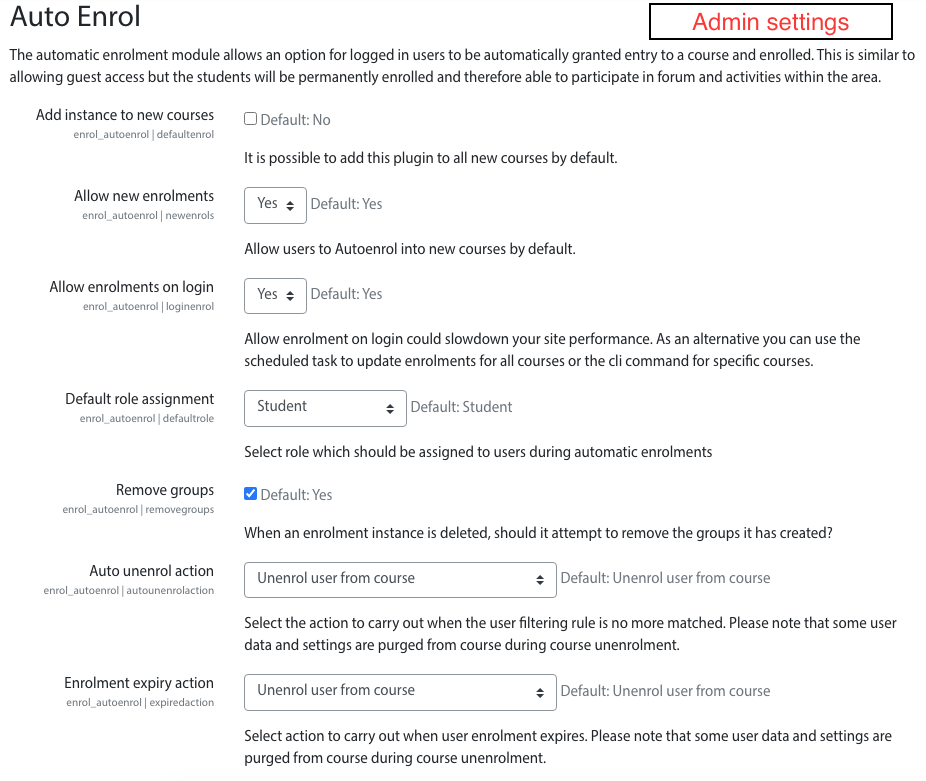
Adds functionality to automatically enrol users onto a course, either as they log in to your Moodle site or as they access a course.
This plugin was at first intended for use on courses which you want all users to be able to access but can also be configured for more advanced purposes as reserved access courses.
Using the new user filtering you can think at Autoenrol as a Swiss Army knife for Moodle enrolments.

Comments
Product ratings and reviews are coming to Moodle Marketplace. Until then, existing comments remain available to read, but new posts have been disabled.
To test in our sandbox environment, I set duration on the auto enrol plugin to 1 minute for each course. It is set to auto enrol on login. I created a new user, logged in, got access. Waited 1 minute, started reading and saw cron runs every 10 minutes, checked again after 10 minutes. The user still has access to all the courses.
What set of settings do I need so users gain access when they first log in, but after a set number of days (or time to test), they should not be auto enrolled again.
Your help would be greatly appreciated.
Thanks
Jessica
Best
Tumer
Thank you for your prompt reply back. In fact, when I set "enrolment duration" it automatically enrolls the student and unenrols when it expires. However, when I use the "end date" enabled, it enrolls but does not unenrol at the expiration time I set; in fact, the expiration time is not set by the plugin, so the student gets an unlimited access. When I try it with manual enrolments or other plugin, the expiration time is listed and saved to database, and the unenrolment works for them since they set the "end date". I hope I could make it clear. I hope you have an easy solution within the plugin itself. I would be grateful if you let me share my screen over skype to show the issue better; I have added your skype today. If you may spare 5 mins, the issue will be better understood.
Best
Tumer
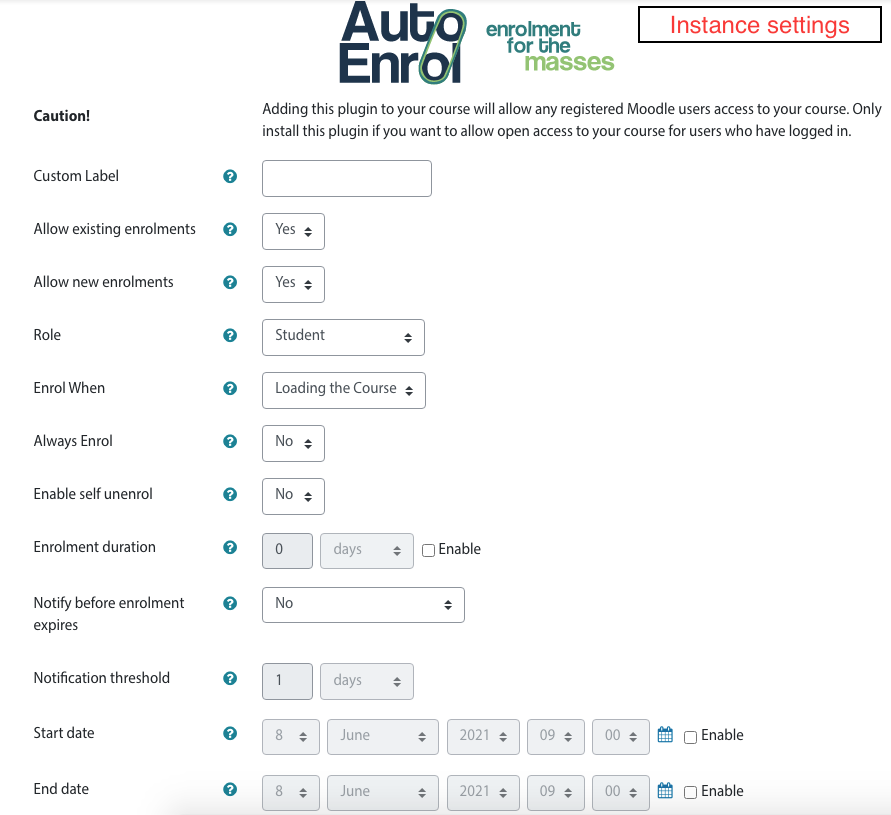
end date, as for other enrolment plugins, just blocks new enrolments after that date but keep active old enrolments until expiration.
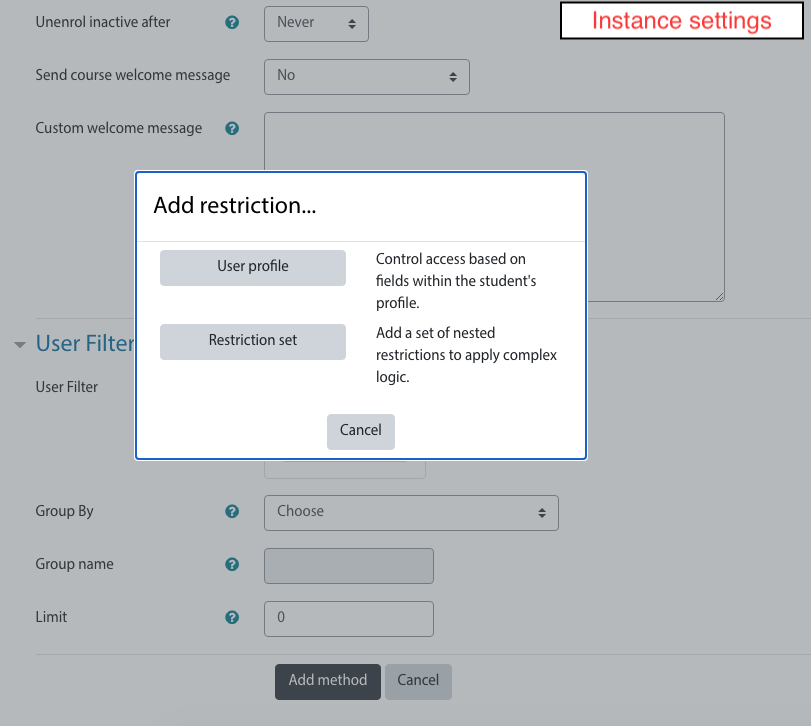
If you want to block access to course after a date I think you can add a date restriction rule in user filter setting it until your "End date". Date restrinction needs to be enabled in Autoenrol plugin administration settings.
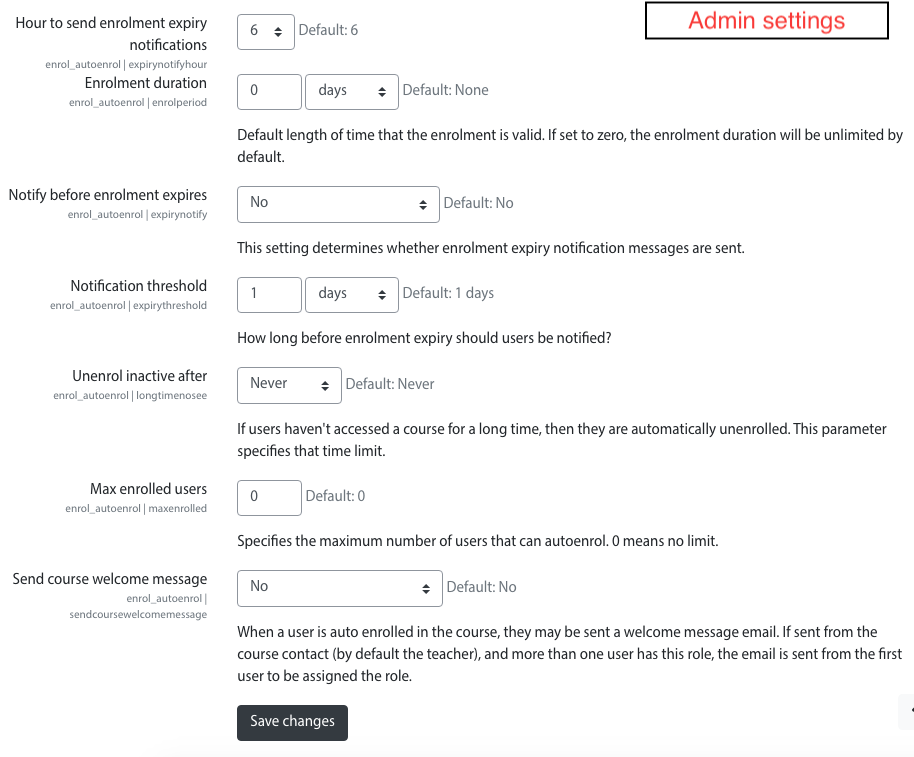
You need to check administration setting "Auto unenrol action" in order to do the right thing when the rule does not match anymore (unenrol user, keep enrolled, disable enrolment, etc).
HTH,
Roberto
can you better explain what's happens? Did you get some errors?
Thanks,
Roberto
I'm sorry.
There was a bug and I fixed it today.
Thanks,
Roberto
student unsubscriptions are managed from the "Autoenrol expirations check" scheduled task.
It should be run every 10 minutes.
Please check its logs for more information.
that is no more needed.
From 2.2 release user cache is refreshed after enrolment so courses are shown in dashboard after login.
if you don't see the Enrol When setting in instance configuration probably is because your administrator disabled "enrol on login" feature or your role can't enrol on login.
The only thing you can "set" is "enrol on loading the course" so the setting in not shown.