
AutoEnrol
Maintained by
Roberto Pinna, Mark Ward
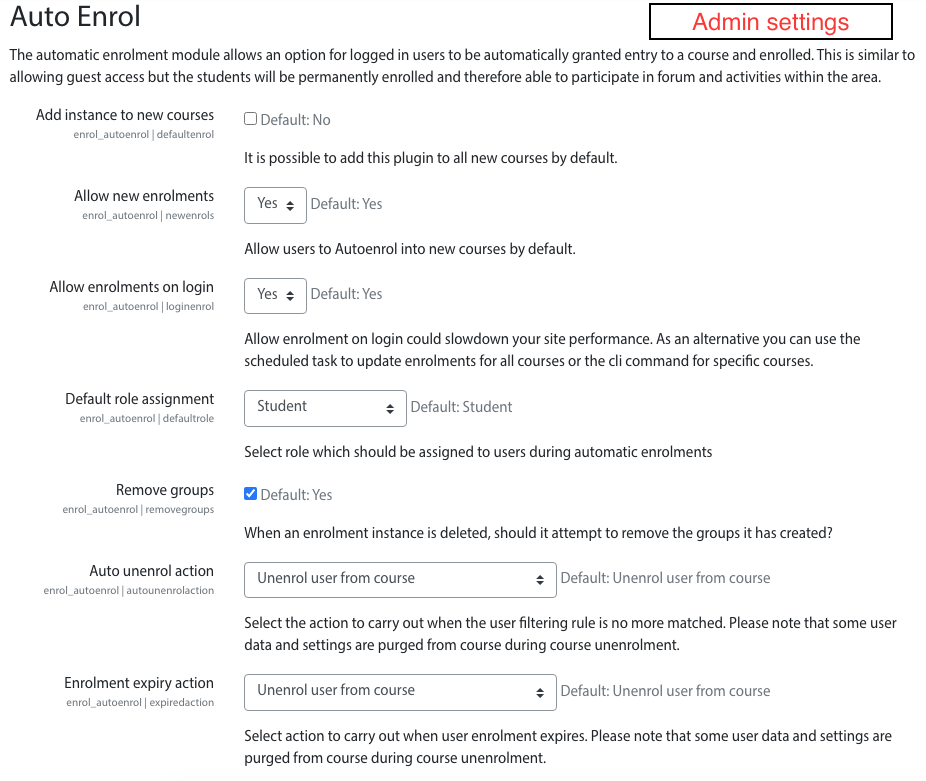
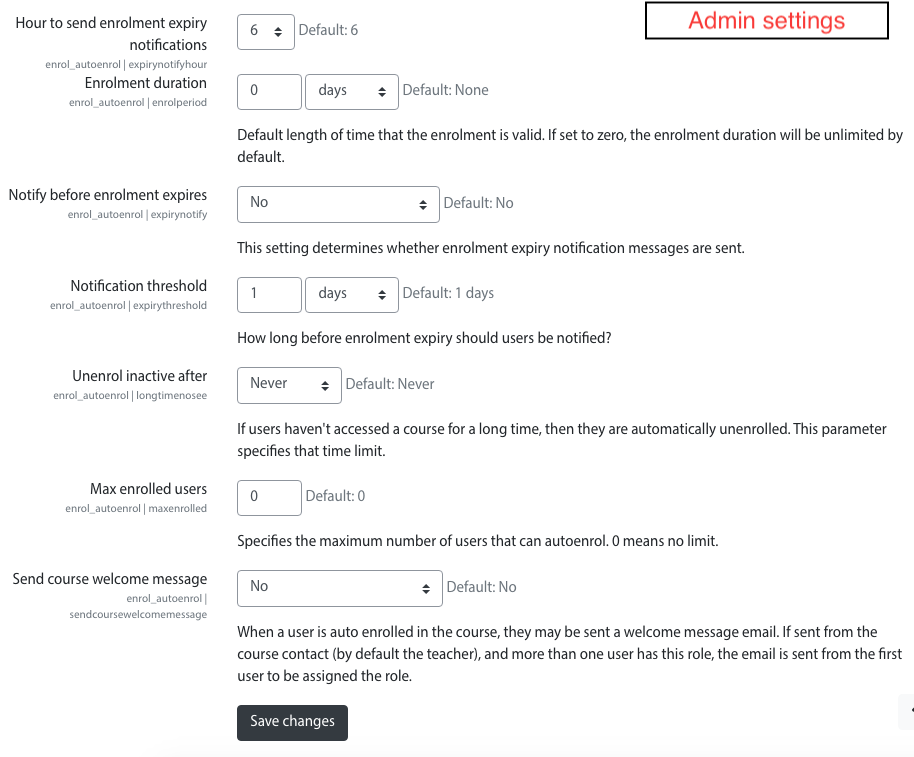
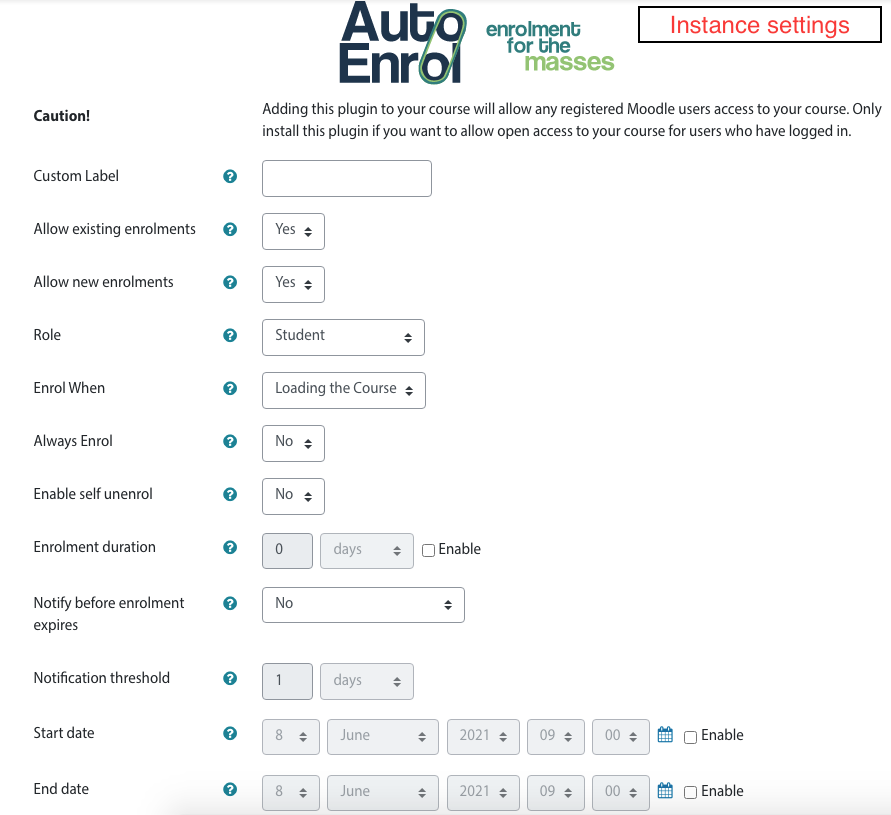
Adds functionality to automatically enrol users onto a course, either as they log in to your Moodle site or as they access a course.
This plugin was at first intended for use on courses which you want all users to be able to access but can also be configured for more advanced purposes as reserved access courses.
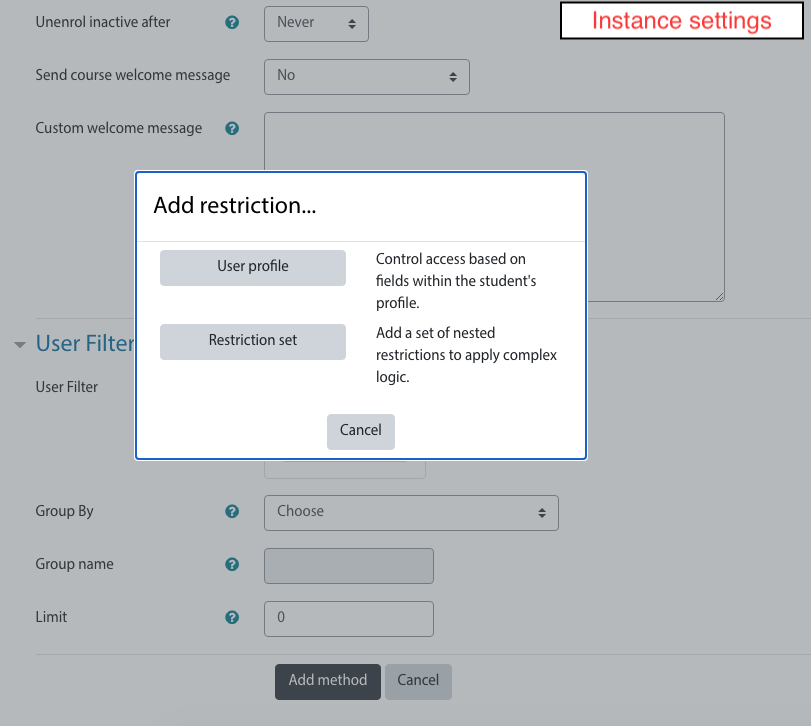
Using the new user filtering you can think at Autoenrol as a Swiss Army knife for Moodle enrolments.

Comments
Product ratings and reviews are coming to Moodle Marketplace. Until then, existing comments remain available to read, but new posts have been disabled.
WE would be using using your plugin in a business application where customers must first enter the course before they can register for a "face to face" session.
I'm generally happy with the self-enrolment plugin, with the exception of that "Enrol me" button, which is conusing the hell out of our customers.
.
I understand how useless un-enroling someone would be if users are being re-enrolled on log in to the site. In our case we have chosen to use the auto-enrol selectively at the course level. Here I'm concerned that a user may want to opt out completely from course news for example. I would also like to retain only active users in the course and build a community of interest around a product/solution.
The only way to remove users now is to remove the plugin completely from the course.and this deletes all users who have registered using that plugin. I'd like to suggest that you might offer an on off switch which only works when auto-enroling at the course level.
All the best,
Jenna
Many thanks Phil, appreciate the support!
Thanks Mark!
Is there a reason or limitation why you have not allowed for unenroling a student from a course? This would still be a useful feature.
Jenna
I'm fairly new to Moodle and installed and activated your plugin. I just cannot find where to setup what course can be auto-enrolled? Could you please help me?
Kind regards,
Ed
I'm very interested in installing this plugin to our moodle site, but after downloading the zip file, I do not see any instructions in the readme file on how to install or where to place it. Any help would be greatly appreciated.
Debug info: Missing version value in version.php
Error code: detectedbrokenplugin
Stack trace:
line 546 of /lib/upgradelib.php: plugin_defective_exception thrown
line 358 of /lib/upgradelib.php: call to upgrade_plugins_modules()
line 1524 of /lib/upgradelib.php: call to upgrade_plugins()
line 329 of /admin/index.php: call to upgrade_noncore()
info server:
cPanel Version 11.32.3 (build 23)
Apache version 2.2.17
PHP version 5.2.16
MySQL version 5.0.95-community
Architecture x86_64
Operating system linux
Path to sendmail /usr/sbin/sendmail
Path to Perl /usr/bin/perl
Perl version 5.8.8
Kernel version 2.6.18-194.32.1.el5
cPanel Pro 1.0 (RC1)