
AutoEnrol
Maintained by
Roberto Pinna, Mark Ward
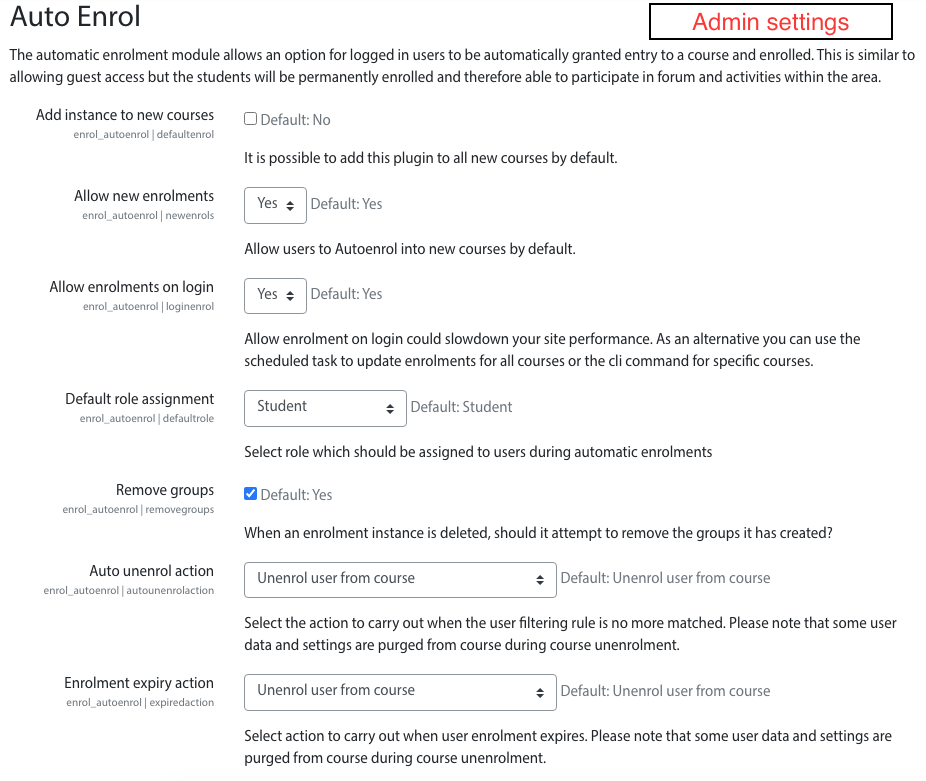
Adds functionality to automatically enrol users onto a course, either as they log in to your Moodle site or as they access a course.
This plugin was at first intended for use on courses which you want all users to be able to access but can also be configured for more advanced purposes as reserved access courses.
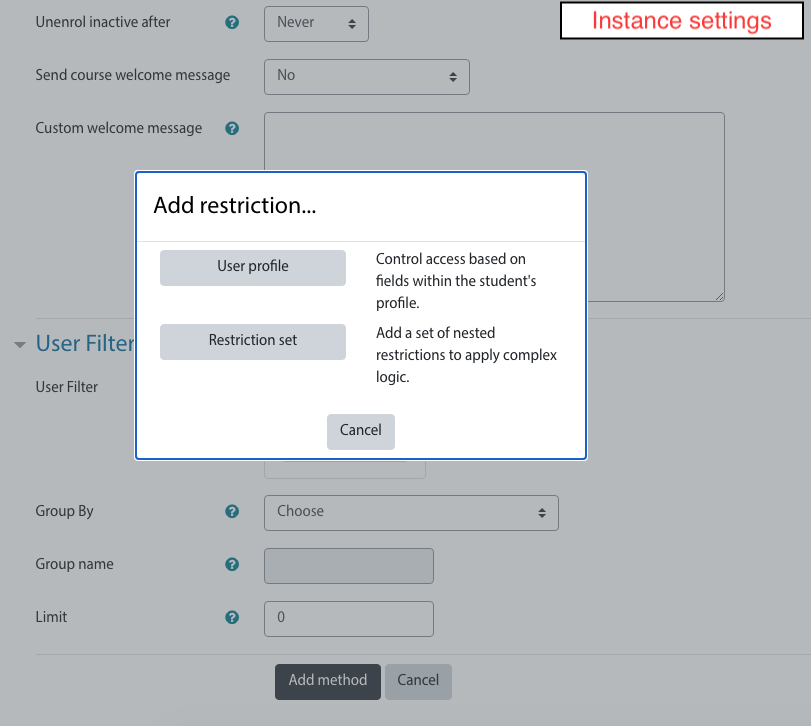
Using the new user filtering you can think at Autoenrol as a Swiss Army knife for Moodle enrolments.

Comments
Product ratings and reviews are coming to Moodle Marketplace. Until then, existing comments remain available to read, but new posts have been disabled.
it depend by how you configure autoenrol and your moodle site. Autoenrol, if configured with enrol at login, will enrol each confirmed user to the course when they successfully login to your site.
you can find the list of enrolled user under Participants.
If you need, you can filter autoenrolled students using enrolment method filter.
HTH,
Roberto
I'm sorry but autoenrol cannot do what you need.
As far as I understand, you need a Moodle payment gateway plugin that somehow works with WooCommerce.
I'm not familiar with WordPress and WooCommerce, so I can't help you with your problem.
Best,
Roberto
i'm sorry what you want still in new features list.
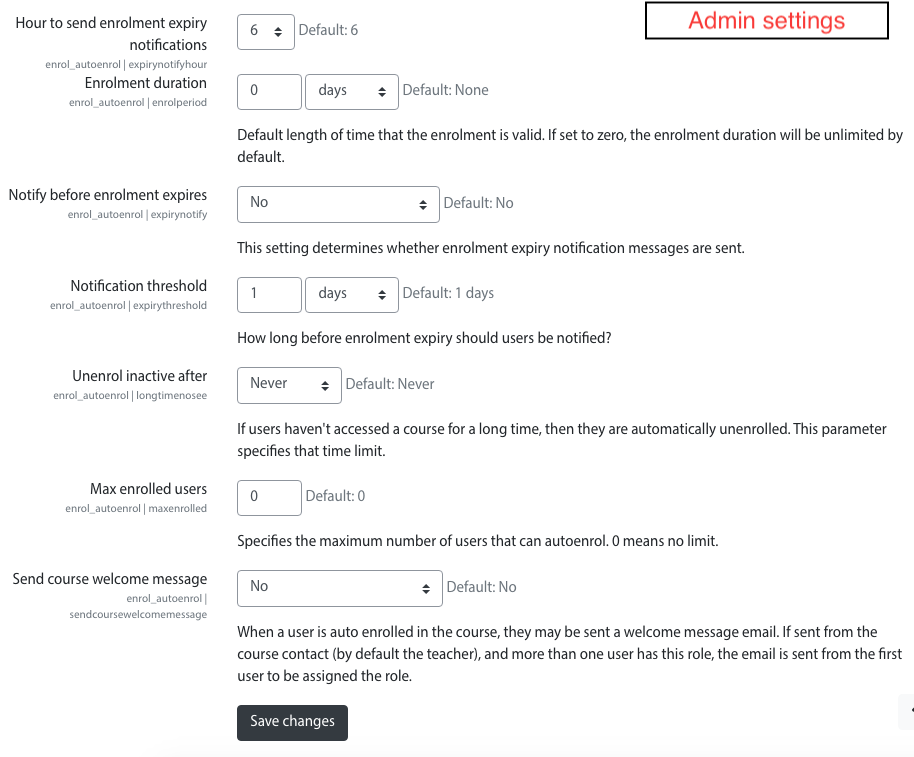
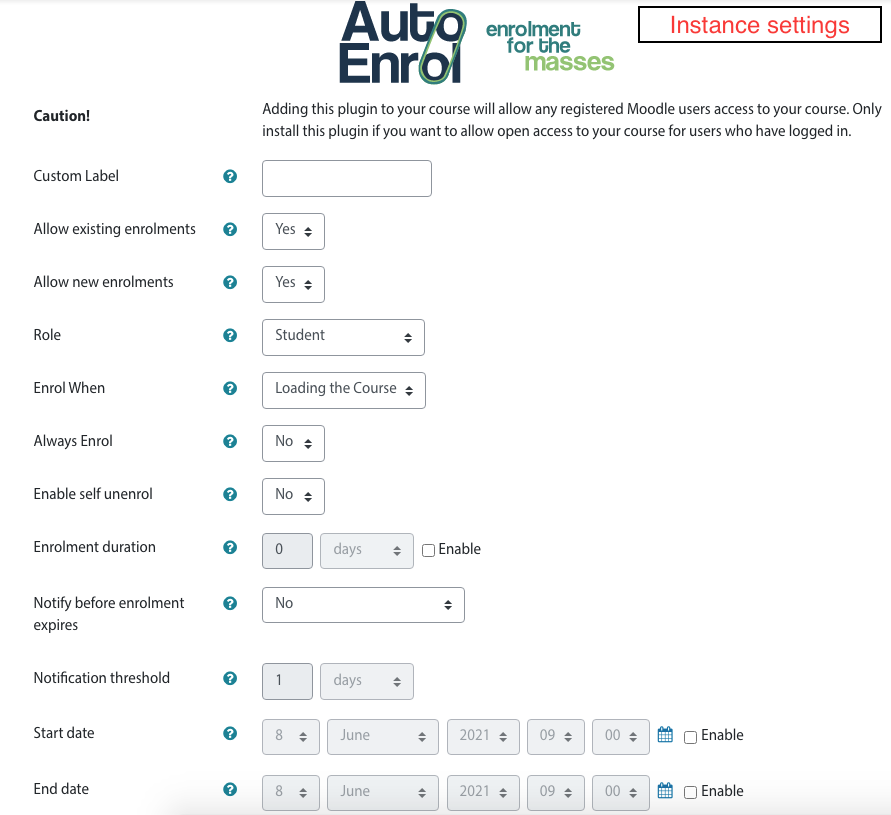
You can only set the enrolment duration as for self enrolment plugin.
The enrolment end date as implemented in manual enrolment need to be developed for autoenrol plugin.
Keep in touch,
Roberto
Best
Tumer
I am new to Moodle and to WordPress, but I am exploring the possibility of "integrating" Moodle with a WooCommerce shop, that will be part of a WordPress multi-site network. My goal is to sell my Moodle courses on WooCommerce and then provide some kind of auto-enrollment option into moodle. Does this plugin allow users to auto-enroll into a Moodle course after purchasing it from WooCoomerce?
I am sorry if there is an obvious answer to my question, but I am completely in the dark here when it comes to WooCommerce/Moodle "integration". So, if you have any idea if this functionality would be possible using this plugin, I would also appreciate it if you could provide me with some insights on how this process would work in practice just to have an idea.
Thanks in advance!
Best,
Vânia
you need to add and configure autoenrol, like other additional enrolment plugins, in any course you want.
HTH,
Roberto
Pretty new to Moodle and installed this plugin, but hopefully can someone can guide me. I've created courses for Learners but have noticed sometimes Learners are not automatically enrolled while others are.
Is there something I should be activating in the settings for the course?
that is the main feature of AutoEnrol.
Thank you so much for your quick reply.
Just checked and we don't have 2.3.5, site is prompting upgrade to that version. I'll request the installation. This is a really useful addition - thank you!
Really great info about the change in duration only affecting new users - that is perfect. We'll manage that one as needed.
Kind regards
Jessica
did you use the last release 2.3.5 (2021112600)? I'm sorry but enrolment duration did not work on previous releases.
Did you set duration before enrol the user?
The enrolment duration is set for any single user during the enrolment procedure. If you set or change the durantion after user enrolments this does not affect already enrolled users.
If you need to change already enrolled user duration you need to do it by selecting all users in your course and then "Alter enrolment end time" using the dropdown menu "Edit selected user enrolments" for autoenrol.
HTH,
Roberto