
AutoEnrol
Maintained by
Roberto Pinna, Mark Ward
Adds functionality to automatically enrol users onto a course, either as they log in to your Moodle site or as they access a course.
This plugin was at first intended for use on courses which you want all users to be able to access but can also be configured for more advanced purposes as reserved access courses.
Using the new user filtering you can think at Autoenrol as a Swiss Army knife for Moodle enrolments.

Comments
Product ratings and reviews are coming to Moodle Marketplace. Until then, existing comments remain available to read, but new posts have been disabled.
sorry for the silly questions:
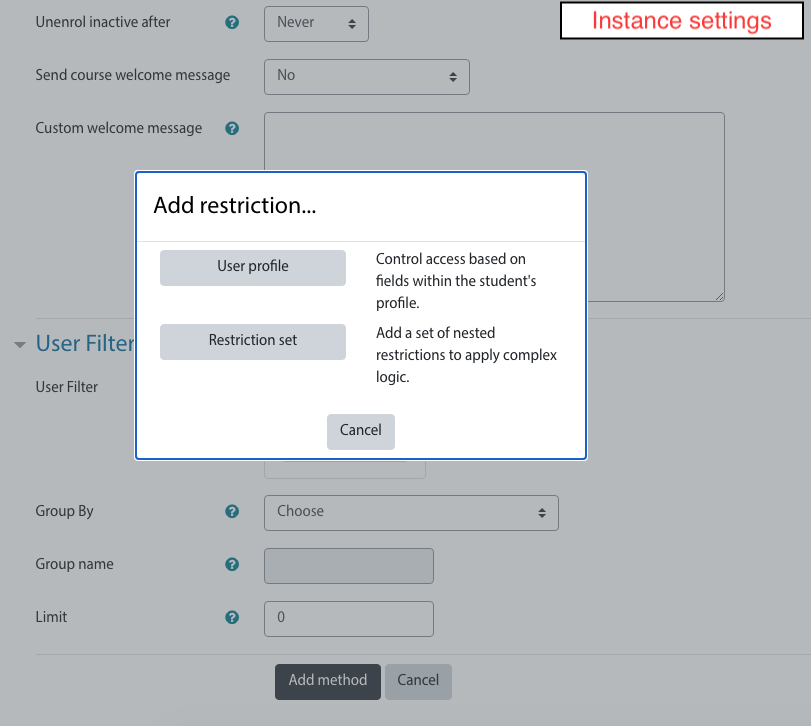
have you configured autoenrol with Group by field set to "Authentication" and Allow only field set to "email"?
Did you check groups enrolments? Have your course two groups (manual and email)?
you can only do it using release 2.2 (https://github.com/bobopinna/moodle-enrol_autoenrol/tree/v2.2).
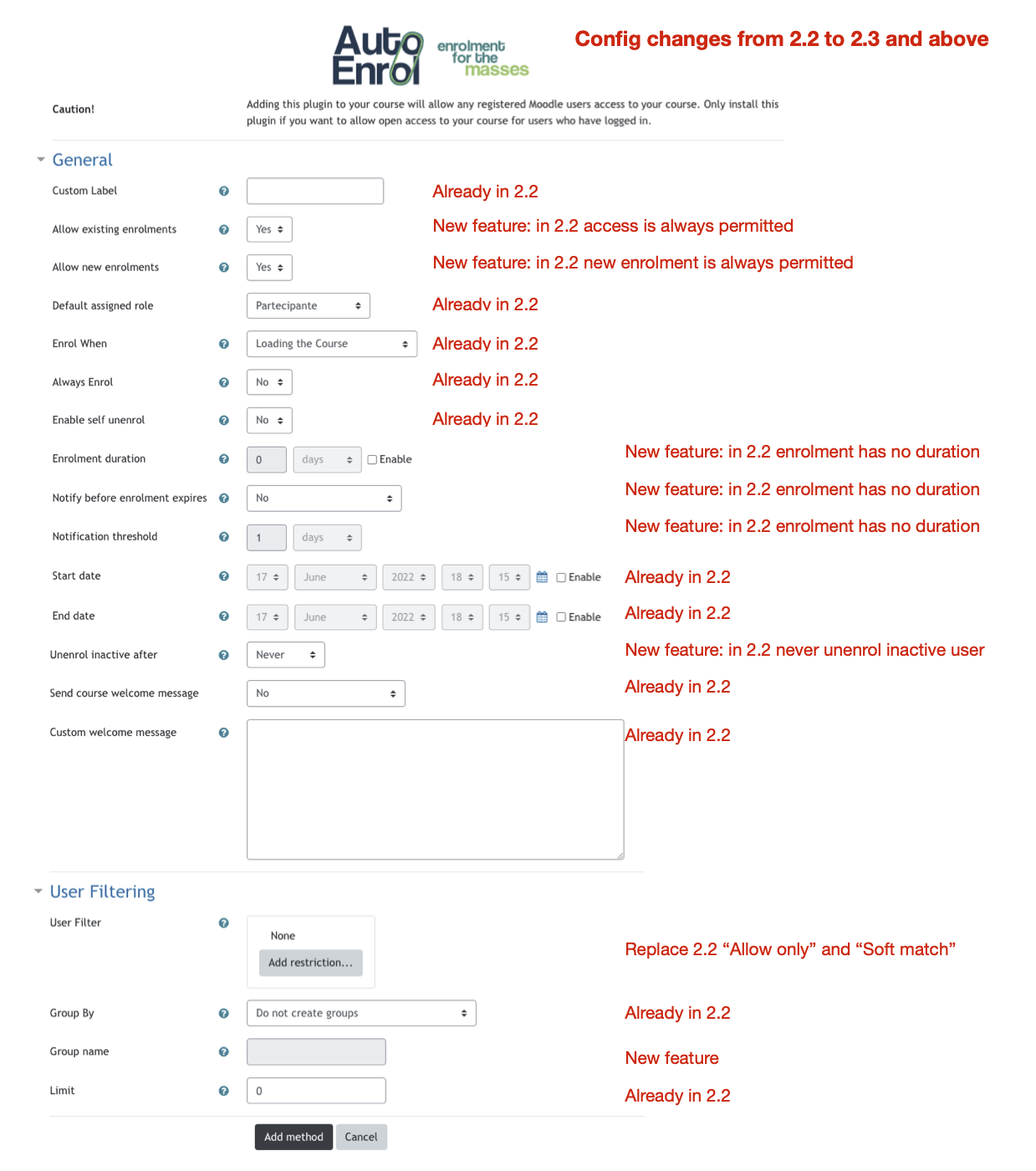
Release 2.3 introduced the new filtering interface that use Moodle standard availability UI.
Unfortunately that do not include language and authentication fields in user profile fields list.
Developing a new availability plugin is need to add them.
HTH
Thank you so much
I fixed it and updated 2.3 release.
Just replace the code in moodle/enrol/autoenrol
Stack trace:
line 138 of /enrol/autoenrol/edit.php: Error thrown
Thank's
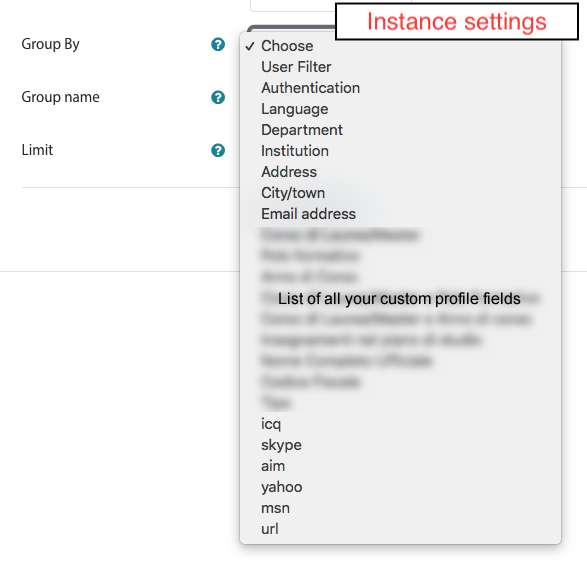
Can grouping be done on the custom user profile field?
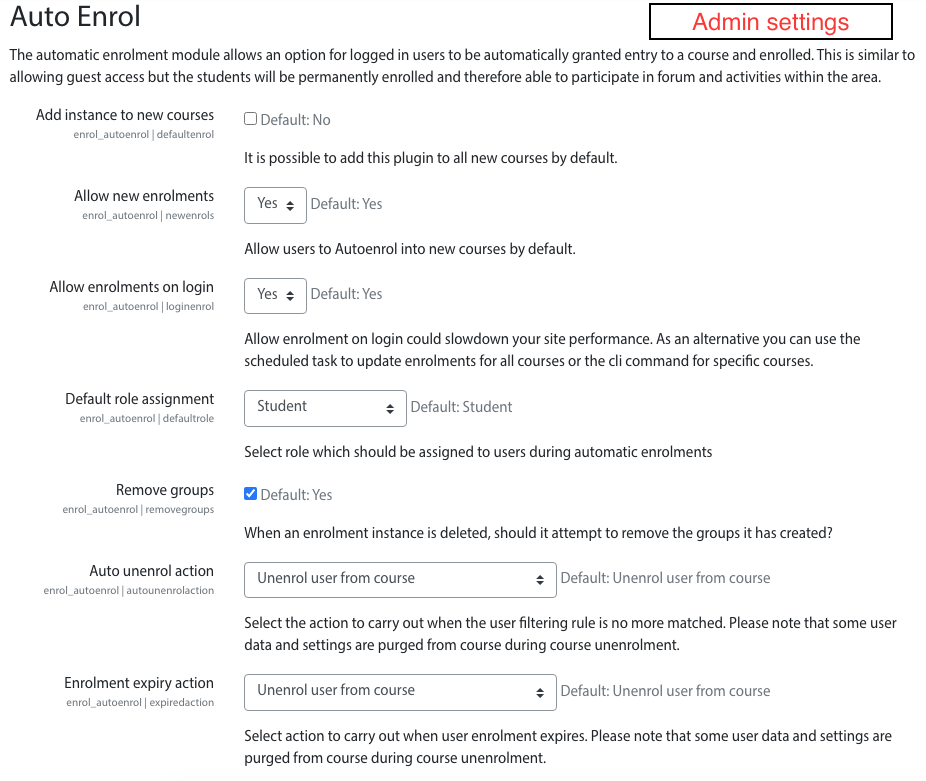
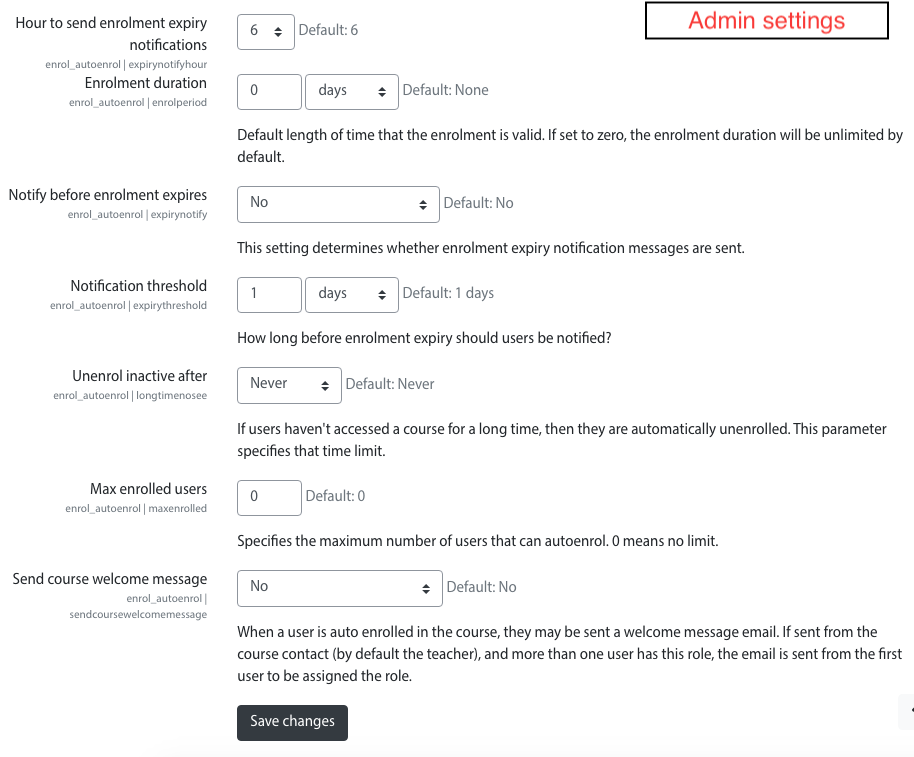
with standard configuration, enrolment will be placed on course access. If you want to enrol on user login you need to set it in View more.. settings.
Take note that auto enrol will done on login but the course do not appears in user dashboard because the dashboard content is loaded before the enrolment and I did not find a way to force reloading.
The user will find the course in dashboard from the second login.
HTH
1- installed Auto Enrol plugin https://moodle.org/plugins/enrol_autoenrol
2- Enabled Auto Enrol in Enrolments section from dashboard
3- Default role assignment is set to Student
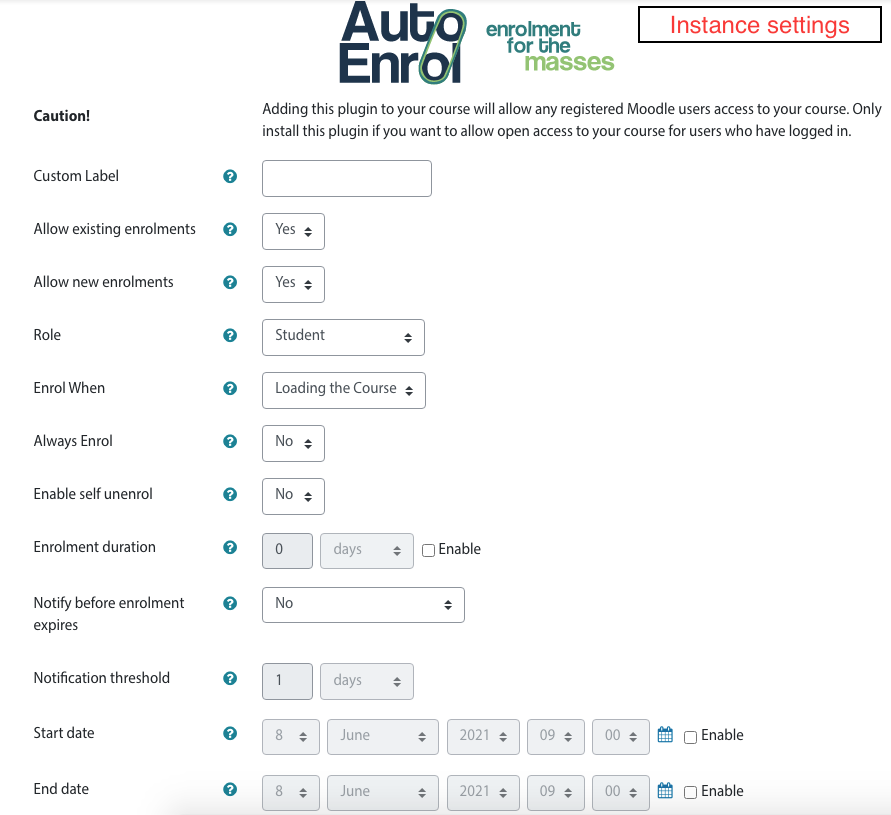
4- Now for selected course i added Auto Enrol as enrolment method with following settings
4.1 Group By : Authentication
4.2 Allow Only : oidc
4.3 Soft Match : No
Limit : 0
Now after doing this i logged in using 365, in db my enrolment method is oidc but then i am not enrolled in this course.
Can you please advise me what am i missing
Thanks
thanks for the rapid response - we are runnning version 2011101301 (according to my moodle info) I will try updating the plug-in to the current one (enrol_autoenrol_moodle310_2019111800) tonight
Thanks
Chris B
it's strange that it miss.
Did you installed a very old version of Autoenrol?
I added instance delete feature in 2.0 plugin version, about 4 years ago.
HTH,
Roberto