
AutoEnrol
Maintained by
Roberto Pinna, Mark Ward
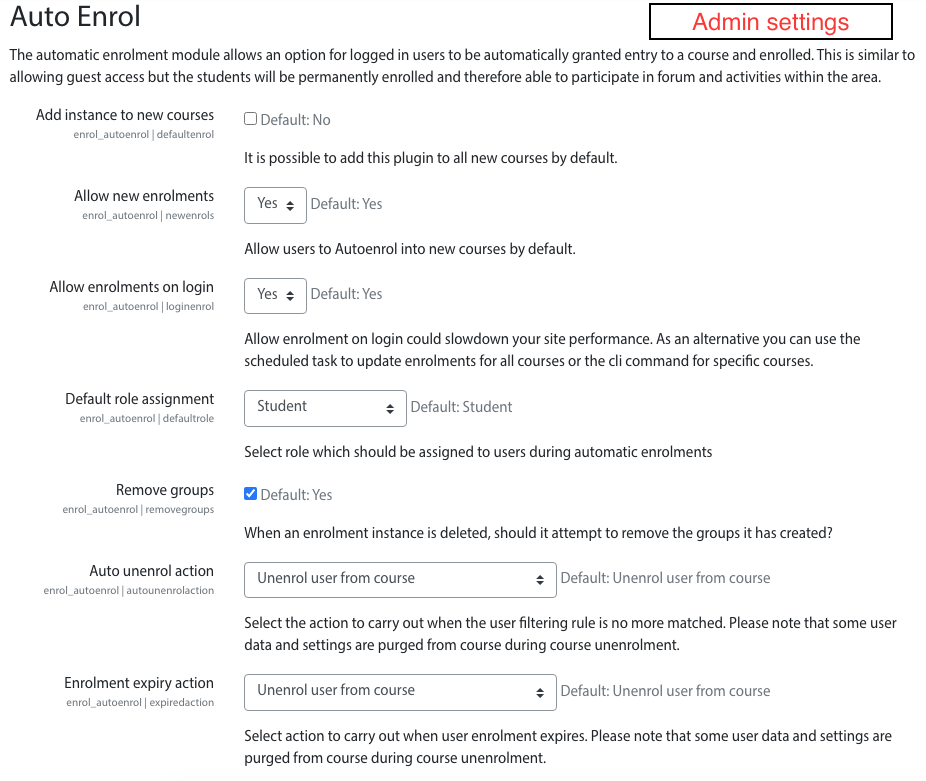
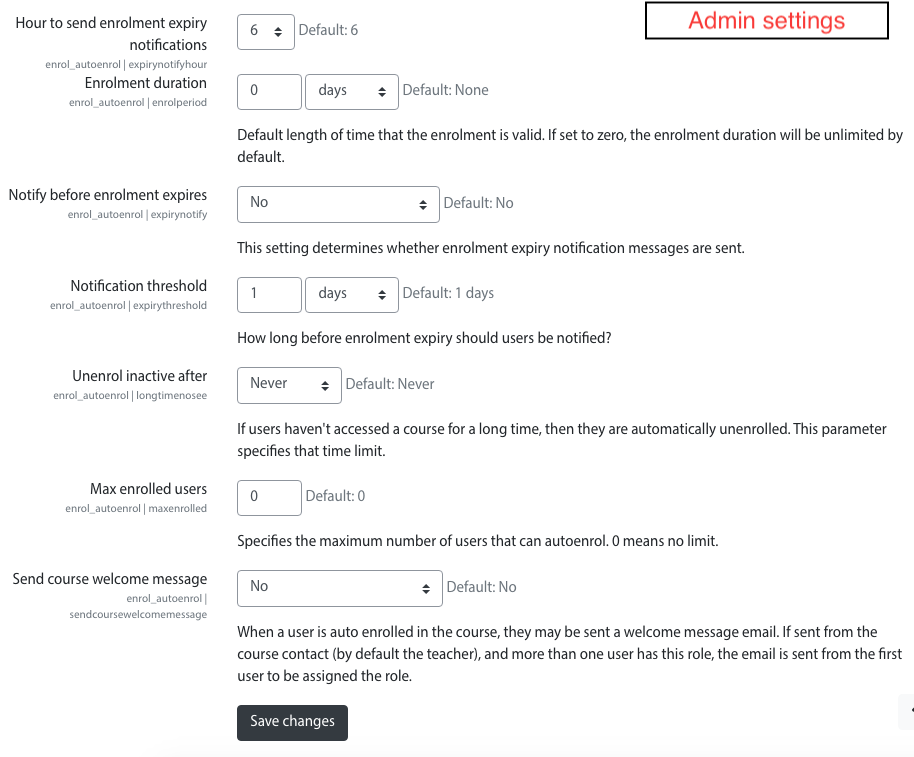
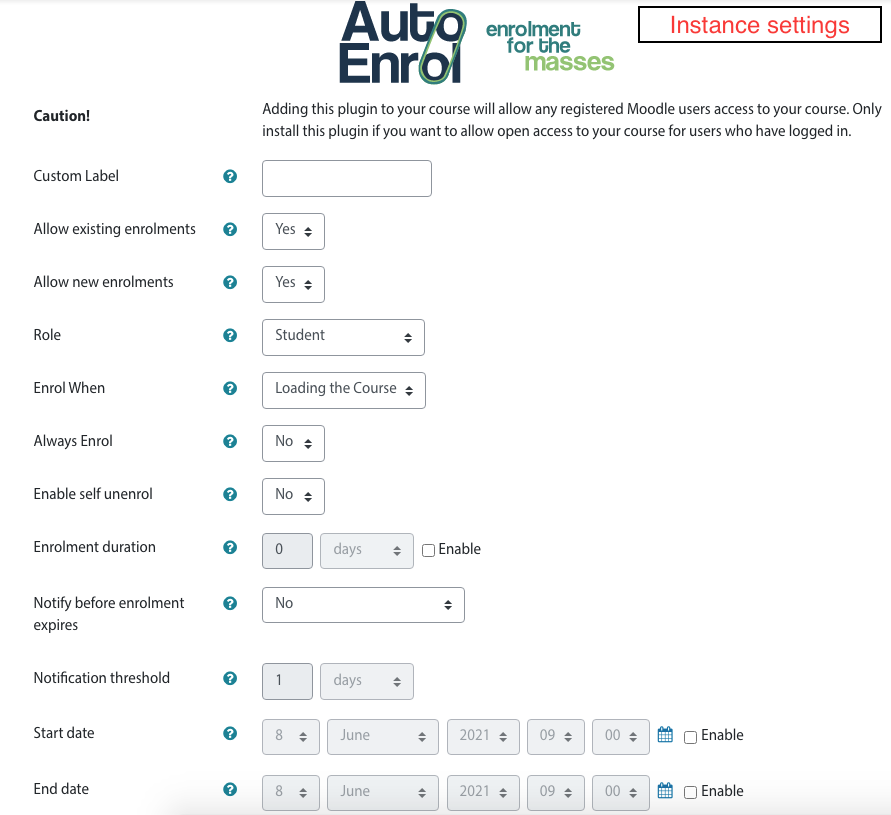
Adds functionality to automatically enrol users onto a course, either as they log in to your Moodle site or as they access a course.
This plugin was at first intended for use on courses which you want all users to be able to access but can also be configured for more advanced purposes as reserved access courses.
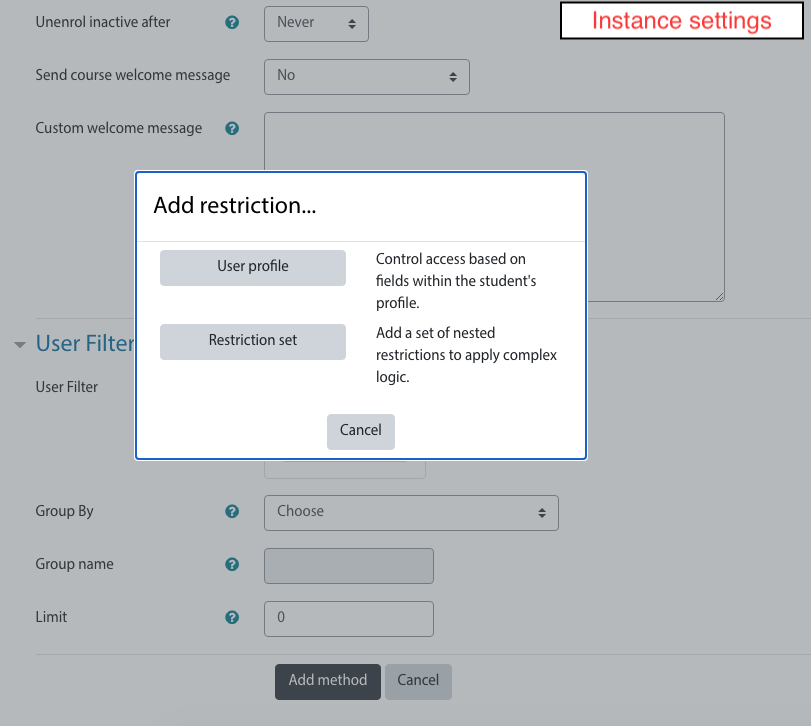
Using the new user filtering you can think at Autoenrol as a Swiss Army knife for Moodle enrolments.

Comments
Product ratings and reviews are coming to Moodle Marketplace. Until then, existing comments remain available to read, but new posts have been disabled.
I want to delete the plug in from a course as it was applied in error and has enrolled learners who didnt need to be on the course and I can disable it but not delete it - we are running Moodle 3.8.4+ (Build: 20200717)
Is it safe to use in 3.10?
Thank you!
Managers can enter into courses without enrolment so no enrolment procedure is called.
Manual enrolment is the only way you can use to enrol them in a course.
Sorry,
Roberto
Autoenrol is an enrolment plugin, it set the role in a course for users that match the rule.
If I understand what you ask this is not possible because users do not have a role in a course before the enrolment.
HTH,
Roberto
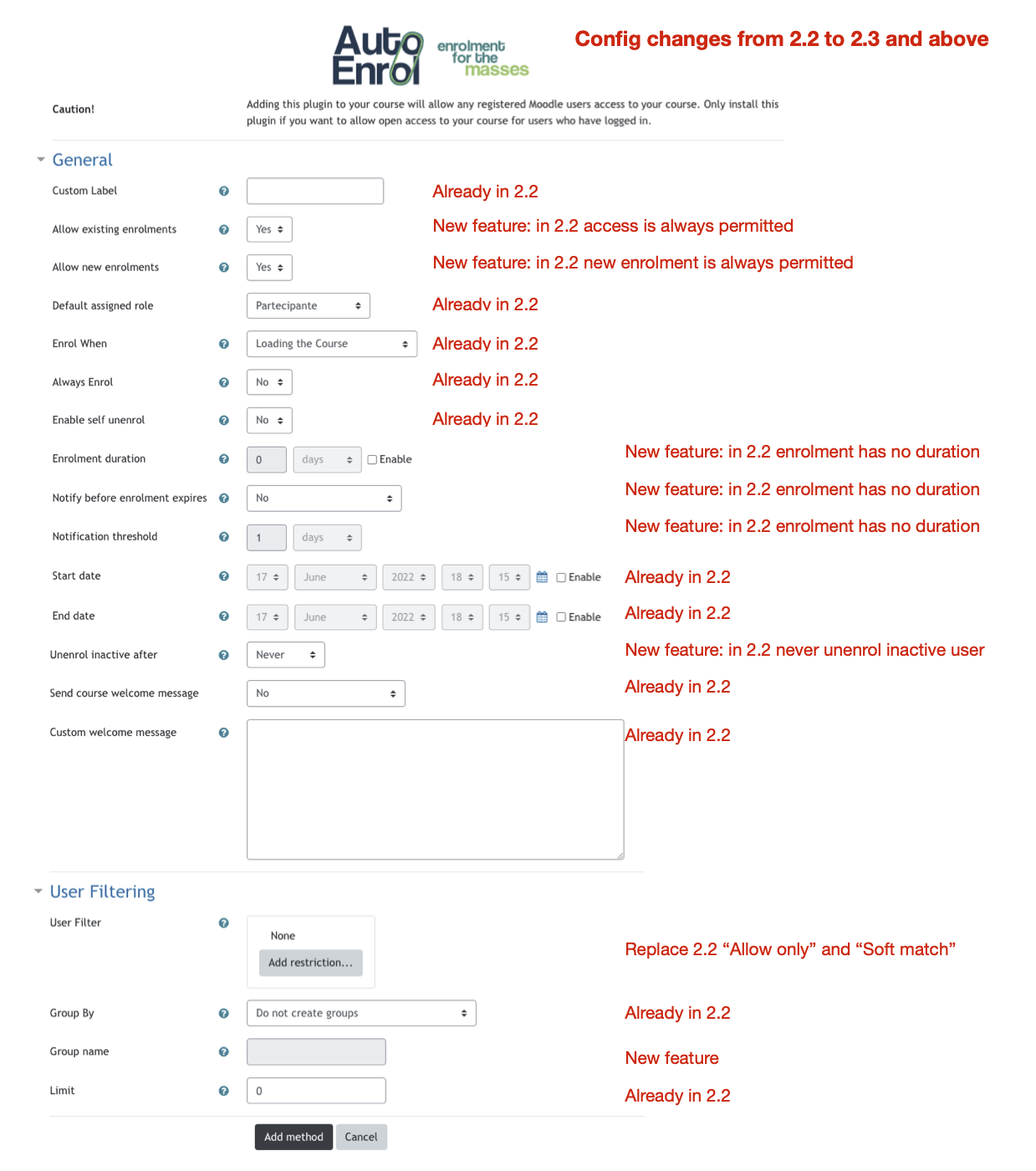
in the autoenrol settings page, I've set the following fields:
Role Student
Enrol When Logging into Site
Always Enrol Yes
and then Filtering:
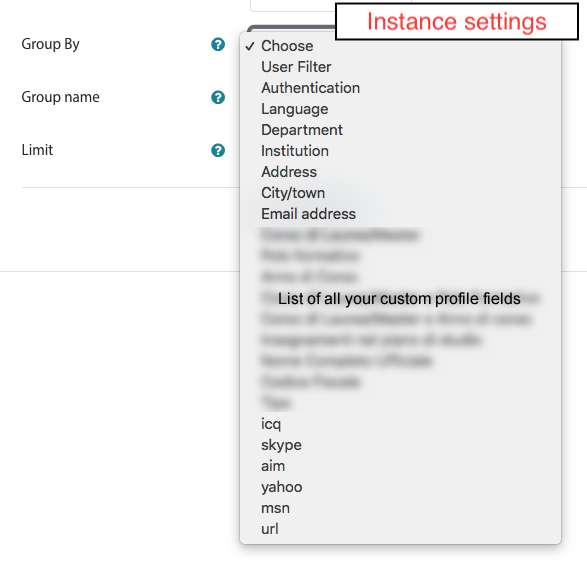
Group By Department
Allow Only TestDip
Soft Match Yes
Limit 0
It's correctly configured?
if you did not set autoenrol on login, autoenrol works on course access.
You can set this and other advanced feature clicking on Expand All or Show more... links in autoenrol settings page.
thanks for the answer, but what you mean with "set the autoenrol on login", because I didn't done any explicitely action for that?
Anyway, even after the second/third...logins, the user don't see the course because it doesn't become enrolled.
Did you have any idea what I can check?
Thanks!
if you set the autoenrol on login, the course is not shown at the first login in user Dashboard.
This happens because moodle call autoenrol after the Dashboard setup.
There is no way to change it so user will see new autoenrol course from the second login.
HTH
I installed the plugin in a moodle version 3.9, defined a course and associated with the course the enrollment mode "Auto Enrol", then that of the plugin.
In the plugin configuration, I defined in the "User Filtering" the "Group By" => "Department" and the "Allow Only" field => "3".
In the moodle there is a user where the Department field is = "3", but unfortunately when I do the login with that user, the course is not displayed. Did I forget to configure anything?
Thanks!
can you explain what doesn't work? What's your expected behaviour?
you can't do it in that field.
If you need to permit access with a OR logic you can setup more autoenrol instances with a single rule in each one.
Implement more complex rules is in the roadmap but I don't know when it will be released.