
AutoEnrol
Maintained by
Roberto Pinna, Mark Ward
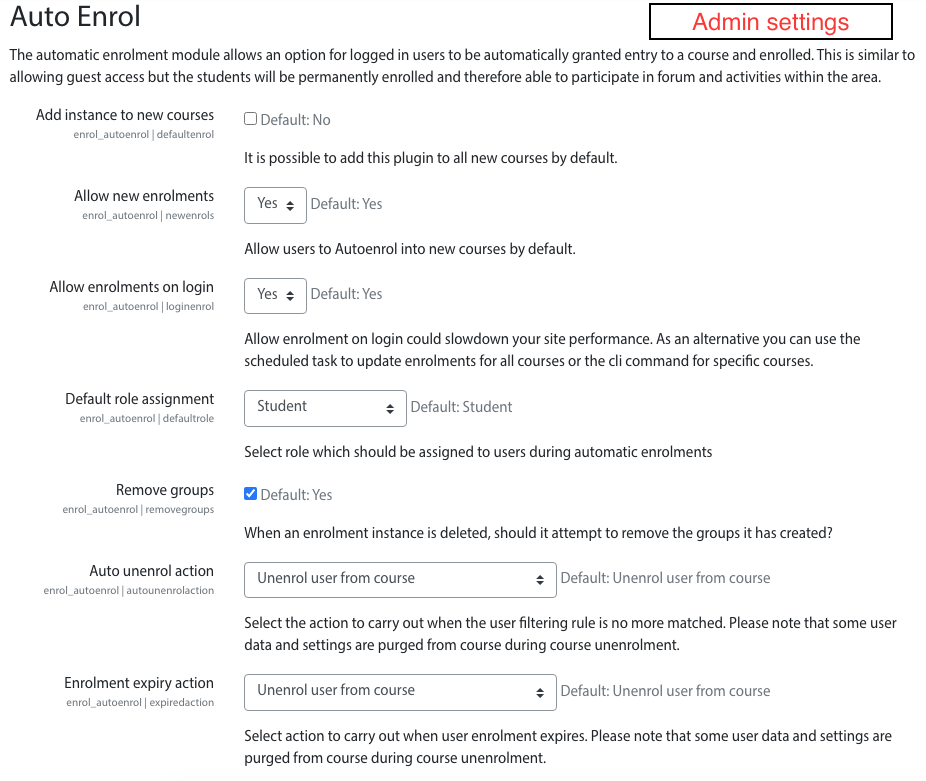
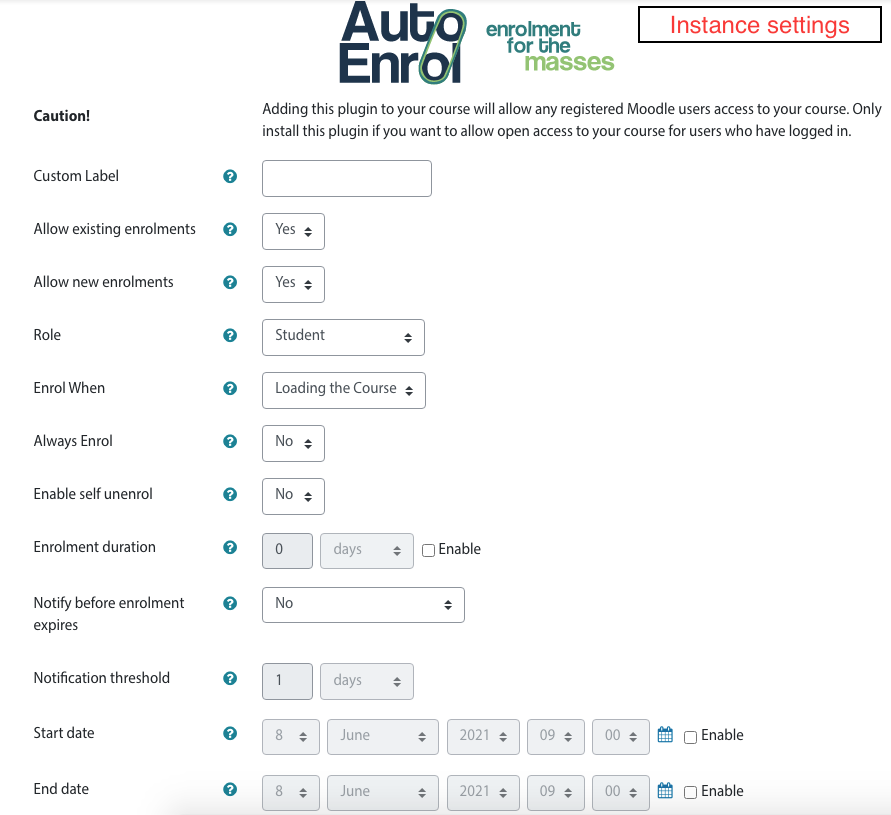
Adds functionality to automatically enrol users onto a course, either as they log in to your Moodle site or as they access a course.
This plugin was at first intended for use on courses which you want all users to be able to access but can also be configured for more advanced purposes as reserved access courses.
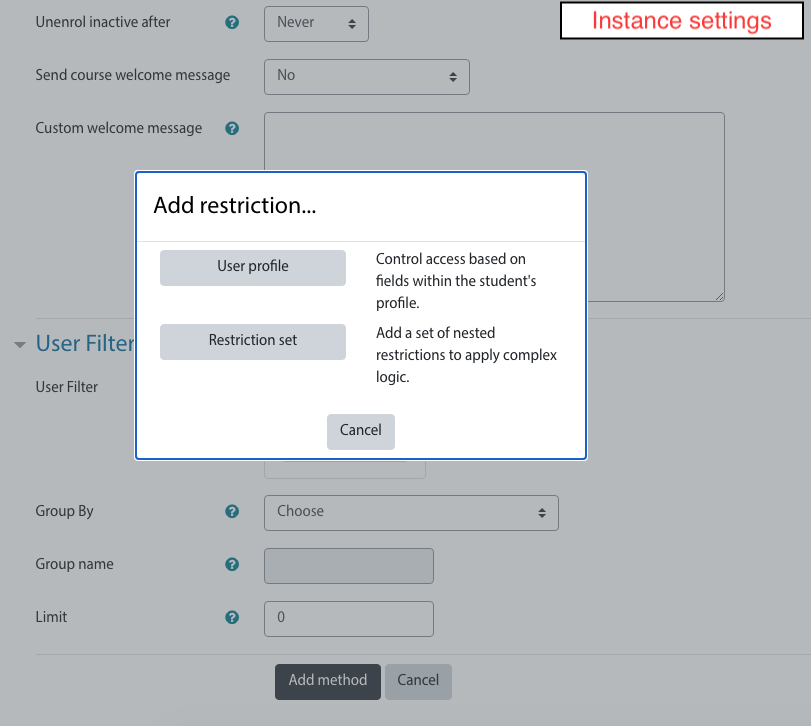
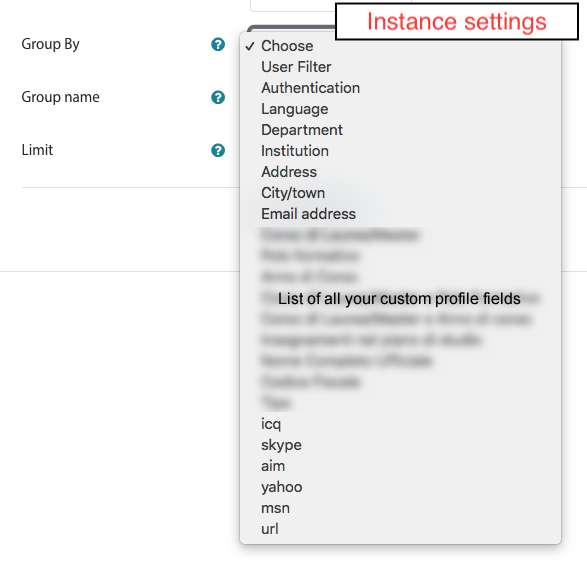
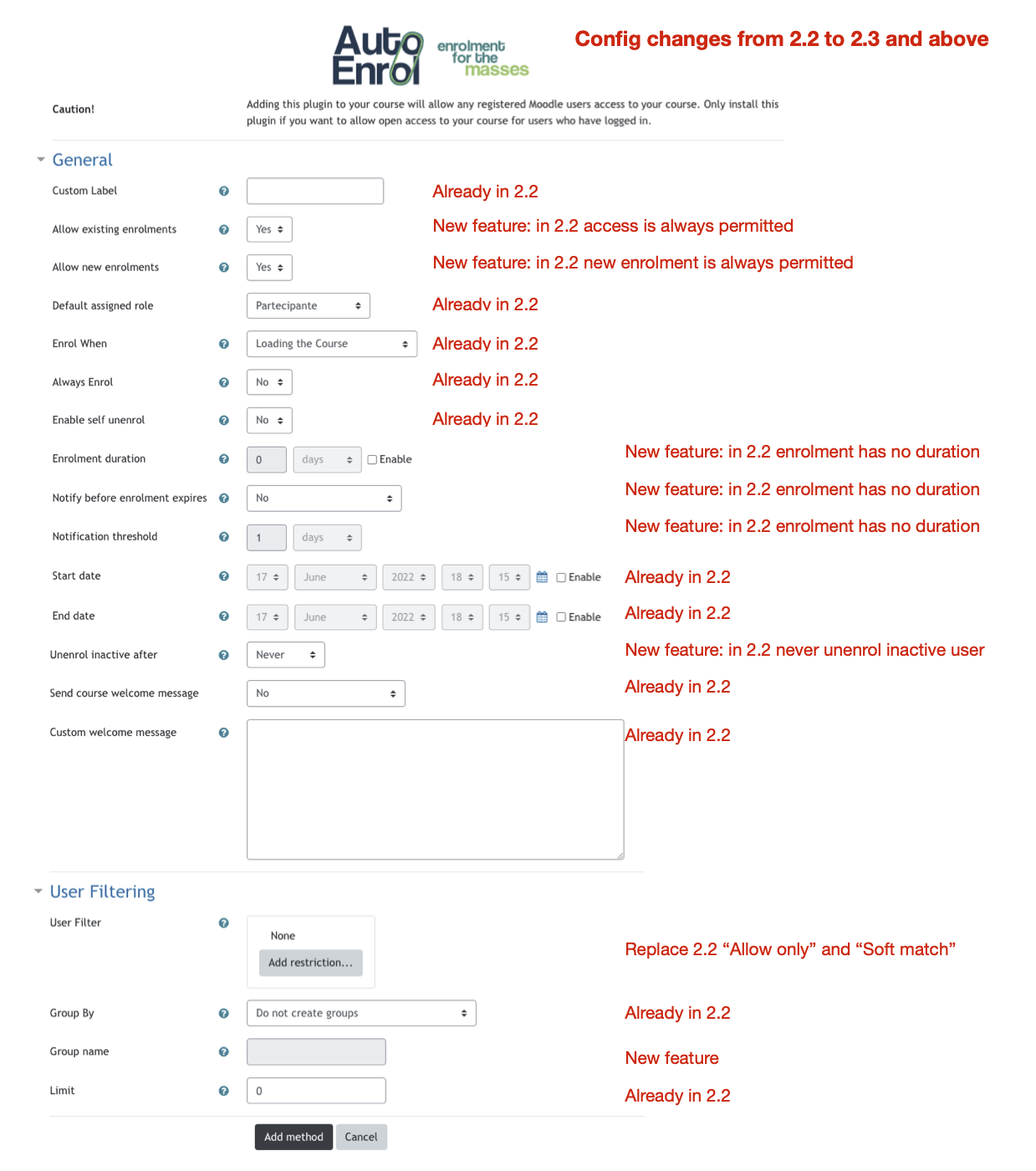
Using the new user filtering you can think at Autoenrol as a Swiss Army knife for Moodle enrolments.

Comments
Product ratings and reviews are coming to Moodle Marketplace. Until then, existing comments remain available to read, but new posts have been disabled.
Hi
I installed moodle 4.4+ and the last update of the auto-enrol plugin (2.4)
when I try to delete a user (user A) face to such error:
Exception - Call to a member function get_room_user_provider() on null
More information about this error
Debug info:
Error code: generalexceptionmessage×Dismiss this notification
Stack trace:
line 151 of /communication/classes/api.php: Error thrown
line 440 of /communication/classes/hook_listener.php: call to core_communication\api->get_room_user_provider()
line ? of unknownfile: call to core_communication\hook_listener::delete_user_room_memberships()
line 299 of /lib/classes/hook/manager.php: call to call_user_func()
line 3596 of /lib/moodlelib.php: call to core\hook\manager->dispatch()
line 94 of /admin/user.php: call to delete_user()
In this case, using Self enrollment will be the solution. Regardless, Auto enrollment is a very useful plugin that makes managing certain courses more convenient in many cases!
as said in a couple of issues on GitHub (https://github.com/bobopinna/moodle-enrol_autoenrol/issues/42) Moodle guest enrolment management has priority on all others enrolment plugins.
This is defined in Moodle core so needs to be changed there before plugins like AutoEnrol could work with guest enrol enabled.
HTH,
Roberto
AutoEnrol does not have specific database requirements. It use Moodle standard database table.
Moodle from 4.2 requires MySQL 8.0 (https://moodledev.io/general/releases/4.2)
Last Moodle version that requires MySQL 5.7 is Moodle 4.1 LTS (https://moodledev.io/general/releases/4.1)
HTH,
Roberto
I had the same problem with 4.2.7 and 4.0 versions of Moodle. How can we know in advance if the instlation of plugin will destroy your Moodle instalation?
that's the problem.
The new AutoEnrol filtering system is very flexible and you can add new user filter with Availability plugins.
I'm sorry but you need something that couldn't be done with Role availability plugin.
You need an availabilty plugin that checks the role in a specific context or course, not the current context role.
Something like https://moodle.org/plugins/availability_otherenrolled but also with role check.
It could be necessary develop a new availability plugin.
Cheers,
Roberto
I have a scenario where the user role changes on/off depending on if they are enrolled in a particular course, Course A. Membership.
I have created a role 'MemberOne' which can be assigned at all levels (sitewide to activity) but is actually only allocated to a user upon enrolment of a specific course, Course A. Membership.
Autoenrol does not seem to recognise the role 'MemberOne' when it is assigned in this context. Users are assigned this role only when the user is enrolled in Course A Membership for a period of a year (each user has a different start / end date) . When they auto unenroll from that course after a year , the role 'MemberOne' is removed.
I do not assign the role 'MemberOne' to a user via >Siteadmin > Users>Assign system roles as I would have to manually assign / unassign each individual user to that role and with the different start / end dates, this would not be manageable.
Normally using Course meta link solves my problems but I have a third criteria for enrolment called 'Bursary' which is a custom profile field. I want the user enrolled on new course X only if they are currently enrolled in Course A Membership, and so have the role MemberOne AND have 'Bursary' in their custom profile field.
----------------------
I did test the role 'MemberOne' to a user via >Siteadmin > Users>Assign system roles. I then used Autoenrol on a new course, Course B AND Bursary and it worked perfectly, but only when a user was assigned the role via >Siteadmin > Users>Assign system roles which I do not use.
-----------------------
I did test using the 'Filtercodes' plug in and created a new Text INPUT custom profile field using filter codes {ifhasarolename memberone}Member{/ifhasarolename} but that did not work either. Interestingly, I also created a Text AREA and used the same filter code but when it came to choosing the restrictions in the Autoenrol plug in, the Text AREA type profile fields were not available for selection.
Maybe I am missing something obvious and and asking the the plug in to do something more than it was built for.
Best wishes
did you checked if Role filter works alone?
AutoEnrol User filter works only with availability plugins that could be evaluated outside a course.
Roles are defined in a context (System, Site, Category, Course, Activity) so I think that you could check with AutoEnrol for roles assigned in System, Site or Category contexts.
HTH,
Roberto.
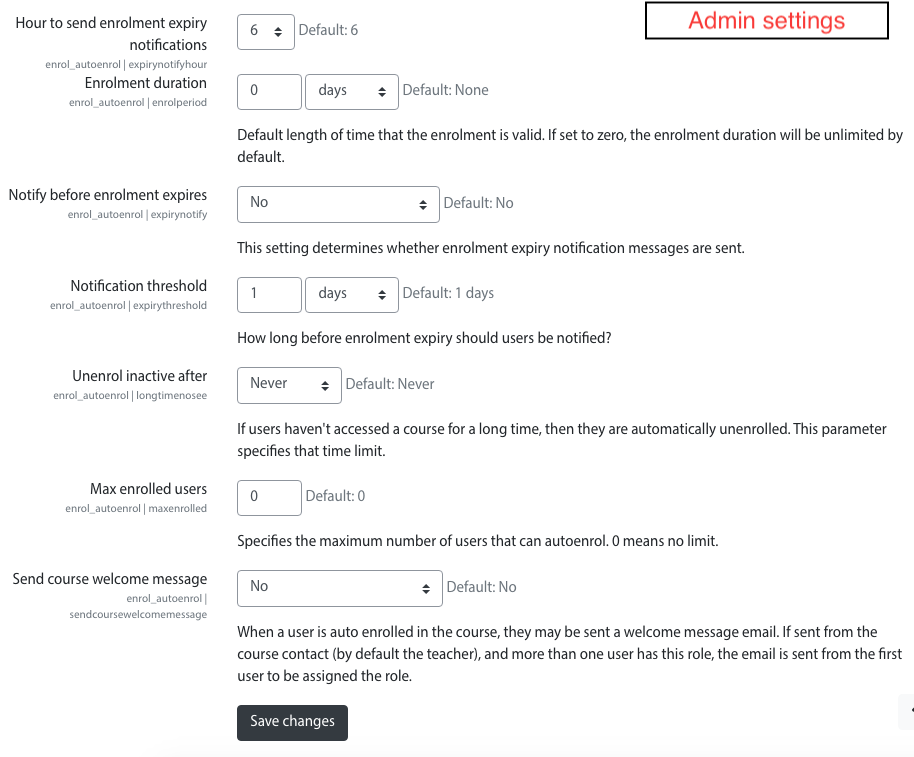
in order to use additional Avaliability plugins, after installation, you need to select them in AutoEnrol adminstration settings.
HTH,
Roberto