
AutoEnrol
Maintained by
Roberto Pinna, Mark Ward
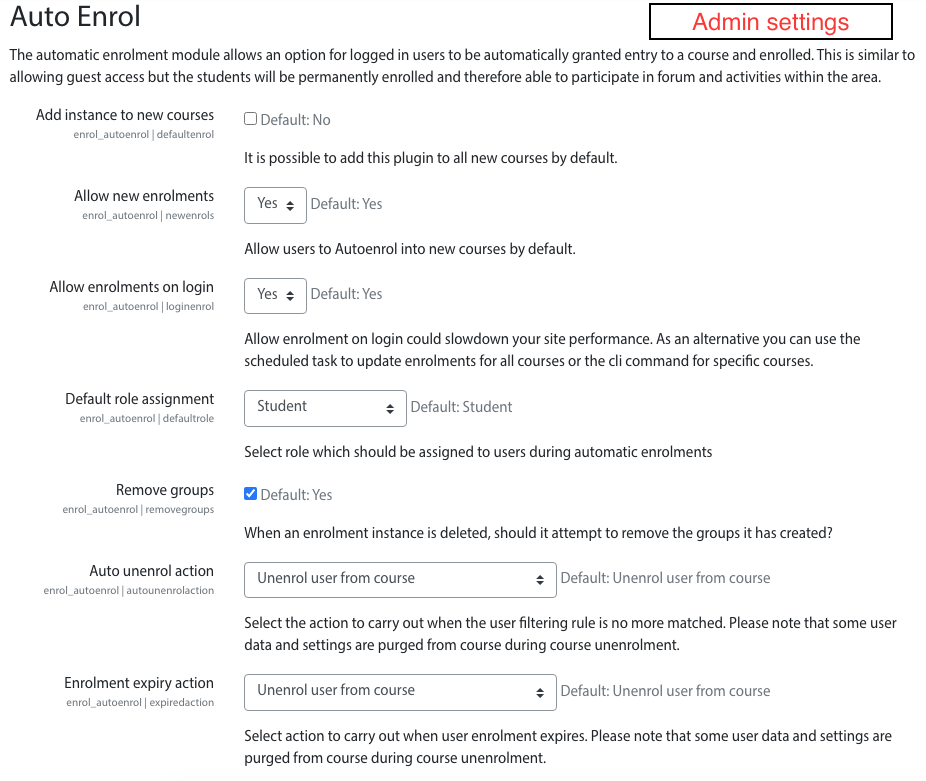
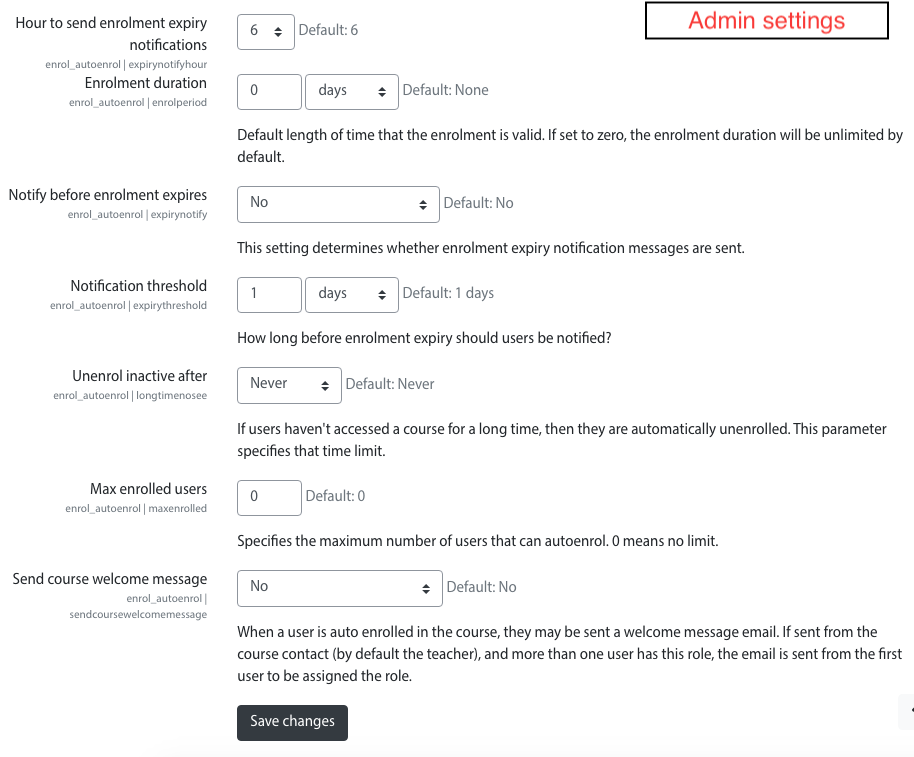
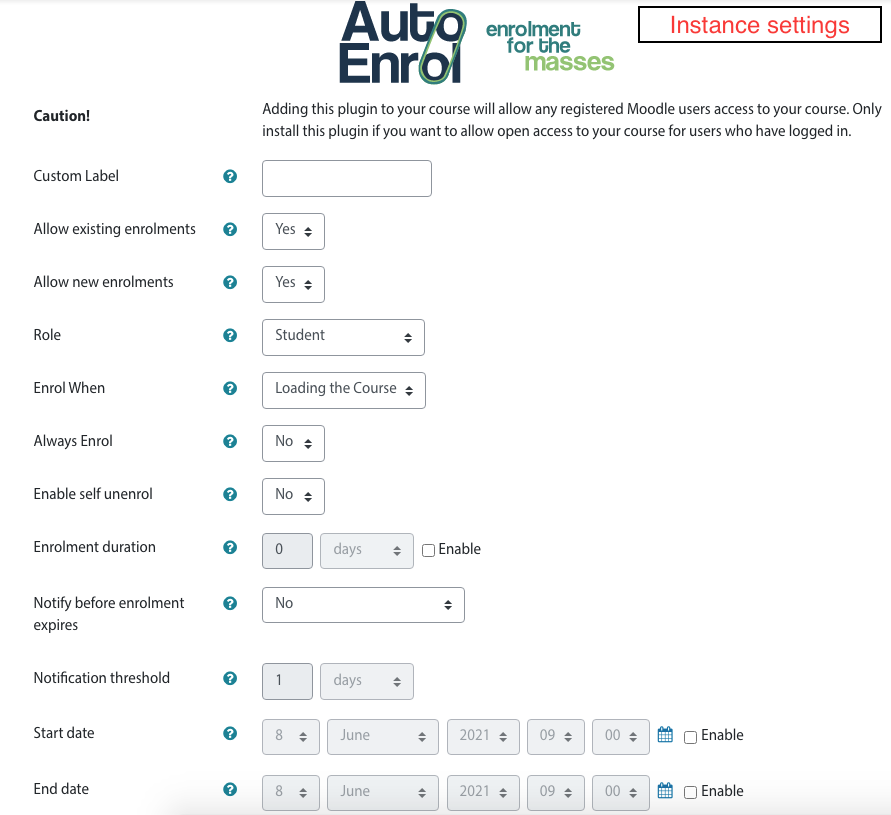
Adds functionality to automatically enrol users onto a course, either as they log in to your Moodle site or as they access a course.
This plugin was at first intended for use on courses which you want all users to be able to access but can also be configured for more advanced purposes as reserved access courses.
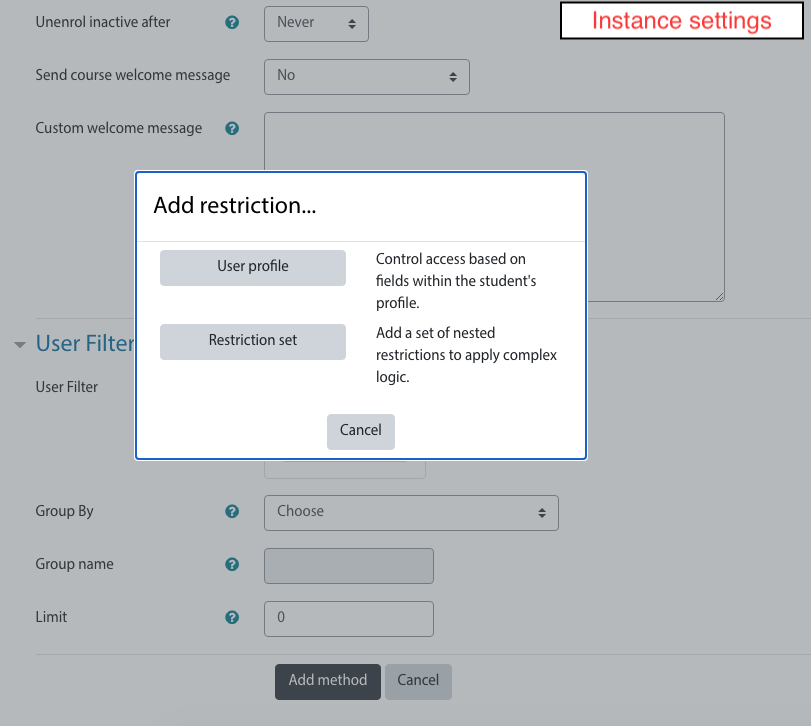
Using the new user filtering you can think at Autoenrol as a Swiss Army knife for Moodle enrolments.

Comments
Product ratings and reviews are coming to Moodle Marketplace. Until then, existing comments remain available to read, but new posts have been disabled.
To use the plugin in Moodle 2.6, there are a few deprecated calls that need to be changed (6 calls to get_context_instance):
Use context_course::instance( instead of $context = get_context_instance(CONTEXT_COURSE,
and
context_system::instance(); instead of get_context_instance(CONTEXT_SYSTEM)
The plugin seem to work fine with the fix (was generating some errors without the fix but they may be not visible if debugdisplay is not visible.
-Derek
Thank's for the attention, Moises.
this missing English language folder error is caused by there not being a PHP closing tag in the language file contained in /lang/en
Just open it up in the text editor of your choice and add "?> "to the end of the file (without quotes). save and attempt to reinstall.
You probably just need to enable Auto enrol.
Goto:
Settings-->Site administration-->Plugins-->Enrolments-->Manage enrol plugins.
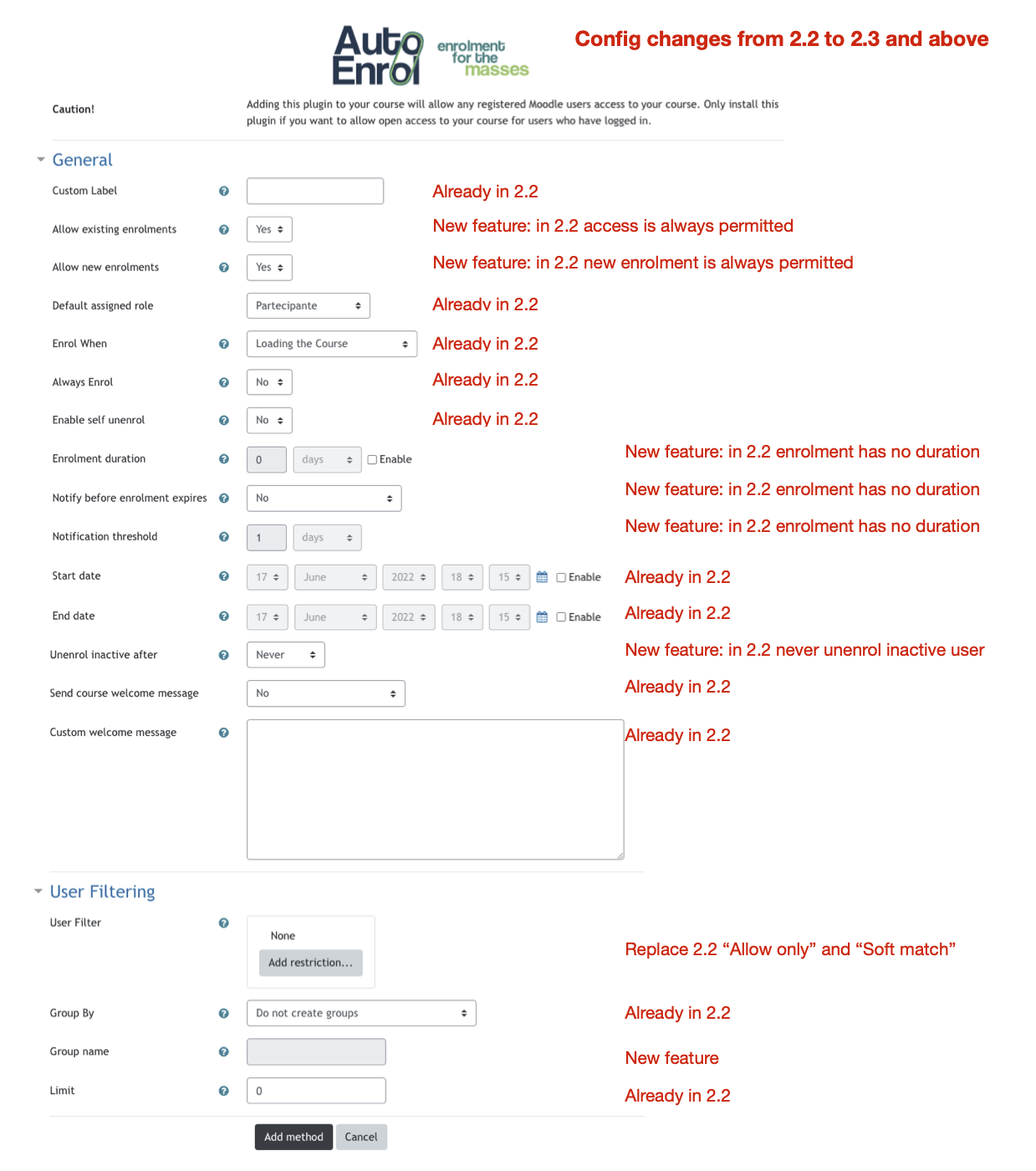
i need to find the AUTO ENROL Configuration just like in the screen shots at the top of this screen.. could anyone tell me were this is located. i am using version 2.3 or 2.5. the plugin installed fine. thanks
Capability "enrol/autoenrol:config" was not found! This has to be fixed in code.
line 389 of /lib/accesslib.php: call to debugging()
line 178 of /enrol/autoenrol/lib.php: call to has_capability()
line 229 of /enrol/instances.php: call to enrol_autoenrol_plugin->get_newinstance_link()
Any ideas how to resolve?
I'm getting the following error when installing... Error Missing English language folder
I'm running Moodle 2.5.2+ (Build: 20131025)