
AutoEnrol
Maintained by
Roberto Pinna, Mark Ward
Adds functionality to automatically enrol users onto a course, either as they log in to your Moodle site or as they access a course.
This plugin was at first intended for use on courses which you want all users to be able to access but can also be configured for more advanced purposes as reserved access courses.
Using the new user filtering you can think at Autoenrol as a Swiss Army knife for Moodle enrolments.

Comments
Product ratings and reviews are coming to Moodle Marketplace. Until then, existing comments remain available to read, but new posts have been disabled.
unfortunatelly there Is not an availability rule plugin that checks for other course enrolment. If you find or develop it, I think you can use it with autoenrol.
HTH,
Roberto
I want to know if it's possible to achieve this scenario with this plugin (maybe with user filtering section?): i need that the option to auto-enrol is only available/visible if a student is not already enrolled in another course on the platform. My intention is that students choose which course they want to enroll in from 5 available, but once they have chosen one, they cannot enroll in the others.
Thanks,
Andres
you are right. I don't know why no one find this problem before. It's a very old feature never touched.
I patch it and commit on github master branch.
I'll do some tests in next days and then I'll release a new version here on moodle.org.
If you need, you can download the patched version from https://github.com/bobopinna/moodle-enrol_autoenrol
Thanks,
Roberto
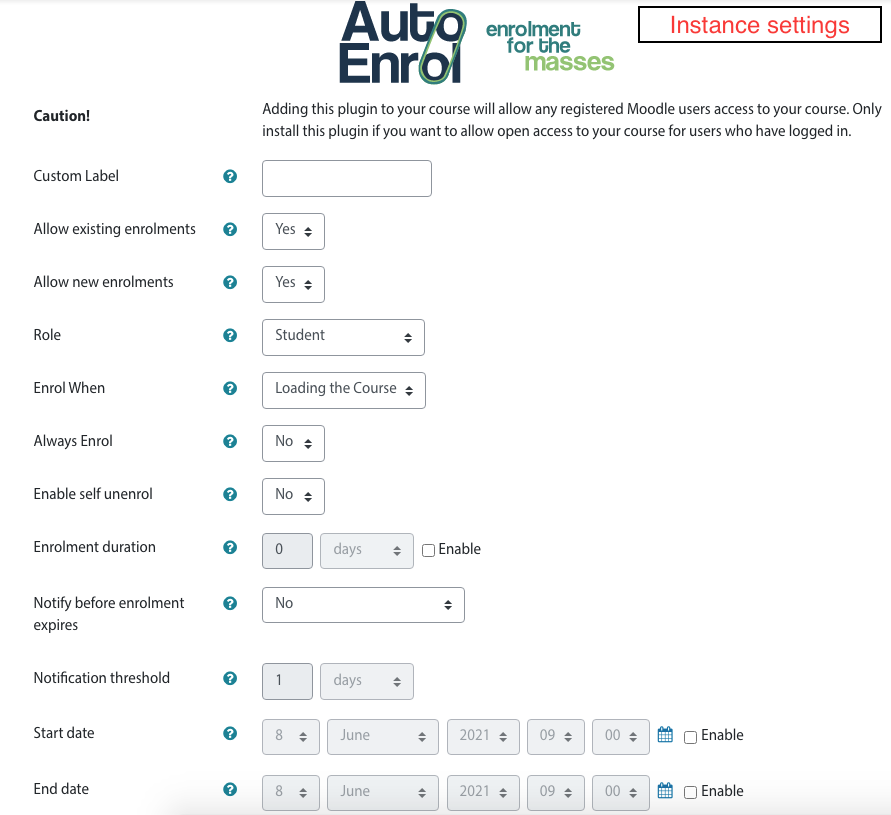
the plugin works as expected for each user that logs into the site. However, I want to prevent the plugin from enrolling users who have been enrolled previously by other enrolment methods. For that, I have selected the option "No" in the setting "Always enrol". The reason why this is annoying is that we will implement this new enrolment method in courses which already exist, and we want to include a welcome message. But if the message is sent to employees who already completed the course, it will confuse them.
Am I configuring it wrongly? Which should be the correct settings to enrol only users who are not already enrolled in the course?
Thanks a lot and congratulations for the plugin
new versions add features but keep all defaults in the same way as previous versions work.
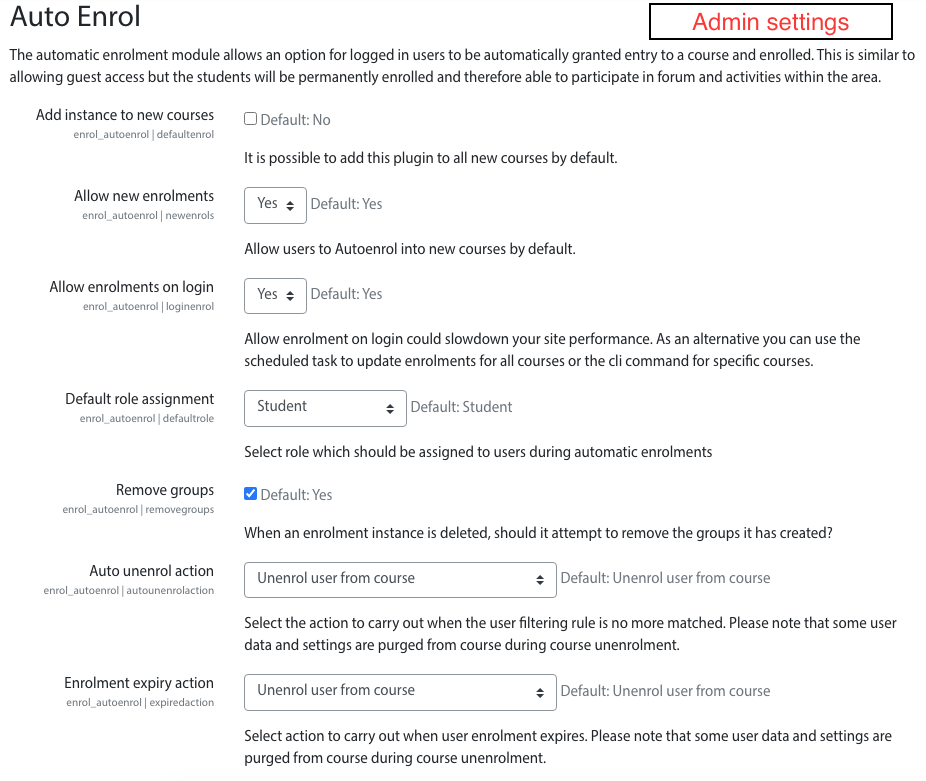
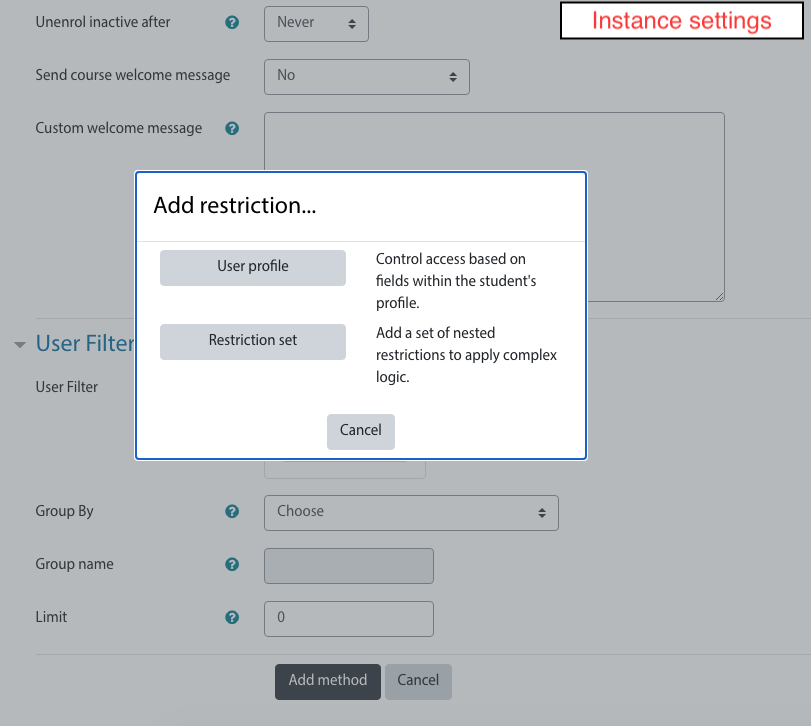
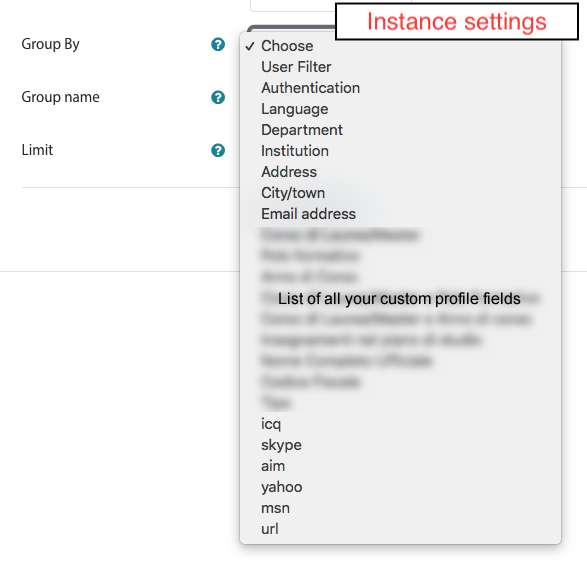
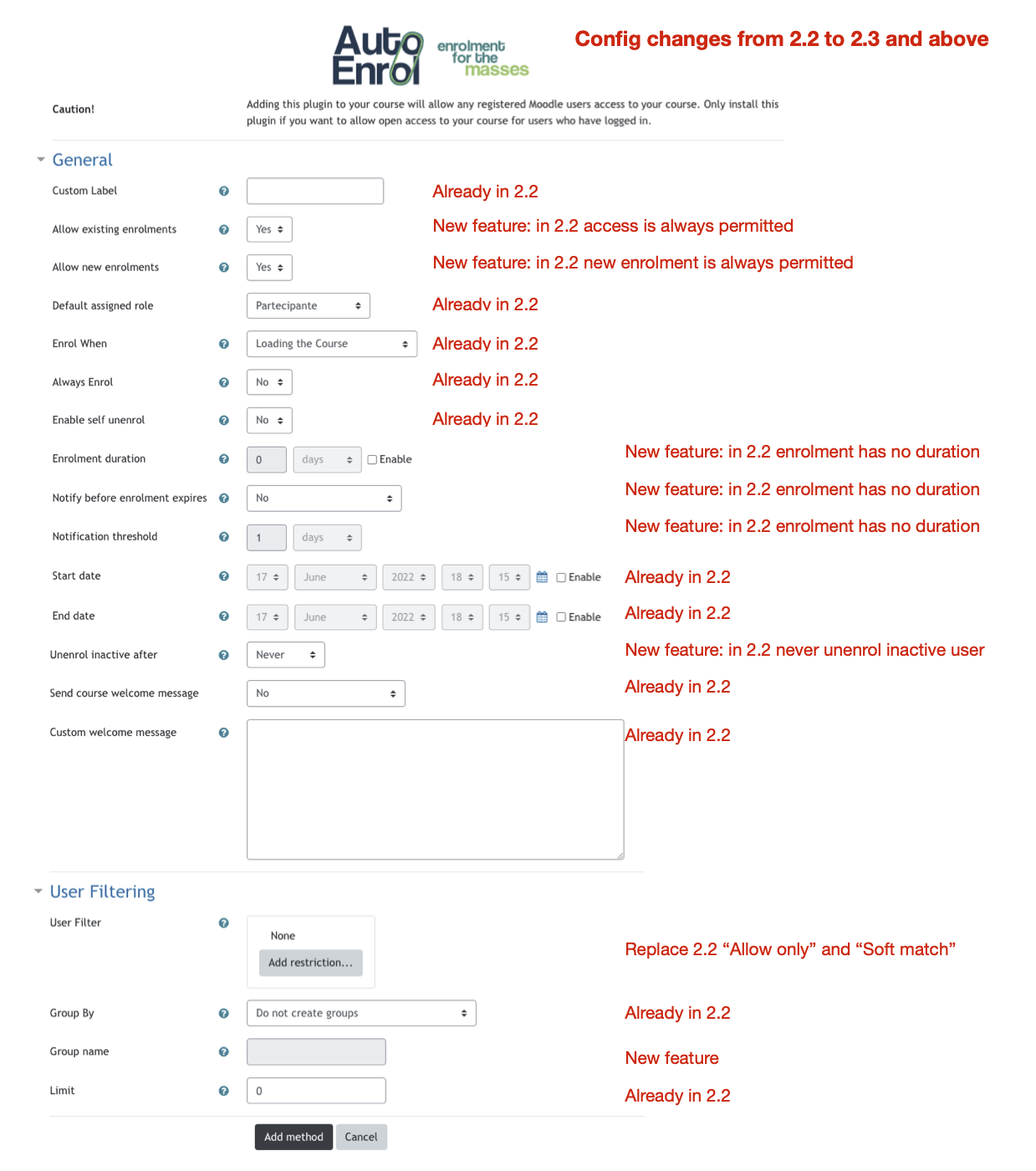
The big change from 2.1/2.2 and 2.3 is the user filtering.
Until 2.2 you can only filter by a single user profile field that match with a single value.
From 2.3 it permits to define more complex rules with several user fields and several values and also use other availability plugins.
The moodle profile availability core plugin unfortunately does not include language and authentication method.
If you need them, you can install additional availability plugins like Restriction by language (https://moodle.org/plugins/availability_language) and Restriction by authentication (https://github.com/bobopinna/moodle-availability_auth).
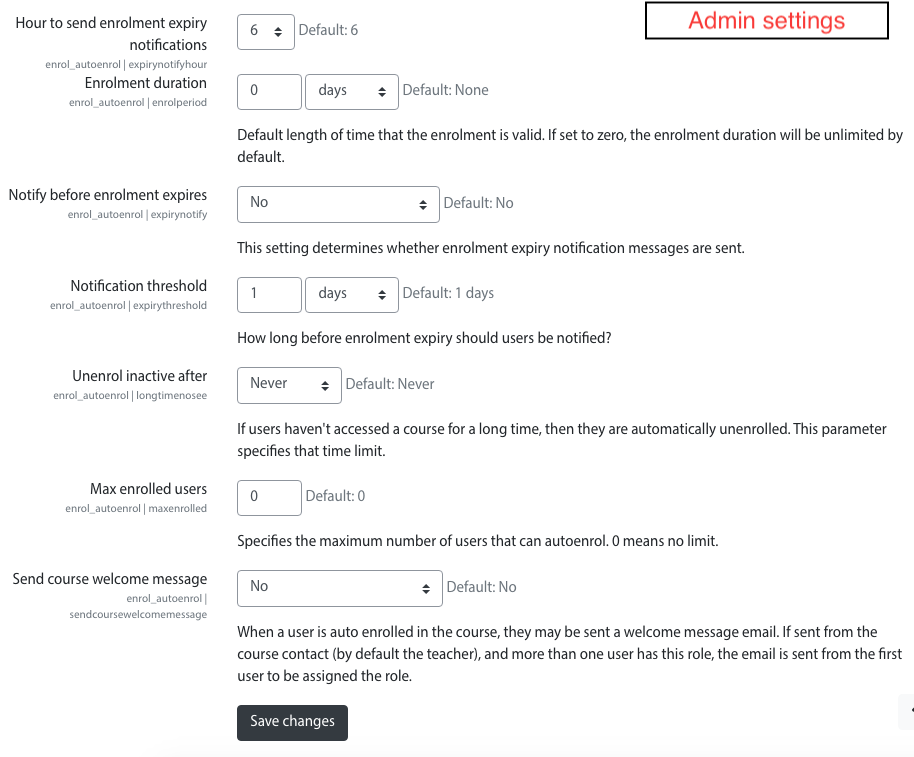
I added a screenshot to comment changes.
HTH,
Roberto
Would there be anything else that could be blocking the function? Anything that could be a requirement for the plugin to work properly? Authentication? Language Packs?
We're stumped.
autoenrol default settings still let enrol anyone to your courses.
Please try to upgrade to 2.3.8, the 2.3.7 version had typos of editing links.
HTH,
Roberto
The older version works properly and allows autoenrol with default settings enabled. The new version, with defaults as is, does not.
I am worried that if may not be able to get autoenrol to continue working if I update the older one to the new version,
Any help is appreciated.
this is a reply from your message from Mon, 6 Jun 2022, 4:33 PM. I understand then that this is somehow a redundant feature - I don't mind having it as long as I understand it, and I think I do now
Autoenrol was test with Moodle 4 Beta but something could be changed before Moodle 4 release.
Now I fixed it, I'll made some tests before release a new version here.
If you want, you can download it from GitHub (https://github.com/bobopinna/moodle-enrol_autoenrol)
Cheers,
Roberto
that configuration section was got from self enrolment method.
I can check if I can disable the "Notify before enrolment expires" when not needed but, if it's possible, it will works in a different way from self enrolment.
I prefer to keep interface and options similar to self enrolment.
HTH,
Roberto.