
AutoEnrol
Maintained by
Roberto Pinna, Mark Ward
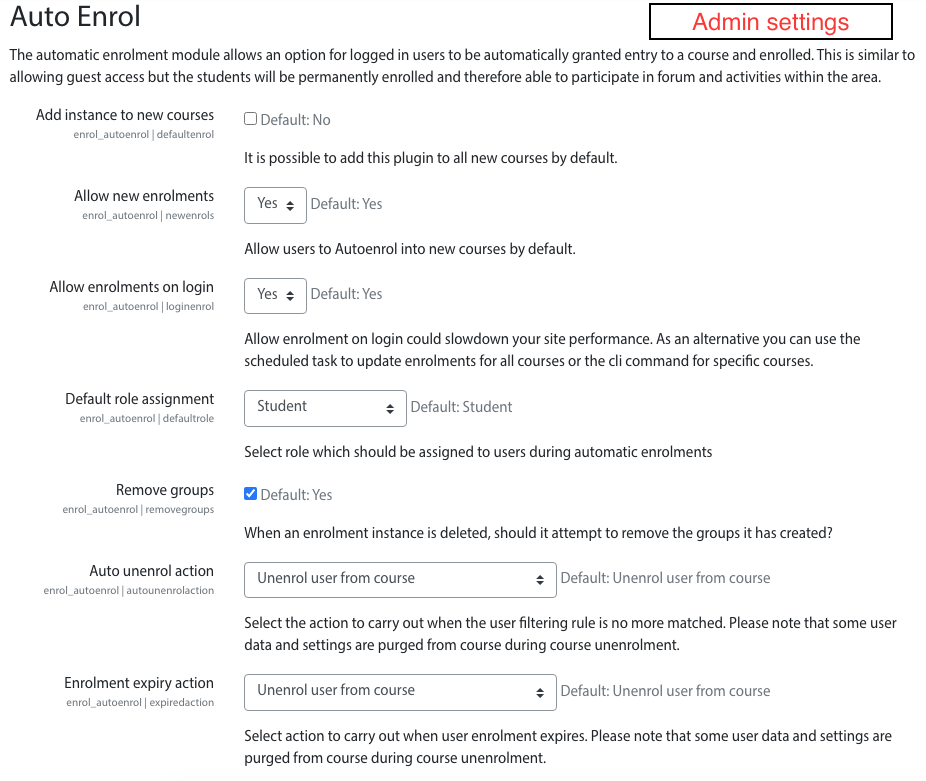
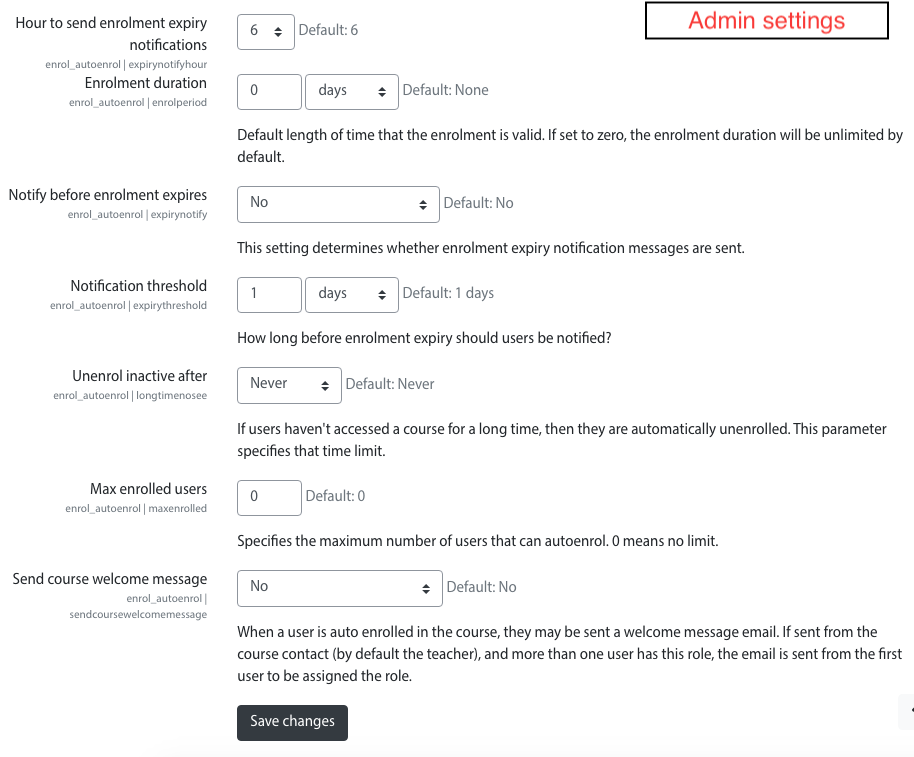
Adds functionality to automatically enrol users onto a course, either as they log in to your Moodle site or as they access a course.
This plugin was at first intended for use on courses which you want all users to be able to access but can also be configured for more advanced purposes as reserved access courses.
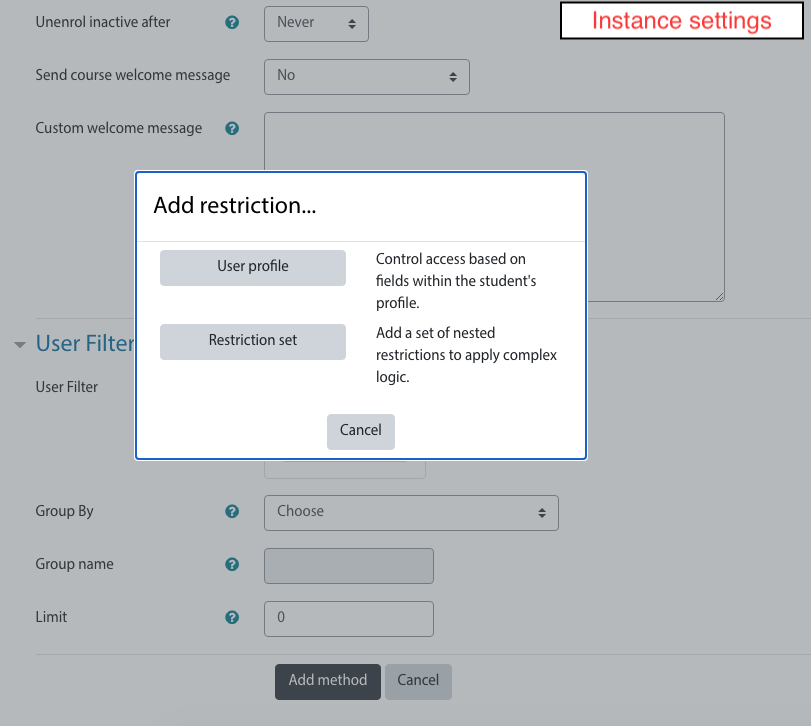
Using the new user filtering you can think at Autoenrol as a Swiss Army knife for Moodle enrolments.

Comments
Product ratings and reviews are coming to Moodle Marketplace. Until then, existing comments remain available to read, but new posts have been disabled.
enrol_plugin::edit_instance_validation() is missing. This plugin has no validation!
line 2473 of /lib/enrollib.php: call to debugging()
line 84 of /enrol/editinstance_form.php: call to enrol_plugin->edit_instance_validation()
line 653 of /lib/formslib.php: call to enrol_instance_edit_form->validation()
line 589 of /lib/formslib.php: call to moodleform->validate_defined_fields()
line 699 of /lib/formslib.php: call to moodleform->is_validated()
line 81 of /enrol/editinstance.php: call to moodleform->get_data()
Did you verify that this plugin works fine on Moodle 4.0?
Installing it works fine, as does enabling it.
Thanks,
Magali
if guest access is enabled in your course it let to access users without enrol in it. This is how guest access works.
The regular users can click the "Enrol me in this course" link in Administration block or in Moodle 4 secondary navigation to enrol in it with Autoenrol.
If you set a password into guest access settings, guests must type this password to access the course and regular users are autoenrolled without any action.
You can choose the way you prefer.
HTH,
Roberto
Update about the situation : there seems to be a conflict between auto-enroll and guest enroll. Whenever i deactivate the guest access, the "enroll on loading course" works again. Is there no way to have thel boith working simultaneously ?
THanks in advance,
B. Tropp.
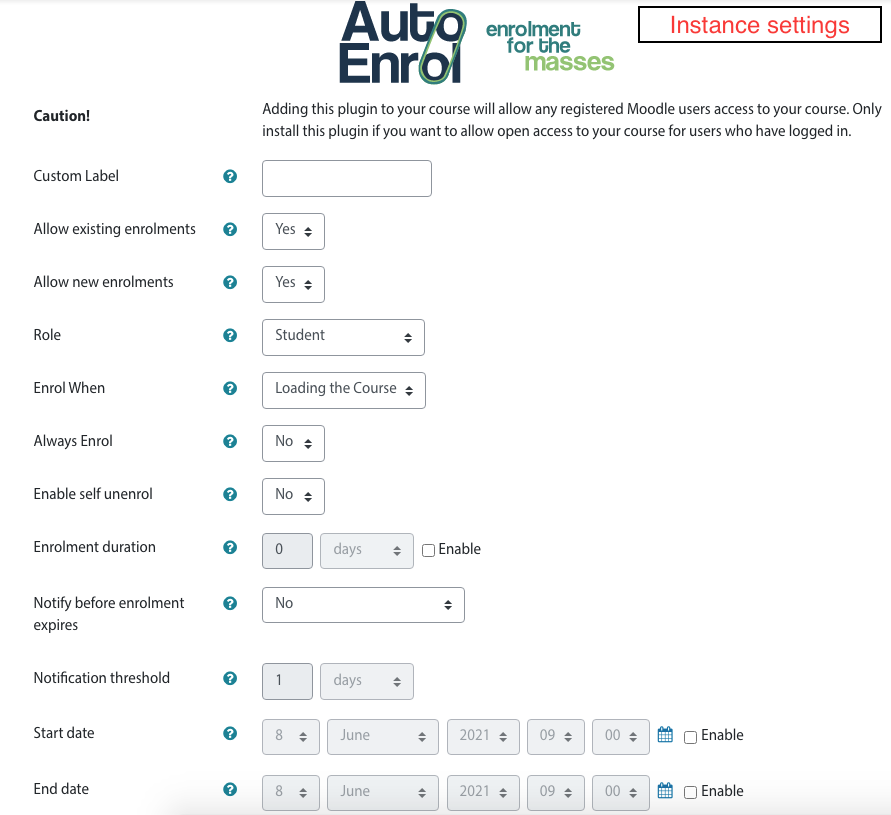
However, we achieved to set the "enroll on login"option, but we can not the "enroll on loading the course" option work. Maybe we do not have the proper moodle version (using 3.10.2+).
Did you already have such bug ?
Balthazar
I'm sorry but you can't add a restriction based on activity in autoenrol.
You need to use something that you can check at category level for example a user profile fields or a course completion.
If you define the course completion based on quiz grade then you can enrol users in another course using the first course completion.
HTH,
Roberto
yes, you can configure a welcome message in autoenrol instance settings.
Roberto
Thanks
I'm sorry you can't do what you need with autoenrol.
Roberto
Can someone help me, please?
I need a plugin with such functionality: let's imagine situation when user(that didn't registered to moodle) payed for some course, after filled the main form where user filled email. We have to save this user to our database and send to this email random password, and enroll this user to course.
That's what we want, can this plugin help us?
If not, can someone give an advice for some other plugins?
Thanks)
you can't use "course id".
Admitted placeholder are:
{$a->coursename}
{$a->link}
{$a->fullname}
{$a->profileurl}
{$a->email}
HTH,
Roberto
{courseid}
{$a->courseid}
%$a->courseid%
probably you have activated the sync_enrolment task in Server->Scheduled task.
Please leave it disabled, it's available only for particular cases.
HTH,
Roberto
I and Henrique Cavet work togheter. I will bring again a doubt about what is happening.
"Hi Henrique,
it depend by how you configure autoenrol and your moodle site. Autoenrol, if configured with enrol at login, will enrol each confirmed user to the course when they successfully login to your site."
We configured the registration to start when there is a login on the site, but after 1 day of the autoenrol configuration, all users with the configured conditions, regardless of whether they entered the platform, were automatically enrolled.
Could you help us as to why this is happening?
Thanks, Heloisa