
FilterCodes
Maintained by
Michael Milette
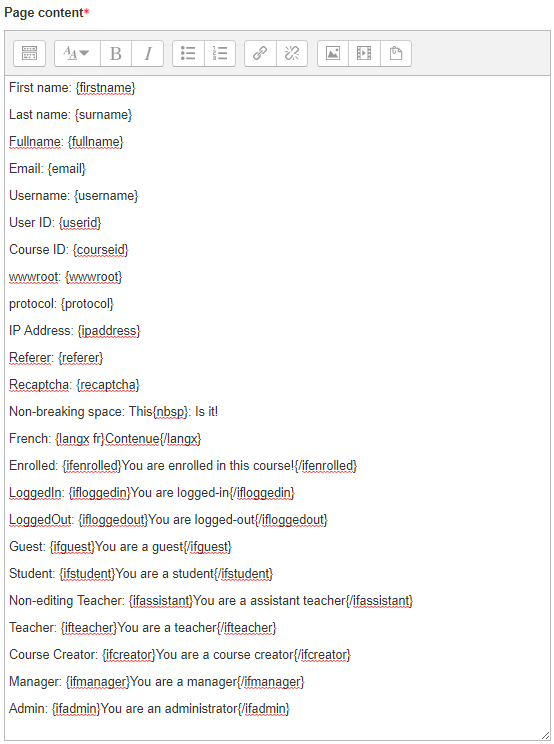
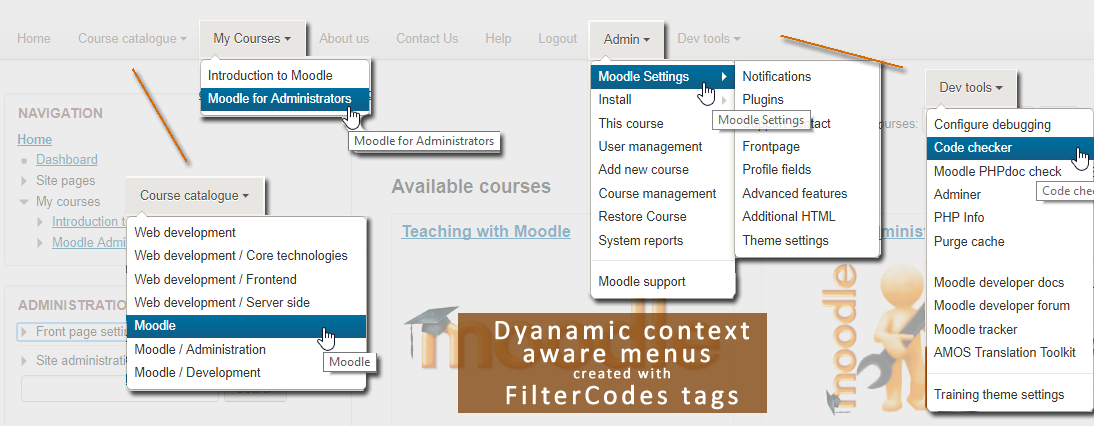
Transform your Moodle site with the FilterCodes Plugin! Elevate engagement by inserting about 200 dynamic plain-text tags like {firstname} to create personalized learning experiences, customize your site and course content, display progress bars, simplify Contact Form customization effortlessly and much more. FilterCodes empowers educators to revolutionize Moodle into a dynamic, personalized platform. Join the community of FilterCodes enthusiasts to unlock the potential of your Moodle LMS site.

Comments
Comments are no longer open for new posts. Existing comments remain available to read.
A question is it possible to view category list with custom images?
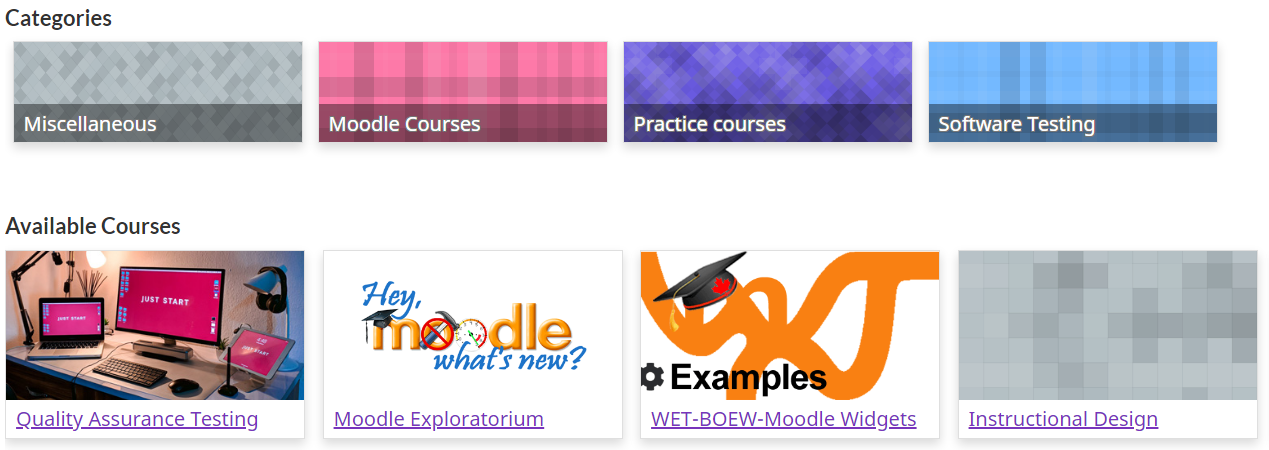
{coursecards} or {coursecards categoryID} tags: (ALPHA) Display available courses as cards. You can optionally specify the ID number of a category. Example: {coursecards 1} will only display courses in the default Miscellaneous category. Note: The categoryID is not the "Category ID Number" field that you can optionally specify when creating a category.
{categorycards}: (ALPHA) Display top level categories as cards using the current location as the top level category. For example, on the Front Page, it will display all top level categories. However, if you are inside the Miscellaneous category (e.g., in Miscellaneous > Your Course) , it will only display categories under the Miscellaneous category.
Let me know if you feel these require additional clarification.
Best regards,
Michael Milette
I really appreciate hearing that you find FilterCodes useful. To specify the ID of a category, try simply {coursecards 377}. I looks the documentation could use a bit of clarification.
Best regards,
Michael
{coursecards id: 377} {coursecards id = 377} {coursecards id377} but no results while {coursecards} all courses work perfectly
Thank's
https://moodle.org/plugins/filter_multilang2
I have used it on many muti-language Moodle sites implemented for my clients over the years.
Unfortunately I do not speak your language. Hopefully Google translate accurately translated your intended question.
For groups, take a look at the {ifingroup} tag. It is not exactly what you asked for but I believe it could be used to achieve your desired results.
As for the list of Teachers, it is not a feature I have implemented yet but hope to do so in the not too distant future, perhaps this summer (I am in Canada). If you want to be notified when it will be added, add a comment to the conversation at:
https://github.com/michael-milette/moodle-filter_filtercodes/issues/144
Have you considered the Message My Teacher block plugin?
https://moodle.org/plugins/block_messageteacher
Although it says that is it compatible with up to Moodle 3.7, I tried it with more recent versions and it seems to work.
Best regards,
Michael
Best regards,
Michael
{ifincohort cohort1, cohort2} blablabla {/ifincohort}
Thanks in advance.
Juan Carlos Galdos
I would like to know if there is any way to show the courses sorted by category. For example:
Category1
Course 1a
Course 1b
Category2
Course 2a
Course 2b
Thank you!