FilterCodes icon

FilterCodes

Maintained by Michael Milette
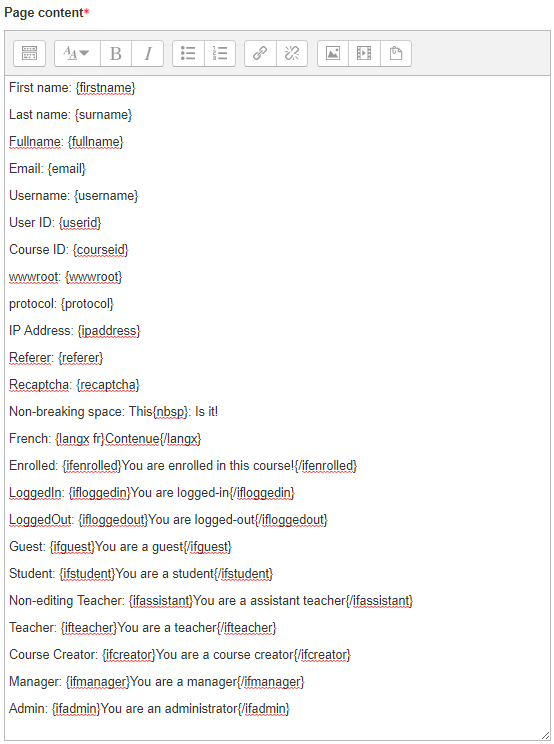
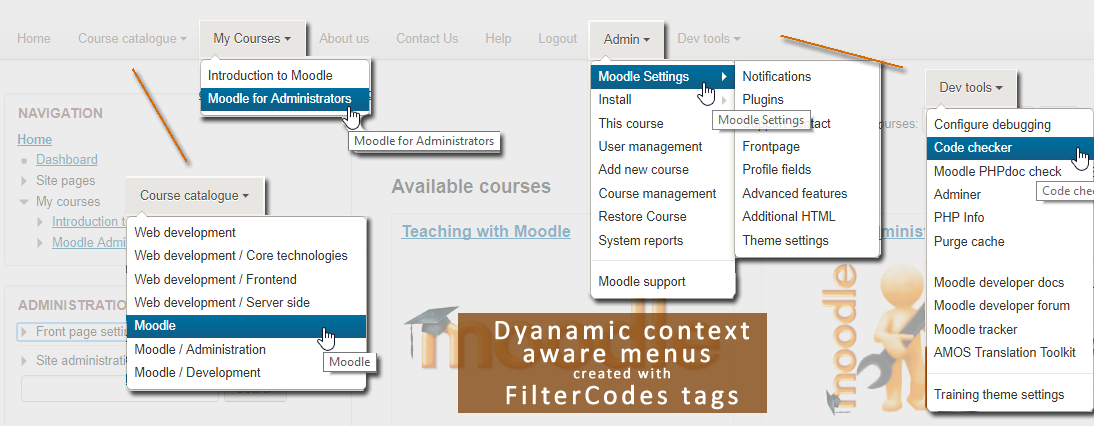
Transform your Moodle site with the FilterCodes Plugin! Elevate engagement by inserting about 200 dynamic plain-text tags like {firstname} to create personalized learning experiences, customize your site and course content, display progress bars, simplify Contact Form customization effortlessly and much more. FilterCodes empowers educators to revolutionize Moodle into a dynamic, personalized platform. Join the community of FilterCodes enthusiasts to unlock the potential of your Moodle LMS site.
Price option: Free

Supports Moodle 2.7-5.2 See all versions
Latest release: 1 week ago
Installations: 7815
Downloads (last 90 days): 2485

Frankenstyle name: filter_filtercodes
Filters

Comments

Comments are no longer open for new posts. Existing comments remain available to read.

Hi Raymond, it is an interesting idea. You are right, FilterCodes "just displays the answers". I don't think that would be within the scope of the project unless someone hired me to do it. Even then, I would probably create another filter plugin as that seems very specialized. Have you considered simply creating a link to the user's profile and letting them edit the fields there?
Hello Michael, great plugin.
I am wondering though if it is possible to use filter codes to display a custom checkbox or dropdown custom profile field so the user can edit the field from within an HTML block for example. I am trying to figure out a way for users to edit their custom profile field answers without having to dig into their user menu. I would use this in conjunction with a couple of auto plugins to be able to allow students to check a topic of study which would trigger the other plugins to auto enroll them in a cohort, and add a cohort based role for them, opening up access to various things on my moodle. It seems filter codes just displays the "answer" for the custom user profile field though, and not the entire field for editing... would you have any insights on how to accomplish what I'm asking?
Still a great and very useful plugin in many other areas of moodle though smile, thank you!
Hi Hoda,
I am glad to hear that you are enjoying FilterCodes. Thank you for taking the time to write to me about this issue. If you report it to https://github.com/michael-milette/moodle-filter_filtercodes/issues, I will definitely take a look at it and address it. Best regards,
Michael
Hello there, thanks for your awesome plugin. We set a custom profile field for our credit with the default value of 0. the thing is when we want to show this field's value with filtercodes, it shows only when the credit is more than 0 & shows nth when it's 0. Is there anyway to fix this issue?
Sincere Regards
Hi Inspired Mrsm, once you activate the filter, just enter {fullname} or {firstname} in the content area of any course activity (like a Page) or block (like an HT block), just like you would with any other content that you enter into a Moodle course. There is no customization to be done. If it isn't working, chances are the filter was not set to On in Site Administration > Plugins > Filters > Manage Filters > Filter Codes.
If you need more help, please checkout the "More documentation on this plugin" link or ask your questions in the Discussion forums. Links to both of these are available on the FilterCodes plugin page on Moodle.org.
Best regards,
Michael Milette
Hi, I have downloaded this plugin. Actually, where do I need to customize this plug-in? I do not know where to put the name tag. Can you teach me how to use it
Hi Phineas, On November 13, 2020, you ask for a tag to display the current date. In case you missed it, the {now} tag is available in the November 2020 v2.1.0 release of FilterCodes.
Hi Hoda,
While FilterCodes certainly works in custom profile fields, unfortunately Moodle filters out the required HTML code needed to generate a Help (?) bubble. Here are a couple of tickets which might provide some alternatives if implemented in future releases of Moodle but its just not there yet today:
https://tracker.moodle.org/browse/MDL-70955 - Allow HTML in full Name of Custom User Profile Fields.
https://tracker.moodle.org/browse/MDL-56367 - Display description for custom user profile fields.
Alternatively, it might be possible to develop some JavaScript which would inject the help bubble HTML code into specific pages such as the Edit Profile and Registration page.
If you want to discuss this further, I strongly recommend that you bring it up in the Moodle discussion forums. Quote the ticket link for the solution you think would be best and also add comments and vote for that ticket. If there is enough show of support from people with similar needs, the feature will have a better chance of being implemented.
Best regards,
Michael Milette
Hello there, thanks for your very useful plugin. Is there any chance that we can get the {info} or {help} to work with custom profile fields since the description is not visible to the users? I put the code in the Name field, but it doesn't show up, is there something i'm missing?
Thanks & Regards
Hi Joanna, while students can add Filtercodes to forum discussion, they are filtered out and not executed when viewed by students, even if it was a teacher, manager or administrator who created the message. However, the tags are still saved as part of the post and teachers, managers and administrators will see the filtered content. This functionality is part of Moodle and not something that is specific built into FilterCodes. As for preventing users from being able to enter them at all, that would be something you might need to look into at the editor level (e.g. Atto or TinyMCE).
Hi Michael, this is a great plugin. We are hoping to install it on our site but it seems there are no permission checks meaning that students can add the filtercodes to forums etc? We would prefer students not to be able to add the codes at all and were wondering if this can be denied?
Hi Jayden, great suggestion. In fact, I have been contemplating creating a {myteachers} tag for a while now but there isn't anything like it in FilterCodes... yet! If this is something that is of interest to you, please go to https://github.com/michael-milette/moodle-filter_filtercodes/issues and create a ticket to request this feature. Alternatively, you might be interested in the Message My Teacher plugin. You can find it by going to https://moodle.org/plugins/block_messageteacher
I'm looking amoung other things, having something like this that for example show the category or course level teachers (or custom role name), preferably with the ability for the student to click on either a message me or email icon OR at the very least go to that 'teachers' profile page to get that info. Is this something this plugin can do?
Hi Dave, You are absolutely correct. There should be a way to display the date as a date instead of a number. Please report this issue by going to https://github.com/michael-milette/moodle-filter_filtercodes/issues and I will look into it.
I have a site where we have added a user profile field called dateofbirth, which is set up as a date field. When I add this using the filter codes it displays this as a number - not a date. Is there something I need to do to do this? Or would this require a change in the plugin?