
Turnitin's Moodle Direct v2
Maintained by
Jack Milgate, Bryan Holladay, Carl Hostrander, Paulina Supel
The Turnitin Direct V2 plugin is being replaced by the LTI 1.3 integration, however we are extending the current retirement dates for the Turnitin Moodle V2 plugin until further notice.
Comments
Comments are no longer open for new posts. Existing comments remain available to read.
The class end date should default to six months after the latest date on the assignment. The course start date won't have any affect as it's not passed to Turnitin.
John
Can you clarify what is expected behaviour with regard to setting class end dates in Turnitin? We are having issues with assignments created at the start of the academic year expiring before the submission dates. As I test, I have just create a new course, with the course start date set for Jan 2018. I then created an assignment using Turnitin2 plugin with all three availability dates set to 2018 dates. I then logged in to Turnitin and the "Class End Date" is 13-Nov-2017.
We are using version 2.7+ 2017012501
thanks
Ken
You will have to upgrade the plugin to the v2.7+ version as the v2.6+ version does not support 3.2 and you may encounter problems. A lot of the changes we made to support 3.2 were a result of Moodle's new Boost theme but there were also some deprecated features. I would recommend updating to the latest version.
We are using v2.6+ of Turnitin Assignment plugin on Moodle 3.1 and were in the process of upgrading to Moodle 3.2 in due course of time.
Will 2.6+ version seamlessly work on Moodle 3.2 or do we have to upgrade it to 2.7 to make it work? Has anyone faced any issues, small or major, with plugin's 2.7+ version on Moodle 3.2?
Thanks!
Thanks for your response, it will be good to see that fixed.
For sharing rubrics, in practice we have a zip file with our 10 different rubrics in and get our various academic admins (who create assignments) to upload them to their account.
Ken
The pop up message should show "Changing or detaching a rubric will remove all existing rubric scoring from papers in this assignment, including scorecards which have previously been marked. Overall grades for previously graded papers will remain." I can see that isn't happening so we'll get that fixed.
At the moment it is only possible to share a rubric through the Turnitin website and an instructor currently can't view another instructor's rubric unless it's shared.
John
We reinstalled both direct v2 and plagiarism plugin which resolved the issue.
Thanks
We do support Moodle 2.7.4. I am not receiving the same error when adding an assignment to the course, although I tried in 2.7.7 rather than 2.7.4 which is a slightly earlier version of Moodle 2.7. Moodle don't change that much between the final point releases (IE 2.7.4 to 2.7.5) so I don't think it is related to that.
I have seen HTTP 500 errors before when the PHP extension file info is not enabled. Could you try enabling debugging mode and seeing if there is any further information displayed?
Could you confirm that version 2017031301 is compatible with Moodle v2.7.4? I receive an HTTP 500 error when adding an assignment activity to the course. Adding Turnitin assignment 2 is successful.
Thanks
Andrew
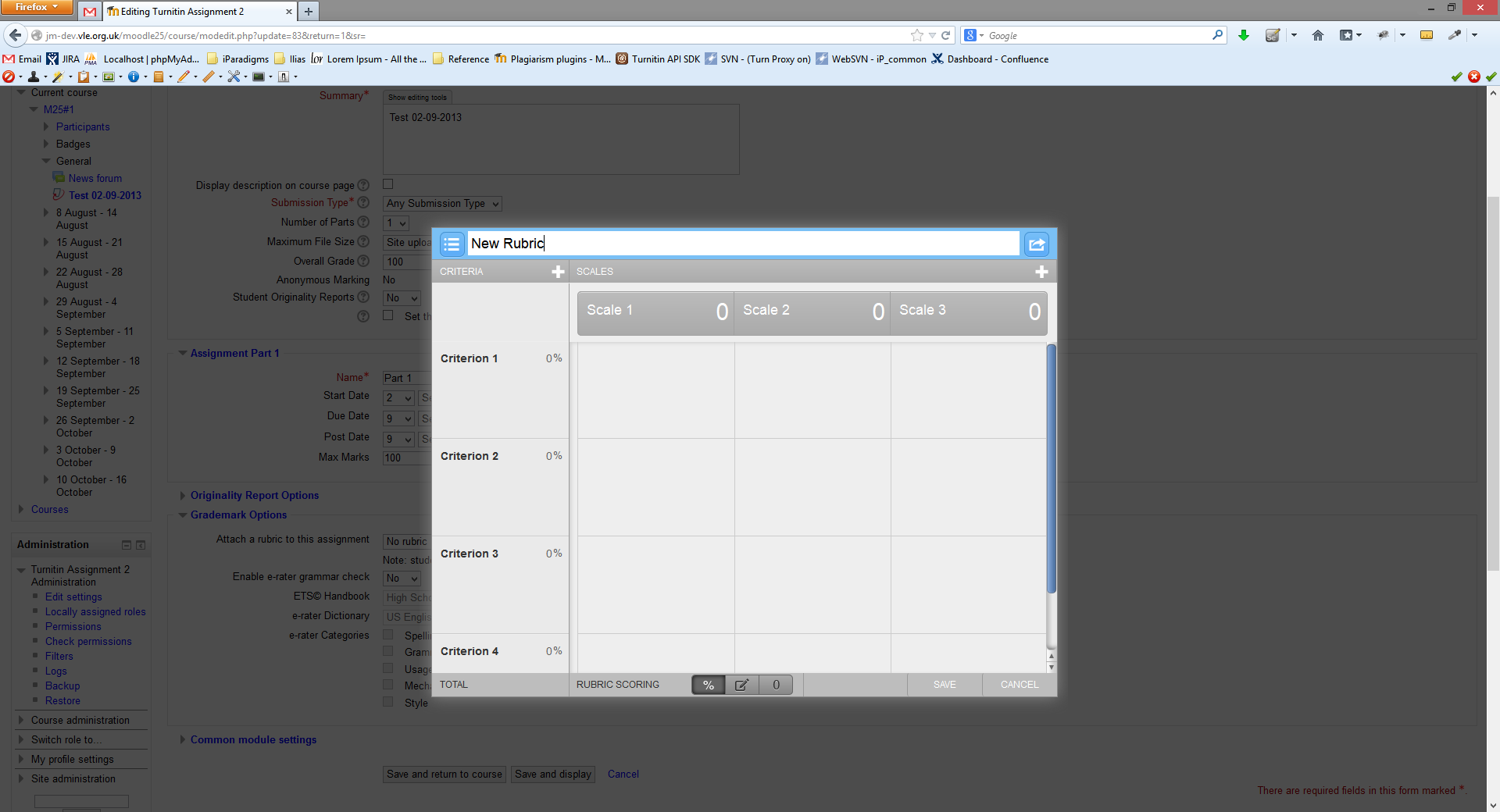
1) When editing the assignment and clicking on the list of rubrics, a blank dialogue/warning message appears with two buttons "OK" and "Cancel" but with no message. Clicking Cancel closes the dialogue with no change. Clicking OK enables editing. Having noticed the issue I upgraded to 2.7+ (2017012501) and the issue is still there.
2) When an assignment has been created by an administrator and a rubric attached, if the tutor tries to edit the assignment, they cannot see what rubric is attached, it just says "use rubric belonging to other instructor". If they click on it, the blank message appears.
3) Of course the thing we really want to do is create a set of rubrics at account level and share them with every teacher in the account. The option to share is there, but it does not work within Moodle, are there plans to add this feature.
Many thanks
Ken
Do you have an update about the compatibility of the turnitintooltwo plugin with Moodle version 3.2?
Thank you.