
Jitsi
Maintained by
Sergio Comerón
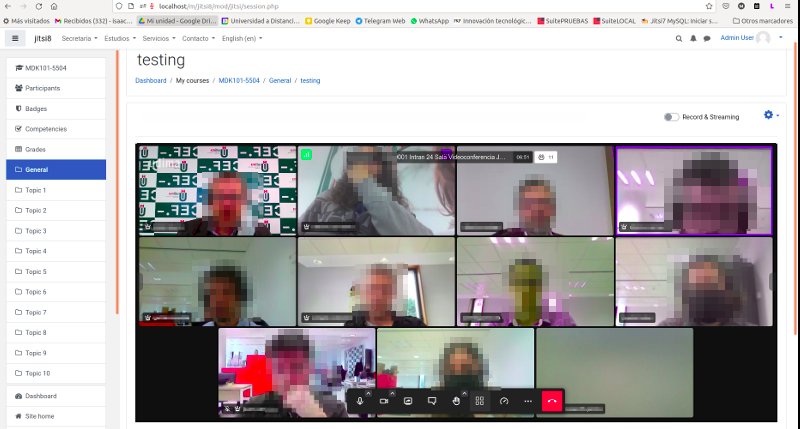
This module allows creating jitsi-meet videoconference sessions.
Comments
Product ratings and reviews are coming to Moodle Marketplace. Until then, existing comments remain available to read, but new posts have been disabled.
the screen sharing option has not changed and continues to work in 3.9 and 3.10. Have you checked if the mod/jitsi:sharedesktop capability is allowed for the role?
there should be no problem installing it in version 3.8. Can you verify that build has your moodle version.php file?
Tengo una segunda duda: ¿las grabaciones se almacenan y muestran en algún lugar de moodle? ¿o solamente en el servidor? Mi intención es que las grabaciones estén disponibles para los alumnos y las alumnas, y así que puedan verlas las veces que necesiten.
Un saludo y muchas gracias de nuevo.
that's right, it's a problem with the latest version of jitsi. The workaround you mention works. We have opened an issue to jitsi (https://github.com/jitsi/jitsi-meet/issues/8510)
I was able to fix the problem temporary as follows: on our server added the entry -> add_header 'Access-Control-Allow-Origin' '*'; in nginx.conf
maybe that will help with troubleshooting this Jitsi module ?!
Regards Marco
de momento el plugin no ofrece estadísticas. Instalando tu propio servidor podrías obtener estadísticas a través de callstats.io. Jitsi lo tienen preparado para poder configurarlo.
Si instalo Jitsi en un servidor, ¿hay alguna forma de obtener datos (a través de moodle o del servidor) sobre la conexión de los participantes? Me interesa obtener información sobre la hora de entrada a la reunión y el tiempo de conexión en ella.
Un saludo y muchas gracias.
Yes I understand it is very complicated to track how long they stay in the session. But what I'm looking for something even more simple than tracking the spent time in a session, I just want to make sure the student have at least viewed a the topic with Jitsi in order to have it completed, as we can set the topic to start at a scheduled time, students will only be able to access it on the right time when the session will start too, which is perfect for me.
With that, I can set the system to automatically change the student activity to completed, then he will be eligible to start the quiz. The training sessions I m planning will occur with corporate partners from me, I don't think they will join and leave as they are being paid to watch it, what I want to avoid to do, is to manually assign each student as completed since it can bring some confusion in a class with 40-70 students at once. So it would be more automatized.
I believe also, there is an option, to mark as completed after a XXX specific time, so lets say the session will have 1 hour, I can schedule to only mark as complete after 1 hour starting from the time they viewed the topic.
What do you think?
It is a complicated subject since I have several doubts. What do we consider as completed? just enter? enter and stay for a specified time? How long do you have to be inside to give it as completed?
Perhaps the student is the configured time inside, but it doesn't guarantee that he is watching the session.
So far, the only option available is to manually set as complete, which is not good in my case, since even a student that was not in the session can mark himself as completed to take the Quiz.
Any idea how I can enable it?
You are right, I just checked that with the latest version of jitsi the profile images dosn't appear.