Local Course Banner Builder
Moodle local plugin
Current release: 0.6.23
Current plugin version: 2026061100
Maturity: Beta
Course Banner Builder lets Moodle administrators create, preview, and maintain
site and course banners directly from Moodle. It provides a visual editor for
layered banners, title overlays, slideshow content, inheritance rules, generated
course overview images, guided tours, and portable import/export packages.
This plugin is currently in beta. Some bugs, layout issues, or theme-specific
edge cases may still exist. Please test it on a staging platform before using it
on production, and do not hesitate to report any issue or unexpected behavior you
encounter.
What's New In 0.6.23
Moodle Plugin Review Fixes
- Removed direct access to request superglobals such as
$_POST in form handling.
- Replaced raw ZIP import handling with a Moodle
moodleform filepicker workflow.
- Import uploads now use Moodle form validation and
save_temp_file().
- Removed remaining
PARAM_RAW usage and replaced it with stricter Moodle parameter types.
- Renamed plugin database tables to use the full Frankenstyle component prefix:
local_course_banner_builder_*.
- Replaced direct
config_plugins table operations with Moodle configuration API calls.
- Added a package-level
LICENSE file.
- Confirmed Privacy API provider support.
- Rebuilt AMD artifacts where required.
- Cleaned language files so strings are pure
$string['id'] = 'value'; assignments.
- Kept Moodle Code Checker compatibility clean for PHP files.
Course Card And Overview Image Rendering
- Improved generated Moodle course overview images used on dashboards and course listings.
- Course card thumbnails now better reflect the real banner composition.
- Border layers are rendered inside the thumbnail frame more reliably.
- Border thickness and rounded corners were adjusted for small course-card formats.
- Image layers are scaled and repositioned more appropriately for overview thumbnails.
- Overlay rendering is included in generated course card images.
- Generated image revisioning was updated so affected course images are regenerated.
More Complete Banner Composition
- Added and refined dedicated overlay layers.
- Added support for banner title, border, overlay, and image stacking rules.
- Added image layer states for:
- pushing above border;
- pushing above overlay;
- pushing below inherited layers;
- pushing above inherited layers when applicable;
- fixed-center placement behavior.
- Improved visual indicators in layer thumbnails for cropped images and special
layer positioning states.
- Improved source layer tables so border and overlay layers expose useful
information instead of generic "no override" messages.
Course Sources And Inheritance
- Custom field sources now target actual custom field values rather than only
the presence of a custom field.
- Source inheritance rules were clarified and expanded.
- Custom field source priority can now be configured with clearer behavior:
- apply the field source before existing inheritance;
- apply it after existing inheritance;
- let it replace other inherited content;
- let existing inheritance replace it.
- Course source lists, parent source behavior, and inherited previews were
updated to better explain how category and custom field chains compose.
Site Banner Improvements
- Site banners now use their own source wording and workflows more consistently.
- Overlay behavior in site banner editing is constrained to the site banner
context, while slideshow overlay styling remains controlled by slideshow
settings.
- Added the Inset wide banner above title format for a wide banner with
responsive side spacing.
- Improved site title rendering in previews so it uses the site name where
expected.
Image Editing
- Improved image crop handling across general previews and modal editors.
- Improved multi-image crop state handling in add-layer workflows.
- Improved resize, drag, snap, undo, redo, layer selection, and sticky preview
behavior across image editing modals.
- Added drag-and-drop support across the image add modal when the image layer
type is active.
- Added controls for pushing image layers above overlay when relevant.
Banner Titles
- Added richer title editing controls for site, course, and activity banners.
- Added text alignment controls.
- Added underline and strike-through support in title rendering.
- Added title-above-border and title-above-overlay controls where relevant.
- Added a course title replacement option so the banner title can replace the
Moodle course title in compatible course banner layouts.
- Improved responsive title rendering, wrapping limits, line highlight frames,
frame padding, line height, and preview consistency.
Slideshows
- Improved slideshow visual editor spacing and default element positioning.
- Added maximum slide controls, with plugin-level limits.
- Added site announcement slide expiration behavior with a default of about two
months.
- Improved title, paragraph, and action button preview consistency.
- Removed outdated visual editor headings and clarified slideshow action labels.
Import And Export
- Export/import now covers plugin settings, banner formats, layers, title
settings, slideshow settings, files, source rules, inheritance rules, and
related options.
- Category and custom field creation can be included or skipped during transfer.
- Import safety was improved by using Moodle form upload handling and stricter
section validation.
- Legacy JSON workflows have been replaced by the current package-based transfer
flow.
Guided Tours
- Guided tours were rebuilt for the current administration screens.
- Tours explain source inheritance, layer lists, previews, modal editors,
slideshow settings, banner titles, import/export, and default settings.
- Tours are available through plugin language strings for supported languages.
- Upgrade logic avoids duplicating tours that already exist.
Core Features
Course Banner Management
Course banners can be enabled globally and configured through banner sources.
A source can represent a category, a custom field value, or an inherited part of
a source chain.
Administrators can:
- enable banners on course pages;
- enable banners on activity pages;
- preserve teacher-uploaded course overview images;
- fall back to Moodle generated course images when no banner rule applies;
- create category-based banner sources;
- create custom-field-value banner sources;
- control how inherited sources are combined;
- preview inherited layers without editing inherited content directly.
Site Banner Management
The site banner is managed independently from course banners. It has its own
source, title behavior, banner format, and slideshow context.
Site banner editing supports:
- layered images;
- border layers;
- overlay layers;
- site title rendering;
- site-specific banner formats;
- site slideshow appearance.
Banner Formats
The plugin supports several layouts:
- Between title and navigation
- Full width above title
- Compact full width above title
- Inset wide banner above title
- Wide content banner
Each format changes both the real banner and the editor previews, so percentage
positions, sizes, crops, titles, borders, overlays, and slideshow elements stay
linked to the selected layout.
Visual Editor
Image Layers
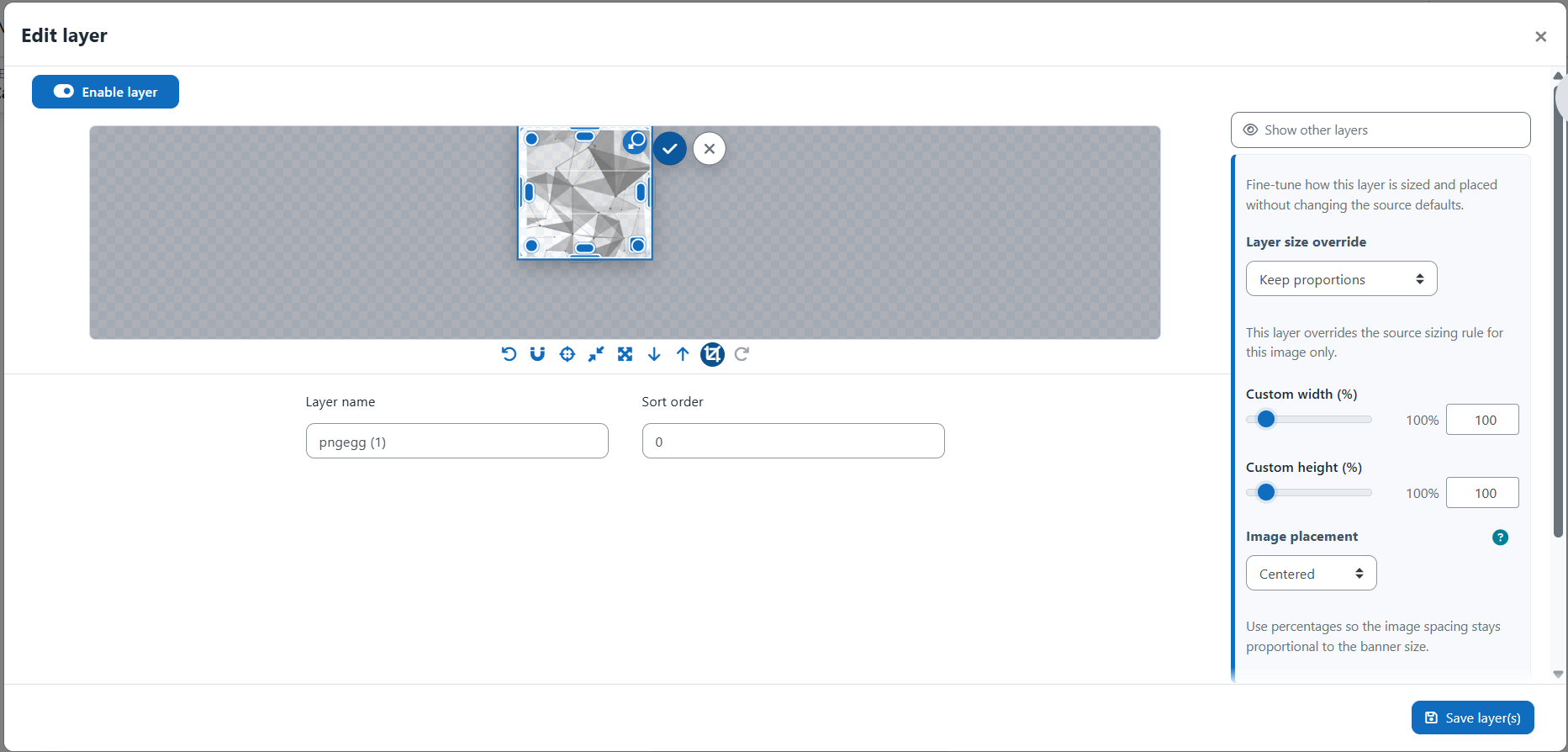
Image layers can be added one at a time or in batches. The visual editor lets
administrators drag, resize, crop, reorder, and position images with live
feedback.
Image controls include:
- fit to preview;
- fill banner;
- custom width and height;
- aspect ratio lock;
- crop editor;
- opacity;
- sort order;
- alignment guides;
- snap to guides;
- fixed-center behavior;
- push above border;
- push above overlay;
- push below or above inherited layers when applicable.
Border Layers
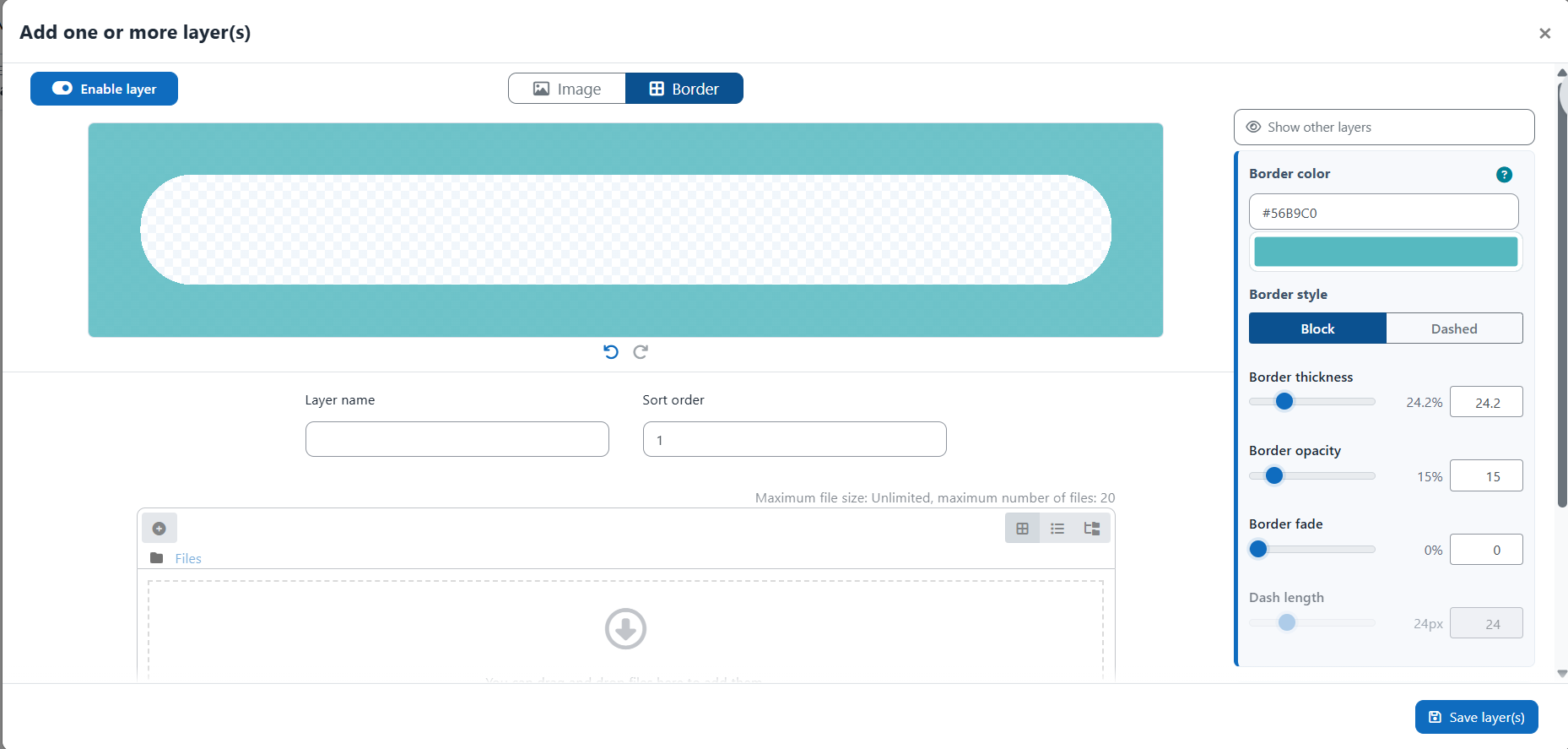
Each source chain can contain a controlled border layer. Border settings include:
- color;
- opacity;
- thickness;
- fade;
- solid or dashed style;
- dash length;
- visible sides;
- rounded inner corners.
Border layers have fixed stacking behavior and are protected from accidental
dragging or conflicting duplicate rules.
Overlay Layers
Overlay layers provide controlled color and opacity overlays for banners. They
can be configured with the same visual logic as border layers:
- one overlay behavior per relevant source chain;
- fixed layer placement;
- clear table indicators;
- thumbnail preview;
- color picker and opacity controls;
- title and border stacking options.
For site banners, overlay layer editing stays focused on the site banner itself;
site slideshow overlay appearance remains controlled by slideshow settings.
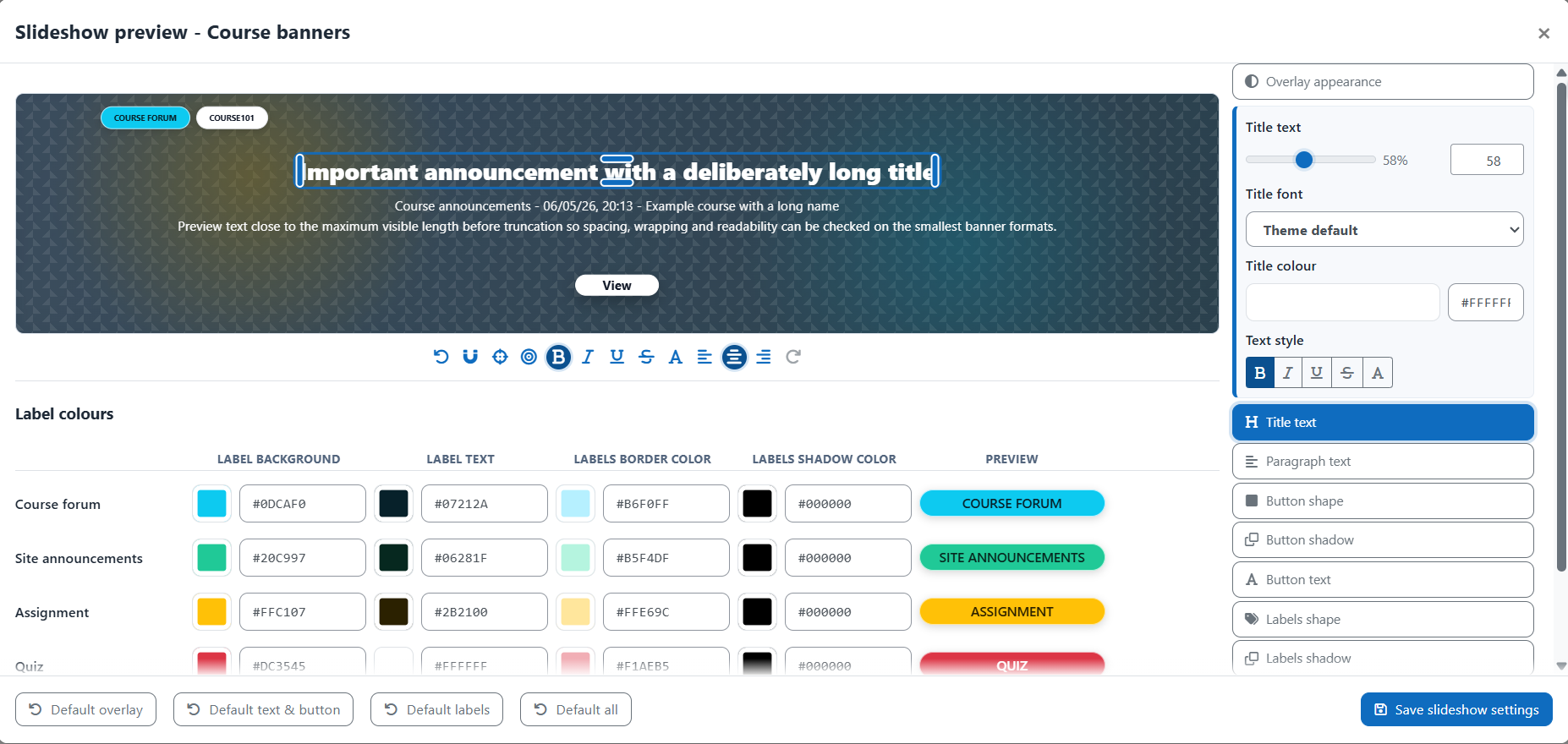
Banner Titles
Banner titles can display site, course, or activity information over the banner.
Title controls include:
- font and text size;
- text color;
- text alignment;
- bold, italic, underline, and strike-through;
- all caps;
- frame style;
- frame color and padding;
- line highlight behavior;
- frame shadow;
- text shadow;
- line height;
- title above border;
- title above overlay.
Activity banners can choose whether to display the course title, the activity
title, both titles, or no banner title.
Slideshows
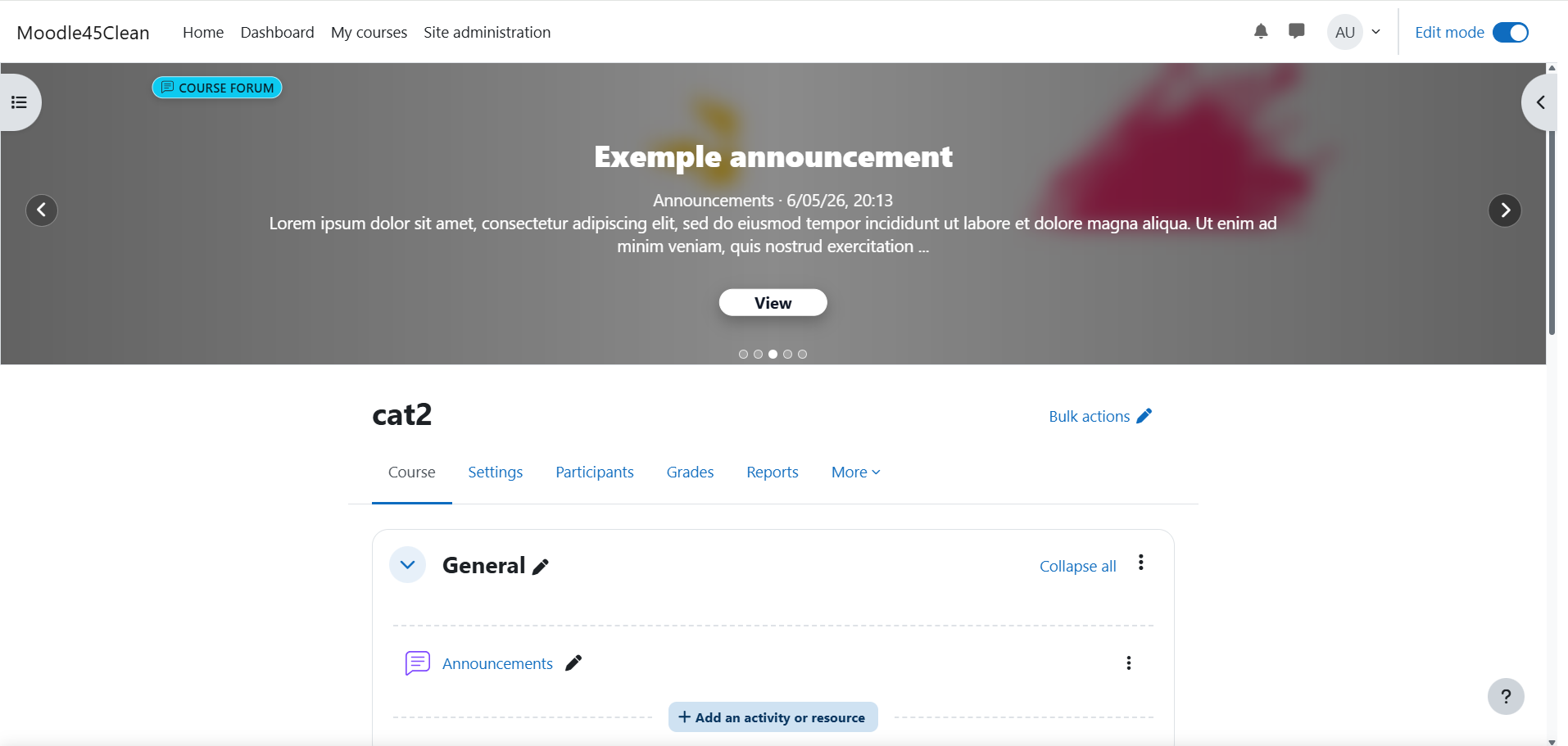
Slideshows can add dynamic Moodle content on top of banners. Course and site
slideshow settings are separate.
Supported slideshow concepts include:
- announcement slides;
- course and activity content;
- labels;
- titles;
- paragraphs;
- action buttons;
- overlay appearance;
- per-context defaults;
- maximum slide limits;
- site announcement expiration.
Slideshows are disabled by default and can be enabled when the platform needs
dynamic banner content.
Import And Export
The transfer tool packages plugin configuration so it can be moved between
Moodle platforms.
Transfer packages can include:
- plugin settings;
- banner formats;
- course sources;
- site source settings;
- source inheritance rules;
- image, border, and overlay layers;
- files;
- title settings;
- slideshow settings;
- generated banner-related options.
Category and custom field creation can be made optional during transfer, so an
administrator can decide whether the destination Moodle should create missing
structures or only map existing ones.
Access
Open the plugin from:
Site administration -> Plugins -> Local plugins -> Course Banner Builder
Direct administration pages:
- Course banners:
/local/course_banner_builder/admin_manage.php
- Site banner:
/local/course_banner_builder/admin_site.php
- Slideshows:
/local/course_banner_builder/admin_slideshow.php
- Import/export:
/local/course_banner_builder/admin_transfer.php
Languages
Language files are provided for:
- English
- French
- German
- Spanish
- Italian
- Portuguese
All user-facing text is expected to be defined in language files and displayed
through Moodle get_string() calls.
Privacy
The plugin implements the Moodle Privacy API.
Course Banner Builder stores banner configuration, visual settings, source
rules, files, and generated banner-related data. It does not require personal
user data for its main feature set.
Technical Information
- Plugin type:
local
- Component:
local_course_banner_builder
- Directory:
local/course_banner_builder
- Minimum Moodle version:
2024100700 (Moodle 4.5)
- Current release:
0.6.23
- Current plugin version:
2026061100
- Maturity:
MATURITY_BETA
- License: GNU GPL v3 or later
The plugin uses Moodle configuration records, dedicated
local_course_banner_builder_* database tables, Moodle file areas, generated
banner assets, AMD JavaScript modules, and Moodle User Tour definitions.
Upgrade Notes
- Existing banner configuration is preserved during upgrades.
- Database table migrations are handled through Moodle upgrade steps.
- New settings are added with safe defaults.
- Slideshows remain disabled unless explicitly enabled.
- Tours are installed or updated without duplicating existing tours.
- Generated course overview images may be regenerated when rendering logic
changes.
- Import/export packages should be tested on staging before being applied to a
production Moodle.
Coding Standards
The plugin follows Moodle coding style requirements and is intended to be
checked with Moodle Code Checker before release.
The current codebase includes:
- Moodle boilerplate headers;
- Moodle language strings;
- Moodle Privacy API support;
- Moodle admin APIs;
- package-level GPL license file;
- CodeChecker-clean PHP files;
- sorted language files;
- PHPDoc coverage for current public and protected helper signatures;
- AMD source and build files kept in sync;
- Mustache template example contexts for prechecker validation;
- documented stylelint handling for generated CSS and complex Moodle preview
styles.
Roadmap
Planned and likely follow-up work includes:
- additional banner format presets, including institution-specific sizes;
- a visual banner-size editor to define proportional custom banner frames;
- a larger editing workspace for complex banner compositions;
- separate preview toggles for inherited layers, borders, overlays, and titles;
- improved animation and navigation styling across administration screens;
- title and slideshow style templates;
- source nicknames and a global default course banner source;
- simplified image sizing settings focused on proportions and custom/original
size;
- richer layer editing tools, such as right-click menus, copied styles, text
layers, image frames, and image color adjustments;
- slideshow improvements, including transition options, adaptive controls, image
slides, and better responsive behavior;
- broader theme compatibility testing and production-hardening after beta
feedback.