Windows Share access (AKA Network Drive Access, SMB Web Client)
Maintained by
Guy Thomas
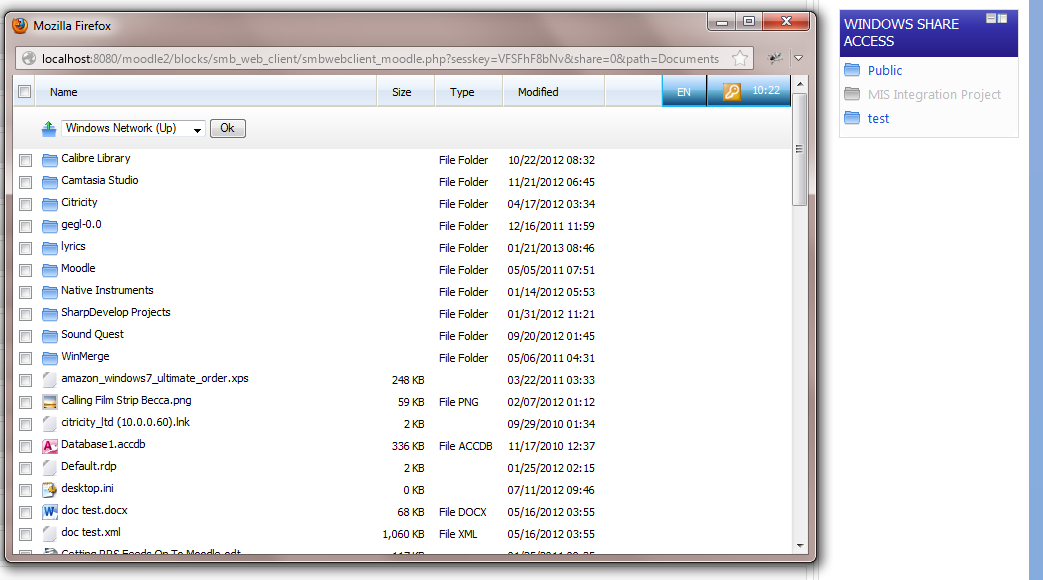
Access windows shares via a Moodle web interface.
Comments
Comments are no longer open for new posts. Existing comments remain available to read.
Thanks
Colin
We recently upgraded Moodle to 2.5.1 and installed the latest version of the smb web client. Users now have to log in using their Moodle details before they can access files for each session they are online. This wasn't the case with previous versions. What are we missing?
Cheers
Colin
But now: Next question...
Now, there is the need to log in to the share. In our case, the login is the same as for moodle. Any chance to pass over the authentication?
Since all users have read-only access to this share, I could also think about another way: Could your block use an given account that is saved in it's config to log in to a specific share?
Thank you very much in advance!
I'm using Moodle 2.4.2 (Build: 20130311) and smb web client 2013060602.
This is my config:
- Webserver OS: Linux (using Ubuntu 10.04)
- SMBClient Location: (Standard)
- Shares: \\validserver\validshare; no filters
- AntiVirus Checking: No
- Username Prefix: validdomain\
- AD field for HomeDir (none)
- Traverse homeDir: no
- Display All Shares on Site Page: yes
- Enable 'mod_rewrite': no
- Allow anonymous login: yes (or no; there is no difference)
- Hide hidden files: yes
- Hide Admin Shares: yes
- Force downloads: yes
- Max Zip Size: 0
- Authentication Method: Argument (or any other - no difference)
- Hide Printer Shares: yes
- Logging Level: Log ALL Output
- Force right-click > Save: no
- Force SSL: no
This is the syslog entry of a single access:
Jun 25 16:16:52: Path =.
Jun 25 16:16:52:.
Jun 25 16:16:52: EXEC CMD ATTEMPT 0 : '//validserver/validshare' -c 'dir' -U "validdomain/validuser%****" -d 0 -O 'TCP_NODELAY IPTOS_LOWDE
Jun 25 16:16:52: [smbclient]
Jun 25 16:16:52: sh: //validserver/validshare: not found
Jun 25 16:16:52:.
Jun 25 16:16:52: [/smbclient]
Accessing the Windows Share on the server's console using smbclient works fine with the same user.
Do you have any ideas what to try next? - Thank you very much!
Thanks for this super block. I've been using it happily for a while on my Moodle 2.4 but just applied the latest version and when I click the link to a share, the pop up window displays a 'failed to connect' message. Is there some protocol change I need to know about?
You can then see the smb client commands that are being executed - take a look at the commands in the syslog and try executing them manually from the command line (note it masks out the password in the log so you will need to replace **** with your password)