Windows Share access (AKA Network Drive Access, SMB Web Client)

Maintained by Guy Thomas
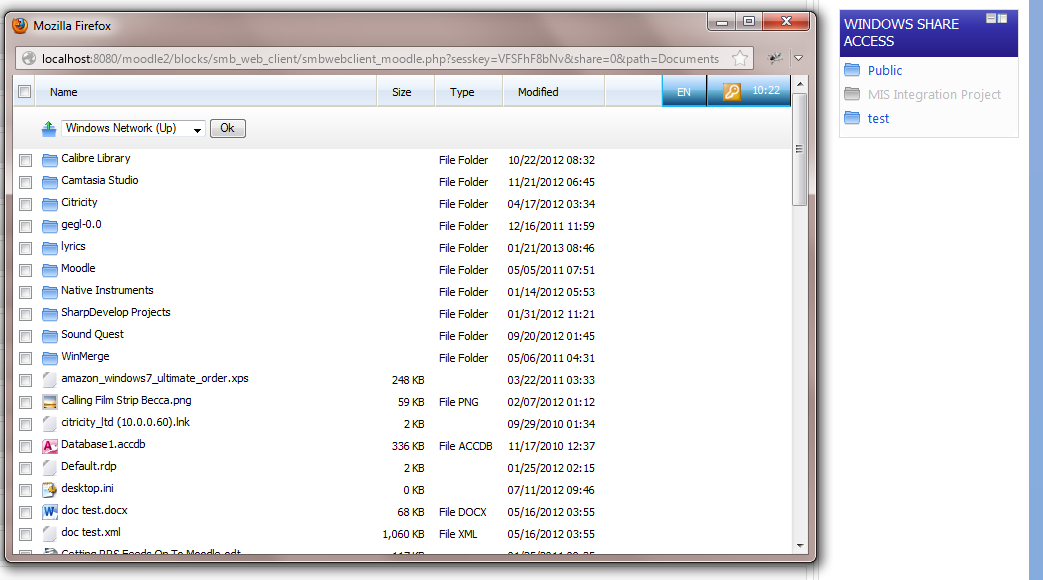
Access windows shares via a Moodle web interface.
Price option: Free

Supports Moodle 2.2-2.7 See all versions
Latest release: 11 years ago
Installations: 14
Downloads (last 90 days): 16

Frankenstyle name: block_smb_web_client
Blocks

Comments

Comments are no longer open for new posts. Existing comments remain available to read.

New version of this plugin in heavy development at the moment. It will be much easier to configure and shares will no longer look like they are being served up by a windows XP client!
changing back that should be
I went and got the Windows Share Access bock from Citricity - seems to be working, any advantage to hanging back?
open block_smb_web_client.php, and above the line "function get_content(){" add this line: "function has_config() {return(true);}" (without quotes). You'll then see a settings link within 'Manage Blocks'.
Is this compatible with 2.4? I have installed it OK (after the coursemap edit). It shows in the 'Manage Blocks' list but not in Site Administration > Plugins > Blocks >
I can add the block and it seems to want to authenticate with my AD server - but have not entered any config yet as there is no Settings button even on the Manage Blocks list
Just to follow up on this, on a clean install it works fine, so there must be something in our site causing the issue. This is going to be fun! Thanks for your help anyway, I'll let you know if I figure out the problem.
Thanks for your replies, mime types was my initial thought to but they appear to be listed correctly within the mime.types file. I've tried switching off error logging too and no difference unfortunately. I'm going to create a virtual box with a fresh moodle install for testing as I'm beginning to think the issue is with our moodle.
Also worth checking you've configured your webserver to serve the correct mime types... see http://www.htaccess-guide.com/adding-mime-types/ & more importantly http://www.vladville.com/2007/04/office-2007-mime-types-for-apache.html for the office-specific mime types. For IIS see http://technet.microsoft.com/en-us/library/cc725608(v=ws.10).aspx
I've tried an open office document with the original version of the block from http://www.citricity.com/moodlegpl/windowssharewebclient and it works fine - no issues at all. I'm using Moodle 2.3 with Ubuntu 10.4 as the web server. Its important to point out that if you have display errors switched on with error reporting enabled then it might be injecting some error messages into the file you are trying to download. I've also noticed similar issues caused by white space in the moodle config file but that mainly affected moodle 1.9
Trying to get this to work with Moodle 2.3 on Debian 6 with smbclient 3.5.6 it connects fine and some files download ok (PDFs seem to be fine), however any office file downloaded seems to be corrupted. It appears to just be the header that is corrupting when they are downloaded. Any ideas why?
Mark - I've merged in your version with my own.
If anyone wants a version for Moodle 2.3, download the latest Moodle 2 version from http://www.citricity.com/moodlegpl/windowssharewebclient/
Im am new in moodle and i would like to know step by step on how to configure smbwebclient on moodle, i was configure but din't work...i need help...thanks...
Would appreciate an update for 2.3 as soon as time permits. My network guys have hit a brick wall!
Working on 2.3 for me as well on Debian 6 and smbclient 3.5.6
Did you find all there references block_smb_web_client_coursemap in the php files?
It's all working fine for me here on CentOS using SMBClient 3.5.10-125.el6, which you should be able to install from RPM (altho mine is auto-handled by cPanel so... *shrug*)
Have you dblchecked all your entries for servers and shares, and can your webserver ping those servers from CLI?