Newsletter
Maintained by
Wunderbyte GmbH, David Bogner
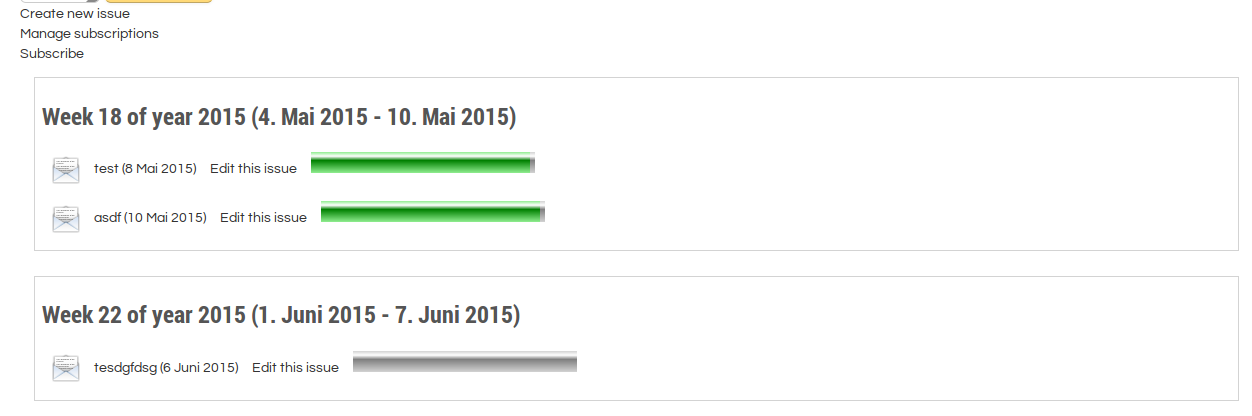
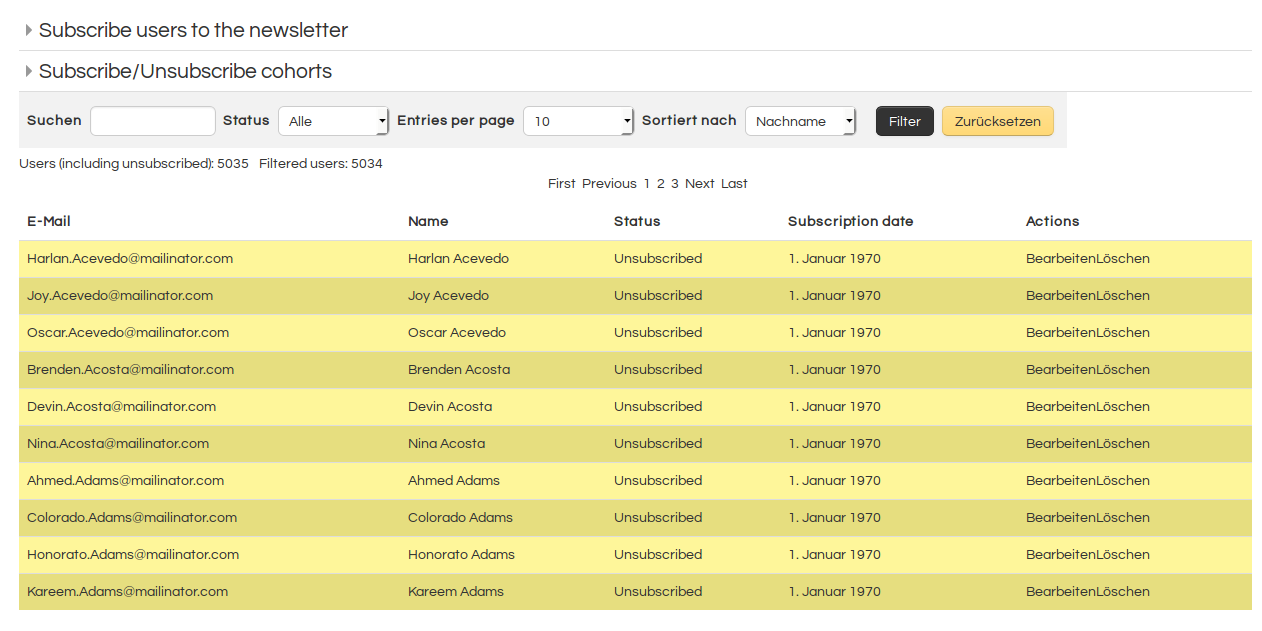
This is a newsletter module for moodle. First stable release. It provides the basic features of common newsletter tools. Using it with moodle VERP bounce processing is recommended. But we will add an additional bounce processing feature that will be easier to configure.
Comments
Comments are no longer open for new posts. Existing comments remain available to read.
yes there will be an update. But implementation of GDPR and other API adaptations are quite time consuming. We are not upgrading to 3.5 before September, so if you want to have it earlier than that, you can always contract me.
Kind regards,
David
Any chance for an update (moodle 3.5)?
Bert
any chance to get further support regarding my issue?!
Many thanks in advance!
Kind regards,
George
it is unfortunately not working for me! I tested this quite simple:
- I created a newsletter issue with a user having trainer rights.
- Then waited for the newsletter issue per email.
- Received email sender is noreply@, replyto-address is noreply@ as well.
- After clicking on reply the replyto-address does not change an still is the noreply@ address.
Did all the tests with different users and roles, always the same behavior!
What am I doing wrong?
Moodle 3.4.2+ (Build: 20180418)
Newsletter 1.3.3
Kind regards,
George
how did you test? Usually you see as sender the noreply address, but when you click on reply, then the email of the person who wrote the issue will be used as the reply address. Tested with 1.3.3
Kind regards,
David
thanks for your answer! I created a couple of newsletter issues using different users and different roles (trainer & manager, administrator as well)! Unfortunately the reply-to-address in all newsletters is the noreply-address defined in Moodle's mail settings! I also checked if the users affected have set up their profiles to not show their email addresses to anyone, but actually it is configured to show it to everybody. Am I doing something wrong?
Moodle 3.4.1+
Newsletter 1.3.3
Kind regards,
George
this is not possible. But the user who creates the newsletter will be used for the "Reply to" address. That means, when you click on the reply button in the mail, the mail is sent to the e-mail address of the user who created the newsletter issue.
Kind regards,
David
Kind regards,
George
Good luck with sending newsletters.
Sorry for my bad english, I'm Italian.
1) Create a newsletter instance (add activity newsletter, usually you do this on the frontpage if you want to have all site users, or in a course if you want target course users)
2) IN the settings of the newsletter upload the CSS-stylesheet mentioned below
3) Save the instance
4) When creating a new issue, select the stylesheet from the dropdown
5) Paste the HTML (mentioned below) in your editor
6) Edit the content to your needs
In order to have a good looking newsletter we recommend to do some Copy/Paste. Because designing mails is really difficult. Example:
1) Download an example from there: https://zurb.com/playground/responsive-email-templates (direct link: https://zurb.com/playground/uploads/upload/upload/126/responsive-email-templates.zip )
2) Upload the CSS provided in the settings mentioned above
3) Copy/Paste the HTML into your Newseltter issue.
Another approach would be to user professional software for e-mail design and then copy/paste the results into the editor. Something like that: https://beefree.io/
Kind regards,
DAvid
In the features list it says "Attach a stylesheet and it will be converted". But the only way of attaching one that I am aware of (uploading it as an attachment) doesn't seem to do anything...