User Tours
Maintained by
Andrew Lyons, Gavin Henrick (Brickfield)
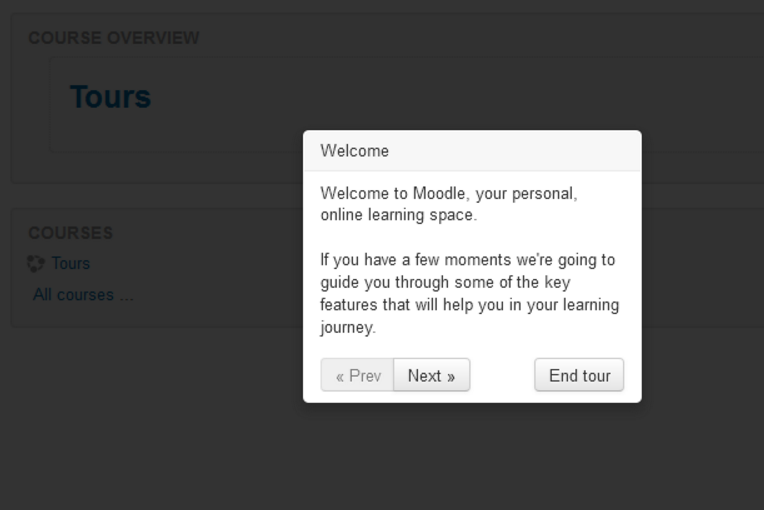
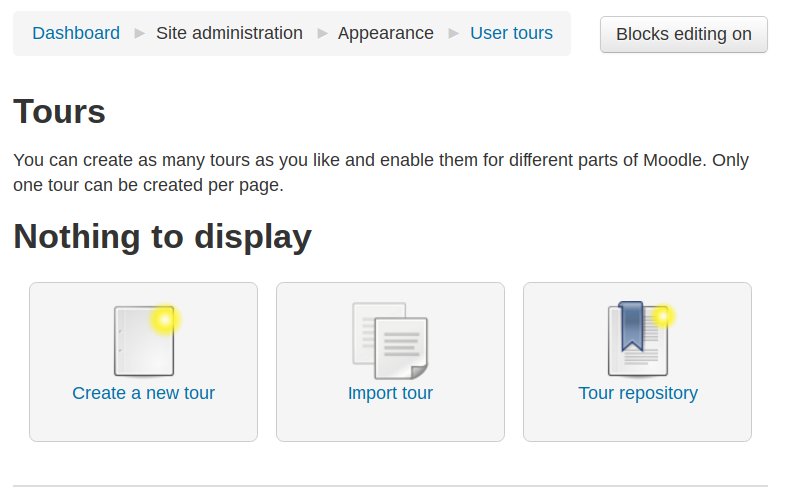
This Moodle plugin allows administrators to create tours of Moodle to introduce new features, important information, and more.
Comments
Comments are no longer open for new posts. Existing comments remain available to read.
With regards to the database tables names issue that Mike keeps opening: As I commented before on 22 Jun 2016, I was aware of this violation when I was approving this plugin. This code is going to become part of the Moodle core and it has been submitted to the Plugins directory in advance to gather feedback on the provided features. From that perspective, I understood that having the database names like they are at the moment is actually a benefit as they will likely stay the same once they become Moodle core tables (and not plugin scope tables). That will allow early users easily transfer from the current plugin to the future core feature without the need to drop the existing data. That was an exception and I stated it clearly.
I don't think that this particular issue is worth of further arguments. The plugin contribution guidelines are simply distilled and derived from all other coding guidelines and recommendations, both explicit and implicit. If there is a need for clarification or any suggestions for improvements, let us calm down and move that discussion to a better place than a comment area of this plugin - such as a policy tracker issue or a GDF thread.
Thanks all for paying attention to increasing the quality of the Moodle plugins.
Regarding your comment, "Technically this is only a recommendation and not a requirement", are you referring to https://docs.moodle.org/dev/Plugin_contribution_checklist#Namespace_collisions ? If so, why are you saying it is a "recommendation and not a requirement"? Everything in that document uses phrases like "are named correctly" and "do not". This sounds like requirements to me. And, in this case, if plugins don't follow the naming conventions, can cause problems for sites using them.
I wanted to put a link in the content, but the html-code is obviously removed before the display. It would be nice to place a link or a picture or some text formatting in the content.
I'll have a look and see how we can handle the Site index. At the moment the URL matching is very basic and I would like to improve upon it.
With the site index this is particularly hard. I'll see what I can do.
Regarding:
Just an FYI, and as an add-on to my review... I made the comment: "3) The data tables created need to be prefixed with "local_" (see https://docs.moodle.org/dev/Plugin_contribution_checklist#Namespace_collisions)."
The plugin was approved with this issue still part of it, due to the fact that it will become part of core.
Technically this is only a recommendation and not a requirement.
I'll be trying to work through these potential issues as part of the migration to core.
The plugin was approved with this issue still part of it, due to the fact that it will become part of core.
If the plugin code is deleted before the plugin in uninstalled from the Moodle UI, the tables will not be removed. Normally, in the absence of a plugin's "install.xml", the namespace rules allow Moodle's uninstall system to remove tables anyway. Since this plugin violates these rules, the uninstall will only work if the code, and therefore the "install.xml" file is still present. This also means that if the plugin is uninstalled in this manner, it will no longer be possible to reinstall it without manually removing the tables from the database.
If you do end up in that situation, you will need to resolve it by manual database table removal.
On my Moodle site, index.php is the homepage and I want to create a tour for this page. Yet, I have not been able to figure out how to fill in the "Apply to URL match" field. I have so far tried "/" and "/index.php" and several other silly options but these do not work. Any suggestions? Many thanks in advance.
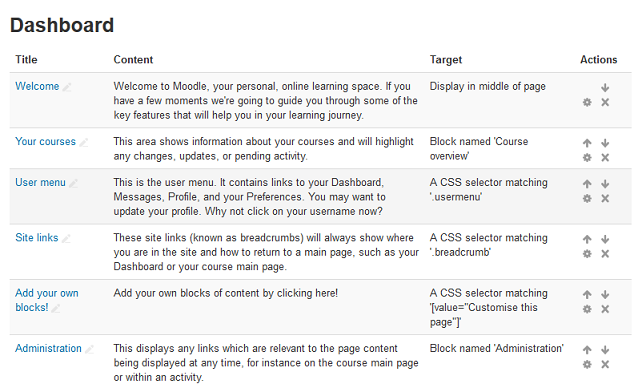
Mary Cooch recently uploaded a bi-lingual (en, fr) Dashboard User Tour in https://moodle.net/mod/data/view.php?d=2&rid=269
I just added a Mexican Spanish (es_mx) translation and it is now a tri-lingual Dashboard User Tour in the Moodle.net User Tours database at https://moodle.net/mod/data/view.php?d=2&rid=297
If you download it, once you see how it works, it should be fairly easy for an average Moodler to add his/her own language.
Even though the size of the box used for inputting text is rather small, it works!.
French translation done for 3.1.
Can't find the Prev / Next / End tour button in Amos.
Also done 2 simplified tours in french (dashboard, and course page).
Éric
I have made some Mexican Spanish translations of a couple of tours and uploadesd them to the moodle.net page, and I also see "Prev", "Next" and "End tour" labels on the buttons. . However, these texts do not seem to come from the language package, and do not mesh well with the SPANISH window content.