User Tours
Maintained by
Andrew Lyons, Gavin Henrick (Brickfield)
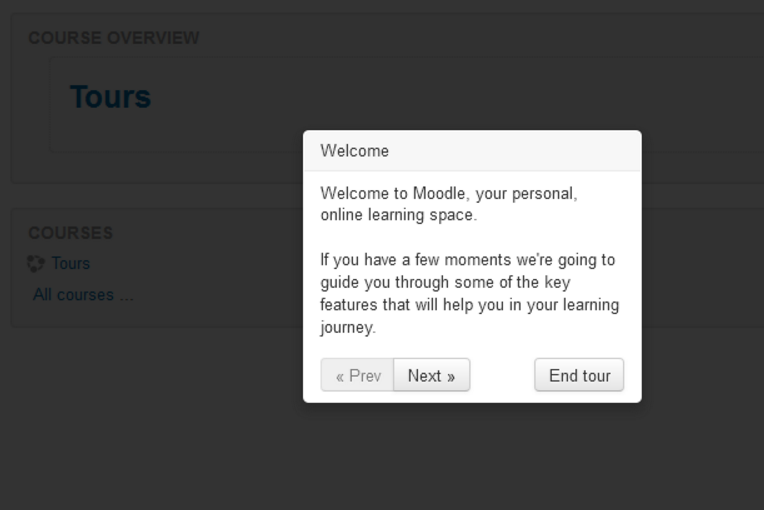
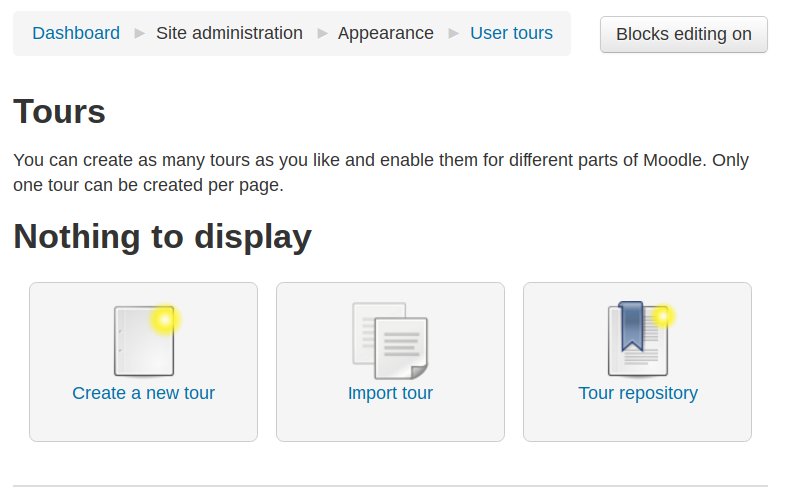
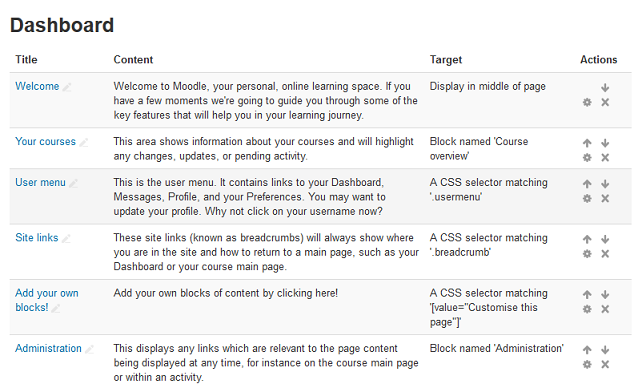
This Moodle plugin allows administrators to create tours of Moodle to introduce new features, important information, and more.
Comments
Comments are no longer open for new posts. Existing comments remain available to read.
Regarding the German version - I am working on it, and have already provided a few (3 or so?) translated tours at the moodle.net page. More will follow as time allows.
One additional question: in German, I still see "Prev", "Next" and "End tour" labels on the buttons. However, these texts do not seem to come from the language package, and do not mesh well with the German window content
Thanks for all of the feedback.
Firstly, I'm not ignoring these comments -I'm reading them as they come through. I'm moving house tomorrow so my free time has been filled with packing boxes, etc. and I haven't had a chance to do anything more.
Bert: I'm afraid that this plugin currently only supports Bootstrap 2. Looking at how we add support for other versions of Bootstrap is on the agenda, but may well be done as part of the import to core.
German: I'd love to do provide a way of doing this, but I'm afraid it's not a priority at the moment. Ideally we would have an easier way of providing translations for each step, and perhaps pulling in translations from Amos one day...
Ricardo: I'll see if there are any additional changes I can make to ensure that more themes have the reset link. It already tries to add it in three ways.
Also, the "Reset tour" link is on the bottom of the page that the tour is viewed from. The reset is specific to the user viewing the tour, not to the administrator writing it.
I do plan to write a reset for the tour as well, but it wasn't on the priority listing at the time.
Moodle 3.1
PostgreSQL 9.3
"Clean" Theme
Plugin "User Tours" (2016052300) enabled
Tour "Dashboard" enabled (eye open)
After clicking the "View" icon and accessing the "Dashboard" tour settings page I can not find any "reset link" at the bottom of the page.
The same behavior happens to "Course Main Page" tour.
But when I install "User Tours" I got "Reset user tour on this page" at the bottom of the page.
Are the "json" files at "Tour repository" updated?
So are you hiding the tour or disabling the add on?
The reset link on the footer works only for the "User Tours".
Still can not reset the "Dashboard" tour.
Didn't work on Impression Theme.
Developer's reaction:
The reason the plugin doesn't work with our theme is because it's built based on an older version of Bootstrap.js and our theme is using the latest Bootstrap.js.
Best regards
Bert
just found it! Using "Clean" theme.
Thanks!
Ricardo
Great plugin thank you - worked well for me on 3.0.4/Essential - apart from the reset but that can be sorted.
Is it a one way only tour?
Can my users repeat the tour a second time? If yes, how?
Ricardo
Also, is it possible to add trigger points for editing activities?
Thanks.
Thanks Andrew and Gavin for sharing this plugin with the Moodle community, and thanks Mike for providing another good and detailed approval check. There is a longer story behind this plugin as it was (and still is) supposed to land as a core feature - see MDL-52777. That explains some raised points, such as database table names. That itself would normally be a reason for not approving the plugin unless it is fixed, but I feel like we can make an exception here.
From the tracker discussion, I understand the plugin will be improved soon and eventually included into the Moodle core. That will be a good opportunity to fix all the coding style issues raised above, as Moodle core integrators are known to be quite picky about following them.
I am going to approve the plugin now to give it an opportunity to receive feedback from wider community. You are cleared to land, welcome to the Plugins directory!
http://integration.moodle.org/job/Precheck%20remote%20branch/24474/artifact/work/smurf.html
1) https://github.com/andrewnicols/moodle-local_usertours/issues/1
2) You may also want to consider running the code through the Moodle code checker, or using Travis CI to perform these tests. This will help you ensure that the code meets the Moodle coding guidelines. See https://moodle.org/mod/forum/discuss.php?d=323384 for details on using Travis CI with your plugin. There are some coding violations that are flagged when this is run.
3) The data tables created need to be prefixed with "local_" (see https://docs.moodle.org/dev/Plugin_contribution_checklist#Namespace_collisions).
Thanks.