
StudentQuiz
Maintained by
Frank Koch, Tim Hunt, Hieu Vu Van, Mahmoud Kassaei
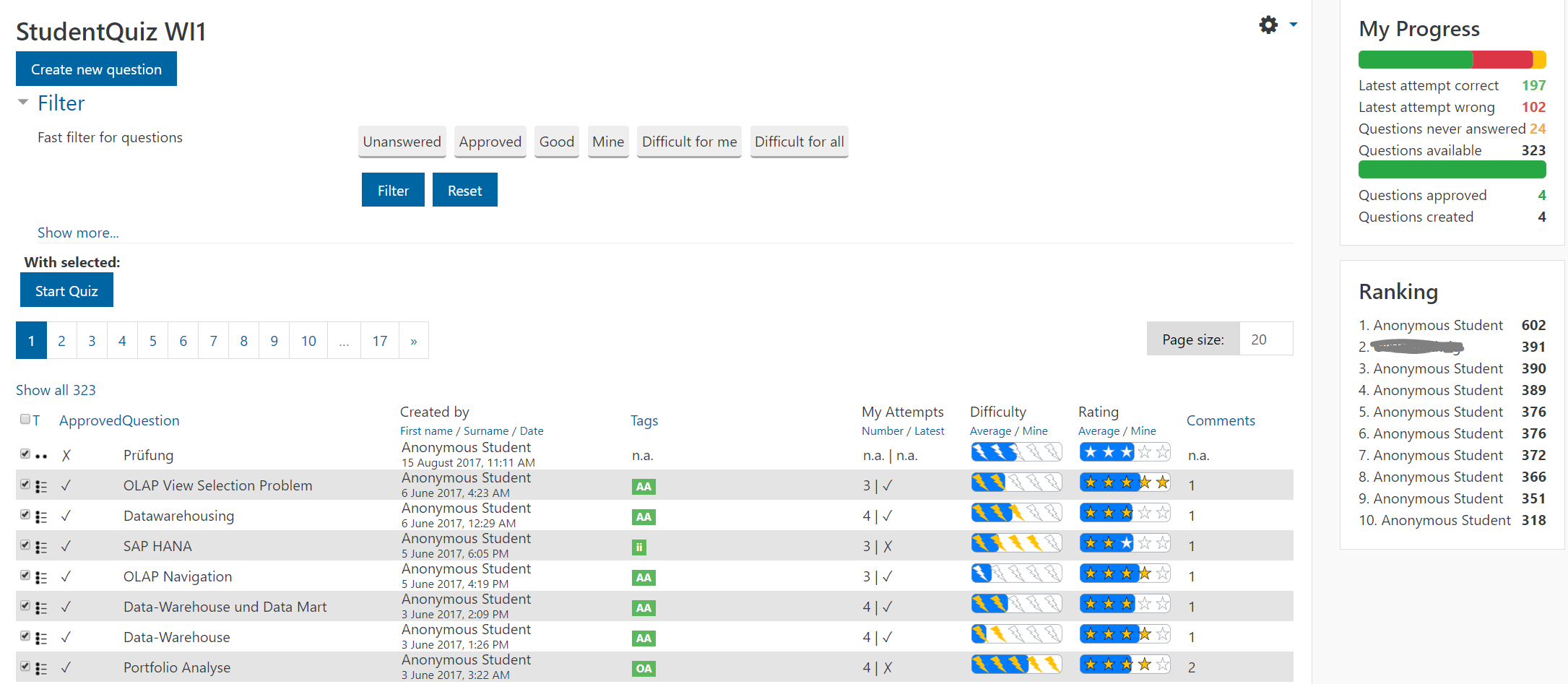
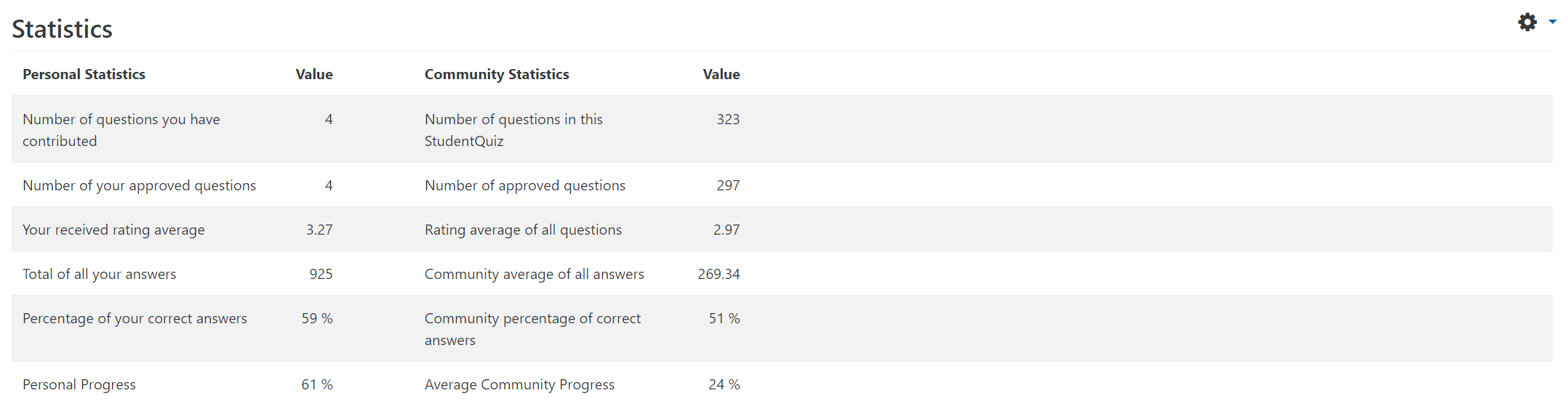
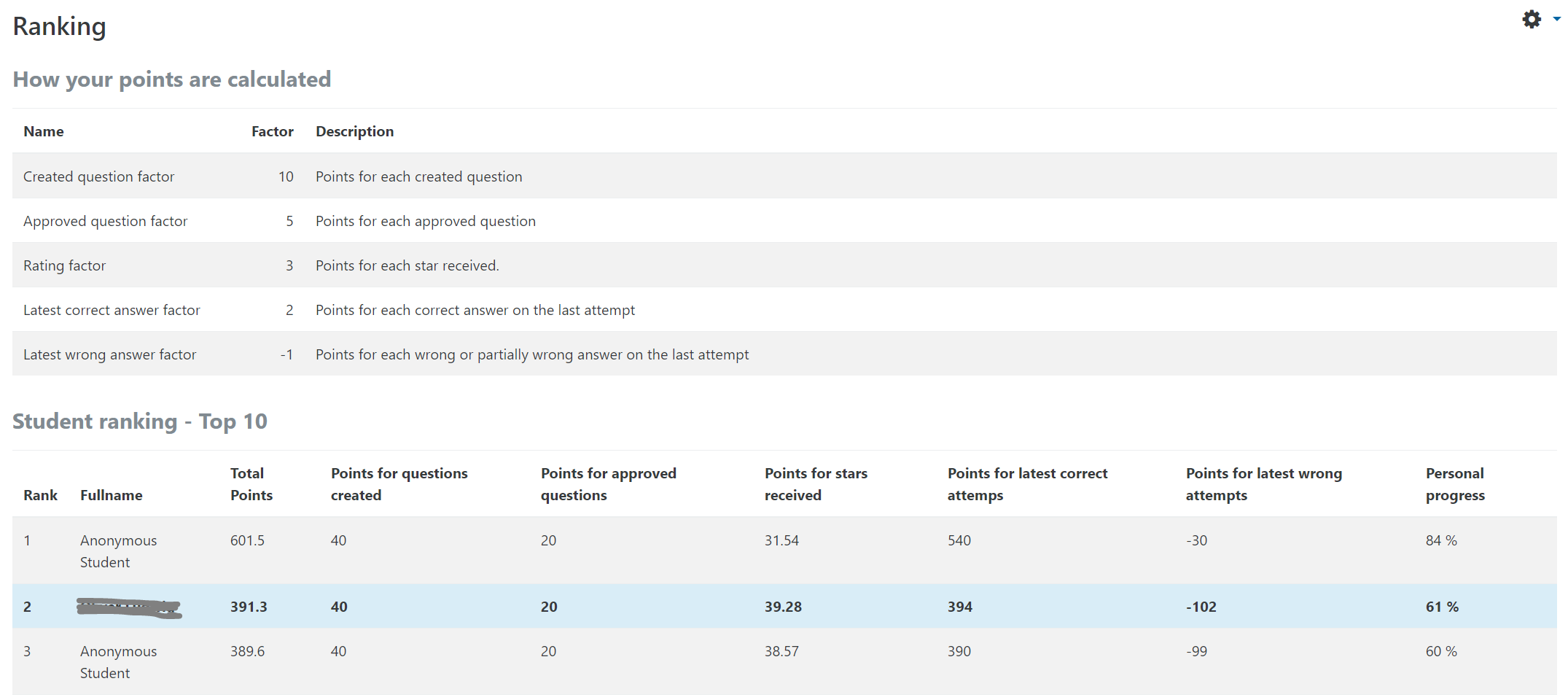
StudentQuiz enables students to collaboratively create their own question pools in Moodle. Students can filter these questions into quizzes, and they can rate and comment questions while working through the quizzes. StudentQuiz computes each students contribution and learning progress and compares this with the community. The created questions become part of the Moodle question bank and can be reused in other Moodle quizzes. The video "StudentQuiz in a minute" tube.switch.ch/videos/d0e37788 provides a quick introduction.
Comments
Comments are no longer open for new posts. Existing comments remain available to read.
But unfortunately questions deleted again. Error is same "question/invalidcategory"
Thanks for the explaining about que questionbanks.
I have forgotten to say that SQ was working perfectly during several days, and today the questions have disappeared suddenly, simply trying to access the SQ main page, I had got the error "question/invalidcategory", even though the category was there, but without questions.
I do not understand what happened either.
Regards
Thank you for the additional information. StudentQuiz maintains its own category ("Default for SQName") and it is correct that you cannot see it from the course-questionbank. However, if you go into the SQ-questionbank, you can see the course-categories. So you can actually move questons from the SQ into the course.
To reproduce your observacion, I created the SQ "Test2", added a few questions, and within SQ renamed the category from "Default for Test2" into "Test2". I did not loose any question. I was also able to add further questions to the same category. Simply the default category for questions shared in context "Test2" is namend "Test2" now.
I'm afraid I do not understand the problem...
Best, Frank
Some details that can help. I had changed previously the name of the category (removing the word Default from the name). Also, I had created several questions (as a teacher)
As it is said by Polaris, the default category that is created when you create a studentquiz, is displayed in the questionbank of the studentquiz but is not displayed in the questionbank fo the course (question/category.php?courseid=x)
Regards
The default category that is created when you create a studentquiz is not displayed in the category view menu.
This may be the case with my system.
I hope this information helps resolve the error.
This is error messages.
------------------------------------------------------------------
Debug info:
Error code: invalidcategory
$a contents:
Stack trace:
line 482 of /lib/setuplib.php: moodle_exception thrown
line 498 of /question/editlib.php: call to print_error()
line 328 of /question/editlib.php: call to question_build_edit_resources()
line 137 of /mod/studentquiz/viewlib.php: call to question_edit_setup()
line 113 of /mod/studentquiz/viewlib.php: call to mod_studentquiz_view->load_questionbank()
line 80 of /mod/studentquiz/view.php: call to mod_studentquiz_view->__construct()
I got a same problem like her.
All question is deleted. But I didn't.
(Moodle 3.5 php7 mariadb10)
You can move questions into other categories, but your teacher seems to not have done that. So I don't know how this might have happened. Please let me know if you're able to reproduce this.
Regards, Frank
we are using the plugin in one of our courses and the teacher tells us that in two different times he has lost all the students' questions. The teacher did not delete the questions and did not move the questions into other categories. What could have happened?
Thanks a lot
You can also move the questions from the StudentQuiz activity into higher question bank categories, like the course level.
We might setup a short Skype session and I could guide you on the screen. I would be available in the evenings and on Monday.
We tried finding the questions in the question bank in other categories but we don't see them anywhere. In fact, it's not possible from the student quiz to see any other student quiz categories. Is this something that IT support has to address/enable?
I'm just guessing: maybe you have accidentially *moved" the questions into another category. In this case you'll find them there.