Completion Progress
Maintained by
Jonathon Fowler
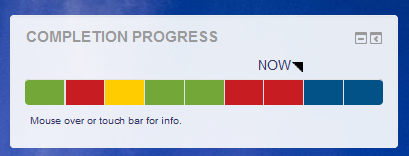
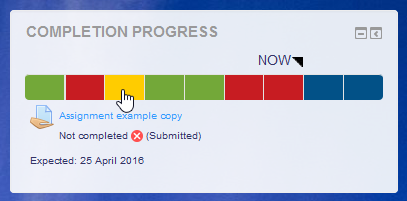
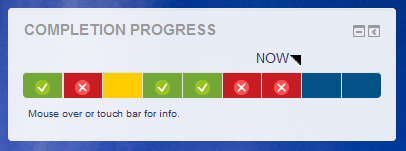
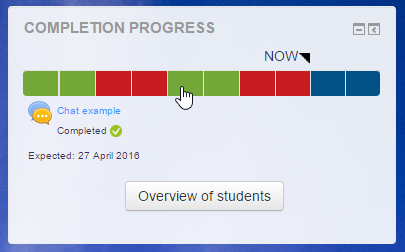
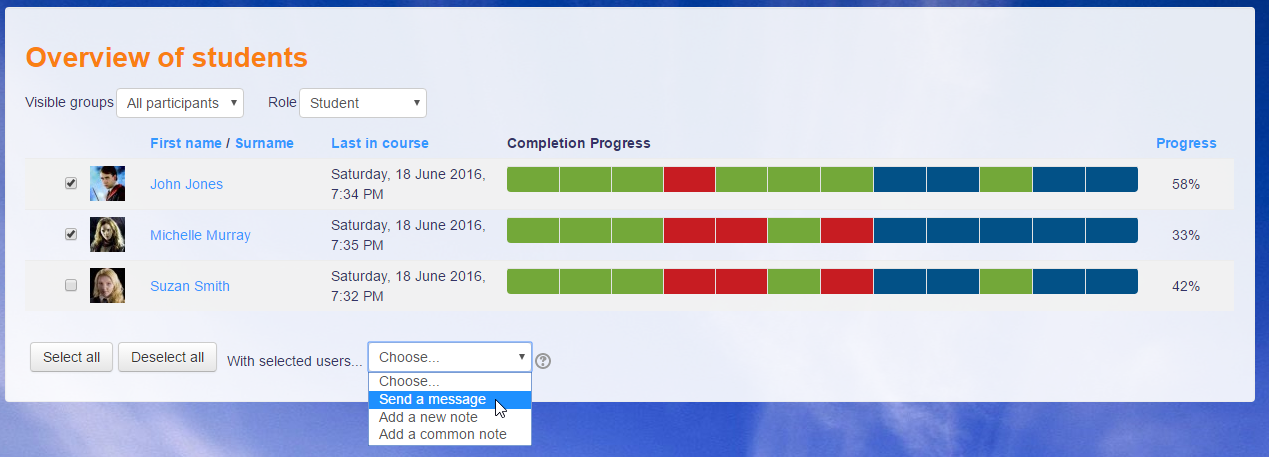
The Completion Progress block is a time-management tool for students.
Comments
Comments are no longer open for new posts. Existing comments remain available to read.
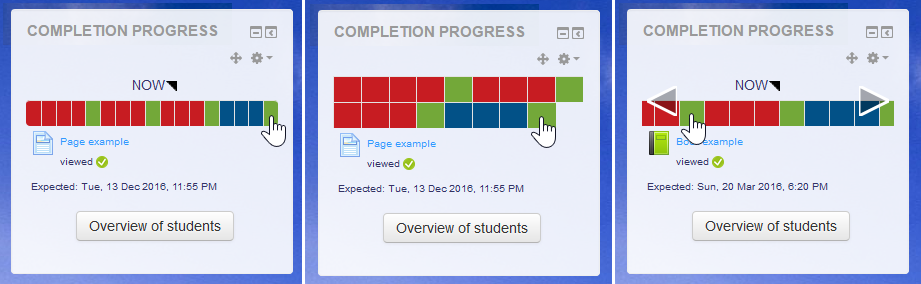
I've installed this and with the scroll option set it doesn't scroll. With a course with lots of content the first few items appear but that's it. When set to wrap all three rows of items appear as expected.
I though maybe the theme was hiding it but it isn't, as I've tested it with a clean clean theme. FYI I'm using Moodle 2.9.2+ (Build: 20150918)
Cheers
Dave Emsley
When a student makes an assignment submission, the Blue cell goes to Yellow, as expected.
If I award a non-passing mark (as apposed to no mark at all), the Yellow cell goes to Red.
This might be a better idea than what I originally had in mind (reverting from Yellow to Blue); now I can see on the bar that the student has submitted something but the submission is incorrect.
Sorry for delay in getting back to you; out of town on school trip.
Still struggling to get an item in the completion-progress bar to go from yellow back to blue.
You stated, "If you grade a student's submission then offer them a new attempt, it should go back to blue."
How to offer them a new attempt?
Is it done in Assignment > Submission settings, or by editing a student's grade?
Finding the moodle docs very confusing; does this have anything to do with "Revert submission to draft"?
Thanks for taking the time to translate.
You can share your translation at lang.moodle.org.
Michael
I don't think that your suggestion would be useful for most users. There is a suggestion that you might want to participate in...
https://tracker.moodle.org/browse/CONTRIB-6523
Michael
Thanks again for your response.
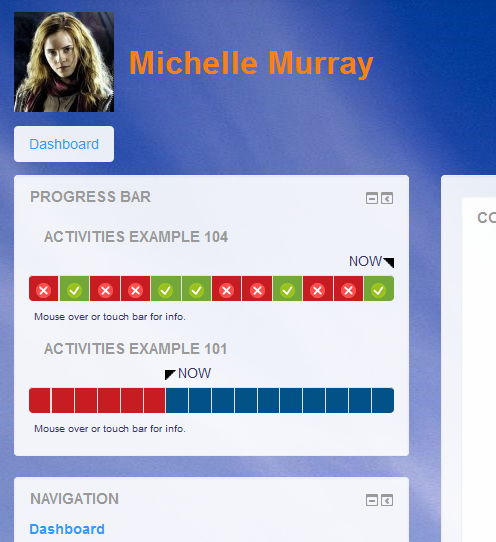
In the current set up, the progress bars on the site wide view represent the learners progress within each course. The progress links to the activities/resources within each course.
We're looking for a site wide progress bar that refers to the completion status for each course. (Course admin > Course completion). In reference to your screen shots, please see the ideal look and feel for the site wide progress bar.
- In the first screen shot listed here, the green block will reference course completion status of one course.
- The red block will represent the course completion status of another course.
- The site wide course block should reference course completion status as opposed to the completion status of tracked resources.
I hope this makes more sense?
I'm still not sure we are using the same terminology. It may be that the block already achieves what you are suggesting, but I'm not sure if you've tried it.
Have a look at the screenshots above. The appearance of the block on the Dashboard/Site home is shown and you can see that it combines the progress from multiple courses. It relies on you adding the block to courses before they can be combined.
Thank you. I was referring to the site wide progress block referencing the course completion status in each block
- block 1 refers to the course completion status of course 1
- block 2 refers to the course completion status of course 2
I hope that provides some more clarity?
That is already the case. When the block is added to the site home or dashboard page it shows a combined view of progress from courses where the block has been added.
Thanks for your input. This may have been addressed on the previous forum for the progress block, but I was wondering if it's possible to reconfigure the site wide block to include a list of courses that learners have completed in one progress block as opposed to a progress bar for each course with the tracked resources?
I recommend trying an activity restriction with a date (or perhaps a rule considering the competition) so that it is visible but not accessible.
Many thanks for your prompt response. We run exams on the LMS for 24 hours, once the exam has been completed, we hide it from the learners to prevent learners from accessing it. The client will not want learners to click on the exam (quiz) once it has been completed.
Could you point me in the right direction to enable this functionality? Thanks again.
The Completion Progress block looks at completion of whole activities. I assume that's what you mean.
I relation to showing progress without linking, at present the block provides access following the same rules as those on the course (for visibility and restricted access). I suppose that the links could be removed with a small modification to the code, but I'm not sure why this would be needed. What scenario would you see this being used for?
This may seem like a strange request, but I was wondering if you could assist. Is it possible to track the progress within an activity without hyperlinking it to that particular activity?