Quickmail icon

Quickmail

Maintained by Robert Russo, David Lowe
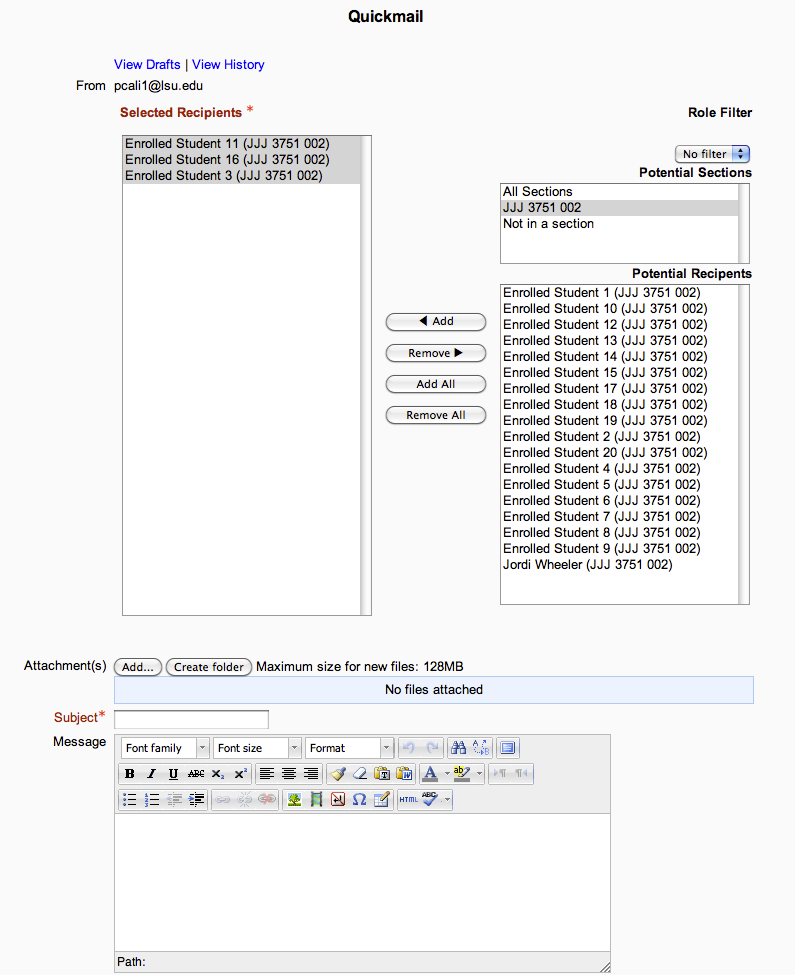
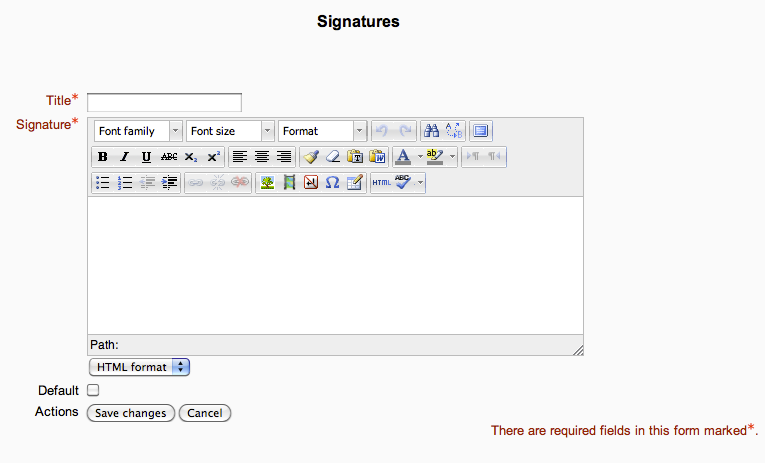
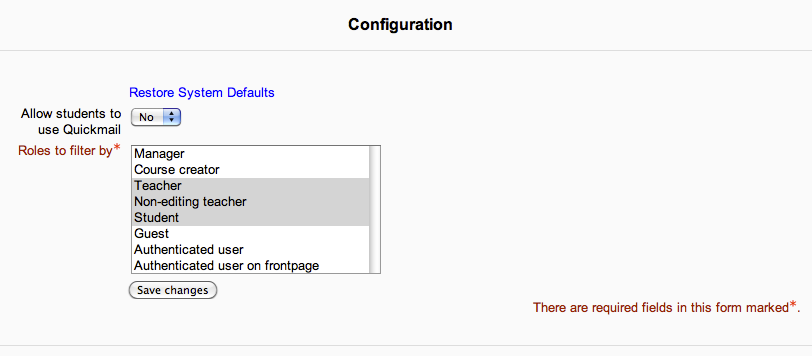
A block that provides selective, bulk emailing within courses. Developed by LSU.
Price option: Free

Supports Moodle 2.1-4.5 See all versions
Latest release: 6 months ago
Installations: 3303
Downloads (last 90 days): 602

Frankenstyle name: block_quickmail
Blocks

Comments

Comments are no longer open for new posts. Existing comments remain available to read.

Hi,
Any update to Moodle 3.5?
Ricardo
Hello!
My question is when did you send the emails, do the recipients receive that email on the platform or do they only receive mail registered on the platform? Does the recipient have a history of received mail? Or just have mail history sent?
Thank you, Andrea
One more follow-up, it appears to all work perfect if I change the instructors email address. That was the only difference between the two courses. Once I changed the domain of the instructors email in their moodle profile the issue resolved. Does quickmail verify the sender email before sending the email to the recipients? I am trying to determine why the sender domain was causing the issue in quickmail. I know the sender domain can determine whether or not it shows the email or is no-reply.
Chad thank you for the fast reply, it does not go to any students if they are selected from the potential recipient list in one course but goes to any email typed into the additional bar. In another course it goes to all students that are selected from the potential recipient list. Even if the same user id is in both courses. I will work on checking the logs for failed user ids.
Hey there, in regards to sending to the additional email, this will always work as the plugin is only looking for valid emails to send to. As for the issue about the plugin not sending to a selected recipient, is that recipient's user id showing up in the failed user ids when viewing the log?
Hello, running version 1.7.4 in Moodle 3.2.8 and we are having an issue where quickmail is not working for a few instructors in one particular course. If sending a quickmail and the student email is typed into the additional email bar it goes through with no issue but if selecting the student email and adding the student to selected recipients it will not go through. Any ideas why it works when typing in the email but not when selecting the user from the potential recipients list?
Thanks for your help
Hi, any news on a Moodle V3.5 update?
Hi Ben, how would that configuration that you suggest, please could you explain me? Verónica
Hi Chad, my question was addressed to you, I got confused. Do you have plans to update this plugin to the Moodle 3.5 version?
About your previous post, I would suggest you set up a nightly update SQL script to do that. It wouldn't be too much trouble, let me know if you'd like some help with that. We're going to stay on Moodle 3.4 this year, and likely move up to the next long-term release version the following year. Ben
Hi Ben, I forgot to ask if you plan to upgrade to Moodle version 3.5?
Thanks Ben for your suggestion, it's not a bad idea but I have about 200 courses and 300 teachers is a lot of work. Also, if they change their email address, I should not forget to update the role too.
Thanks again.
Greetings.
Veronica.
I'd suggest that you create a role that is assigned to users with a certain email domain and then use the block permissions (https://docs.moodle.org/34/en/Permissions#Block_permissions) to disallow those users from accessing the Quickmail block. The role could be assigned upon intake into Moodle from your SIS or other system. Thoughts? -Ben
Hi Chad, thanks for your reply. But I'm referring to the user who uses Quickmail. For this issue of security policies I need to prevent it from being used by those whose account does not match the server.
Thanks again.
Greetings.
Veronica.
Hey Veronica, interesting request but I don't think this is something we would add in. One option would be for you to create a group of the specific users (those with that email domain) and then you could send to them explicitly.