
AutoEnrol
Maintained by
Roberto Pinna, Mark Ward
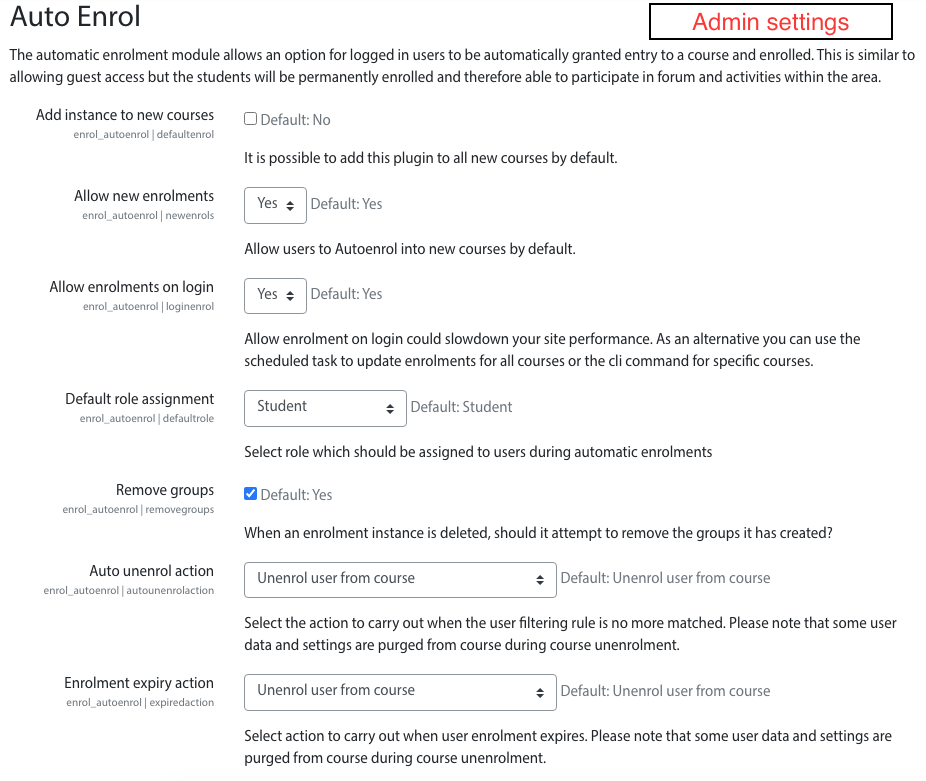
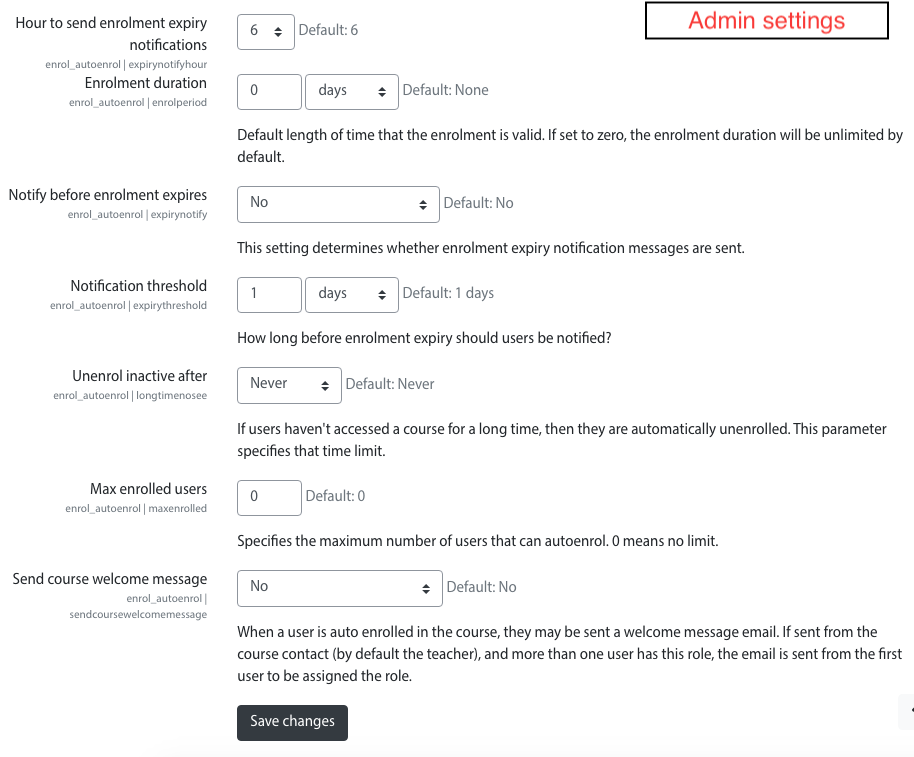
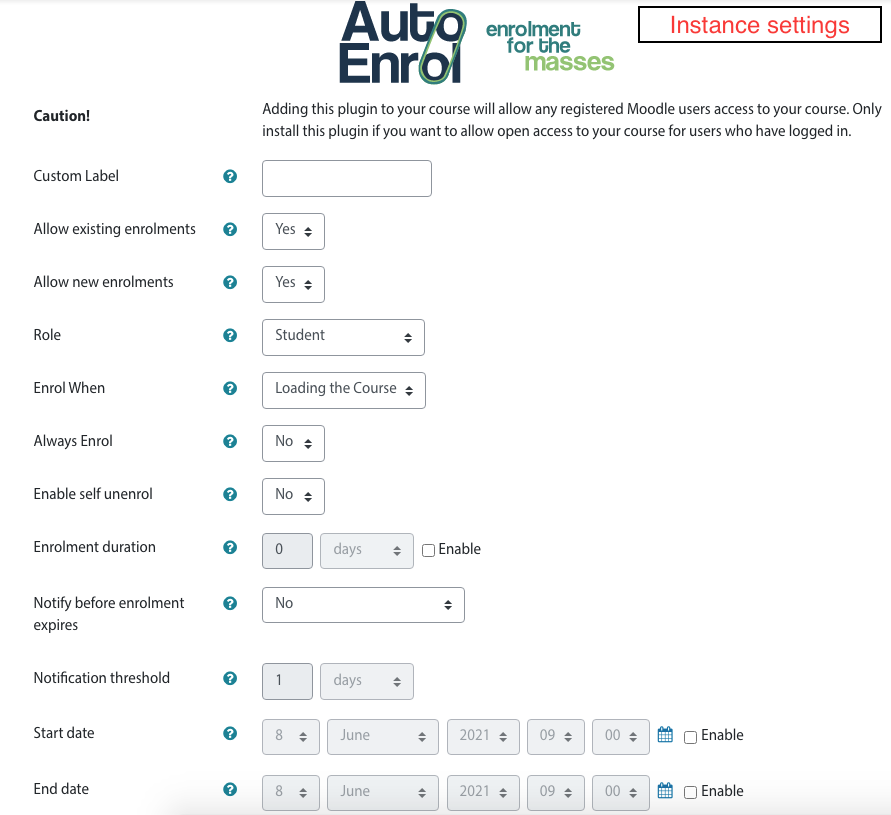
Adds functionality to automatically enrol users onto a course, either as they log in to your Moodle site or as they access a course.
This plugin was at first intended for use on courses which you want all users to be able to access but can also be configured for more advanced purposes as reserved access courses.
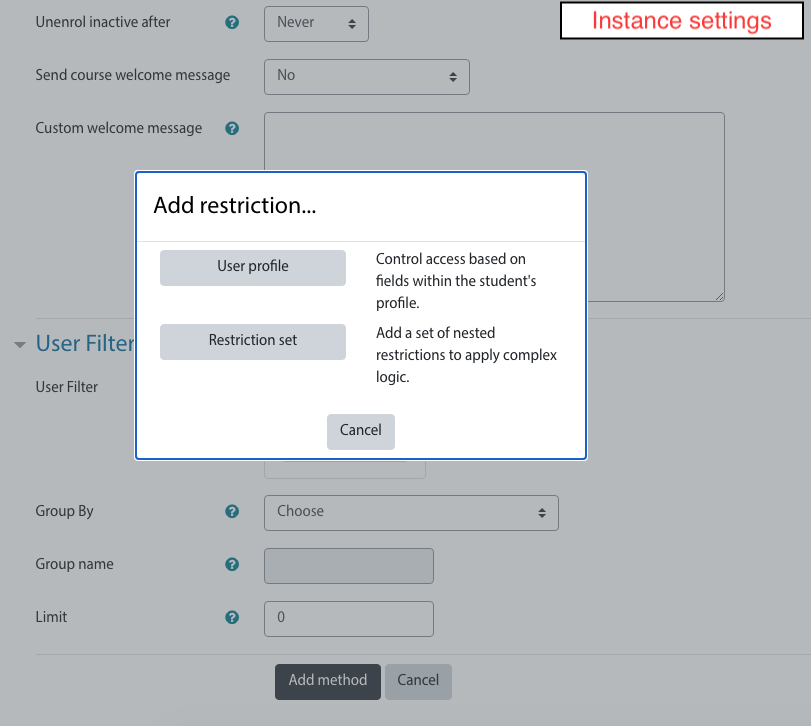
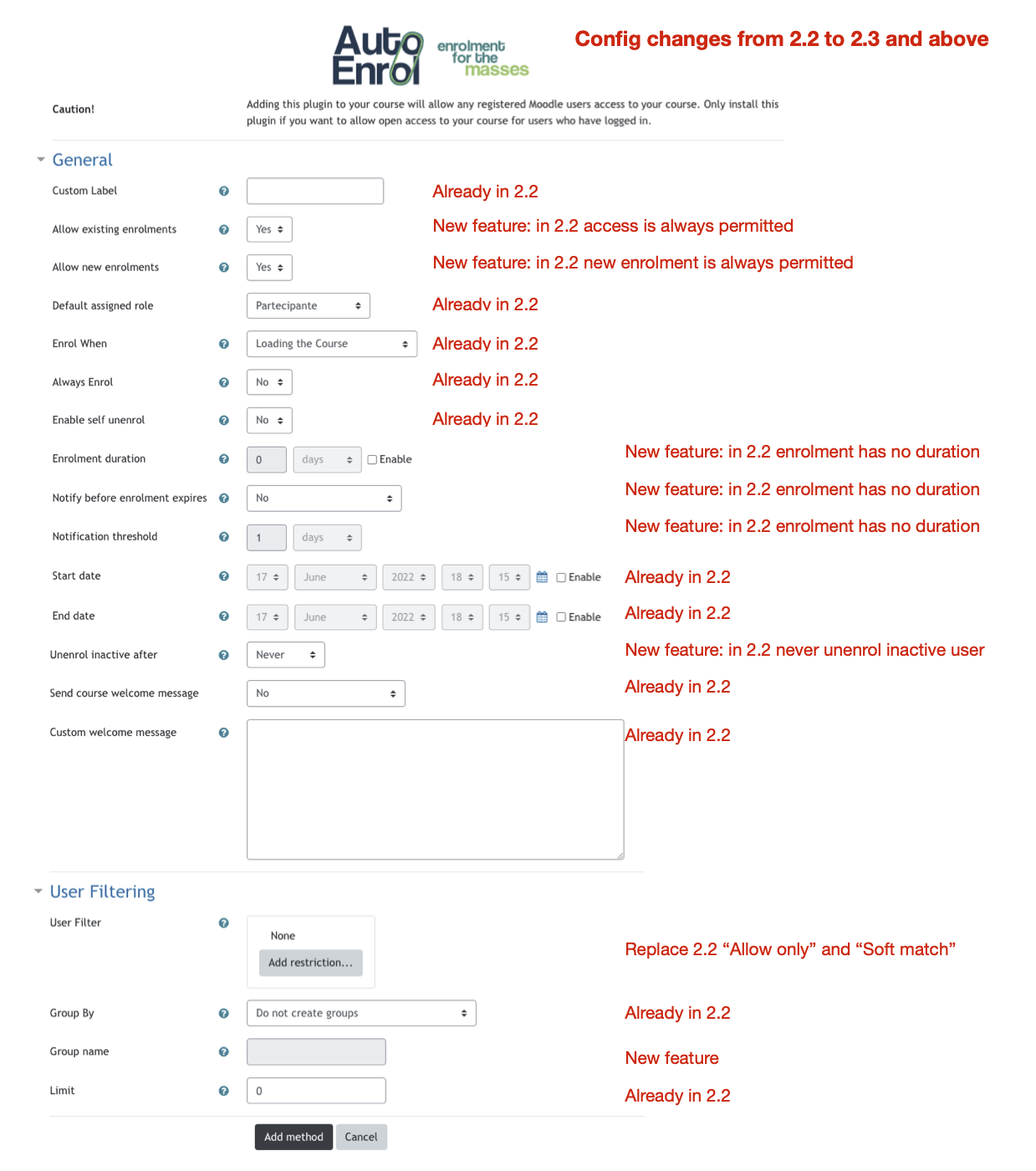
Using the new user filtering you can think at Autoenrol as a Swiss Army knife for Moodle enrolments.

Comments
Product ratings and reviews are coming to Moodle Marketplace. Until then, existing comments remain available to read, but new posts have been disabled.
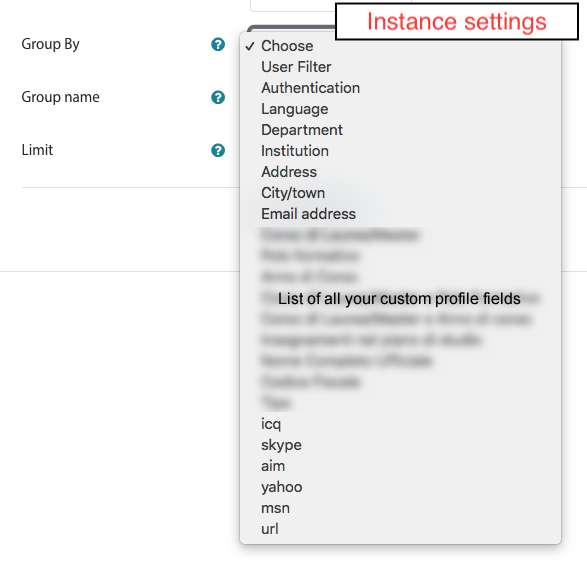
AutoEnrol filters are provided by availability restriction plugins installed in you moodle.
The core user profile availability restriction plugin admit only one value per instance.
If you need to filter several idnumbers you need to add more user profile restriction instances and put them in OR.
Additional availability plugins (https://moodle.org/plugins/?q=type:availability) could be installed/developed in order to add more filtering functionality. I do not know if someone developed an availability plugin that implement a way to put a list of idnumber.
HTH,
Roberto
Plugin is working fine without any issue. I would like know ,how to give the restriction set as an array' ?(for eg : multiple idnumber by comma separator ) I tried using comma separation in restriction field ..it is not taking it. Kindly let me know the correct way of doing it.
Appreciate your help.
task scheduling is managed by Moodle core.
When a task or some tasks take to much time, Moodle reschedule them As Soon As Possible until each task is completed.
Then the task timing is set back the right next time.
Thanks for your reply. I want to schedule a task for auto enroll instead of waiting for user to login, So that bulk user/group of user can be assign with a course on same enrolment date. I could run a task successfully by clicking run now, but when I set task timing , as soon as the time reaches it changes to ASAP. Appreciate your help!!
\enrol_autoenrol\task\sync_enrolments task is disabled by default.
Autoenrol generally does not need this task because users could be enrolled on login or when they access to a course.
This task could be useful on courses that need to enrol users also when they not access to Moodle (for example a
It checks if all your moodle users need to be enrolled with each autoenrol instances.
As you can understand it takes a lot of resource (time, CPU, database) to do all things, please if enable it, run one time a day by night.
HTH,
Roberto
I already answered to this question on February 11, 2022.
You can find the list of enrolled user in a course under Participants.
If you need, you can filter autoenrolled students using enrolment method filter.
You can find all information about it in Moodle documentation:
https://docs.moodle.org/311/en/Participants
HTH,
Roberto
Thank you for your plugin.
I have a question. Where can I see the list of auto-enrolled students in a course?
Thanks.
Thank you for the useful plugin. It is working fine. Can you help me with scheduling autoenrol sync part.I have configured crontab in my server.Whenever I set a time to run a task,it changes to ASAP however if I click run row task runs successfully and auto enrol happening.
I would like to know when this task is triggering and also why task next run time is changing to ASAP.Kindly help.
Autoenrol v 2.3.1
Moodle 3.11.5+
I think that you need to check auto enrol plugin settings in both courses.
Did you configured auto enrol on login?
HTH,
Roberto
I can't immagine what happens. The only things you need to do are: install, enable plugin (with the eye-icon), go to course Enrol methods page, add in instance with the dropdown menu.
Please check permissions if changed them.
HTH,
Roberto
big Hug
Tried to use your plugin, but after installing, activating (with the eye-icon), and setting permissions I cannot add the instance to a course. Possible enrollment methods are only Manual enrolments, Guest access and Self enrolment (Student). I tried everything I can think off... any thoughts?
Regards,
Mark
I agree, but autoenrol use Moodle standard availability library to provide filtering so I can't manage this problem in autoenrol code.
You can submit a bug issue on Moodle Tracker about user profile availability plugin.
HTH,
Roberto
We use AD-backed LDAP-authentication with Moodle, and use auto-enroll with profile field filtering on some of the courses. Unfortunately we can get some of the email addresses like gabor@example.hu (lowercase letters), and some of them as Gabor@Example.hu (mixed case) from the AD server.
The problem is, most of the times we write the filtering rules using only lowercase letters. Is it possible to configure the auto-enroll user filtering to use case-insensitive comparison on the E-mail profile field? It seems, that the plugin uses case-sensitive comparison - but it shouldn't do it in that field. (By the way I think, its a bug, as its against the email address RFCs as they say, it's mandatory to use case insensitivity in email addresses.)