FilterCodes icon

FilterCodes

Maintained by Michael Milette
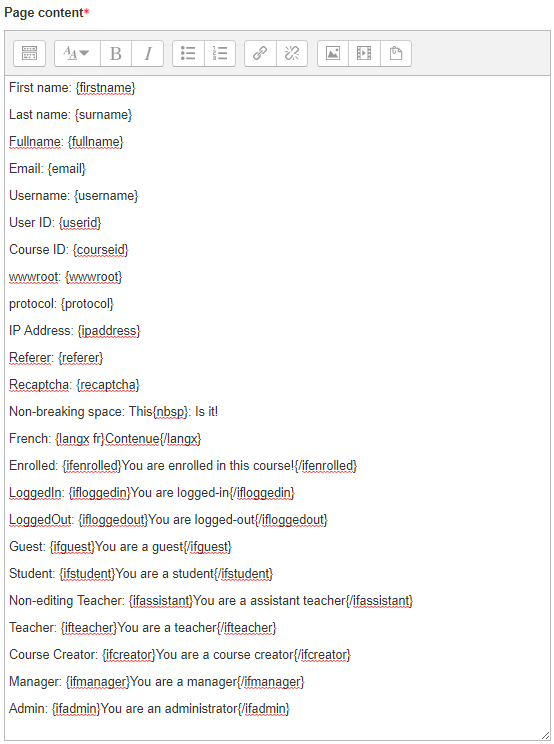
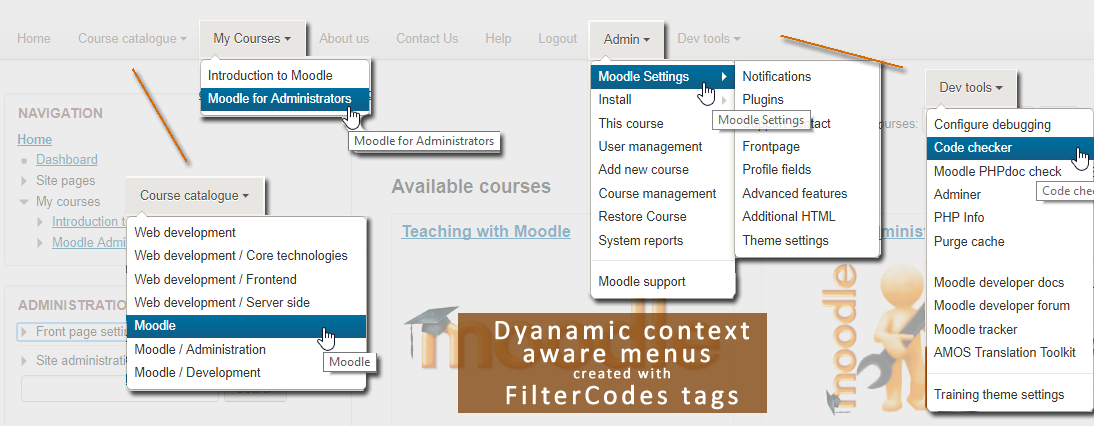
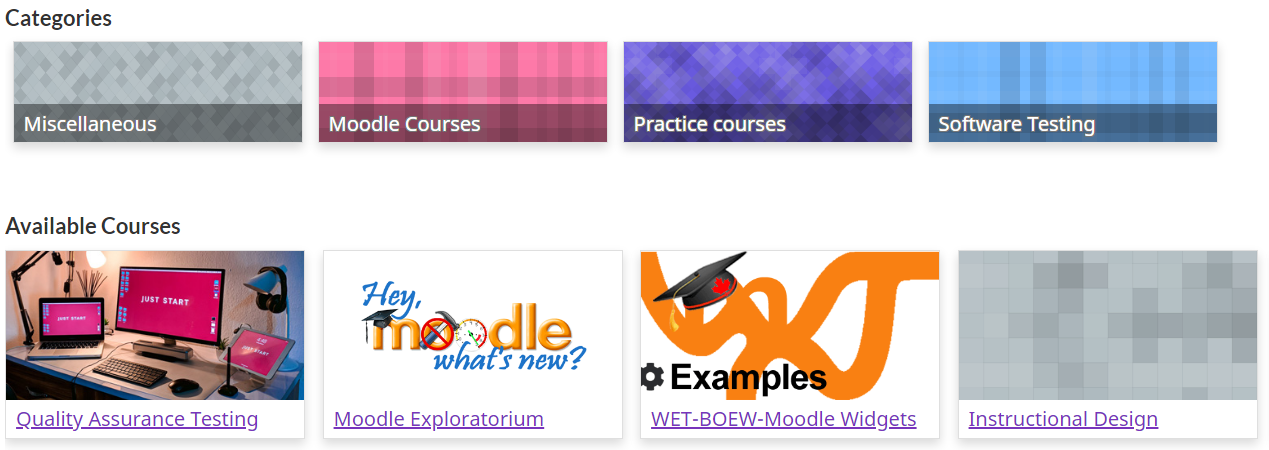
Transform your Moodle site with the FilterCodes Plugin! Elevate engagement by inserting about 200 dynamic plain-text tags like {firstname} to create personalized learning experiences, customize your site and course content, display progress bars, simplify Contact Form customization effortlessly and much more. FilterCodes empowers educators to revolutionize Moodle into a dynamic, personalized platform. Join the community of FilterCodes enthusiasts to unlock the potential of your Moodle LMS site.
Price option: Free

Supports Moodle 2.7-5.2 See all versions
Latest release: 1 week ago
Installations: 7815
Downloads (last 90 days): 2567

Frankenstyle name: filter_filtercodes
Filters

Comments

Comments are no longer open for new posts. Existing comments remain available to read.

I installed the plugin but it is showing as Disabled in the plugins overview. Running Moodle 4.1 (Build: 20221128) on a VPS server.
Thank you @Iñigo that would explain it - shame that this issue hasn't been resolved yet...
Hi Dave,
That's a known issue of Moodle core, and affects all the filter plugins:
https://tracker.moodle.org/browse/MDL-58680
Hi Michael - I have just discovered that filtercodes don't appear to work within the different views within the standard database activity - all that happens is the plain text tags are shown as tags. Adding a filter code to the description does display as expected, but if I add them to the 'View List', 'View single', 'Add Entry' templates, these don't render correctly.
Hi Michael,
I reinstalled it and it works now. Thank you very much.
Hi Carmen, I can assure you that the tags work in Moodle 4. In fact, I have completed about 95% testing them for compatibility with 4.1 and so far it is looking very good. I suggest that you check the README.md file. There is a whole FAQ section which includes troubleshooting. If you still cannot get it to work, post a reply in the discussion forum and ask your question at https://moodle.org/mod/forum/discuss.php?d=359252
Be sure to include step by step details on where you are adding the tag and exactly which tags you are using.
Best regards,
Michael
Hello, the tags do not work in Moodle 4. I have added them the same as in your example and nothing appears.
Could you help me?
I want to add the name with a short welcome text.
Hi Marie, thanks for sharing a very interesting use of FilterCodes. Glad to hear that you are still coming up with new ways to make use of it.
Just wanted to thank you again for the Filter Codes plug in. It makes Moodle workable in so many cases.
One thing I am using it for is to pass {userid} in cases where Moodle functionality does not. For example the Feedback activity does not pass {userid} I got around this by naming the Course Short Name {userid} Feedback has a field Course ID and it autopopulates the feedback with the individual users moodle ID.
Fantastic.
This means we can use the Feedback function as a registration of interest feature and then tie everything back to the individual users.
@Binu - It sounds like you need to get a simple something (possibly a plugin) developed by someone that goes through the process of when a course is completed - it adds the 'course hours' to the user's cumulative hours field. Once you have done this, then filtercodes could pull that into wherever. I did something similar with a site where we had a profile field for Date of Birth - we then have a process running in background which automatically populates a profile field called age (this one runs once a day to update all, or at the point of DOB being edited) - so this would be a similar process.
But (and this is a big but), if you ever had an error in the data, I could see this being a dog to get updated - so what would be better is something cleverer e.g. what @Alexnadre suggested to automate this. I did think could possibly do this with the gradebook, but it would require editing the final grade calculation in each course to get a number representing hours, so i think this would become unmanageable.
@Dave Foord: I was just hoping to find a solution for the current problem I was facing. If we could calculate the number of hours filter code could plugin could fetch the value and show it on the dashboard. I understand filter is basically a tool to reveal value from the database anywhere on the website which is awesome. Thanks Dave.
@Alexandre Thanks for responding to my post. I am trying to understand competencies again at the point of setting values for each competency as you said. But it is not that easy to use and quick to set up. Some of the courses have like 40 competency points. So the list is unending.
Hi Binu. Pay attention to the mechanism of competencies. This is where you can accumulate the amount of points received by students in different courses.
@ Binu - I am not sure what you are describing is along the lines of what the Filter Codes plugin does. You are asking for something that actually changes values stored in the system - whereas filtercodes is designed to simply display or not display information, but at no point is any data changed.
Hi, Michael I really like the plugin. A big thank you for your contribution to the community. I just wanted to ask if we can make a feature in which we create a course custom field and put a numeric value for the number of hours required to complete the course. And we create custom profile filed. And every time a student completes the course this value of the custom course field is added to the custom profile field. And we can get a rough estimate of the total number of hours spent by students which is mandatory for us to calculate.
Hi Behan,
For all FilterCodes feature requests, please go to https://github.com/michael-milette/moodle-filter_filtercodes/issues .
Best regards,
Michael Milette