
FilterCodes
Maintained by
Michael Milette
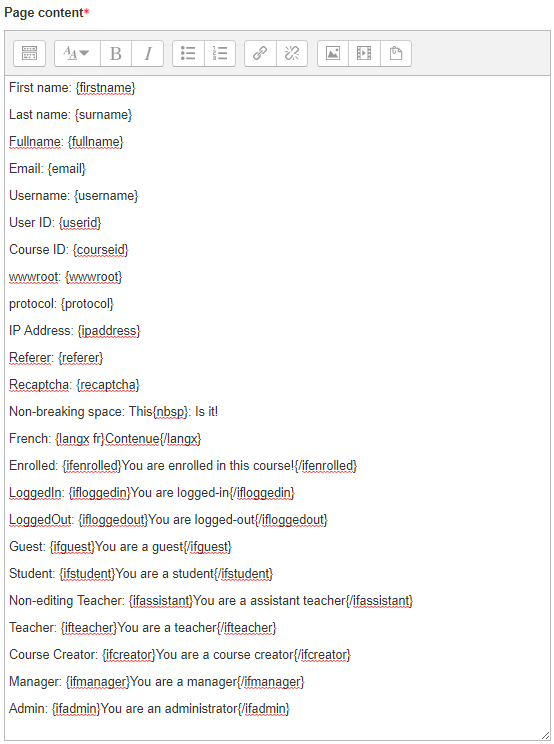
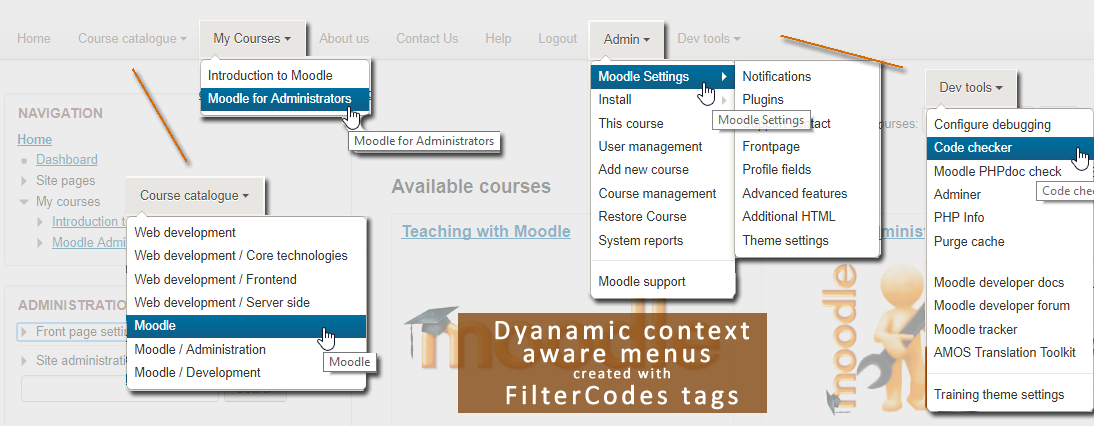
Transform your Moodle site with the FilterCodes Plugin! Elevate engagement by inserting about 200 dynamic plain-text tags like {firstname} to create personalized learning experiences, customize your site and course content, display progress bars, simplify Contact Form customization effortlessly and much more. FilterCodes empowers educators to revolutionize Moodle into a dynamic, personalized platform. Join the community of FilterCodes enthusiasts to unlock the potential of your Moodle LMS site.

Comments
Comments are no longer open for new posts. Existing comments remain available to read.
FilterCodes does not currently take file type custom profile fields into consideration. However it is certainly a feature worth considering.
Using the Bug Tracker link on this page, I would invite you to please submit a Feature Request Issue for further discussion. Please include the description, as you previously mentioned, along with one or more real life example of how it would be used.
Looking forward to hearing more about your vision.
Best regards,
Michael Milette
I find your proposal to enhance the summary/details tag and create the mu tag interesting but have some questions.
Using the Bug Tracker link on this page, I would invite you to please submit two Issue tickets (one per feature request) for further discussion. Please include the description, as you previously mentioned, along with one or more real life example of how these new tags would be used.
Looking forward to hearing more about your vision.
Best regards,
Michael Milette
I was thinking that a potential implementation is for the {details} tag to allow for an optional parameter e.g., {details style1} or {details style2} which would generate the HTML . My theme stylesheet would contain the relevant CSS i.e., this would not be part of the FilterCode code.
I am happy to get this developed as long as you don't think it goes against your plans.
In a similar vein, I am considering implementing a generic type FilterCode "{mu style1 style2 [...]}[Some content here]{/mu}" which would render as:
So quite a simple pattern.
This would be used to display some elaborate (CSS-wise) content which includes borders, icons etc. We currently use Tables for this due to Editor limitations but it is not ideal.
I am happy to get this developed as long as you don't think it goes against your plans. Also happy if you suggest I develop my own filter plugin for this.
Kind regards,
Andrew
If you did not install Moodle using Git, you will need to apply the changes manually. See:
https://github.com/michael-milette/moodle/commit/4d76c510a0571d30fb20d3341ef1ce36dd75eada
For a list of changes you will need to make to Moodle.
Thank you for your question. Turns out that there was a mistake in the documentation. Try this:
git fetch https://github.com/michael-milette/moodle MDL-63219-M400
git cherry-pick FETCH_HEAD
If you have any further questions, please consider using the discussion forum. You will find the "Discussion" link on the FilterCodes plugin page under Useful Links.
Thank you so much for this excellent plugin!
Is the custom profile field type "file upload" (https://moodle.org/plugins/profilefield_file) included in your consideration of custom profile fields?
I am unable to get the data in this field to display with {profile_field_shortname}. It simply displays 0.
We have users uploading certain images and ordinarily the link to the image is what displays on the user profile page.
I am trying to display the actual image in an HTML block as part of a custom Dashboard. Or provide the clickable link to the image.
Any thoughts?
Thanks again for this brilliant addition to Moodle! Kudos!
Best regards,
Michael
In the following example, you would end up with a closing div without an opening div if the user is not logged in which would mess up the layout of your page:
{ioggedin}< d i v >{/ifloggedin} < / d i v >
Ignore the extra spaces in the DIVs. The tags kept getting filtered out.
Best regards, Mathilde
If you think you found a bug, please report it by going to https://github.com/michael-milette/moodle-filter_filtercodes/issues where I will have more questions for you..
Best regards,
Michael