
Drag-and-Drop Matching
Maintained by
DualCube Team
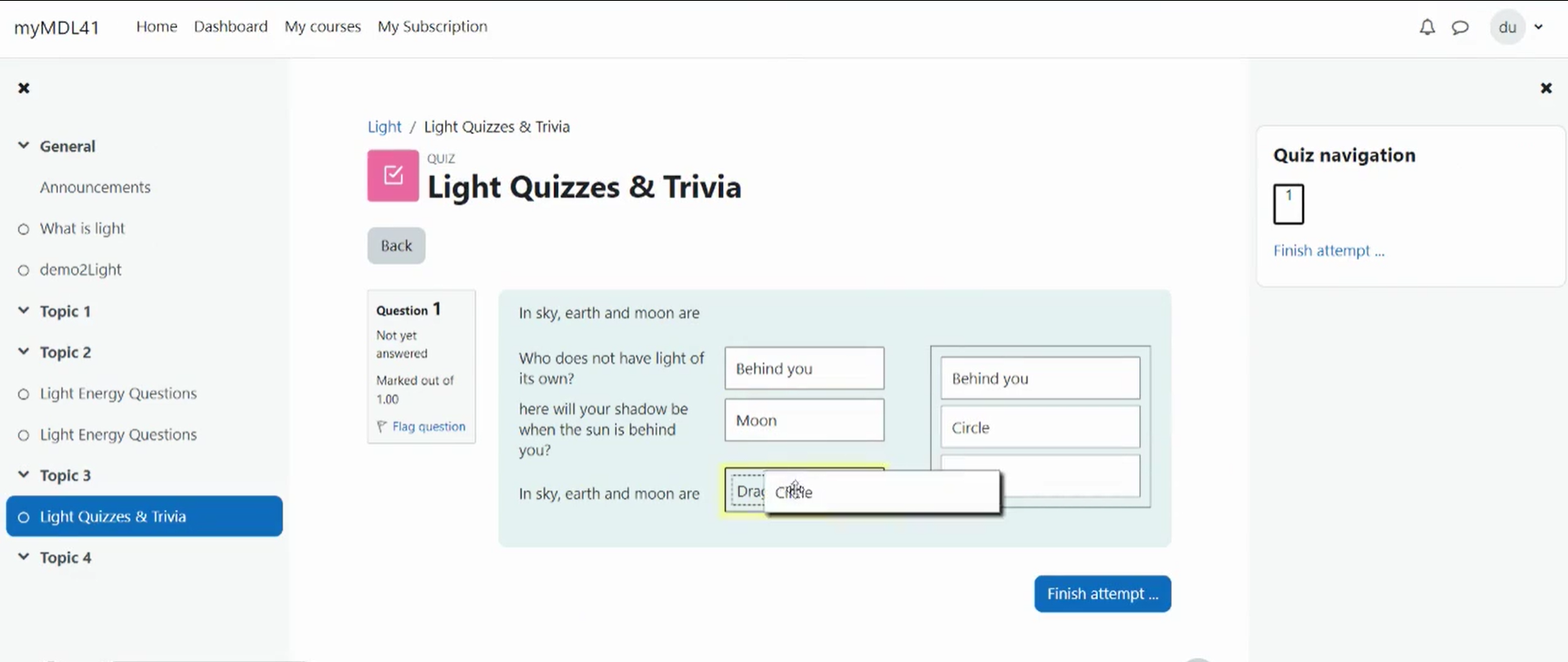
Drag-and-drop matching is a simple solution that is meant to help learners with matching quizzes. The students must simply "drop" their responses into a pre-defined space from the list of options that are available. The drag-and-drop interface makes learning fun and interesting.
Comments
Product ratings and reviews are coming to Moodle Marketplace. Until then, existing comments remain available to read, but new posts have been disabled.
Cheers!
The new update should fix the issues. Please check now.
Thank you.
.jsenabled .visibleifjs{display:inline-block !important; margin-bottom:10px;}
...relocates the activity chooser link displayed on a course page when editing is switched on to the left-hand side of the page. If possible, please could you provide a fix asap. Many thanks!
2020041500 is the latest build number. Thank you.
We will definitely test that. Can you please test if the latest release fixed your issue with Moodle 3.5.11+ ?
Thank you.
Please give us some time. We will fix all the issues with an update. Thank you.
I just upgrade to qtype_ddmatch version 1.6 (Build 2019062100) on a Moodle 3.5.7+ and can't drag and drop. I found post on Moodle Tracker (CONTRIB-7747) and upgraded to latest version of Moodle 3.5.11+, but nothing has changed.
Thanks for contacting us.
Can you please send a screenshot of the issue to suman.d@dualcube.com ?
Thank you.