
Quiz Analytics
Maintained by
Purnendu Dash, DualCube Team
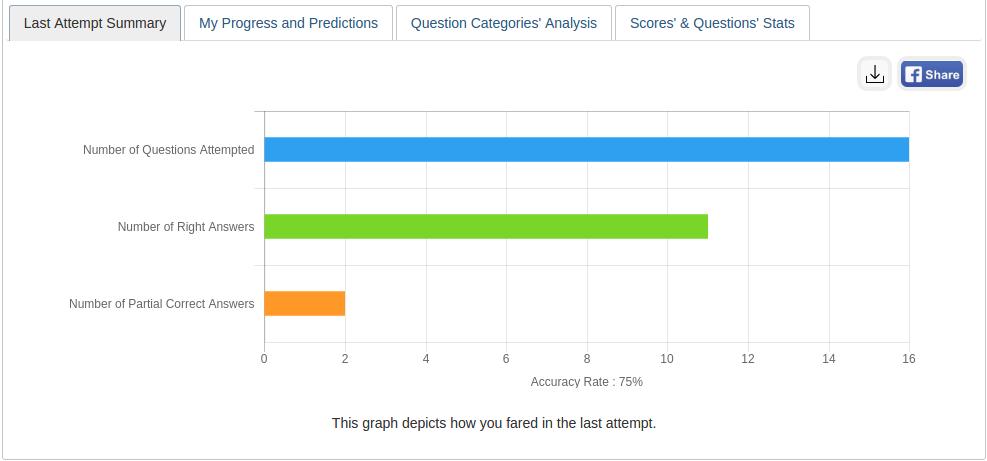
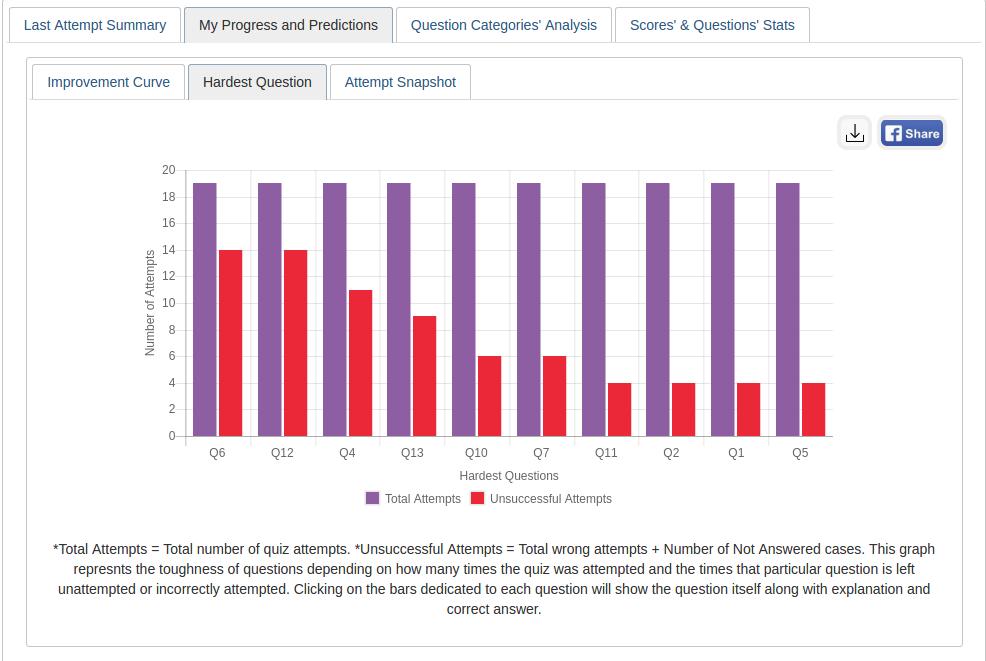
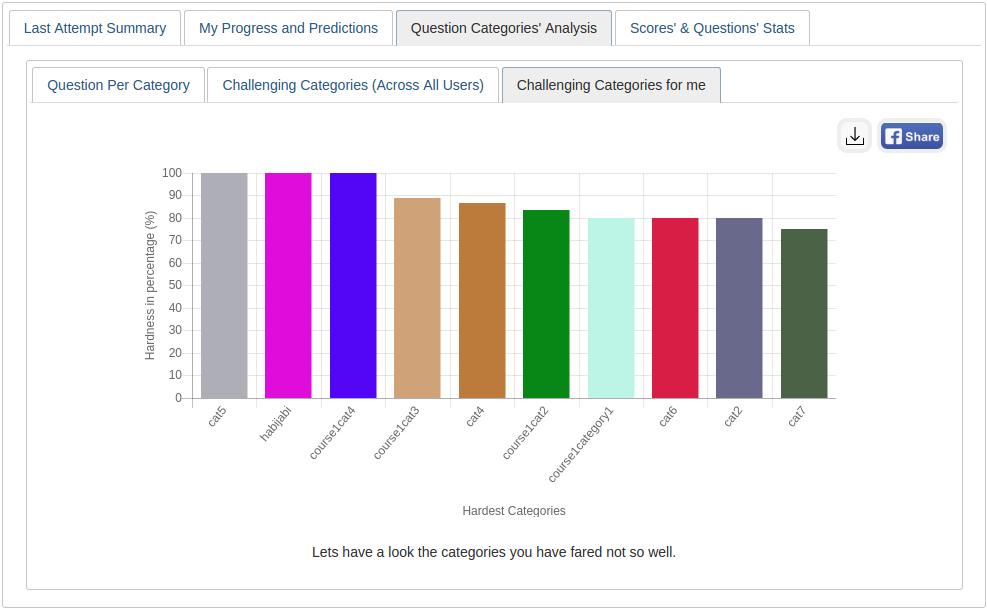
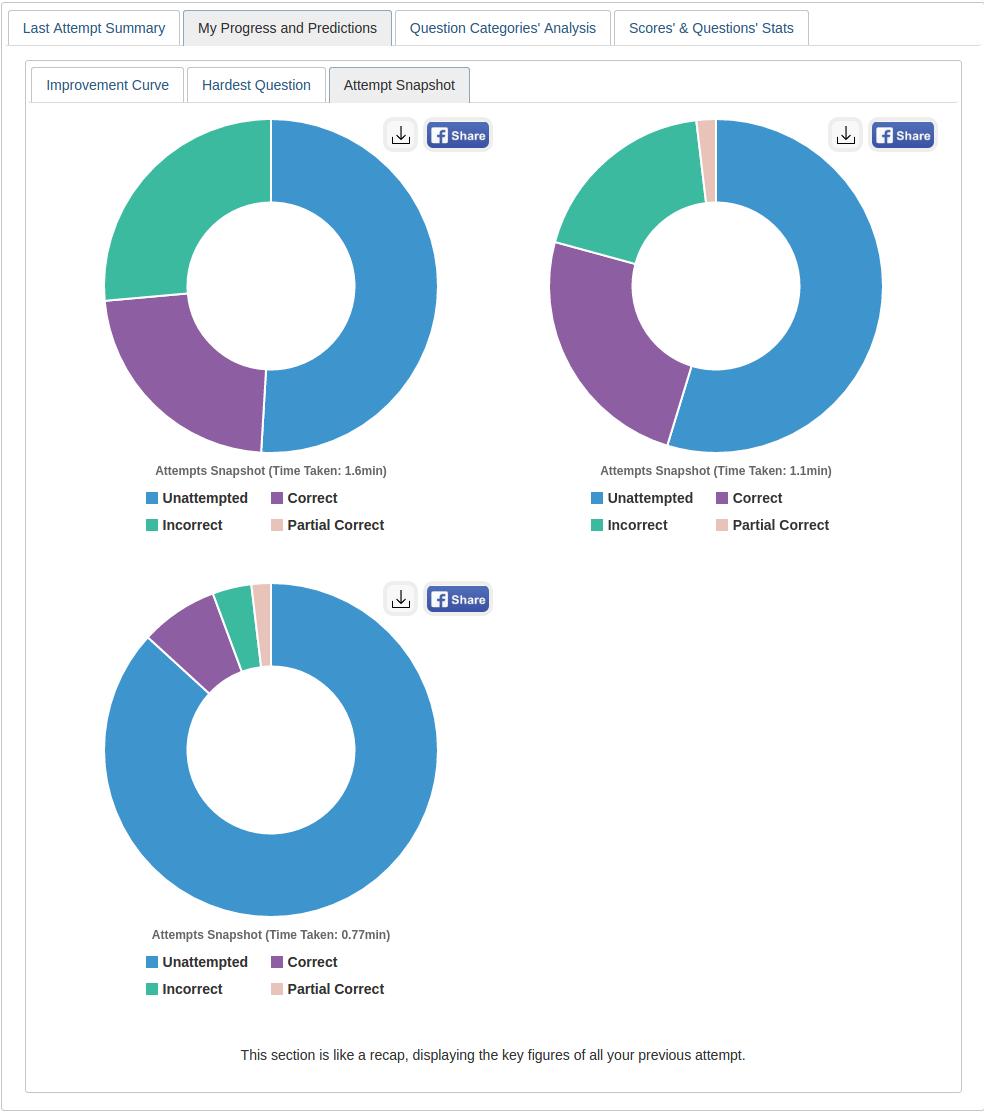
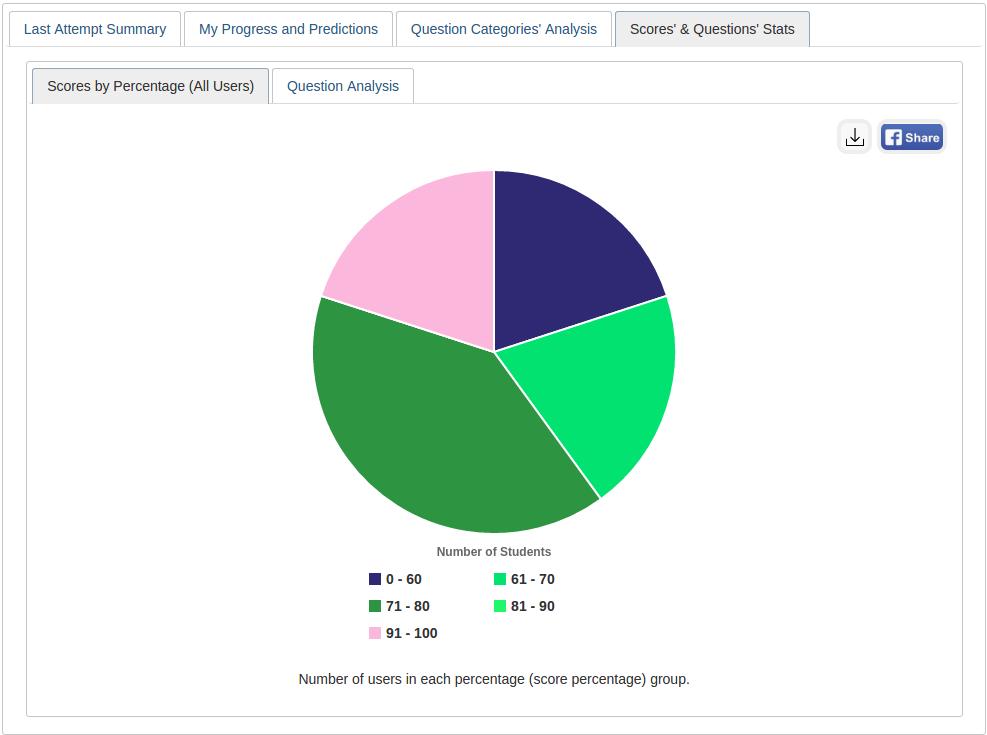
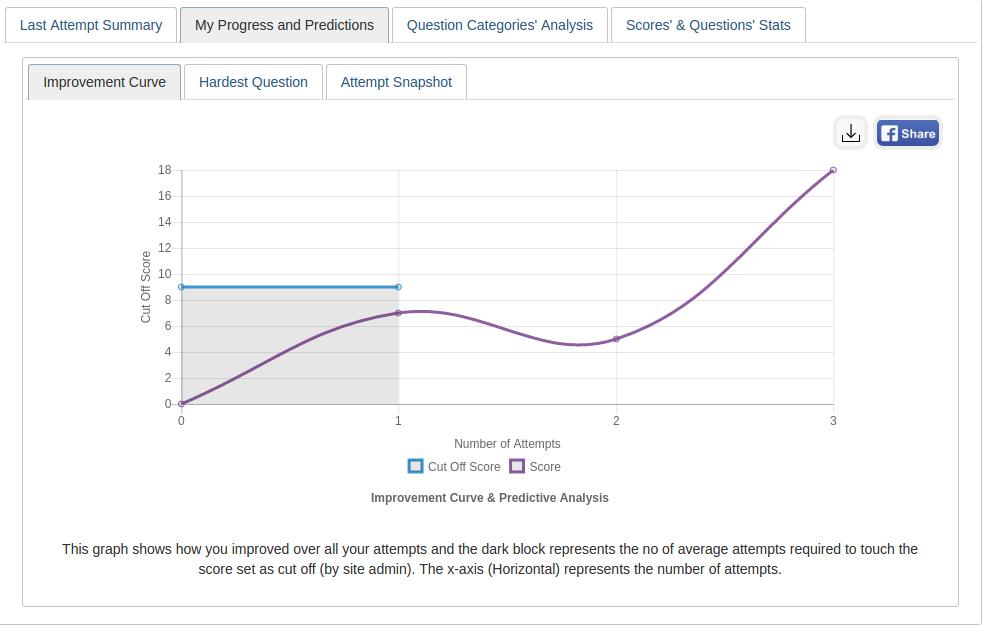
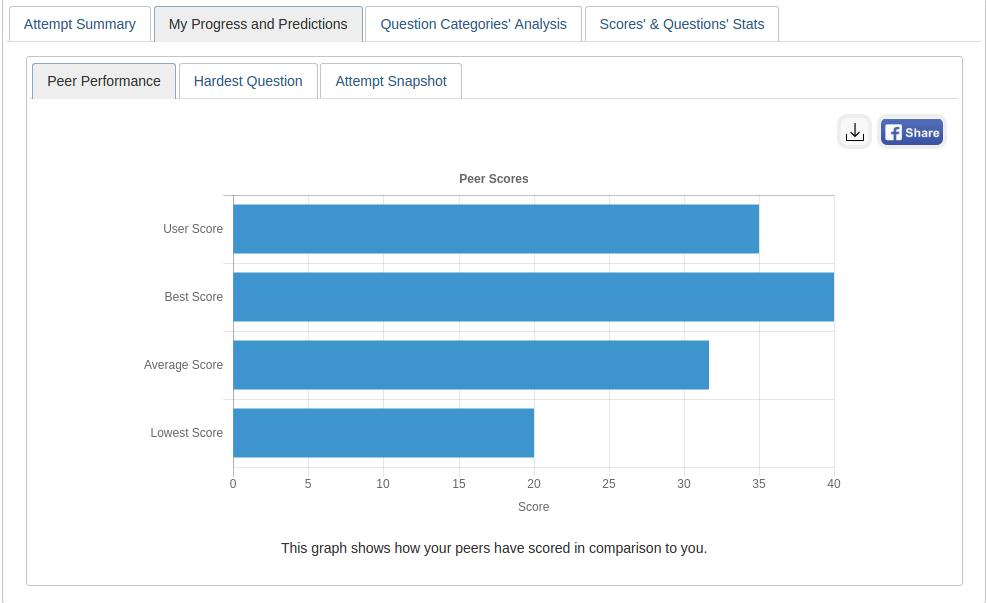
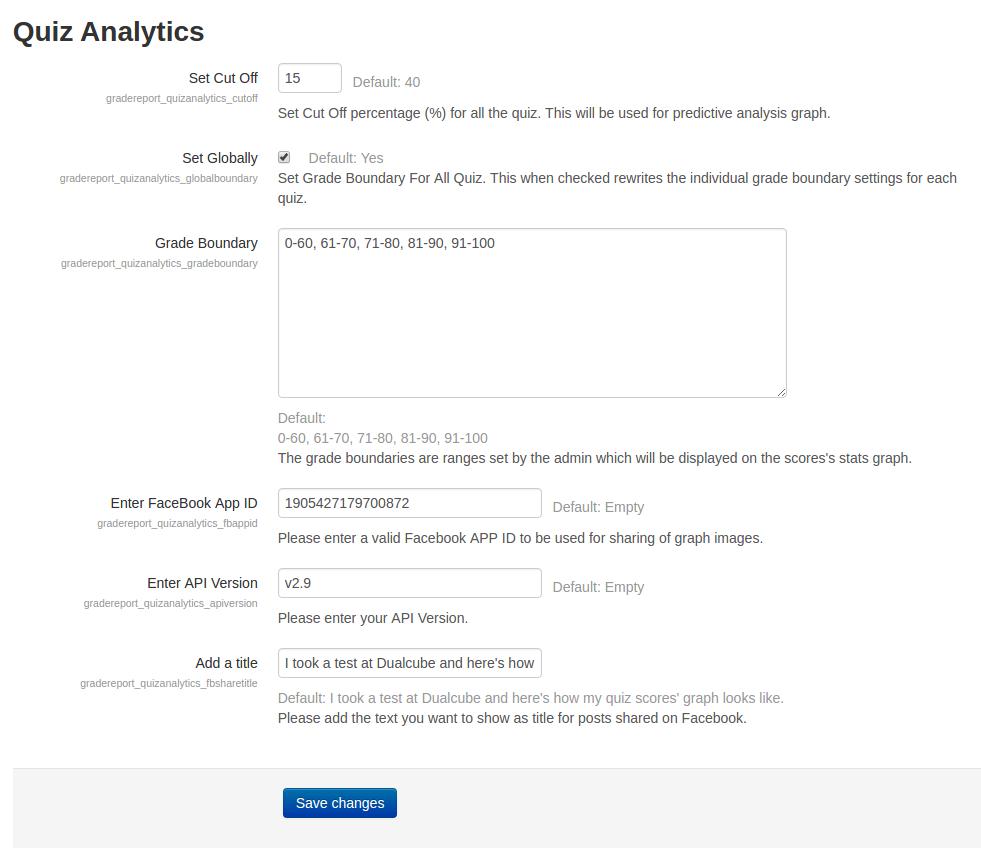
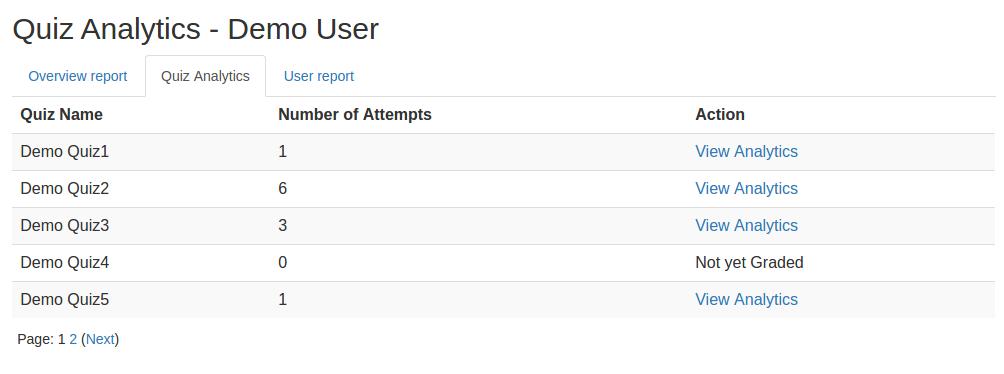
This plugin gives an analytical report of the quiz and the questions within it to promote student growth. A learner’s growth pattern is ascertained after carefully examining their quiz attempt. The user's current position is then displayed on a graph following each successful attempt.
Comments
Comments are no longer open for new posts. Existing comments remain available to read.
Uncaught Error: No define call for gradereport_quizanalytics/datatables
https://requirejs.org/docs/errors.html#nodefine
at makeError (require.min.js:5:1843)
at Object.completeLoad (require.min.js:5:16004)
at HTMLScriptElement.onScriptLoad (require.min.js:5:16780)
I'm using Moodle 4.5.3+ (Build: 20250401)
I saw the update, but it gives an error in Moodle 4.3.9. It says that it is not a supported version.
Kind regards
https://drive.google.com/file/d/1sdRzWYTKvij96T59rMAR-cho48FehRaE/view?usp=sharing
We have tested the plugin with the latest version of Moodle and encountered some additional issues. We're currently working on ensuring full compatibility with this version. Once the updated version is released, we’ll notify you right away.
Moodle 3.11.7
Moodle 4.1.9
We are looking into this. Kindly provide us some time.
I have studied the documentation in more detail and now I am clear about 2 things:
1) the plug is for students, that is, the student can use it to analyze their quiz. (I think it's great!) In that case, analyze your attempt compared to the totality.
I entered as a student, but all the graphs are flat, without showing the real values.
https://drive.google.com/file/d/1hiOXTWPKJbZPyh6ds_4fmsZYed0JaNJd/view?usp=sharing
https://drive.google.com/file/d/1cj4JD1L6vGsKWPj8veCTKgtLoD_djt7u/view?usp=drive_link
https://drive.google.com/file/d/1zXM3rBO_ij-8FuQUldDPmaISFjYBia1m/view?usp=sharing
https://drive.google.com/file/d/1uxlOZLpdewjIdcjALOSMKkNuPE1NXXqQ/view?usp=sharing
2)The plug serves the admin, to have a total analysis of the course. In this case, I can't understand how to see the total results, since it always forces me to select a student. Also, it is complex to select a student using the username, sometimes a username is just a set of letters or an official document.
https://drive.google.com/file/d/1TgbjooRQS-UnaDmZoa7O_MtkkH3wqYkv/view?usp=sharing
We checked the flow , as you can see we didn't face any such issue
Can you please share some screenshot to explain the issue, so we can assist you accordingly.
a cordial greeting
Thank you for reaching out to us.
At the moment, administrators can view reports for all users collectively and for individual users. However, we are considering implementing support for displaying reports based on user groups.
You can monitor the progress of this feature request by visiting the following link: https://github.com/dualcube/moodle-report_overviewstats/issues/22
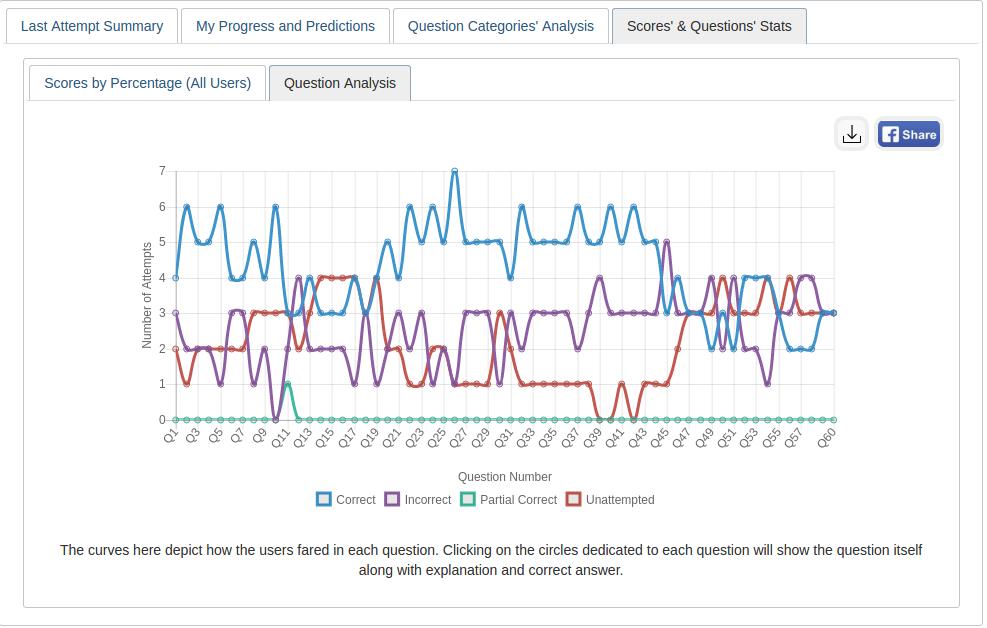
We have little problem. Any help will be highly appreciated. Question Analysis tab displays only straight lines, no curves, as shown in this image.
Version 2.2.3 (Build: 2023101400) 2023101400; Moodle 4.1.9 (Build: 20240212)
My question is: is it possible to analyze the statistics by groups? Or is it mandatory to choose the name of 1 student?
They would be much more useful at the group level to monitor the performance of an entire room at the same time. And be able to see where to improve!
If you did not choose the username of a student, the "VIEW-ANALYSIS" link is not active
Upon checking, everything seems to be functioning correctly on our end: https://www.loom.com/share/d1dcdb0faac54d6d837aa4b4d199044b
To further investigate why you're experiencing this issue, please follow these steps:
1. Open the console and click on the Network tab.
2. Click on View Analytics on your end to retrieve.
3. Under the Response tab, you can check the error message. (Refer to this screenshot: [http://tinyurl.com/22vf4y6l]
Kindly share the error message with us so that we can provide you with the necessary assistance.
Thank you.
You can track the progress of this issue from here.