
Quiz Analytics
Maintained by
Purnendu Dash, DualCube Team
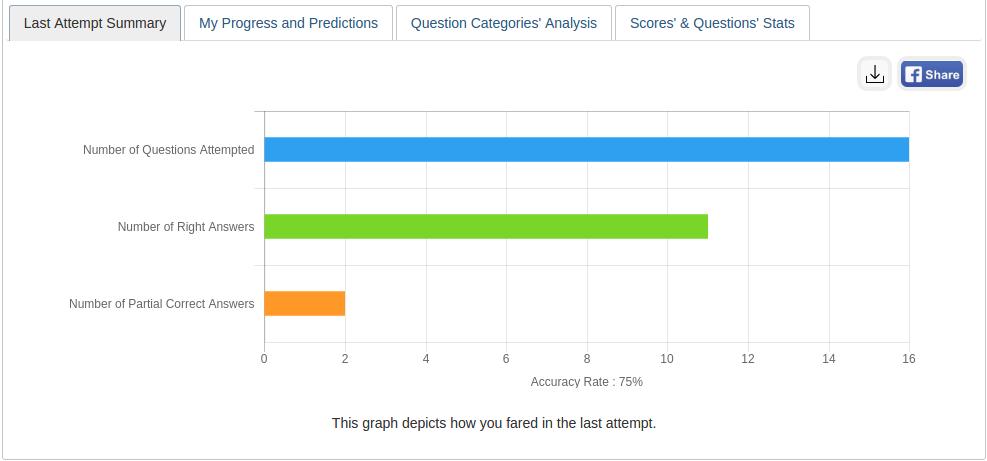
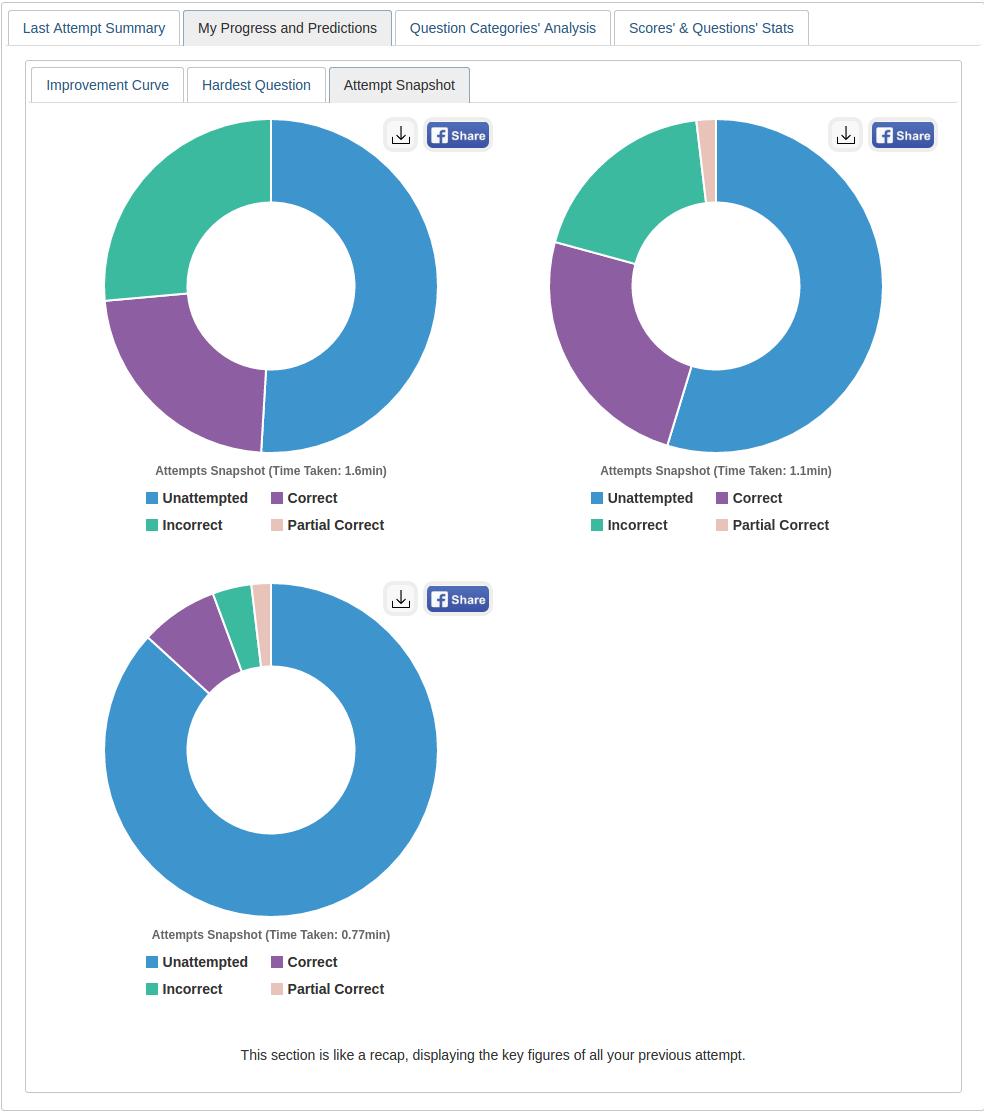
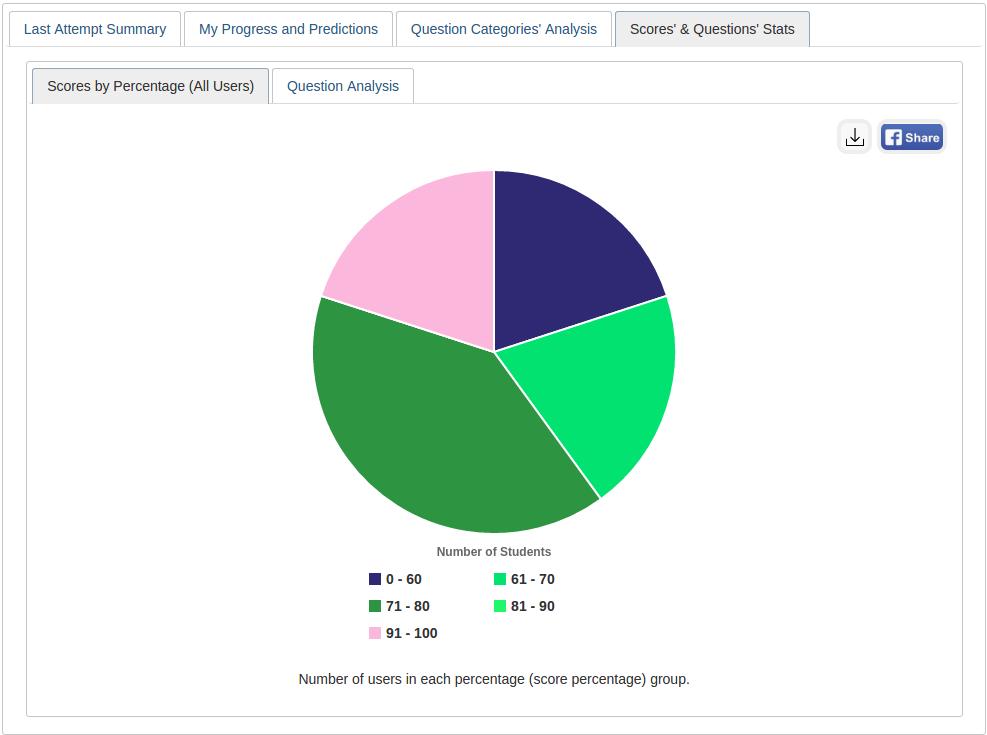
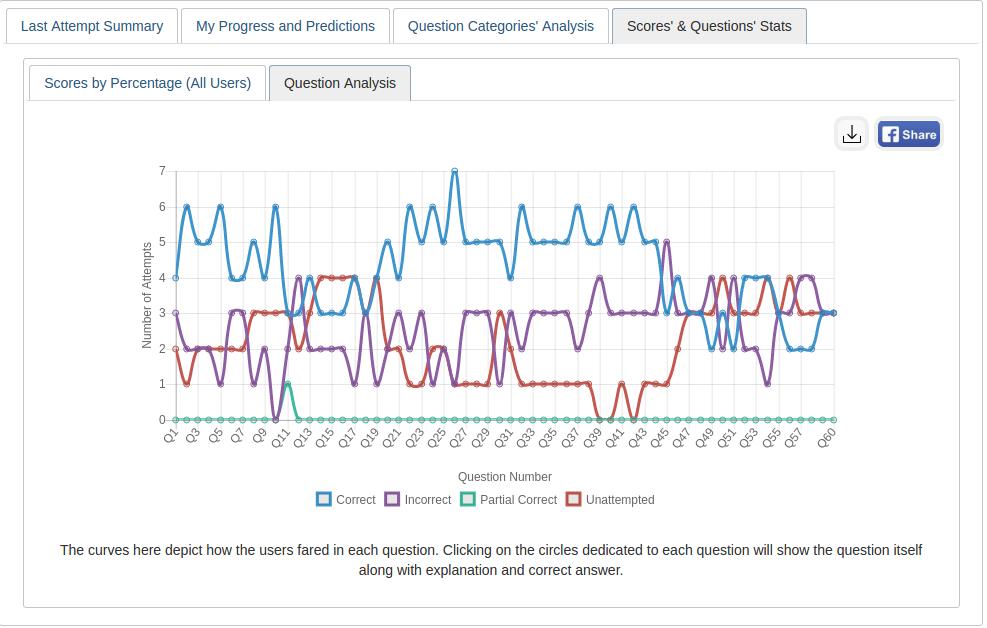
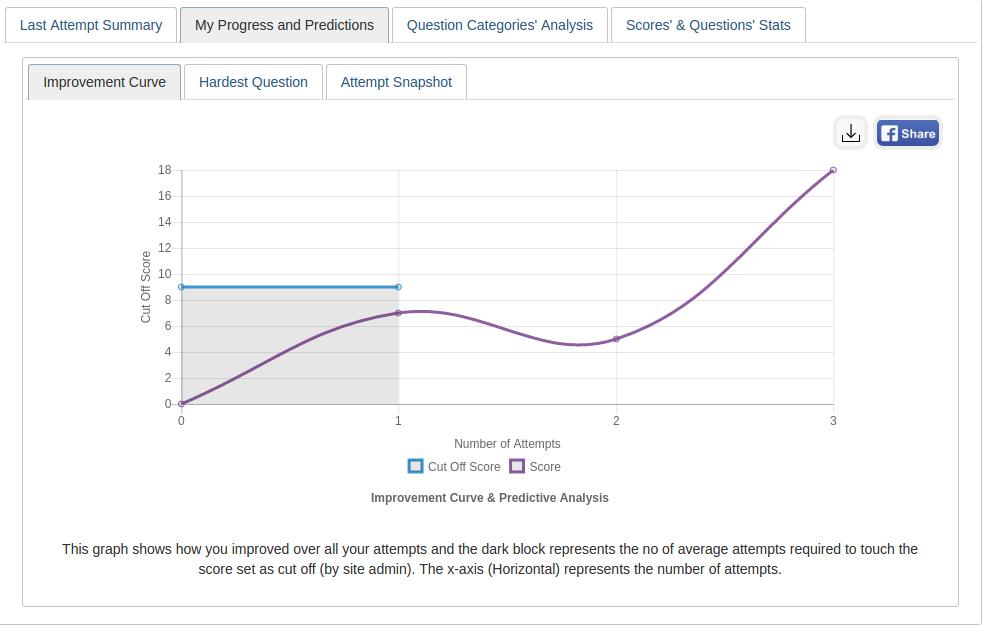
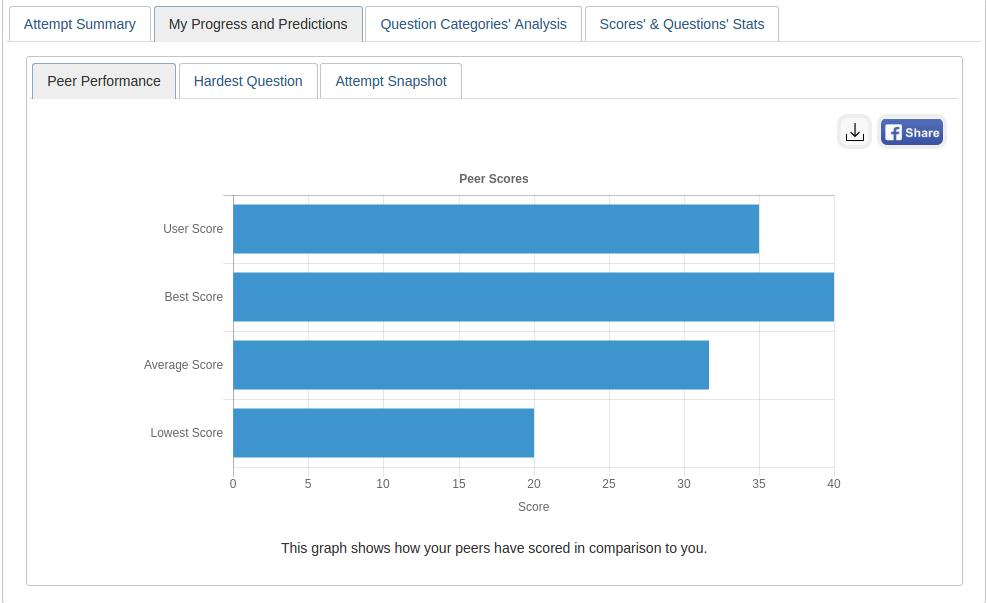
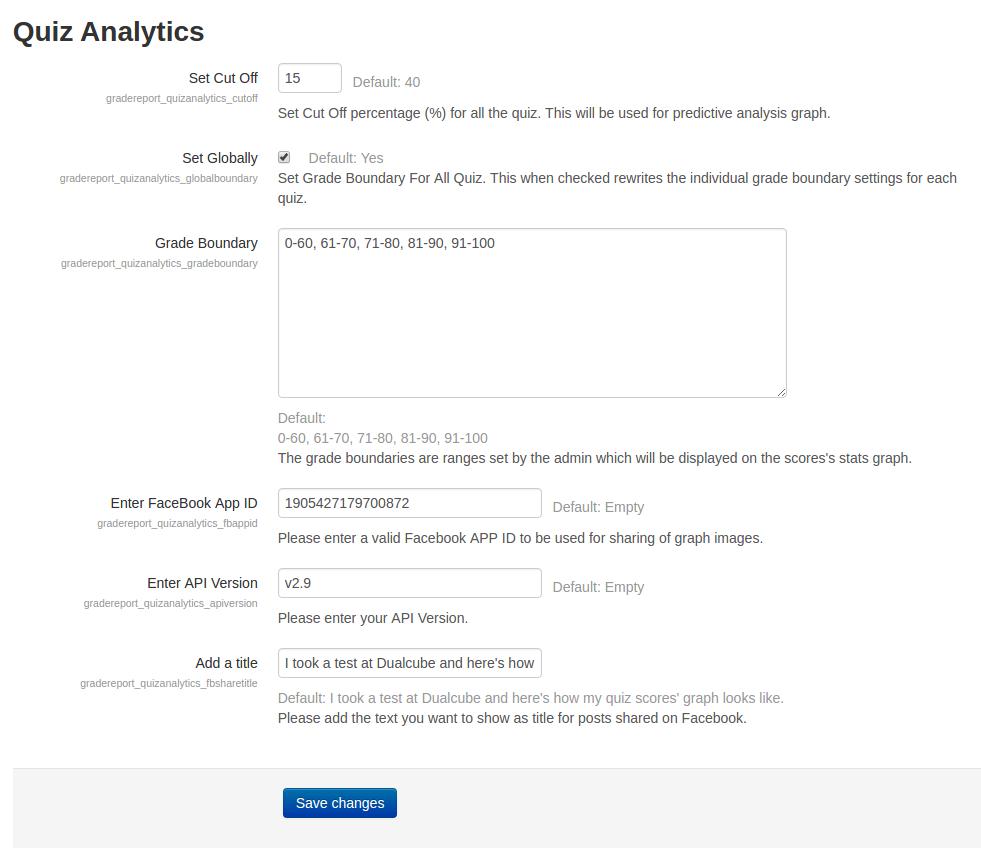
This plugin gives an analytical report of the quiz and the questions within it to promote student growth. A learner’s growth pattern is ascertained after carefully examining their quiz attempt. The user's current position is then displayed on a graph following each successful attempt.
Comments
Comments are no longer open for new posts. Existing comments remain available to read.
Thanks for sharing the feedback with us. Would require you to create a support ticket on our GitHub repo - https://github.com/dualcube/moodle-gradereport_quizanalytics/issues with a bit clarification.
This will help us to debug and fix the issues. Looking forward your support regarding the same.
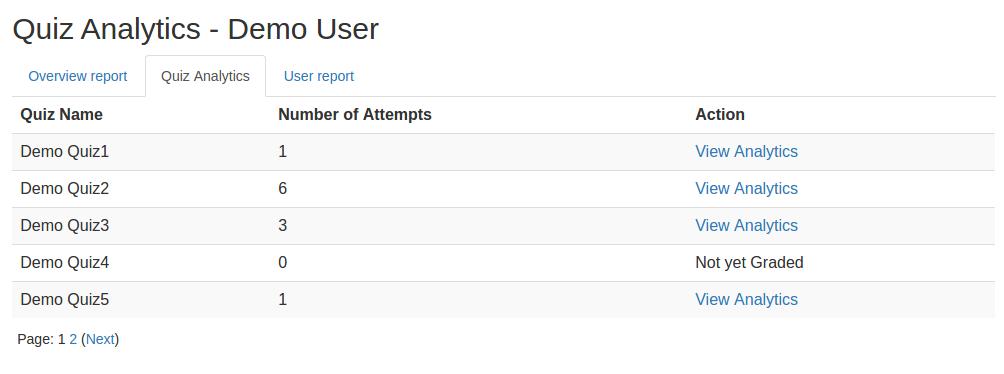
I list Quiz Analytics in a course grades, while there are many graded attempts, it shows as there are no attempts and under action there is no link (Not yet graded). I am using Moodle 3.11 and another instance on Moodle 4.1 with the same issues.
Any suggestions?
On the other hand as suggestions, it lists only 5 quizzes, they need to be controlled and able to make it list more, possibly by defining the number of quizzes to show at a time.
Also as a suggestion, it needs to have filtration, in one course, I have over 50 quizzes and looking for a specific quiz will be a long process, so it is important to have the filters.
Thanks,
Now, if there are any installation problems then reinstall by 1st uninstalling from plugins>Plugins overview>quiz analytics[uninstall] then install the download latest package from https://moodle.org/plugins/gradereport_quizanalytics
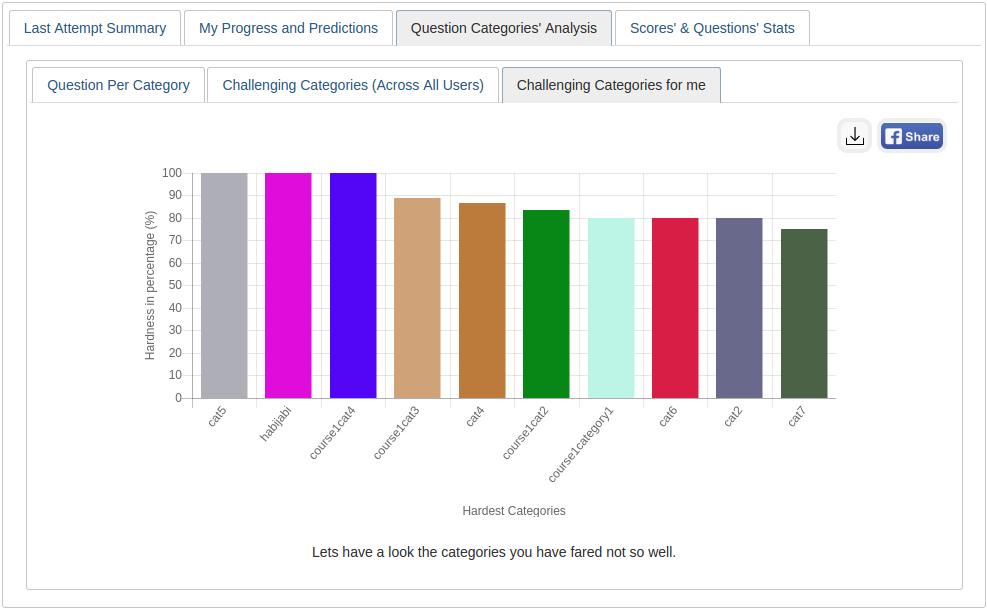
Question - How to set up grade by category? And what kind of categories does it grade? I have several questions in different question categories, but they do not show up in analytics. Maybe I'm doing something wrong?
Note : Different questions from categories are set to random rather than specific questions. Does this affect the analytics?
$string['cutoffscore'] = 'Cut Off Score';
could you please update the moodle reposity here? Otherwise administrators will not get the new version notification because you used Google Drive. Many thanks for this amazing plugin. Bests, Ben
regarding this error “Not yet graded”, if an admin wants to view this section vai course/grade/report/quizanalytics, then admin will see this message, as admin generally don't opt for any quiz.
Admin or quiz creator can view the results via
course>quiz>Results >>"Overall number of students achieving grade ranges"
I am glad to inform you that finally we are able to release the update,
I am sharing the plugin link with you : https://drive.google.com/file/d/196tiyBYj45PrfUc-cM08R0bGKJouNhfn/view
Please install this and let us know whether the issues are fixed.
I have a question.
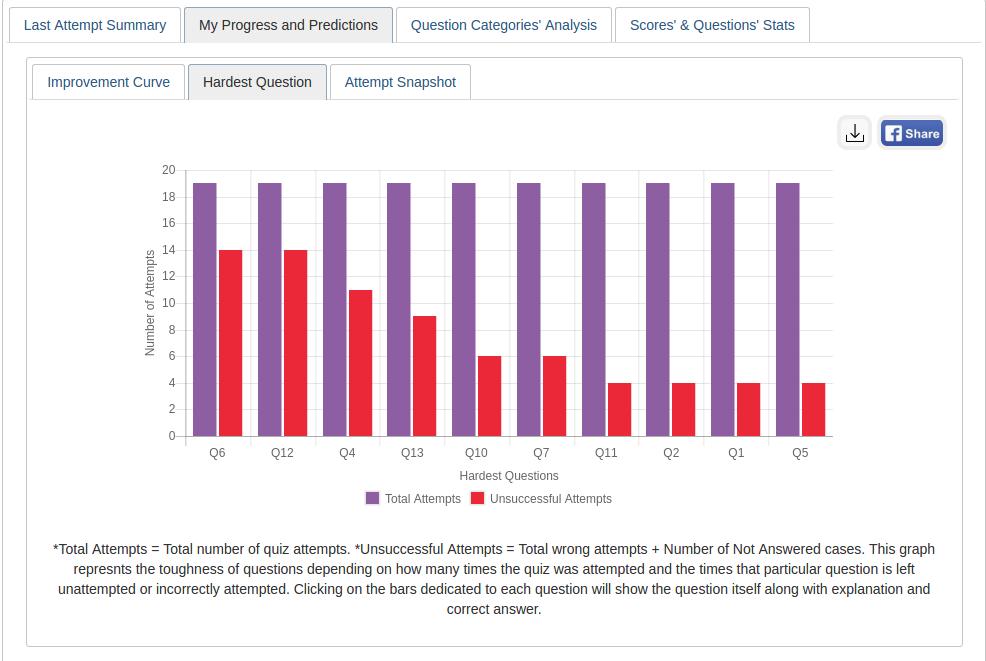
Is there any way to show more than 10 questions or categories in "Hardest question" and "Challenging categories for me"?