
Microsoft Word File Import/Export (Book)
Maintained by
Eoin Campbell
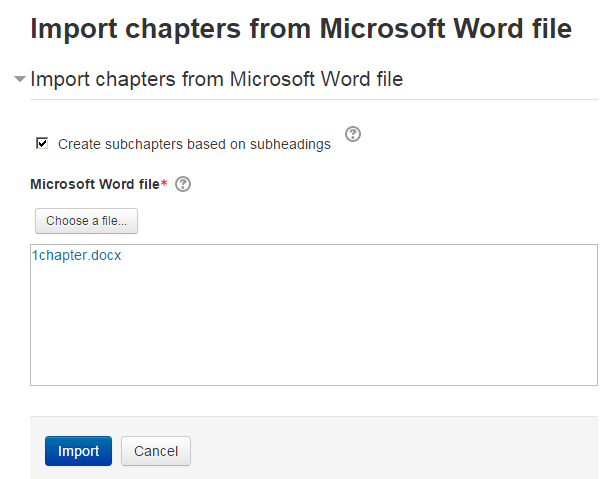
Import the contents of a Microsoft Word file into a book, splitting it into chapters and (optionally) subchapters, based on the heading styles. The file can be saved from Microsoft Word, Google Docs or LibreOffice, as long as it has a '.docx' suffix. Also supports exporting books to Word format, for round-trip editing.
Comments
Comments are no longer open for new posts. Existing comments remain available to read.
booktool_wordimport_base64_images: chapter file: .
line 471 of /mod/book/tool/wordimport/locallib.php: call to debugging()
line 109 of /mod/book/tool/wordimport/index.php: call to booktool_wordimport_base64_images()
booktool_wordimport_base64_images: chapter file: IMG_5004 OK.jpg
line 471 of /mod/book/tool/wordimport/locallib.php: call to debugging()
line 109 of /mod/book/tool/wordimport/index.php: call to booktool_wordimport_base64_images()
We have tried it in two diferents server and always the same error. We are using Moodle 3.3+ (build 20170525), Ms Word File export / import version 1.2.5 (the latest one) and PHP xsl version 1.1.28 installed and enabled.
Thanks in advance for your time...
Best regards.
I'm getting a similar error when I try to import my document. We're using Moodle 3.2.5. I have tried the same document on your Book Sandbox course and it worked fine (see http://www.moodle2word.net/mod/book/view.php?id=68 ) but when I use the the same file on our site I get this:
Word import test
Import from Microsoft Word
Cannot read file. Either the file does not exist or there is a permission problem.
More information about this error
Debug info: /tempup_edMuMP.zip
Error code: storedfilecannotread
Stack trace:
line 1951 of /lib/filestorage/file_storage.php: file_exception thrown
line 1508 of /lib/filestorage/file_storage.php: call to file_storage->add_file_to_pool()
line 145 of /mod/book/tool/wordimport/locallib.php: call to file_storage->create_file_from_pathname()
line 140 of /mod/book/tool/wordimport/index.php: call to booktool_wordimport_import_word()
any ideas? I'm sending this to HowtoMoodle support too (our host) so will let you know if they come up with anything.
many thanks
Isabel
I continue to have this error:
"You can not read the file, the file may not exist or there may be problems with the permissions"
Can I request your help?
Thank you.
Default exception handler: Error writing to database Debug: Incorrect integer value: '/index01.htm' for column 'importsrc' at row 1\nINSERT INTO mdl_book_chapters (bookid,pagenum,importsrc,content,title,contentformat,hidden,timecreated,timemodified,subchapter) VALUES(?,?,?,?,?,?,?,?,?,?)
What could be the reason?
We are using Moodle 3.1
Thanks, in advance for all the help.
Regards,
Adi
1. Footnotes. What would you prefer to happen: a) footnotes are silently deleted; b) footnotes are linked, and placed at the bottom of the page, or c) footnotes are embedded where they occur (in brackets)?
2. Headings not imported properly. This problem is caused when the default formatting of the heading is overridden. If you select the entire heading, and press +, this removes all overrides, and the heading should then import properly.
3. First section not imported. I'll take a look at this issue.
4. Templating and Activity. I don't know what you mean here, can you explain further? (Send me a direct message).
1. when importing a docx file. footnotes are embeded into the text which causes a lot of work.
2. headings are nor imported (from hebrew) and are stated as index00.htm index001.html ...
3. when docx numbered, the non-numbered front page is not imported.
I know that this plugin is good even very good but it could become better with templating & activity set in. (could be as a sub-course) .
Again thanks for the work