
Multitopic format
Maintained by
James Calder
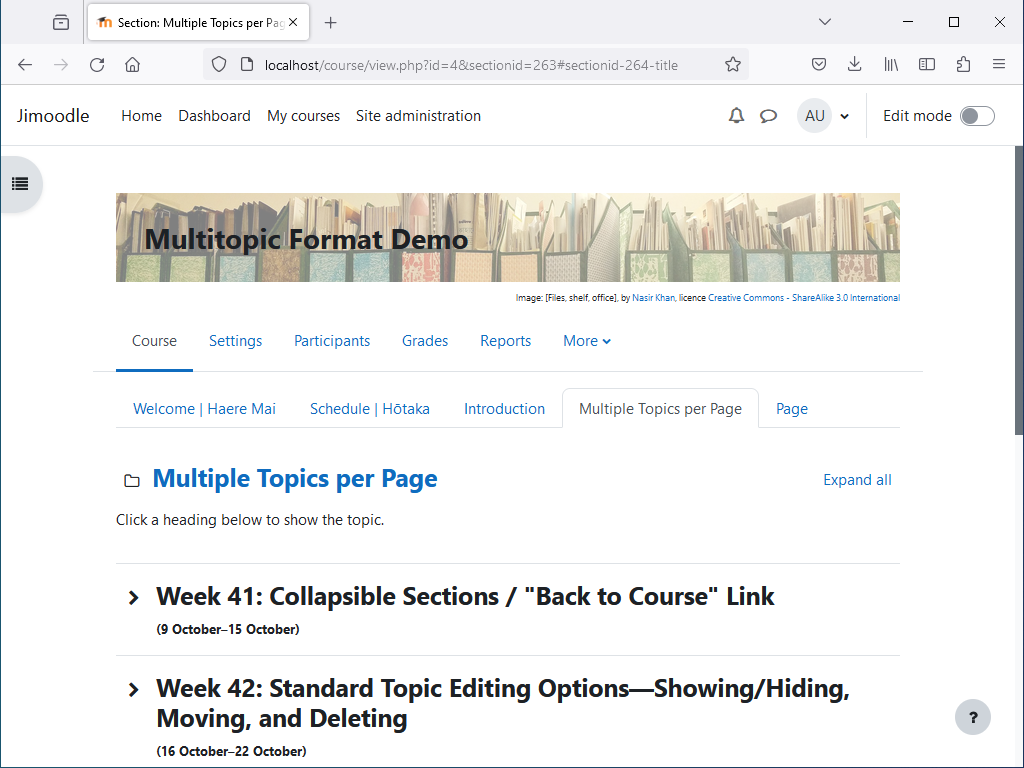
Shows multiple topics per page, with tabbed navigation between pages. Topics are collapsible, and can optionally be timed.


Comments
Comments are no longer open for new posts. Existing comments remain available to read.
Since Last week WE have Switched to Moodle 4.1.4 + build 20230616. WE have old courtesy where WE usw the multitopic Format.
Section can No longer be collapsed/expanded
Multitopic: v4.2.1(2023051701). How can i solve this issue
Since Last week WE have Switched to Moodle 4.1.4 + build 20230616. WE have old courtesy where WE usw the multitopic Format.
Section can No longer be collapsed/expanded
Multitopic: v4.2.1(2023051701)
The latest version of the Multitopic format should support activity indentation. I've left it as a "release candidate" for now, because there are some issues with code validation. I think it's the code checker being unnecessarily strict, and it relates to included Moodle code, so it isn't something I can change. I've filed a Moodle issue about it here: https://tracker.moodle.org/browse/MDLSITE-7329 . In any case, I don't think it will cause any real problems.
It doesn't look like this is a free theme, so I can't install it on my Moodle test server. I've had a play with the online demo, and I think the following CSS should work. You could put it in Site admin > Appearance > Additional HTML > Within HEAD, wrapped in an HTML style tag:
body.format-multitopic:not([class*=" cmid-"]) .page-header-content > h2.rui-page-title {
display: none;
}
I didn't notice that Moodle 4.2 brought indentation back, thanks for pointing this out. (I've done some testing on Moodle 4.2, but we mainly use 4.1.) If I remember right, it's a simple change. I suspect it would probably have the unfortunate effect of suddenly re-indenting everything that was previously indented, while anything that was added while indenting was disabled wouldn't match, though. Perhaps I could set it to re-enable indentation for Moodle 4.2+ only, so the change happens for most people (besides those who have already upgraded) at the Moodle upgrade. I'll talk to my supervisor about it.
Thanks,
Peter
Custom CSS can be pasted into the setting Site admin > Appearance > Additional HTML > Within HEAD. The following code should make the course header look right. Replace square brackets with angled brackets. (I don't think the comments allow angled brackets.)
[style]
/* Multitopic course header */
body.format-multitopic #course-header {
width: 100%;
}
body.format-multitopic div#course-header > div#course-header-banner {
background-size: cover;
}
body.format-multitopic div#course-header > div#course-header-banner > div#course-header-banner-text {
font-size: 1.875rem;
font-weight: 700;
padding: 1em;
background: rgba(255, 255, 255, 0.5);
}
body.format-multitopic div#course-header > p#course-header-banner_attribution {
text-align: right;
margin: 0;
font-size: xx-small;
}
[/style]
I am relatively new to Moodle configurations so could you please give me a hint where to edit this Header css parameter I would be more than grateful.
Can also tell you that when I showed this superb plugin to some teachers they were very impressed, but the header size was a little annoying.
Cheers
Joakim
Thanks for your feedback. We customise the CSS at my organisation, and I had been expecting others to do this too, but it should probably just work out of the box without the need for custom CSS. Someone else raised this recently on GitHub, and I do intend to fix it in the next version. I probably won't change it for Moodle 3.x, since this is being phased out anyway, but it's definitely on the agenda for Moodle 4.x.
Cheers,
James
Very useful plugin thanks, but can you please fix the Course Header Text? Its to small compare to the original Collapsed Topics Header.
Best Regards
Joakim
Re remembering if a topic is collapsed or open, Multitopic for Moodle 3.x doesn't do this, but collapse/expand in Multitopic for Moodle 4.x is based on the Moodle 4.x collapse/expand code, and should remember the state. There do seem to be some issues with it though. Collapsing doesn't always work in a large course, which is related to MDL-46739. Collapse state also seems to be forgotten some times, and I suspect this is also an issue with the underlying Moodle code.
Re disabling the banner image, I usually only add features that are useful to my employer. I've asked my supervisor about this, and she doesn't think it's something we really need. Since it shouldn't be too difficult to do, she's said I could look at this if I have spare time, but this probably wouldn't be any time soon.