
Multitopic format
Maintained by
James Calder
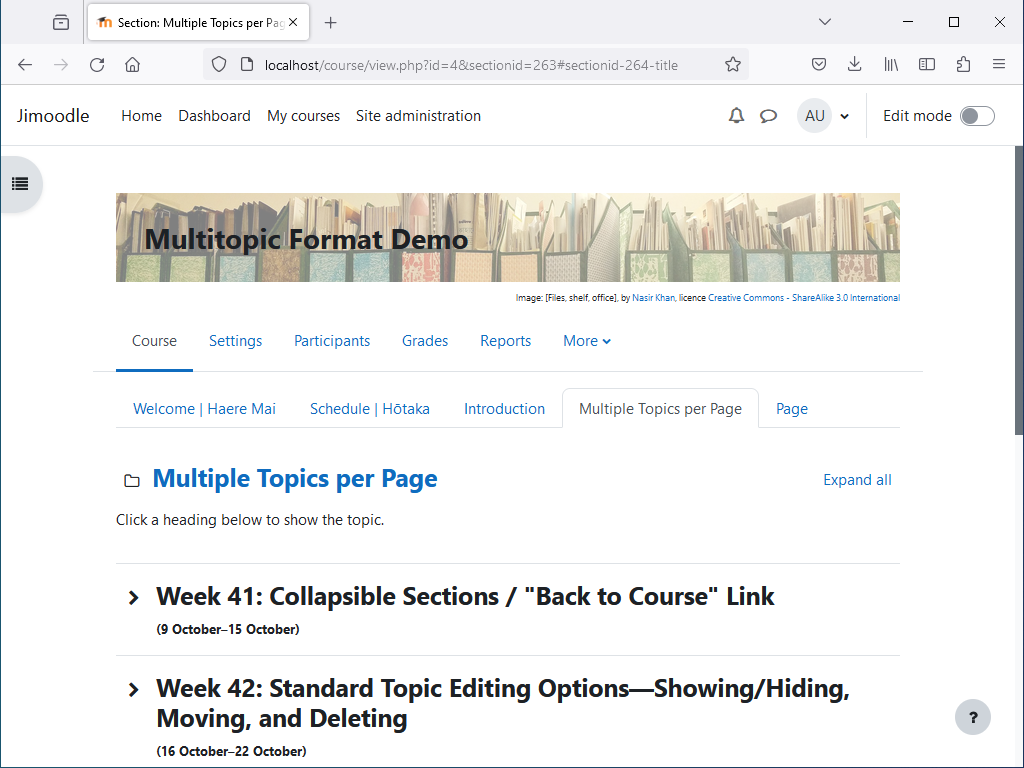
Shows multiple topics per page, with tabbed navigation between pages. Topics are collapsible, and can optionally be timed.


Comments
Comments are no longer open for new posts. Existing comments remain available to read.
I've tested against Moodle 4.1, and haven't found anything that needs changing. I might release a version tomorrow that lists 4.1 support, if I don't have too much other work to do, but it won't be any different.
A very interesting plugin. Kudos!
Will a Moodle 4.1 be released soon?
Regards
Sorry, I'm not sure what you mean. Could you try attaching screenshots? I'm not sure how well attaching images works in this forum though. If the image doesn't show up, maybe try in the forum under Useful links > Discussion, near the top of the page.
You'll need to rename the image in the section summary so it doesn't start with "goi_". I assume it would have been from the Grid format originally. The Multitopic format displays these images since they are usually section images from converted Grid format courses.
We love these course formats. While we wait for the Onetopic version for Moodle 4.0 I installed this to configure our courses.
I also applied the Styles in css but I have a problem that I don't know how to solve. I will appreciate any help:
Attached image
I need to remove that duplicate image that appears in the upper right margin
Can you help me?
Thank you
Good spotting, I guess that other CSS is overriding the new CSS. The best way to fix it would be to find where the other CSS is and remove it, but you could probably just add !important in the new CSS.
Thank you again for providing this code. First I tried to put this on the Additional HTML page within Head. It did not change the color of the activity nav button. Next I tried to put in the Within Body section. Same result, color change on the nav button. Last, I put this in the Lambda CSS custom field. Still does not work.
body.format-multitopic.path-mod.pagelayout-incourse #page #page-content .activity-navigation #prev-activity-link {
color: #fff;
background-color: #964e76;
}
body.format-multitopic.path-mod.pagelayout-incourse #page #page-content .activity-navigation #next-activity-link {
color: #fff;
background-color: #964e76;
}
On the browser Inspect, I have these code:
.activity-navigation #next-activity-link, .activity-navigation #prev-activity-link {
background: #f2f2f2!important;
color: #555!important;
box-shadow: 0 -1px 0 rgb(0 0 0 / 10%) inset;
}
This code " .activity-navigation #prev-activity-link", is grayed. Noticed that this seem to be duplicate in the Inspect code.
I have kind of answered this before, but looking back at my answer, it could probably be improved.
The Multitopic format doesn't have an option for setting background colour on sections, however you could do this with a JavaScript hack.
First you need to find the HTML hex code for the colour you want. You could use an art program or something like https://htmlcolorcodes.com .
Then you need to find the ID for the section you want to set a colour on. If you edit the section, the section ID should be shown at the end of the web page URL.
Then, in the summary, click on the "Show more buttons" or "Toolbar toggle" icon at the top left, then the "HTML" or "Edit HTML source" button, and add the following HTML code at the top or bottom, replacing curly braces with angled brackets (I don't think the comments allow me to type angled brackets), and the xxxs with the section ID and HTML hex colour code:
{script}
document.querySelector("ul.sections li.sectionid-xxx .content").style.backgroundColor = '#xxx';
{/script}
When you said "activity index" earlier, you meant activities listed under sections? Sorry I misunderstood. I thought you meant a separate list of activities. The activities block probably isn't what you want, it lists activities by type, not section.
Whether the activities are shown under the sections is mainly a theme thing, I think. Classic shows activities under sections, Boost pre Moodle 4.0 doesn't. I guess that the Lambda theme doesn't either. Boost in Moodle 4.0 shows activities under sections, although the navigation drawer is only shown at all if the course format enables it.
In Moodle 4.0 Boost theme, activity navigation is removed if the navigation drawer is enabled, apparently because the developers considered activity navigation no longer necessary with activities shown in the navigation drawer. It looks like Moodle 4.0 Classic theme doesn't remove activity navigation though (I didn't notice this before). So I guess removing the activity navigation must be a theme thing too.
In any case, I don't think there's anything I can do in my course format to ensure that both the navigation drawer and the activity navigation are shown.
Thank you so much for this code. Appreciate it.
I wonder why Moodle 4.0 removed the activity navigation.
I will look for that Activities block and going to try it.
Looking at the navigation drawer, using Topic format, when the section is opened, the activities are also shown. Some course format don't have this feature?