
Multitopic format
Maintained by
James Calder
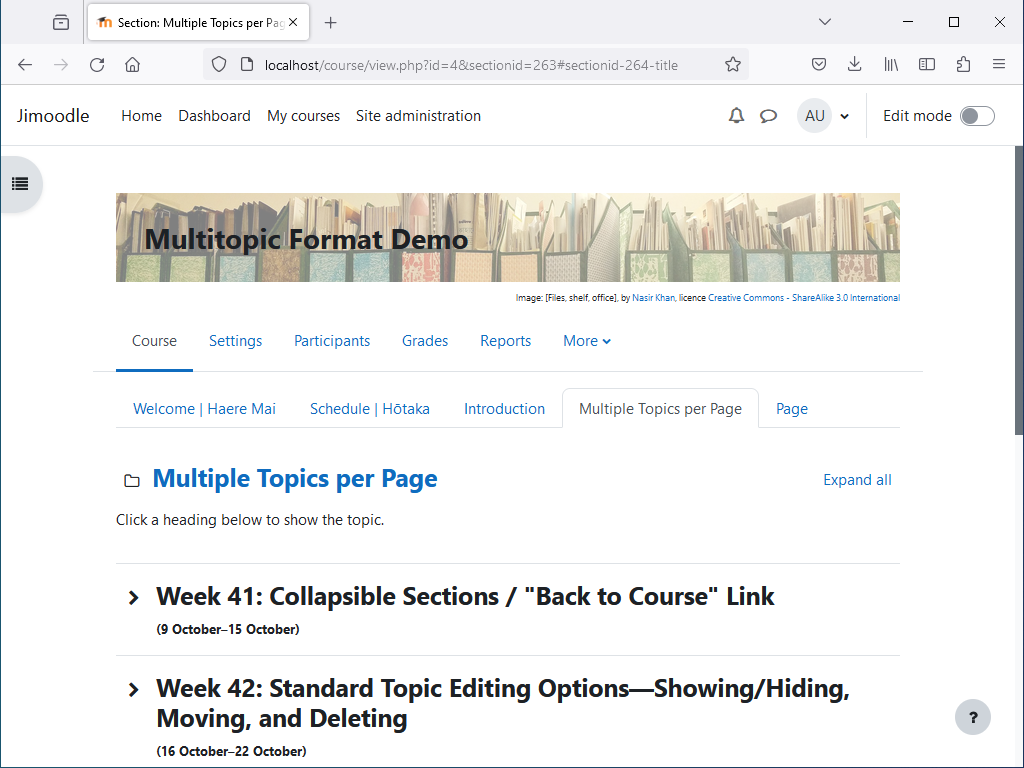
Shows multiple topics per page, with tabbed navigation between pages. Topics are collapsible, and can optionally be timed.


Comments
Comments are no longer open for new posts. Existing comments remain available to read.
I think you should be able to style the previous/next activity buttons with something like:
body.format-multitopic.path-mod.pagelayout-incourse #page #page-content .activity-navigation #prev-activity-link {
color: #fff;
background-color: #000;
}
body.format-multitopic.path-mod.pagelayout-incourse #page #page-content .activity-navigation #next-activity-link {
color: #fff;
background-color: #000;
}
This is for white text on a black background. You could use an art program, or something link https://htmlcolorcodes.com to find the HTML hex codes for the colours you want. I don't think the drop-down can be styled. Also, be aware that activity navigation is removed in Moodle 4.0.
I'm not sure about an activity index. There's an Activities block that can be added to courses, perhaps this is what you mean. But if it's related to the Lambda theme, I won't be able to help, because I don't have access to this.
The code you provided here works! I see the the activity navigation buttons now. This made my day. I want to customize the color of the buttons. Thank you so much.
I'm using Lambda. The navigation side bar(drawer) is shown along with the section index using Multitopic format. I was referring to the activity index which is not shown on the navigation drawer.
Sorry, I'm not sure what you mean. If you're talking about the activity navigation that appears on activity pages, then with Moodle v3.6-3.11 and the Multitopic format v3.0 or later, it should be possible to re-enable this by editing Site admin > Appearance > Additional HTML > Within HEAD, and adding, within a style tag:
body.format-multitopic.path-mod.pagelayout-incourse #page #page-content .activity-navigation {
display: block !important;
}
If you're talking about the section navigation, though, this has been removed from the Multitopic format, not just disabled.
Looking at the issue with the missing side bar in Moodle 4.0, I think it might be possible to add this back in (although without the drag-and-drop Moodle 4.0 supports) with a change to the Multitopic format for Moodle 3.x, as an interim measure. I'll look into this further. It looks adding the side bar would completely remove activity navigation, though. Apparently in Moodle 4.0 you can't have both.
I'm trying to use this Multitopic format with Lambda on 3.11 build. I managed to use the 1st level format for main topics as section and use the second level topics as Topics so they are inside the 1st level topics. We want to simplify the course layout by having one single level menu and navigation between activities button at the bottom of each topic page. Is this possible to turn on the code for this navigation between activities? And I read also your preview comment regarding the missing course index on the left sidebar navigation. I hope there is resolution to turn on that on the left sidebar.
There probably won't be a version specifically for Moodle 4.x for some time, but I've been testing the current version with Moodle 4.0, and the only issue for now, besides some of the presentation being in the old style, seems to be that the left-side navigation bar doesn't appear.
A lot has changed with course formats for 4.x, but there's still support for current course formats, so hopefully most will continue to work as is. I've been working on a new version, but still have to figure out the new left-side navigation bar (now called the "course index"), and the new expand/collapse all sections option. I'm not sure there'd be much benefit in releasing a version for 4.0 without these features while the old version still works, but if the old version stops working with 4.0, I could release a 4.0 version without these features. So one way or another, there will be a version of the Multitopic format that works with 4.0.
I was just wondering if we can expect an update for 4.0?
Best,
Alexa
And the style you give me works like magic. I have exactly what I need. Again, thanks a lot !!!
Best
Leslie
A second level of tabs shows when editing is on--this is so there is a place to put the + button for adding second level tabs. If you don't add any second level tabs, then this should disappear when editing is turned off, and it shouldn't show for students.
There isn't an option for hiding the section heading for pages, although if it is OK to hide these in *all* Multitopic courses on your server, you could probably do it with CSS like:
body.format-multitopic ul.sections li.section.section-page .content .sectionname { display: none; }
A Moodle administrator would need to add this, and it could go in Site admin > Appearance > Additional HTML > Within HEAD, inside a style tag.
I hope this helps.
Cheers,
James
First of all, thanks for this great format ! I am trying to build my own moodle. So far I was not doing so bad, but now I have en issue I don't know how to deal with... Maybe you can help ?
I want my course to have one layer of tabs. Kind of the main menu of the course. And then, in each tab, a set of collapsable sections.
So just two levels... I succeed in doing that with the pluggin but the name of the main tab section is repeated 3 times : one in the first tab level, one in a second tab level (don't know why this one appears) and one for a collapse section. But I just want it to be display in the main level.
To make it more clear, you can see a screencast here...
[Blocked]
Is it possible ? Maybe the issu comes with the theme (Lambda) ?
If I can maybe just get read of the second level of tabs which is useless...
Thank you so much if you can tell me how to fix it, or at least tell me it can't be done so I stop insisting on finding a solution
Best
Leslie
Thanks for reporting this, I think it's fixed in the latest release.
Cheers,
James
One problem - this format does not respond to Multi-Language Content filter. If course name coded with Moodle multilanguage in this format shows both names.
If I understand you right, you want to add CSS styles to sections? Sorry, I don't think there's really a good way to do this. I think CSS has to be specified either inline or in the HTML HEAD block, so it can't be entered elsewhere, like a section summary, and be made to apply to the section. And the Multitopic format doesn't have a feature for specifying CSS for sections.
I guess it would probably be possible to do this with JavaScript, although it's a messy hack. Entering something like the following in a section summary (replacing curly braces with angled brackets, and xxx with the section id) should put a pastel-blue background behind the section.
{script}
document.querySelector("ul.sections li.sectionid-xxx .content").style.backgroundColor = '#ccf';
{/script}
Sorry, I read this message, then got side tracked, and forgot to come back to it.
There isn't really a feature for not collapsing topics by default. The thought was that usually students will only need to expand the topic they are working on, and making topics collapsed by default will let students scroll to that one faster.
If a topic is set to Topic duration "No time", then it will not collapse at all. This is intended for "topics" containing assignments that do not have time set aside for them specifically, but rather students are expected to work on them during other topics. It is a bit of a hack to use this just to prevent topics collapsing, though, and it means the topic duration feature can't be used.