
Multitopic format
Maintained by
James Calder
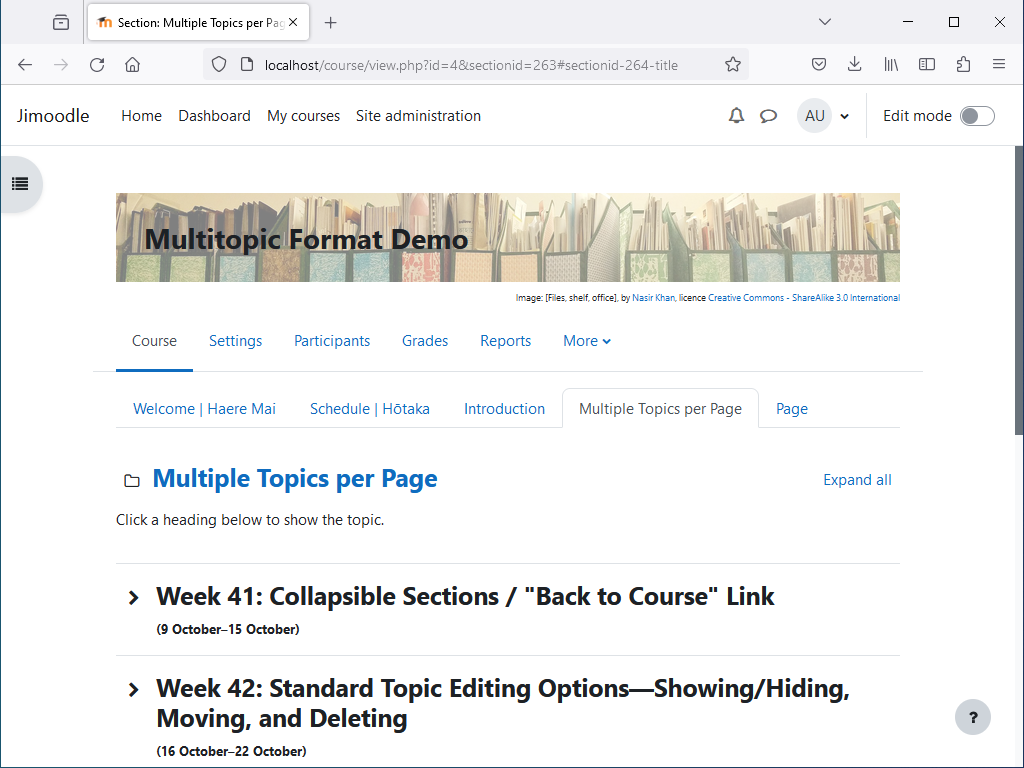
Shows multiple topics per page, with tabbed navigation between pages. Topics are collapsible, and can optionally be timed.


Comments
Comments are no longer open for new posts. Existing comments remain available to read.
If the course title is small, I suspect the CSS has not been copied from the file README_styles.css. See here:
https://github.com/james-cnz/moodle-format_multitopic/blob/master/README_styles.css
Alternatively, you could use CSS to revert banner changes, as described here:
https://github.com/james-cnz/moodle-format_multitopic/issues/18
Thanks.
great work. Will the plugin be compatible with Moodle 3.9 and future Versions?
Kind regards
Jens
The tabs don't show in the Moodle Mobile App. The course just shows as the app normally shows it, all topics in a list, or one selected topic. I don't know of a way to change that.
There's no proper way to do this, but you might be able to do a hack with CSS grid layout, depending on your theme. For Boost on Moodle 3.5, adding the following CSS into Site administration / Appearance / Additional HTML / Within HEAD, in a style tag, seemed to work for me:
body.format-multitopic header#page-header div div.card div.card-body div.d-flex.flex-wrap {
display: grid !important;
grid-template-columns: max-content 1fr;
}
body.format-multitopic header#page-header div div.card div.card-body div.d-flex.flex-wrap #course-header {
grid-row: 1;
grid-column: 1 / 3;
}
body.format-multitopic header#page-header div div.card div.card-body div.d-flex.flex-wrap #page-navbar {
grid-row: 2;
grid-column: 1;
}
body.format-multitopic header#page-header div div.card div.card-body div.d-flex.flex-wrap .ml-auto.d-flex {
grid-row: 2;
grid-column: 2;
}
is it possible to change the order of breadcrumb and header-image.
So it looks like:
1. Header image of the course
2. Breadcrumb
3. Sections
Kindly Regards
Jochen
I hope I've fixed this issue now, could you check? (I installed a Moodle 3.9 sandbox for testing, and I got an error with the modchooser, but not the same error you did, so I'm not completely sure.)
Just upgraded to Moodle 3.9+ and when I switch to editing a course using this plugin I get an error box with the message...
Class 'core_course\output\modchooser_item' not found
The activities that are part of the root topic/tab are visible but any sub-topic/tab does not show; just this large error box.
In total the combined course would have 10 tabs, with 5 topics beneath each tab.
The new course would contain approx 1,000 learning objects / links from the course home page (spread across all tabs / topics), consisting of approx:
- 400 pages
- 200 assignments
- 400 labels (short text only, no images or videos etc embedded within them)
The total disk size of the new course would be approx 475 MB
For into, our site is running V3.8 and our Moodle benchmark report (https://moodle.org/plugins/report_benchmark) shows our site is currently 'perfect' in all categories (average score 142 over multiple tests). So the site is currently working well.