
Multitopic format
Maintained by
James Calder
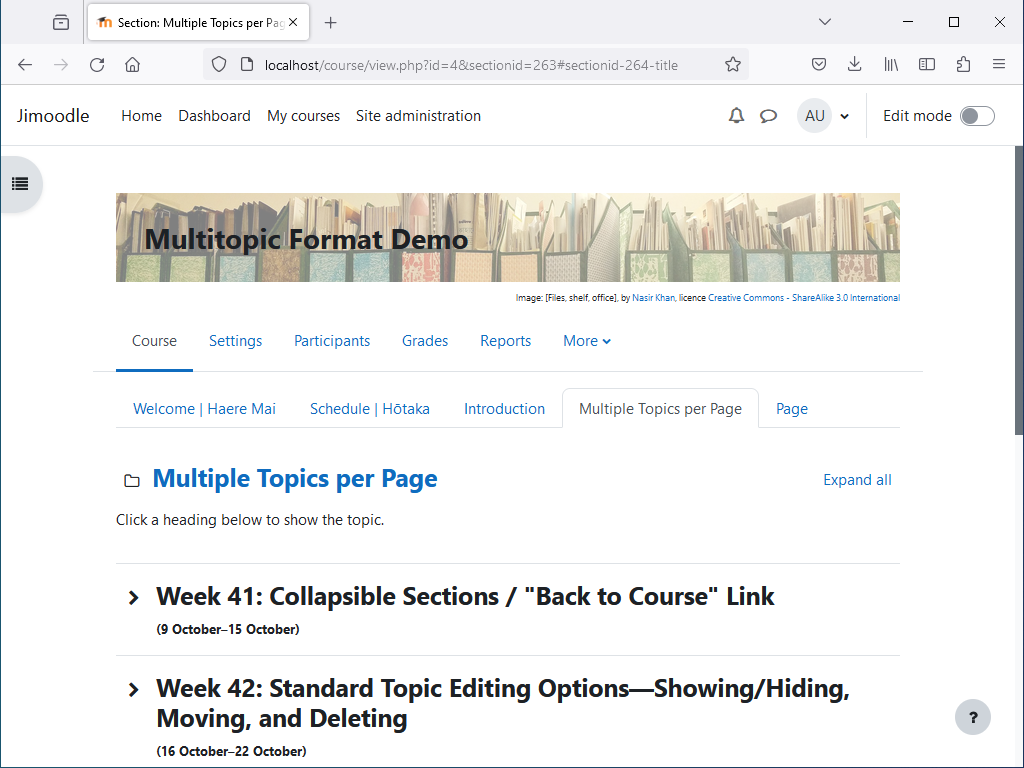
Shows multiple topics per page, with tabbed navigation between pages. Topics are collapsible, and can optionally be timed.


Comments
Comments are no longer open for new posts. Existing comments remain available to read.
I think the permission you need is Update course settings (moodle/course:update).
define role-> permisssion
witch setting allows you to edit the tab name in the course ??
when i login as aadministrator i can edit, when i logged as editingteacher i cannot ( dont see edit button)
?
It's been resolved .It was due to my local plugin issue .
thnks for the response
Sorry, there's not much I can do, unless I can see the issue. Are you able to e-mail me a backup of the course, with instructions for replicating the issue?
My e-mail address is jeg@cloudy.kiwi.nz .
found a bug like have added more then 7 topics in which the last 2 are only visible when the 3rd last is clicked . how can i resolve it
You could instead try putting it in your theme settings. In Moodle 4.x at least, it could go under:
Site admin > Appearance > Themes > [settings for the theme you use] > Advanced settings > Raw SCSS
(I don't have access to a Moodle 3.x server at the moment to see if it has the same option in the same place.)
Right! I coded exactly but I didn't get the expected result. Should I include the code somewhere else?
Thank you very much for the tip!
Renato
You should be able to remove the banner attribution site-wide with some CSS. It could go under Site admin > Appearance > Additional HTML > Within HEAD, inside some opening and closing HTML style tags, and would be something like this:
body.format-multitopic #course-header #course-header-banner_attribution {
display: none;
}
If you do put the CSS in the Within HEAD field, be careful to correctly close the HTML style tag, as an unclosed HTML tag in this field may cause the Moodle site to become inaccessible.
I'm using this course format in a project. He's great! But I need to know how I can remove the text that appears just below the top image.
Example: image files by.....
Sorry, I missed your post. There's no option for this, but you can revert it with some CSS. It's in the docs:
https://github.com/james-cnz/moodle-format_multitopic/wiki
on the page Plugin (for administrators)
Sorry, there's no function to duplicate a whole page. Functions that apply to whole pages require custom code, which may break and need to be fixed when new versions of Moodle are released, so I've just stuck to the minimum--hiding/showing and moving.
Sorry, I don't remember having come across this before. Could you temporarily turn on debugging messages on the Moodle server, and see if anything shows up? This is under Site admin > Development > Debugging. Set Debug messages to DEVELOPER and Display debug messages ticked. Otherwise, if you private message me a login with access to a Moodle sandpit, and it turns out to be a CSS issue, I might be able to troubleshoot it.