
Board — collaborative post-it board activity for Moodle
Maintained by
Brickfield Education Labs, Gavin Henrick (Brickfield)
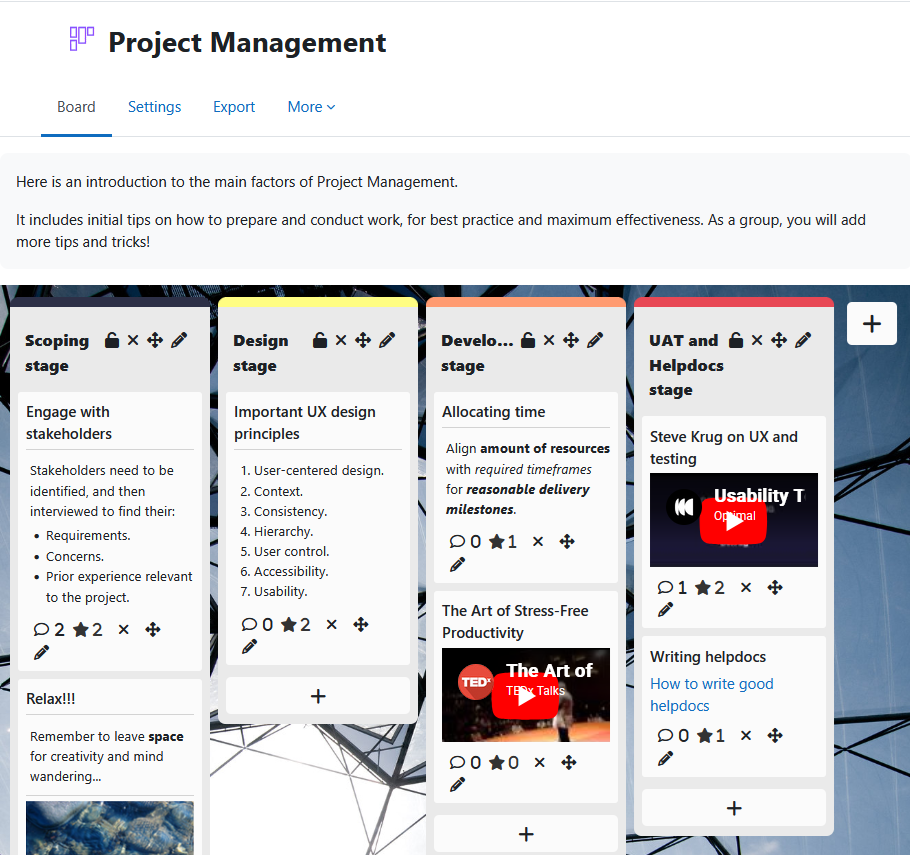
Board gives students a shared space to contribute ideas, links, images, and videos as visual posts organised into teacher-defined columns.
Posts are anonymous by default — students see each other's contributions but not who made them.
Comments
Comments are no longer open for new posts. Existing comments remain available to read.
A great plugin, however, when changed to length of text to 800, I get a "Formsubmissioninvalid" popout when trying to post. Is it only possible to have 250 characters?
It did not save the content field in the database and we have seen that the board_add_note function of classes / board truncated the content field to the maximum size but took as size 0 and not 250, which is its configuration value. Assigning a value to the post_max_length field already saves it perfectly.
I report it to you in case someone has the same problem with version 3.10.4.
Now it works perfectly and we are very happy with the plugin. thanks and greetings
I just did a fresh install of Moodle 3.10.x (8) and the current mod_board in the plugin db above and added a post with a title, some content, an image and description. All correctly saved.
So not sure what is up with your install - 3.10.4 or 3.10.8 should not make any difference.
Perhaps there is a conflict with something else?
Thanks
Just like if you were doing a classroom activity with Postit notes - and people don't sign them usually, this was designed to give a student to student anonymous usage by default. No core activity of Moodle has this anonymous contribution aspect.
Tteachers can see via the reports to help see who did what and help monitor in case of bad behaviour - however the lack of student names was intentional.
Gavin.
As this is student data -the posts only go when students move with it and user has the right to do backups with data.
Using my admin account which can do backups with student data i just did a course backup with the enrolled students and the board posts came with it when restored into a new course.
Import - just pulls settings.
Hope that clarifies it!
Gavin
However, there seems to be an issue when importing board activities into another course: The column headers will be imported, all the contents of the columns unfortunately seem to get deleted.
Thanks a lot!