FilterCodes icon

FilterCodes

Maintained by Michael Milette
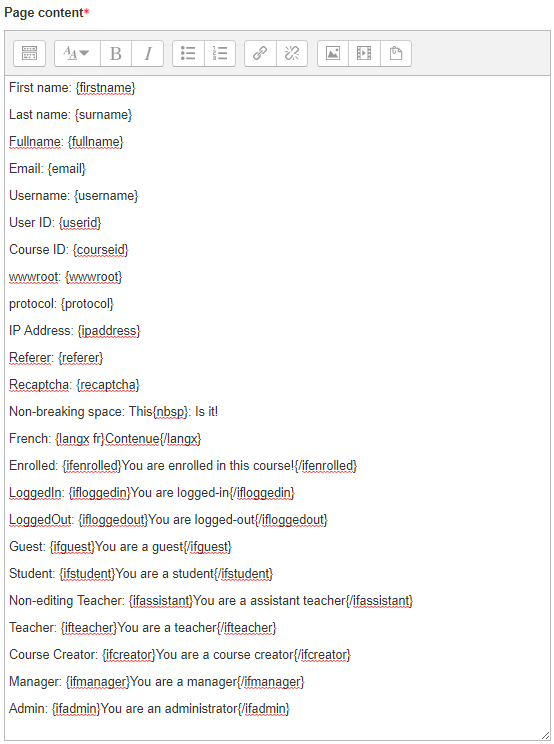
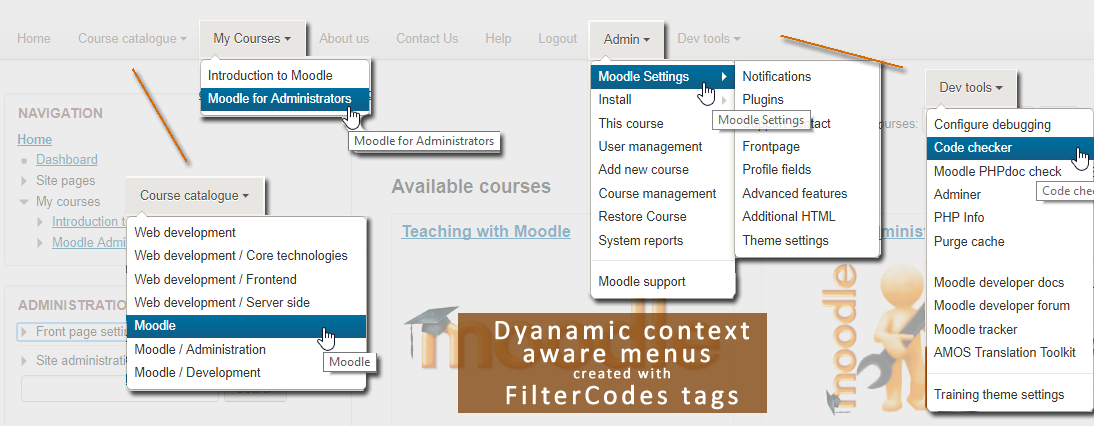
Transform your Moodle site with the FilterCodes Plugin! Elevate engagement by inserting about 200 dynamic plain-text tags like {firstname} to create personalized learning experiences, customize your site and course content, display progress bars, simplify Contact Form customization effortlessly and much more. FilterCodes empowers educators to revolutionize Moodle into a dynamic, personalized platform. Join the community of FilterCodes enthusiasts to unlock the potential of your Moodle LMS site.
Price option: Free

Supports Moodle 2.7-5.2 See all versions
Latest release: 1 week ago
Installations: 7815
Downloads (last 90 days): 2421

Frankenstyle name: filter_filtercodes
Filters

Comments

Comments are no longer open for new posts. Existing comments remain available to read.

Hi Yvan, when Moodle scrapes content form any page, it does so as a logged out user since the server is not actually logged into Moodle but your web browser. If you go to https://dev.fadacsdm.ca/my/ without being logged in, you will be redirected to the login page at https://dev.fadacsdm.ca/login/index.php which does not have a nav-drawer.
Using Moodle 3.5 with Boost theme i am not able to grabe a section of a page (the url target is in my moodle site).. every time the whole page is returned...in this example, i want to display the nav-drawer of the dashboard...Can you tell me please what is wrong with my syntax: {scrape url="https://dev.fadacsdm.ca/my/" tag ="div" id="nav-drawer" } Thank you
Hi John, not yet however please feel free to make a feature request at https://github.com/michael-milette/moodle-filter_filtercodes/issues . Be sure to include an example of how you would use it.
Love the new {ifingroup id}{/ifingroup} tags -- question: does "ifnotingroup" exist?
Please note that FilterCodes version 2.1.0 was recently released.
Hi Phineas, those sound like you have some interesting ideas. Please go to the Issues tracker and submit a ticket for each of your ideas. In the description, please be sure to include an example of how and why you would use each of these proposed tags. Here is the link for the Issue Tracker:
https://github.com/michael-milette/moodle-filter_filtercodes/issues
Best regards,
Michael
Would it be possible to add the following filters to future updates?
- Current date
- Total questions in the course
- Total questions in Moodle
- Total of course attempts
Thank you!!
Hi Dave, an interesting idea. Please submit your suggestion, including a description of a situation on how it would be used to https://github.com/michael-milette/moodle-filter_filtercodes/issues
Just come across this plugin - looks really useful. Have you considered added the option for the users 'timezone' to be one of the codes that can be applied?
Hi Benjamin, It sounds like the search results are not going through the Moodle Filters. If you want to see this fixed in Moodle core, I recommend that you create a ticket in the Moodle Tracker.
However, consider what is being displayed. Many FilterCodes display information based on their context. Where some piece of course information, such as custom course fields or start date, will appear properly in a course, search results are displayed outside the course and therefore may not produce the expected results.
It would need to be confirmed however, I suspect that global search results are displayed under course ID 1 which is the Front Page. This means that if you were to try and display the course name, for example, you would likely end up with something like your site's name instead of the actual course's name.
Hi Michael, thank you very much for this amazing plugin. I would like to ask if you have any idea for this problem: When anybody uses the global search by moodle they are going to see the plain text tags. Do I have to filter the filters out of the search? Any idea? Thank you very much!
Hi Pierre, try {profile_field_shortname}. So, in your case, it would be {profile_field_idwechat}. If it doesn't work, you may need to update your plugin. For an up-to-date list of supported tags, remember to always take a look at the README.md file that came included with your FilterCodes plugin.
There are lots of new tags coming in the next release of FilterCodes scheduled to launch at the same time as Moodle 3.9 in June 2020 including a new tag for custom course fields which may also be of interest to you. You can always try out the latest version available on Github by following the Source Control URL. Your feedback and suggestions are always welcome.
hi, what is the tag syntaxe to insert a user profil field ? i add in user profil, the new field "idwechat", id like to insert it. how do i do ?
Hi Alex, thank you for bringing this to my attention. Please report this using the Bug Tracker link on the FilterCodes plugin page at Moodle.org and I will make sure it gets into the next release of FilterCodes coming out soon. Please also let me know if you notice this issue with other types of activities or resources.
In some activities, "dataform view" in my case, a URL that contains { and } is changed automatically into %7B and %7D
For example: https://www.somesite.com/report/progress/index.php?course={courseid}
it's turned into: https://www.somesite.com/report/progress/index.php?course=%7Bcourseid%7D
You should also check for these "malformed" URL.